advertisement
On CNET: Dell spikes site with Alienware PCs
Find Articles in:
all
Business
Reference
Technology
News
Sports
Health
Autos
Arts
Home & Garden
advertisement

Content provided in partnership with
Thomson / Gale

Business Services Industry

The RSS revolution - Using RSS: An Explanation and Guide

Information Outlook,  Dec, 2002  by Steven M. Cohen

EVERY MONTH OR SO, AN ATTORNEY ASKS ME TO LOCATE RECENT NEWS ARTICLES about one of her major clients. WhiLe in the past I would use information providers to do this, I figured that there must be another way to provide more current news to the attorney before she asks.


Recently, I decided to experiment with another avenue that is slowly becoming one of the key resources for "currency" on the Web: RSS (rich site summary) feeds. It worked. Now I get that company's breaking news every hour from more than 4,000 news sources all over the world. This capability saves me precious time when I am looking for newsworthy stories. And the attorney can apprise and advise the client about any relevant legal issues right away.

Most Popular Articles in Reference
The importance of understanding organizational culture
Credit card attitudes and behaviors of college students
What factors attract foreign direct investment?
Libraries Need Relationship Marketing - mutual interest marketing concept, ...
How to set performance goals: employee reviews are more than annual critiques
More »
advertisement

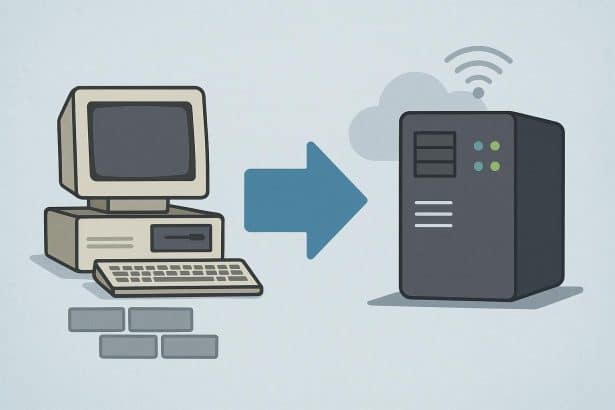
RSS feeds provide a way to deliver content to the user, rather than the user having to go out and find the content via traditional Web methods, such as search engines and Web directories. Instead of bookmarking various sites and returning to them every day, the user can set up a feed, so that the data from those sites are sent to a news aggregator that resides on the user's desktop. (RSS feeds are a form of XML and can only be read with these special aggregators.) Of course, not all sites offer RSS feeds, but as this method of content delivery becomes more popular, the number of sites will grow. Many major websites (such as Cnet, Zdnet, and USA Today) and library weblogs (such as the Virtual Acquisition Shelf and News Desk (http://resourceshelf.freepint.com), put out by Gary Price) offer RSS.

Have you ever noticed a little orange button on a website with the letters XML (extensible Markup Language) in it or a blue button (rarer) with the letters RSS in it? These buttons are not easy to find and are sometimes hidden in the Web page--if you come across the blue button, the site is available in RSS feed format. (Pages that do not have these special buttons may also be available via RSS feed, but the button is a sure sign.) To read the file, you can download a news aggregator from the Web. I'm partial to two aggregators: Newzcrawler (http://www.newzcrawler.com) and Ampheta Desk (http://www.disobey.com/amphetadesk). Both are easy to use and make putting RSS into practice a quick and easy task.

Newzcrawler can be downloaded free and used for 30 days. After the trial period, the company requests that you purchase a license for the aggregator ($25) or remove it from your desktop. Once installed, Newzcrawler is ready to receive RSS feeds. Just copy and paste the feed (which almost always ends in .xml or .rss) into the aggregator, and it is ready to be read. An example of an RSS feed is this one for my weblog, Library Stuff: http://www.librarystuff.net/rss.xml. For those who use Microsoft Outlook, the interface has a familiar look, divided into three sections. The left side is reserved for the feed names. On the top side of the horizontally broken right side, the headlines of each feed are displayed. Underneath the list of headlines, on the bottom right side, is the content that goes with each headline. Click on any headline and the content will display. It's that easy.

Newzcrawler resides on the desktop and is always running until the user exits the program. Here's where the features of RSS come in handy. Every 30 minutes (or whatever interval the user chooses), the software runs the feed and brings to the desktop all the new content from the relevant sites. I subscribe to about 150 feeds from a number of sources. At the top of the hour, all the new content is delivered to me.

Newzcrawler offers more advanced features for more sophisticated users. For example, I like all the content from the feeds I follow to be displayed in one list, so I can scroll through the information without having to click on each headline. Newzcrawler allows me to review the information from each feed in its newspaper-like format. The content is displayed in HTML format, as if from the site itself. The hyperlinks and any relevant images are there as well. Spend just an hour placing feeds in Newzcrawler and looking at the information, and you'll be hooked on the future of content retrieval.

Ampheta Desk (http://www.disobey.com/amphetadesk) performs the same basic functions as Newzcrawler, using different methods. The software is open source and can be downloaded free. Like Newzcrawler, Ampheta Desk resides on the desktop, but it is more browser-based than software-based. Once downloaded and launched, Ampheta Desk is ready to go. Only four screens are available, which makes it very user-friendly. The first screen--the Main Channels page--displays the content from all the feeds you have ever subscribed to. The second-the My Channels page--displays the feeds that you are currently subscribing to. RSS feeds can be pasted here. The third screen--the Add Channels page--allows you to add feeds but contains more than 5,000 feeds that you can also subscribe to. The fourth page is an options page that allows you to customize Ampheta Desk to suit your needs