


The hardest part of music in content production is rarely the first track. It is the second and third. You need something that feels consistent with what you published last week, but not identical. You need a new hook without breaking the vibe. You need faster iteration, not endless searching. In my own tests, the most useful music tools behave like version control: you generate options, save what matters, and refine with minimal friction. That is where an AI Music Generator becomes more than a novelty—because it can turn “we need a track by tonight” into a repeatable process.
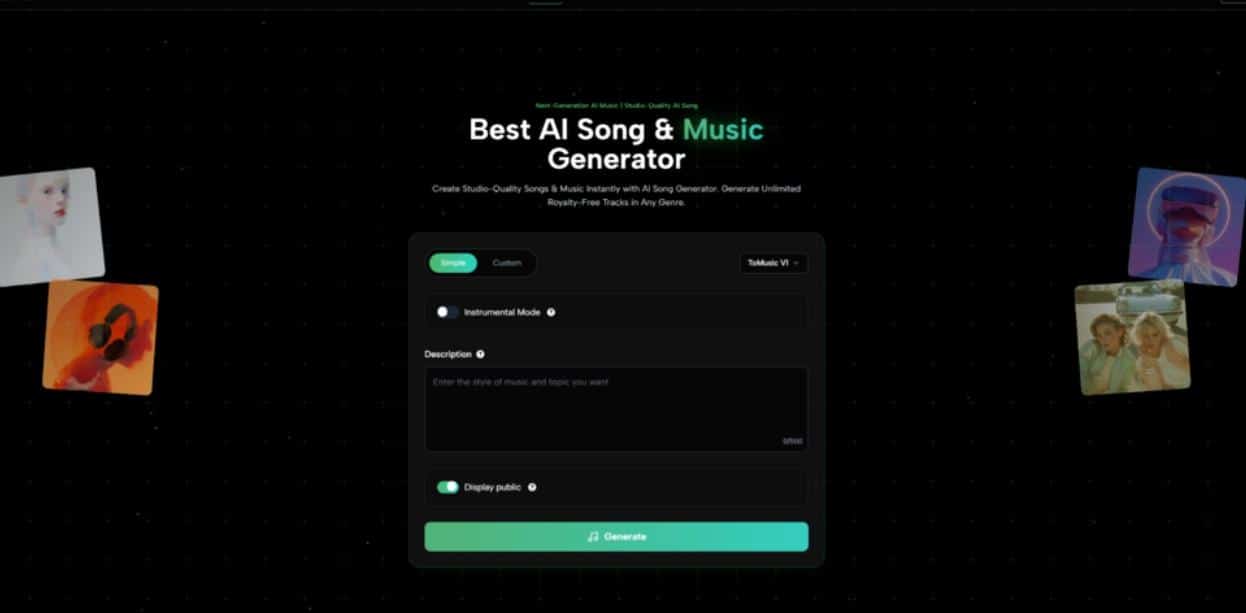
ToMusic.ai supports prompt-based generation and lyric-driven songs, and it offers multiple models (V1–V4). That structure matters because teams do not always need the same kind of output. Sometimes you need background momentum for a video edit. Sometimes you need a vocal-forward song that carries meaning. Sometimes you need five variations quickly so you can pick the one that sits under dialogue without fighting it.
- Why Most Teams Get Stuck On The Same Music Decision
- What ToMusic.ai Adds When You Think In “Branches”
- A 3-Step Workflow That Works For Weekly Publishing
- How To Write Prompts For Teams, Not For Fun
- Text Generation Is Most Valuable At The Decision Point
- Lyrics Mode As A Structured Brief For Vocal-Forward Work
- When This Is The Right Tooling Choice
Why Most Teams Get Stuck On The Same Music Decision
There is a pattern that repeats in fast content teams:
- Someone picks a track that is “good enough.”
- The next project tries to match it.
- Matching becomes harder than creating.
- Eventually the team either repeats the same track or abandons consistency.
The underlying issue is that “matching” is a vague instruction. You cannot easily search for “the same energy but less dramatic” in a traditional library. You can, however, describe that instruction as a creative brief.
A generator makes “matching” concrete because it lets you reuse the same brief and adjust one variable at a time. That is the version-control idea: the brief is your baseline, and each generation is a branch.
A Consistency System Built From Language
A simple baseline brief has four parts:
- Genre family
- Mood
- Tempo feel
- Arrangement density
From that baseline, your variations are intentional:
- Episode feels slower: lower tempo feel, more space.
- Episode feels intense: more percussion punch, fuller arrangement.
- Episode needs clarity for voiceover: reduce melodic density, keep rhythmic drive.
This is not theory. It is how you keep a series coherent without sounding repetitive.
What ToMusic.ai Adds When You Think In “Branches”
ToMusic.ai’s multi-model setup is a practical advantage when you want controlled variation. Different models can behave like different producers: same brief, different instincts. The point is not to chase the “best model.” The point is to use model choice as a lever when you want a meaningful shift without rewriting your entire intent.
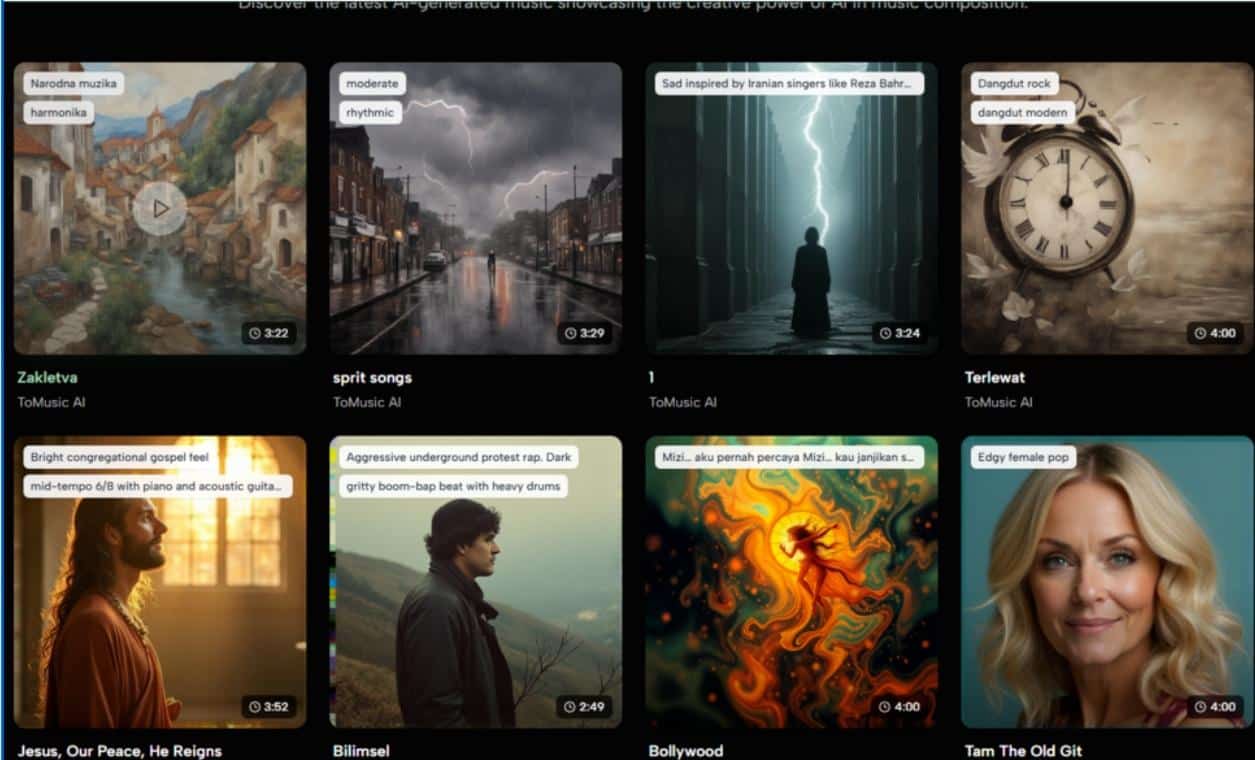
There is also a workflow advantage in being able to generate multiple takes and keep them organized in a library. The library is not just storage. It is your decision history: what you tried, what you kept, and what direction worked.
A Comparison Table For Team Use, Not Marketing
| Team Need | What You Usually Do | What Often Goes Wrong | How ToMusic.ai Helps |
|---|---|---|---|
| Keep series consistency | Reuse one track | Repetition fatigue | Reuse the same brief, generate new takes |
| Fast turnaround for edits | Browse stock catalogs | Search time dominates | Generate drafts directly from intent |
| Protect voiceover clarity | Lower music volume | Still feels busy | Prompt for sparse arrangement and space |
| Explore multiple moods quickly | Debate in meetings | No audio to compare | Generate several takes and A/B immediately |
The main shift is that decisions move from discussion to listening.
A 3-Step Workflow That Works For Weekly Publishing
This workflow is intentionally short, because teams do not adopt complex systems.
- Maintain one “baseline brief” for your series
- Keep genre, mood, tempo feel, and arrangement density stable
- Generate 3–5 takes for each new episode
- Use small changes: one instrument cue, one energy cue, or one model switch.
- Pick the take that fits under the actual edit
- Judge inside the timeline. A track that feels boring alone can be perfect under dialogue.
If you follow those three steps, music stops being a recurring debate and becomes part of production.
How To Write Prompts For Teams, Not For Fun
Team prompts should be less poetic and more operational. In my testing, operational prompts create fewer surprises and are easier to reuse.
A good team prompt states:
- Mood in two words
- Genre family
- Tempo feel
- Instrument anchors
- One instruction about density (sparse vs full)
- Vocal instruction (instrumental or a vocal style)
Then you store that prompt as your baseline. Every new episode begins there.
A Simple Rule For Editing The Prompt
Only change one line at a time.
- If you change mood and tempo and instruments together, you lose your baseline.
- If you change one variable, you learn what that variable does.
This is how a prompt becomes a tool, not a one-time guess.
The “Less Is More” Lesson That Saves Time
If your output feels confused, the solution is often to remove constraints, not add them. Contradictory instructions typically produce inconsistent results. Clear, limited constraints typically produce coherent drafts.
Text Generation Is Most Valuable At The Decision Point
People often treat Text to Music like a replacement for musicianship. In practice, it is a replacement for the slowest part of production: getting to the first playable option
Once you have a playable option, you can make real decisions:
- Does it build too early?
- Does it distract from the message?
- Does it make the edit feel faster or slower?
Those are the questions that determine whether a track works. And you cannot answer them without audio.
Why Concurrency Changes Collaboration
When a team can generate multiple takes quickly, the meeting changes:
- Instead of arguing about taste, you compare options.
- Instead of “I think,” you say “Option B fits the cut.”
- Instead of endless searching, you spend time refining direction.
This is a subtle but important shift: less opinion, more evidence.
Lyrics Mode As A Structured Brief For Vocal-Forward Work
Lyric-driven generation is not just for hobby songwriting. It can be useful when you want vocals to carry the message: campaign hooks, short brand anthems, creator intros, or theme songs.
The safest way to use lyrics is to keep them structured and simple:
- Verse: context
- Chorus: the core phrase
- Verse: another angle
- Chorus: repeat
Complexity can come later. The first goal is coherence.
The Lyrics to Song AI workflow is most reliable when your lyrics have consistent tone and section boundaries. When lyrics jump between unrelated ideas, the output often feels like it is searching for an identity.
A Realistic View Of Limitations
To keep expectations grounded:
- You may need multiple generations to land on the right vocal feel.
- The same input can produce different musical interpretations.
- Prompt clarity and lyric structure strongly influence output quality.
These limits are normal in generative workflows. The point is not perfection on the first run. The point is fast discovery of direction.
When This Is The Right Tooling Choice
If you publish frequently, you are not trying to craft one perfect track. You are trying to maintain momentum and consistency across many outputs. In that environment, a system that behaves like version control—baseline brief, small changes, saved history—can be more valuable than a massive catalog.
ToMusic.ai fits best when you treat it as part of production ops: generate draft options, compare them under the cut, keep what works, and reuse the baseline brief next week. That is how music becomes a repeatable decision instead of a recurring bottleneck.

