


Amazon’s Big Spring Sale is delivering rare price drops on home networking, with top Wi‑Fi mesh systems and standalone routers discounted by up to 44%. If your aging gateway is choking under 4K streams, consoles, smart home hubs, and remote work calls, these markdowns on Wi‑Fi 6E and Wi‑Fi 7 gear are a timely chance to upgrade for less.
The deals span trusted brands like Netgear, TP‑Link, and Asus, including Wi‑Fi 7 models that unlock 320MHz channels, 4K QAM, and Multi‑Link Operation for lower latency and more headroom in busy households. With US median fixed broadband speeds now well above 200Mbps according to Ookla’s Speedtest Global Index, many homes finally have the service to benefit from multi‑gig routers and tri‑band mesh backhaul. The smarter move is making the last mile inside your home just as fast.

Standout Discounts on Wi‑Fi Mesh and Routers
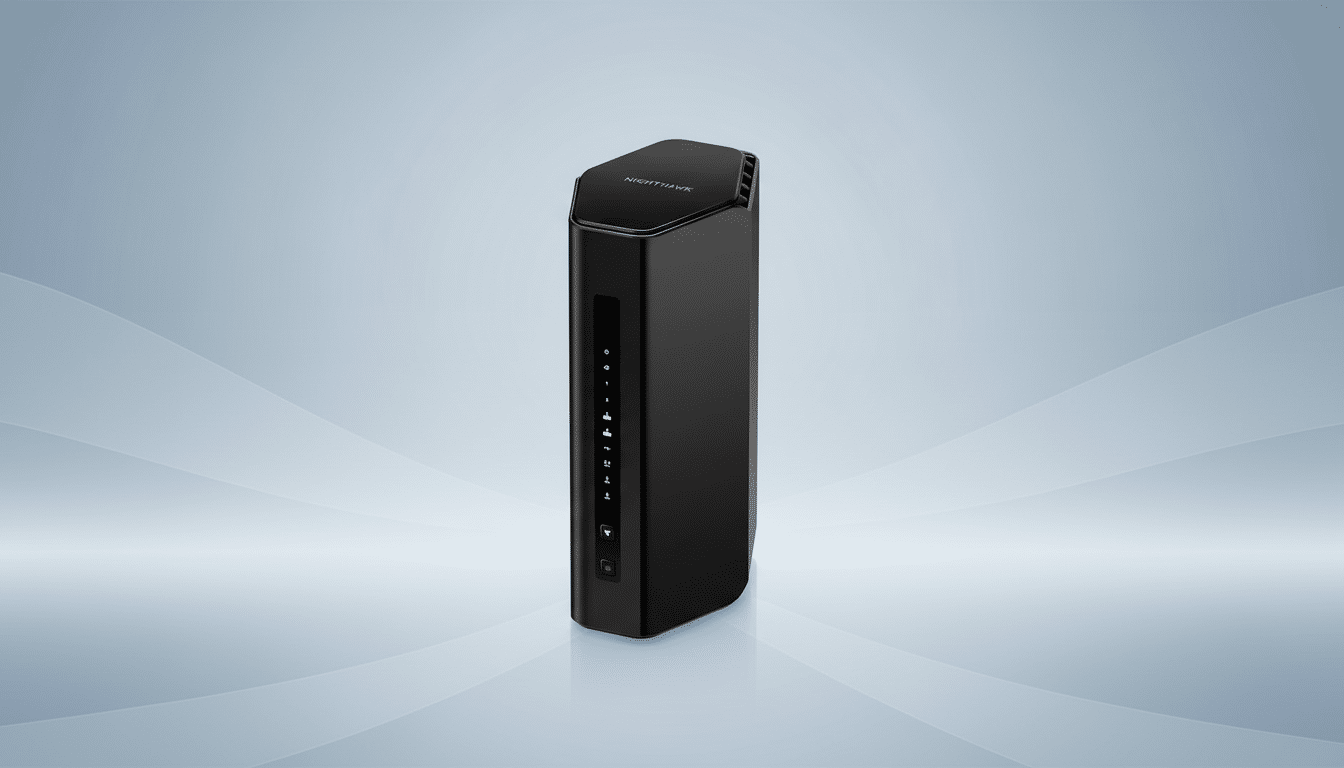
Netgear Nighthawk BE9300 Wi‑Fi 7 routers are marked down, bringing multi‑gig readiness to smaller and medium homes. Look for models with a 2.5GbE WAN/LAN port and aggregated 9.3Gbps class wireless throughput. That’s plenty for cloud gaming, 4K streams, and large game downloads running at once, and the UI is friendly enough for first‑time tinkerers.
For larger footprints, Netgear’s Orbi tri‑band mesh systems are also on sale. Mid‑range kits covering roughly 6,000–6,600 square feet can support dozens of devices with dedicated backhaul, minimizing the speed drops you get from basic extenders. Ample Ethernet on the router and satellites is a plus if you want to hard‑wire a TV, console, or desktop for rock‑solid performance.
TP‑Link’s Archer AXE and BE series are seeing broad cuts. The Archer AXE5400 (Wi‑Fi 6E) remains a value favorite for early adopters who want to hop onto the cleaner 6GHz band without splurging on Wi‑Fi 7. If you’re ready for next‑gen, TP‑Link’s BE5000/BE6500 class routers and Deco BE mesh kits are discounted, bringing Wi‑Fi 7 features like Multi‑Link Operation to busy homes with lots of simultaneous streams and calls.
Asus dual‑band and tri‑band Wi‑Fi 7 routers are also included, and they play nicely with AiMesh if you plan to expand room‑by‑room later. Many units add multi‑gig ports, solid QoS controls for gamers, and the option to create separate SSIDs for kids or IoT gadgets.
Wi‑Fi 6E or Wi‑Fi 7: Which Should You Buy?
Pick Wi‑Fi 6E if you want a bargain and already own devices that can use 6GHz (newer phones, laptops, and headsets). 6E’s major win is reduced interference on the 6GHz band, which is terrific for latency‑sensitive tasks in apartments or dense neighborhoods. It’s a strong future‑proofing step without paying top dollar.
Choose Wi‑Fi 7 if you’re chasing the lowest latency and highest aggregate throughput. Standout features include 320MHz‑wide channels (double 6E’s bandwidth), 4K QAM for higher data density, and Multi‑Link Operation that lets compatible devices bond links across bands to avoid congestion spikes. If you have multi‑gig internet, many wireless clients, or plan to keep your router 4–6 years, these gains can be meaningful.
Mesh or Single Router: Coverage and Capacity
As a rule of thumb, single routers excel in apartments and smaller homes up to roughly 1,800–2,000 square feet with open layouts. Add mesh if you have multiple floors, long hallways, or older construction with plaster or brick. Look for tri‑band mesh with a dedicated 5GHz or 6GHz backhaul so satellites don’t fight clients for airtime.
Where possible, wire at least one satellite via Ethernet backhaul for a dramatic stability boost. And check port layouts: multi‑gig WAN is increasingly important as ISPs roll out 1–2Gbps plans, while extra LAN ports save you from buying a separate switch for a TV console stack.
Security and Support Still Matter for Home Networks
Modern routers bundle security tools like Netgear Armor or TP‑Link HomeShield with network scans, parental controls, and device isolation. Be sure to check what’s free versus what becomes a paid subscription after the trial. WPA3 encryption, auto‑updates, and regular firmware releases are must‑haves; the US Cybersecurity and Infrastructure Security Agency urges vendors and users alike to keep firmware current to blunt common router exploits.
With billions of Wi‑Fi devices in use worldwide according to the Wi‑Fi Alliance, home networks are attractive targets. Simple steps—changing default admin passwords, disabling WPS, and segmenting smart home gadgets on a separate SSID—go a long way.
How to Maximize These Big Spring Sale Deals
Match coverage to square footage and wall types before you buy; oversizing a router is cheaper than adding range extenders later. Prioritize models with 2.5GbE or faster WAN if your ISP offers fiber or plans to upgrade. If you live in a congested area, look for DFS support and channel width controls so you can right‑size to reduce interference rather than running everything wide open.
Finally, confirm return windows and price protections, as stock‑based sales can shift quickly. With top markdowns reaching 44% and proven models from Netgear, TP‑Link, and Asus in the mix, this is one of the best windows all year to future‑proof your Wi‑Fi without overspending.

