


For 3D artists, designers, and content creators, the biggest roadblocks to productivity aren’t lack of creativity—it’s the tedious, time-consuming manual work that plagues every project. From spending hours crafting a basic 3D model from scratch to struggling with complex retopology, UV unwrapping, and texture mapping, these repetitive tasks drain energy that could be spent on innovation. Even experienced professionals find themselves stuck in a cycle of “busy work” rather than bringing their visions to life. Enter AI-driven 3D tools: the game-changer that’s automating the most grueling parts of 3D creation. Tripo Studio, a leading AI 3D Model Generator, is at the forefront of this revolution, offering a all-in-one solution that turns text prompts, images, and simple inputs into high-quality 3D assets—without the need for advanced technical skills.
Tripo Studio’s Core AI-Powered Features: Simplify Every Step of 3D Creation
Tripo Studio eliminates the friction of traditional 3D workflows with six key AI-driven features, each designed to solve specific pain points and accelerate your projects. Every tool works seamlessly together, so you never have to jump between platforms or master complex software.
- Tripo Studio’s Core AI-Powered Features: Simplify Every Step of 3D Creation
- 1. Text to 3D Model
- 2. Image to 3D Model
- 3. AI Model Segmentation
- 4. AI Retopology
- 5. AI Texturing
- 6. AI Rigging
- Real-World Use Cases: Tripo Studio for Every Industry
- Why Tripo Studio Stands Out from Other 3D Tools
- Tutorial: Create a 3D Asset in 5 Simple Steps with Tripo Studio
- Ready to Transform Your 3D Workflow?
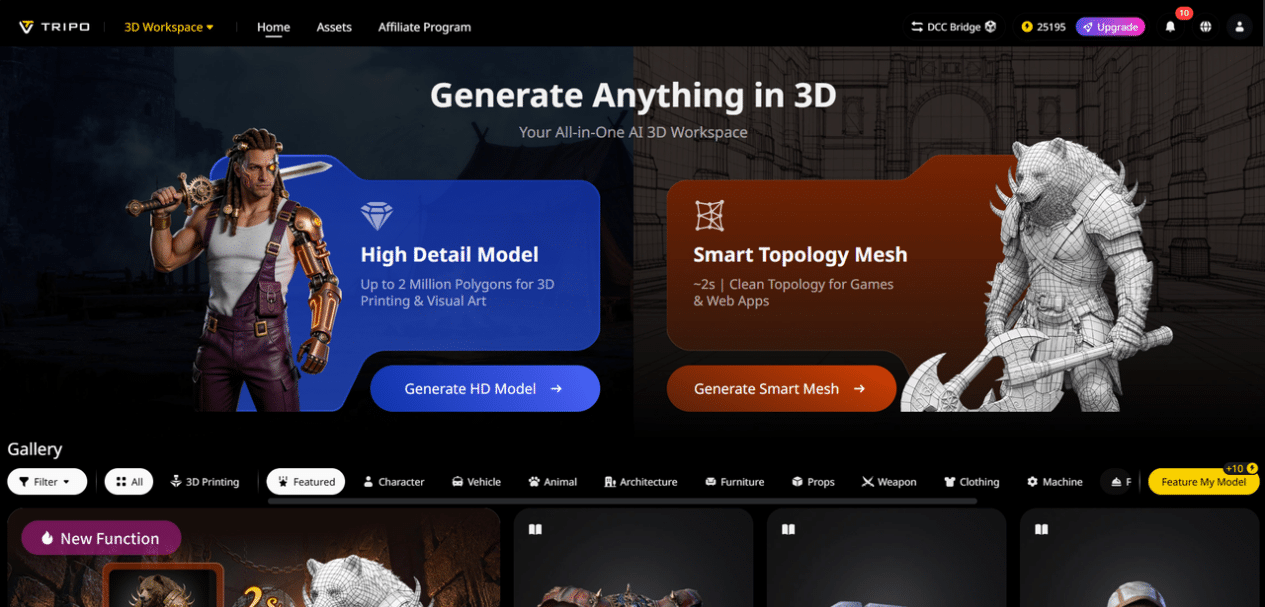
1. Text to 3D Model
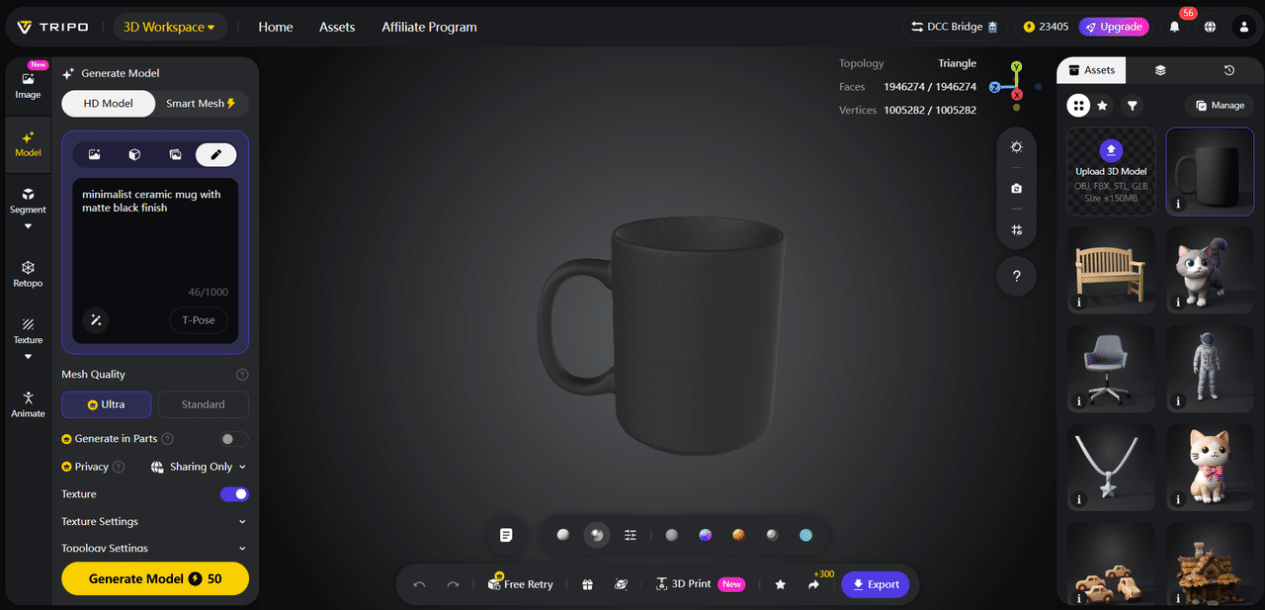
This feature turns written descriptions into detailed 3D models in seconds. Simply type a prompt (e.g., “a sleek modern chair with metal legs and fabric upholstery”) and Tripo Studio’s AI interprets your vision, generating a fully formed 3D model—no manual modeling required. It solves the problem of translating abstract ideas into tangible 3D assets, saving hours of sketching and sculpting. The result is a production-ready base model that you can refine further, cutting down initial creation time by up to 80%.
2. Image to 3D Model
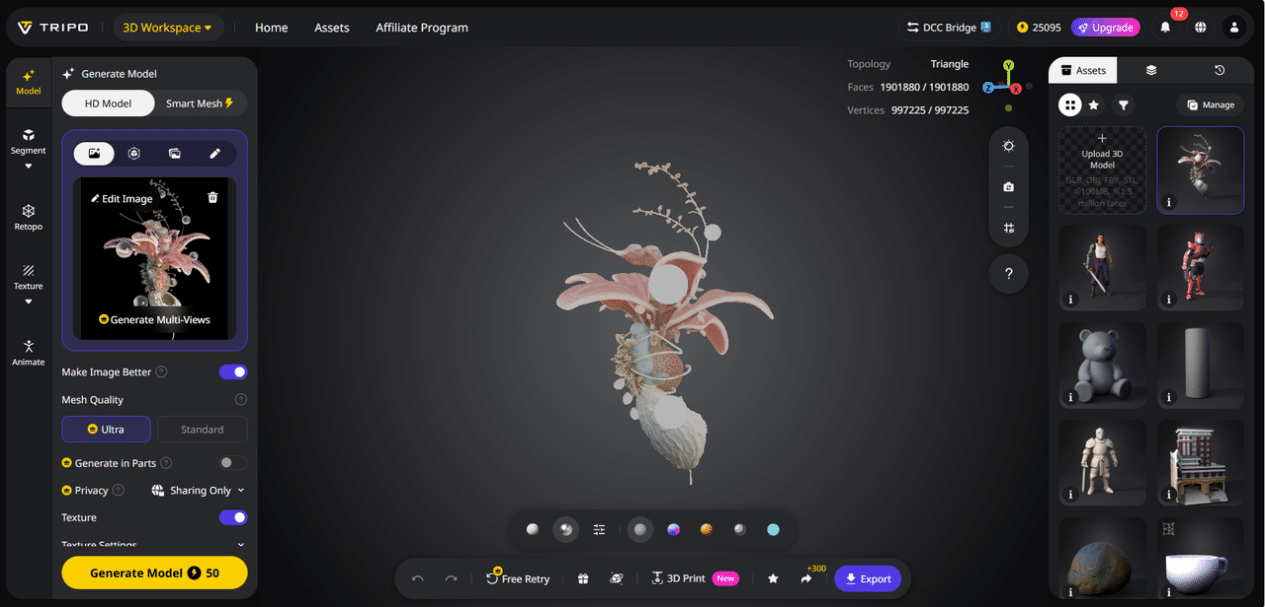
Turn any 2D image—whether a photo, sketch, or concept art—into a realistic 3D model with Image to 3D Model. This feature is a lifesaver for creators who have a clear visual reference but don’t want to rebuild it from scratch. It solves the challenge of converting 2D assets to 3D accurately, preserving details like textures, proportions, and shapes. Whether you’re working with product photos, character sketches, or architectural renderings, this tool delivers a precise 3D model in minutes, not days.
3. AI Model Segmentation
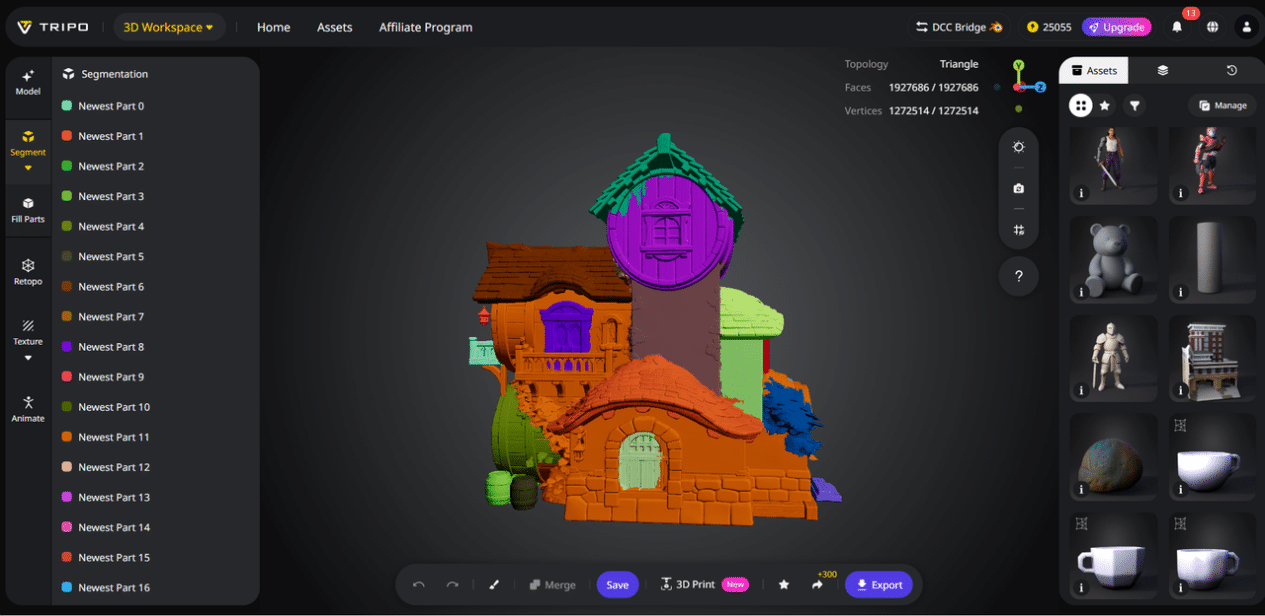
AI Model Segmentation automatically breaks down complex 3D models into individual, editable parts—such as a car’s body, wheels, and windows, or a character’s head, torso, and limbs. This solves the problem of editing large, interconnected models, where changing one part can disrupt the entire asset. With this feature, you can modify specific segments without affecting the rest of the model, making it easier to refine details, adjust proportions, or repurpose parts for other projects. It’s especially useful for Segmentation/Split 3D Model tasks that would otherwise require manual selection and separation.
4. AI Retopology
Retopology is one of the most tedious tasks in 3D creation, requiring artists to manually rebuild a model’s mesh to ensure it’s clean, efficient, and suitable for animation or rendering. Tripo Studio’s AI Retopology automates this process, generating a optimized, low-poly mesh that retains all the original model’s details. It solves the problem of time-consuming mesh cleanup, ensuring your models are ready for rigging, animation, or 3D printing—without the risk of errors or uneven geometry.
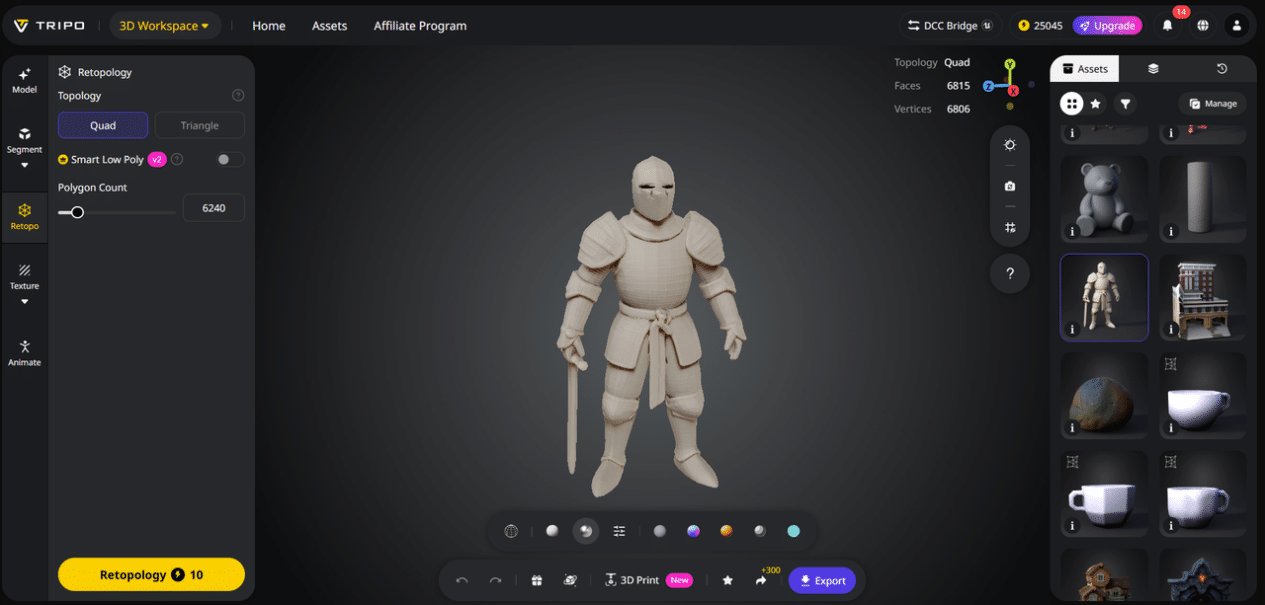
5. AI Texturing
Adding realistic textures to 3D models often requires hours of manual painting or searching for compatible texture files. AI Texture in Tripo Studio changes that by automatically applying high-quality, context-aware textures to your models. Whether you need wood, metal, fabric, or skin textures, the AI analyzes the model’s shape and purpose, applying textures that look natural and consistent. It solves the problem of mismatched textures or time spent on manual painting, giving your models a polished, professional look in seconds.
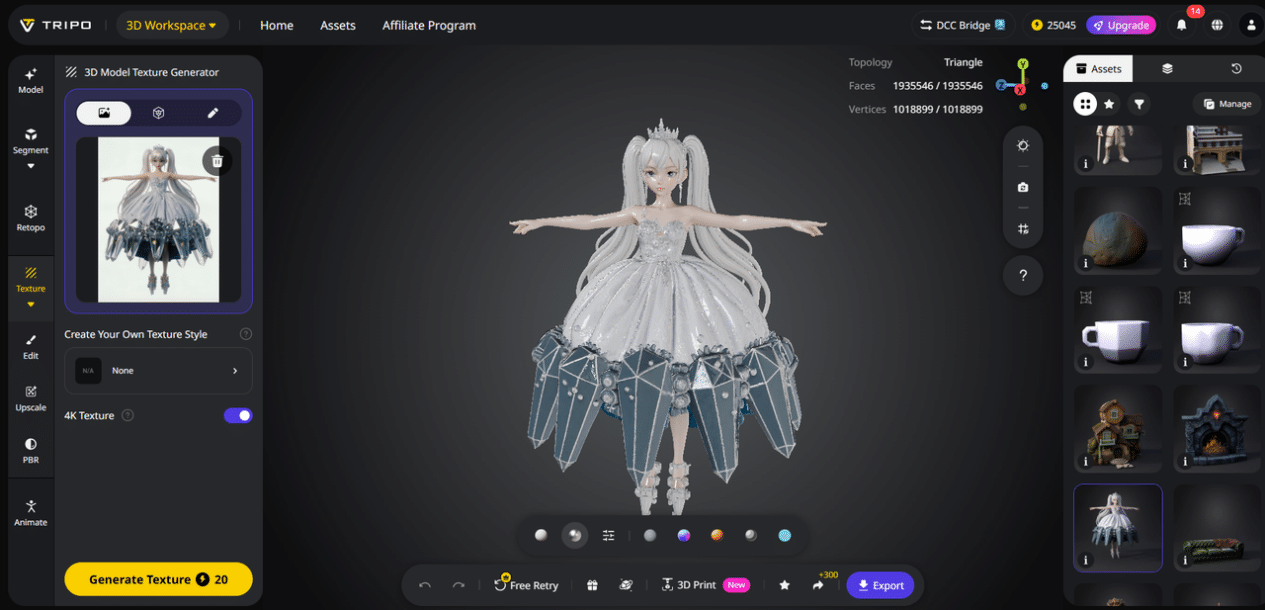
6. AI Rigging
AI Rigging automates the process of creating a skeletal structure for 3D models, making them ready for animation. This feature eliminates the need for manual rigging—a skill that takes years to master—by generating a fully functional rig with joints, controls, and weight painting. It solves the problem of animating models quickly, whether you’re creating a character for a game, a product demo, or a metaverse avatar. Even beginners can rig complex models in minutes, opening up animation to creators of all skill levels.
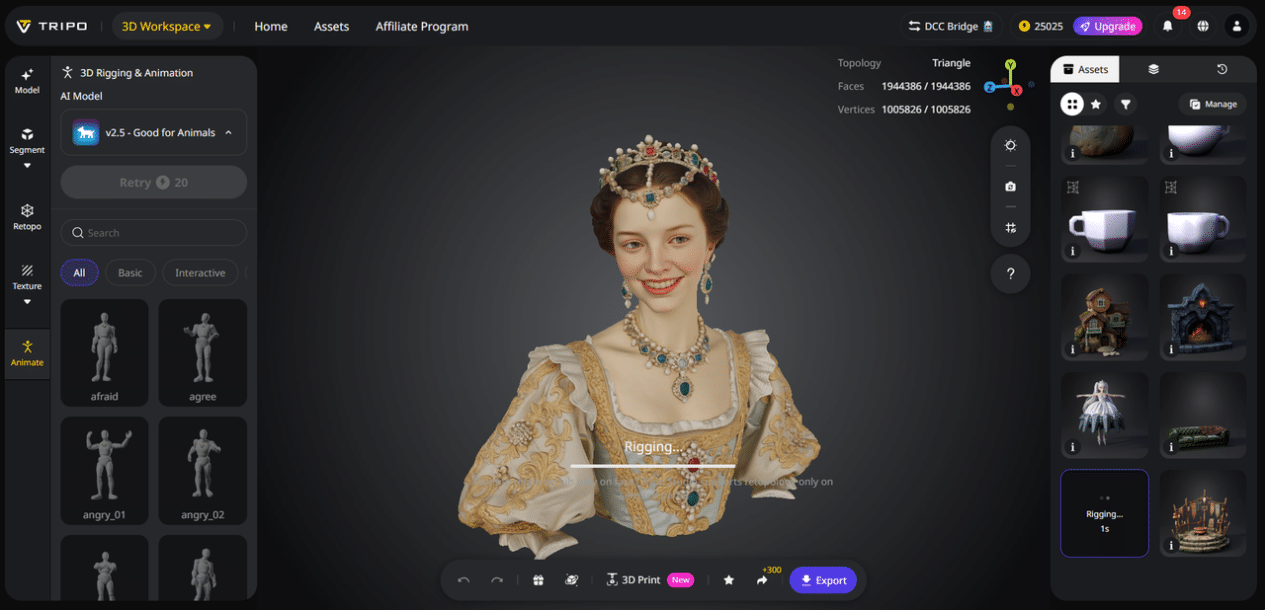
Real-World Use Cases: Tripo Studio for Every Industry
Tripo Studio isn’t just for professional 3D artists—it’s a versatile tool that adapts to a wide range of industries and use cases:
- Game Development: Quickly generate 3D assets (characters, props, environments) to speed up game design and prototyping.
- Architectural Visualization: Convert 2D floor plans or photos into 3D models to create realistic renderings for clients.
- Product Design: Turn concept sketches into 3D models to test prototypes, refine designs, and showcase products to stakeholders.
- 3D Printing: Generate optimized models that are ready for 3D printing, with clean meshes and no errors.
- Metaverse & VFX: Create avatars, props, and environments for metaverse platforms, videos, and visual effects—all in record time.
Why Tripo Studio Stands Out from Other 3D Tools
What makes Tripo Studio different from other AI 3D tools? It’s all about simplicity, speed, and quality:
- Speed: Tasks that take hours or days with traditional tools are completed in seconds or minutes with Tripo Studio’s AI.
- Accessibility: No advanced 3D skills required—beginners and professionals alike can create high-quality assets.
- All-in-One Workflow: Unlike other tools that require switching between platforms for modeling, texturing, and rigging, Tripo Studio offers everything in one place.
- Quality: The AI generates detailed, production-ready models that require minimal refinement, saving even more time.
Tutorial: Create a 3D Asset in 5 Simple Steps with Tripo Studio
Ready to see how easy 3D creation can be? Follow these simple steps to generate a 3D model with Tripo Studio:
- Sign up for Tripo Studio (free trial available) and log in to the platform.
- Choose either “Text to 3D” or “Image to 3D”: Type a detailed prompt (e.g., “a vintage camera with leather straps”) or upload a 2D image of your desired asset.
- Click “Generate” and wait a few seconds for the AI to create your 3D model.
- Use AI Model Segmentation to split the model into editable parts, then apply AI Retopology to optimize the mesh.
- Add AI Texturing to give the model a realistic look, then export it in your preferred format (OBJ, FBX, STL) for use in your project.
Ready to Transform Your 3D Workflow?
Tripo Studio is changing the game for 3D creators, making high-quality 3D asset creation fast, easy, and accessible to everyone. Whether you’re a professional artist looking to save time or a beginner eager to explore 3D creation, Tripo Studio has everything you need. Sign up for a free trial today and experience the power of AI-driven 3D tools—no credit card required. Visit Tripo Studio to get started and take your 3D projects to the next level.

