


WhatsApp is rolling out a set of iPhone-focused upgrades that remove long-standing pain points and add genuinely useful tools. The highlights include true multi-account support on a single iPhone, a streamlined way to move chat history from iOS to Android, smarter storage controls, and fresh Meta AI features for photos and message drafts. For the world’s most widely used messenger — with more than 2 billion users, according to Meta — these changes make day‑to‑day messaging and device switching meaningfully easier.
What’s New For iPhone Users: Multi‑Account Support And More
The headline upgrade is the ability to run two WhatsApp accounts on one iPhone. If you juggle a work number and a personal number, you no longer need two phones or constant sign‑ins. WhatsApp says you’ll always know which account you’re using — your active profile picture appears at the bottom of the app — and you can swap accounts without losing your place. You will need two phone numbers (eSIM or SIM plus eSIM on supported iPhone models), and each account keeps its own notifications, chats, and privacy settings.
- What’s New For iPhone Users: Multi‑Account Support And More
- Seamless Chat Transfer From iOS To Android
- Smarter Storage Management To Reclaim iPhone Space Quickly
- Meta AI Arrives For Photos And Replies, With Opt‑In Controls
- Why It Matters For iPhone Messaging, Privacy And Switching
- How To Get The Features On Your iPhone And During Transfers
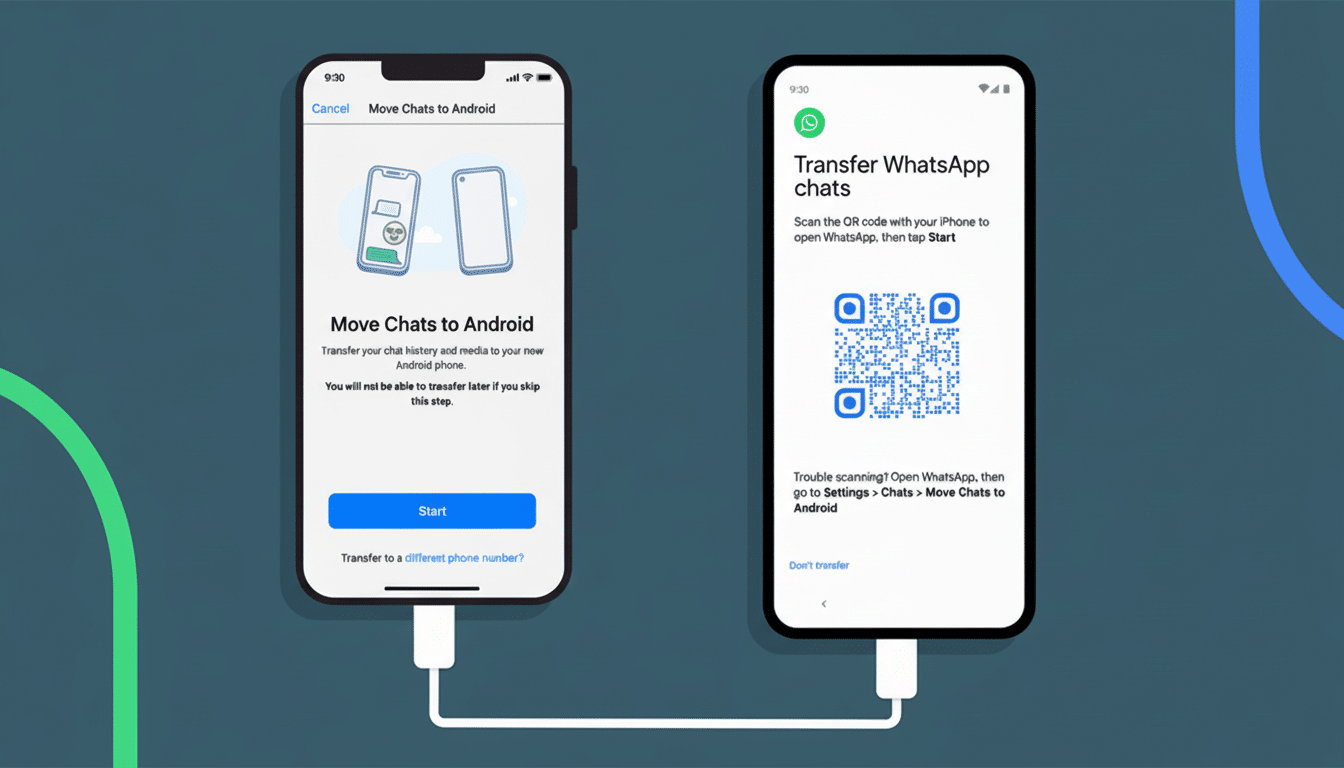
Seamless Chat Transfer From iOS To Android
Switching from iPhone to Android used to be a chore; now it’s a few taps. From WhatsApp on iOS, go to Chats > Transfer chat history > Transfer to Android and follow the prompts. WhatsApp indicates the process works locally between devices, preserving end‑to‑end encryption without relying on third-party workarounds or incomplete exports.
Not everything moves, and that transparency matters.
Can be transferred:
- Your account info
- Profile photo
- Individual and group chats
- Communities’ histories
- Settings
Excluded:
- Call logs
- Your display name
- Media received via channels
In practice, that means your conversations and their structure survive the trip, but a few metadata items and channel media won’t. Compared with earlier OEM‑specific solutions (like Samsung Smart Switch) or cable‑based hacks, this native flow is faster and more consistent.
Smarter Storage Management To Reclaim iPhone Space Quickly
WhatsApp’s storage tools on iOS now make it simpler to spot space hogs. Inside any chat, choose Manage Storage to surface the largest photos, videos, voice notes, and documents. For heavy group chats where 4K clips and long voice notes pile up, this is a quick way to reclaim gigabytes without deleting entire threads. It’s particularly useful on iPhones near capacity, where every reclaimed gig can stave off the dreaded “Storage Almost Full” alert.

Meta AI Arrives For Photos And Replies, With Opt‑In Controls
Two new AI‑powered additions add polish and speed. First, you can touch up images before sending — think object removal or background changes — using Meta’s generative tools. Second, AI can draft a reply based on the conversation context, giving you a starting point you can edit or discard. Meta says these features are opt‑in, and messages remain end‑to‑end encrypted; nothing is sent until you review and approve it. Availability will expand as rollout continues and may vary by region and language.
For small businesses and creators who already rely on WhatsApp — Meta reported over 200 million monthly users of the WhatsApp Business app — quick AI‑assisted replies can trim response times and improve consistency without sounding robotic, provided teams review outputs carefully.
Why It Matters For iPhone Messaging, Privacy And Switching
These updates address three of the most common friction points for iPhone owners: managing separate identities, switching ecosystems, and keeping storage in check. Multi‑account support reduces context switching and notification clutter. A clean iOS‑to‑Android migration weakens the “platform lock‑in” effect that historically discouraged switching. And better storage triage helps sustain years‑long chat histories without punitive cleanup.
Security‑wise, WhatsApp continues to lean on the Signal Protocol for end‑to‑end encryption. A direct, device‑to‑device transfer model avoids parking your chat history in the cloud just to change phones, a point privacy advocates have long pushed for. As AI features expand, clear user controls and transparent data handling will be crucial to maintain that trust.
How To Get The Features On Your iPhone And During Transfers
Update WhatsApp to the latest version from the App Store and ensure both phones (for transfers) are on current builds. For chat migration, have both devices charged, connected to the same Wi‑Fi, and keep the app open until the process completes. To add a second account, follow the new in‑app prompts and verify with your additional number. WhatsApp says the rollout is underway now, so features may appear over the coming days as server‑side switches flip.
Bottom line: iPhone users get tangible quality‑of‑life gains, and anyone contemplating a move to Android can now bring their WhatsApp life along with far less hassle. That’s a practical win, no matter which platform you prefer.

