


The migration of Computer Numerical Control (CNC) technology from large industrial shops to the desktop has transformed what small engineering firms, specialized workshops, and R&D teams can accomplish. Professionals evaluate desktop CNC machines very differently from hobbyists: instead of focusing on low price or ease of assembly, they treat the machine as a production asset whose value depends on reliability, throughput, and long-term cost of ownership.
To bridge the gap between “prosumer” gadgets and true industrial tools, they look for clear performance indicators that prove the machine can run demanding, repeatable jobs with minimal human intervention.
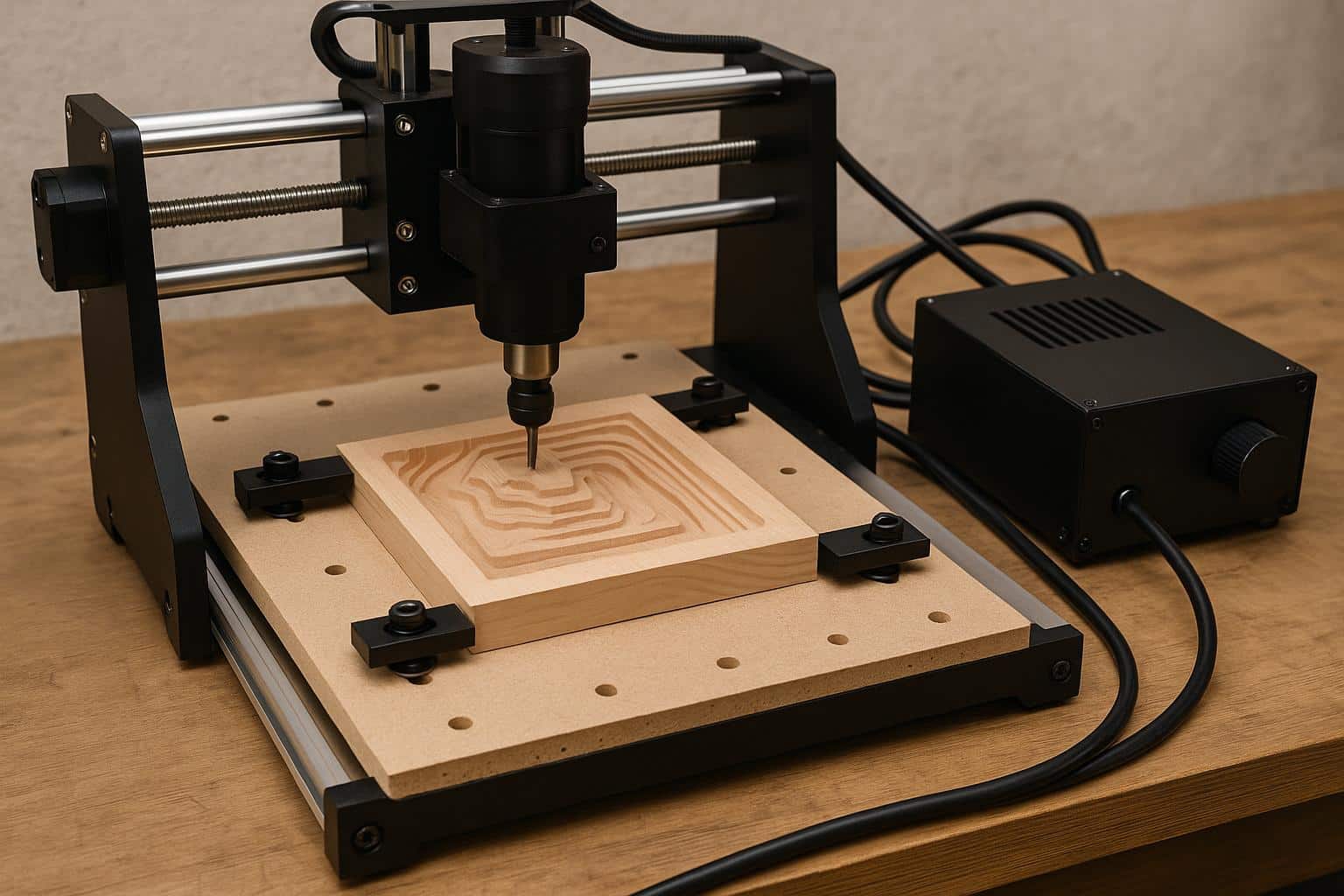
Precision and Structural Stability Come First
In precision machining, marketing materials often emphasize maximum spindle speed or rapid traverse rate. Experienced professionals, however, care more about repeatability and structural rigidity than raw speed. A machine that moves quickly but cannot reliably return to the same coordinates within a few microns is almost useless for functional prototypes or precision mechanical assemblies.
The Role of Frame Rigidity
The frame is the foundation of any high‑performance CNC. In a compact desktop form factor, limited space makes material choice and structural geometry especially important. Professionals look for heavy-duty construction—such as cast iron, thick aluminum plates, or steel—that can absorb vibration during aggressive cuts. Without adequate mass and stiffness, the machine will chatter, damaging surface finish and accelerating tool wear.
Spindle Stability and Thermal Management
The spindle is the heart of the machine. Beyond power rating, spindle runout directly affects cut quality, especially when machining materials like aluminum or brass. Professional‑grade machines also account for thermal expansion: as the spindle and motors heat up during long jobs, the structure can grow slightly and shift the machine’s zero point. A system designed for professional use includes mechanical and control features to manage these effects so that the last part of the day matches the first.
Material Capability Determines Real-World Value
The real value of a desktop CNC lies in its material range. A machine limited to softwood or foam confines a business to basic decorative work. In contrast, a system that can reliably cut aluminum, brass, engineering plastics (such as PEEK or Delrin), and hardwoods enables functional prototyping and light production.
Rigidity and Torque
Material capability depends directly on machine rigidity and spindle torque at lower RPMs. Metal cutting demands that the machine sustain significant cutting forces without deflection. If the gantry or Z‑axis flexes even a fraction of a millimeter under load, tools are more likely to break and parts will go out of tolerance.
Today, compact systems such as advanced desktop CNC machine platforms designed for both metal and wood processing allow small workshops to move beyond simple engraving into real prototyping and light production. These systems provide the necessary stiffness to maintain chip loads that prevent work-hardening in metals like aluminum, which is essential for professional-grade results.
Commercial Potential
When a machine can switch seamlessly from a wood‑based architectural model to a set of aluminum brackets, its return on investment increases. Multi‑material capability lets a single operator handle a wider range of jobs, turning the machine into a true force multiplier for a small workshop.
Automation Features That Save Hours Every Week
For professional users, time is the most expensive resource. A machine that needs frequent manual tool changes or constant recalibration wastes that time and drags down productivity. Automation features are not luxuries in this context; they are essential to an efficient workflow.
Automatic Tool Changing (ATC) and Probing
An Automatic Tool Changer (ATC) is one of the clearest markers of a professional‑grade desktop CNC. An ATC lets complex jobs that require multiple tools—such as roughing, finishing, and drilling—run from start to finish without operator intervention. Combined with automatic probing for tool length and workpiece location, it sharply reduces setup time and the risk of human error.
Waste and Dust Management
A professional workspace must stay clean to protect both equipment and operators. Fully enclosed desktop machines are preferred because they contain noise, coolant, and debris. Integrated dust collection and chip trays help speed up cleanup and reduce downtime between jobs.
Efficiency compounds over time. Saving even five minutes per job through automated probing and tool changes can add up to many hours reclaimed each month, with a direct and measurable impact on profitability.
Software Ecosystem and Workflow Integration
Hardware alone is not enough. A desktop CNC is only as effective as the software and workflow that drive it, so professionals look for a seamless “CAD to CAM to part” pipeline.
Compatibility and Post-Processors
The machine should integrate cleanly with industry‑standard software such as Autodesk Fusion 360, SolidWorks, or VCarve. This requires reliable, well‑maintained post‑processors that translate digital models into the exact G‑code the controller expects. Without them, users end up spending hours debugging code, which is unacceptable in a production environment.
Continuous Improvement
Manufacturers like Makera have placed increasing emphasis on integrating hardware reliability with streamlined software workflows, recognizing that professional users value seamless end-to-end processes over isolated performance metrics. This includes providing regular firmware updates that improve motion control and offering comprehensive documentation that allows a team to onboard new members quickly.
Community and Documentation
The “human” side of the ecosystem also matters. Professionals need access to a community of peers and a solid library of technical guides. When unusual materials or complex 4‑axis jobs come up, a strong base of tutorials and support forums can save many hours of trial and error.
Long-Term Reliability Over Short-Term Savings
In the long run, machine longevity is critical. A “cheap” machine quickly becomes the most expensive tool in the shop if it suffers frequent breakdowns or if replacement parts are hard to obtain.
The Machine as a Production Asset
Professionals treat a CNC machine as a production asset, not a weekend project. As a result, they look for fast access to spare parts, responsive technical support, and clear upgrade paths. The ability to add options such as a fourth axis, a laser module, or a higher‑performance spindle later on extends the machine’s useful life.
Sustainability of Operations
The ultimate goal is to minimize total cost of ownership, which includes the purchase price, maintenance, energy usage, and lost revenue during downtime. Machines built with standard industrial components—such as linear rails and ball screws instead of belts and V‑wheels—tend to offer longer service life and better resale value.
Conclusion: The Holistic View
A professional desktop CNC machine is not just a tool; it is a core element of a production ecosystem. By prioritizing structural stability, material versatility, automation, and software integration, professionals can ensure that the machine pays for itself through consistent, high‑quality output. Whether it is used for aluminum prototyping or small‑batch manufacturing of consumer products, the right desktop system can deliver factory‑level capabilities in a footprint closer to a desktop printer.

