


Antivirus and a firewall are table stakes. The weak link most people overlook is the Domain Name System, the phone book of the internet. Attackers love it, legacy resolvers leak it, and your browsing can be profiled or hijacked if your DNS isn’t encrypted and validated.
Security teams have long warned that DNS is a goldmine for adversaries. Cisco Umbrella has reported that more than 90% of malware families touch DNS at some point in their kill chain, whether to fetch payloads, locate command-and-control servers, or exfiltrate data. On open Wi‑Fi or misconfigured networks, plaintext DNS invites eavesdropping, spoofing, and cache poisoning—threats modern resolvers are built to defuse.
- Google Public DNS: Fast, resilient, and DNSSEC‑validated
- Cloudflare 1.1.1.1: Privacy‑first resolver with speed
- Quad9: Nonprofit protective DNS with strong privacy
- OpenDNS by Cisco: Consumer controls with threat intel
- NextDNS: Power‑user controls and granular protections
- AdGuard DNS: Privacy‑focused filtering and blocking
- How to deploy secure DNS resolvers across devices
- The security bottom line: DNS upgrades reduce risk
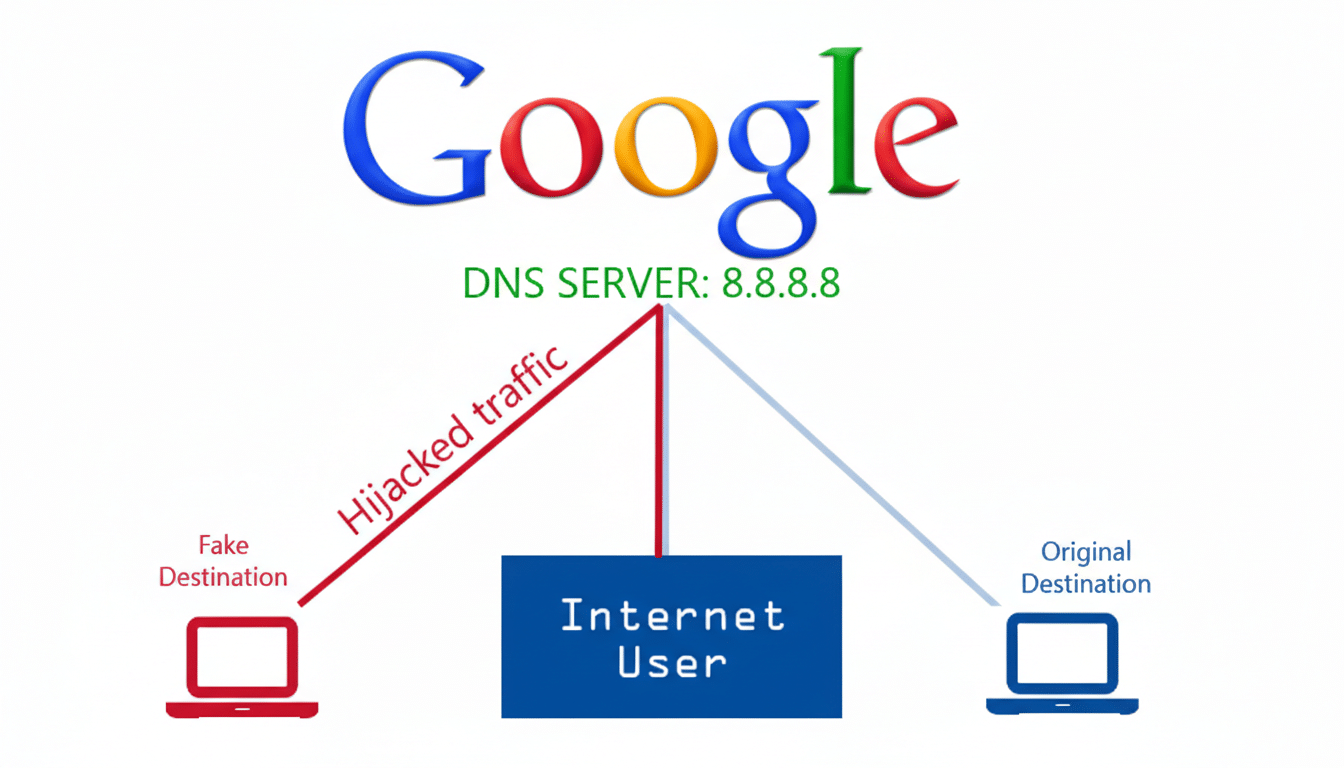
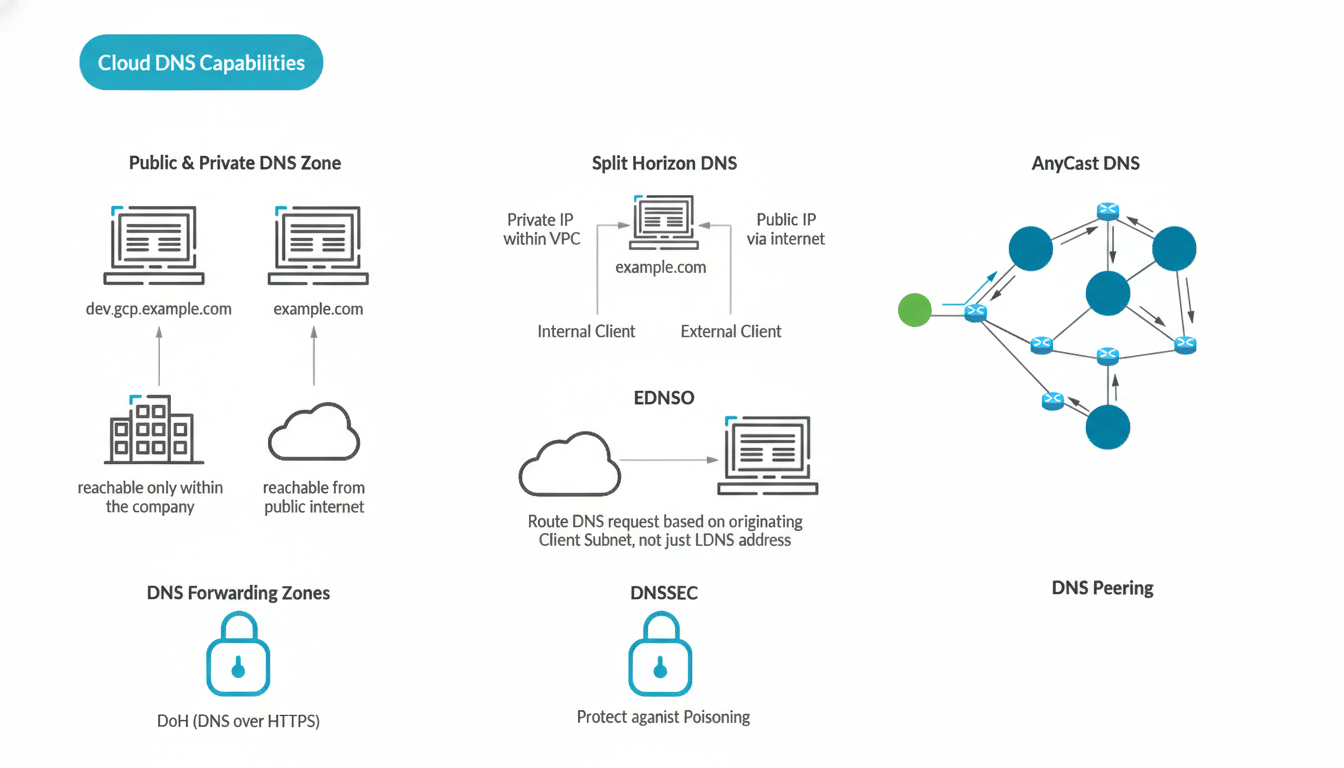
What matters now: encryption (DNS over HTTPS or TLS), DNSSEC validation to prevent tampering, strong anycast networks for resilience, clear data handling, and preferably independent audits. NIST guidance has long urged DNSSEC deployment, and national bodies such as the UK’s cyber agency operate “protective DNS” because it measurably cuts successful phishing and malware callbacks across public sectors.
Here are six resolvers I trust, and why they’re must-haves for raising your security baseline at home and on the go.
Google Public DNS: Fast, resilient, and DNSSEC‑validated
Google’s 8.8.8.8 is a performance workhorse with global anycast, DNSSEC validation, and support for DoH/DoT. Its massive cache and fast recursor logic reduce latency and shrink your window of exposure to cache-poisoning attempts. Google says it does not correlate Public DNS data with other products; short-term logs are retained to mitigate abuse, and long-term logs are anonymized—an important nuance for privacy-minded users who still want maximum speed and reliability.
Cloudflare 1.1.1.1: Privacy‑first resolver with speed
Cloudflare’s resolver is engineered for privacy and speed, consistently topping DNSPerf rankings and riding a 300+ city anycast footprint. Queries can be encrypted via DoH or DoT, and Cloudflare commits to wiping source IP logs within 24 hours under a program that has been subject to third-party audits. Security-focused variants (1.1.1.2 for malware blocking and 1.1.1.3 for malware plus adult content) add protective filtering, and the Warp app simplifies mobile deployment.
Quad9: Nonprofit protective DNS with strong privacy
Quad9 is a nonprofit resolver based in Switzerland that pairs privacy-by-design with active blocking of known malicious domains sourced from multiple threat intelligence partners. That means fewer successful phishing clicks and fewer botnet callbacks, including families that rotate domains using DGAs like Emotet historically did. Quad9 operates in 200+ locations, validates DNSSEC, and states it does not store personal data such as user IP addresses—an attractive profile for users prioritizing confidentiality and protection together.
OpenDNS by Cisco: Consumer controls with threat intel
OpenDNS (now part of Cisco) brings consumer-friendly controls to enterprise-grade threat intelligence. The free service blocks known phishing and malware domains and lets households apply category-based filtering and safe search, underpinned by Cisco Talos research that tracks global campaigns in near real time. If you want a stepping stone to corporate-grade defense, OpenDNS provides it; many organizations later graduate to Cisco’s Umbrella platform for deeper DNS-layer security and analytics.
NextDNS: Power‑user controls and granular protections
NextDNS is the power user’s resolver. It supports DoH/DoT across virtually every platform and lets you build per-device profiles with curated blocklists, custom allow/deny rules, native ad and tracker suppression, and detailed telemetry with adjustable retention—even a zero-log mode. A generous free tier (around 300k queries monthly) covers typical households. For parents, privacy tinkerers, and small teams, it’s an easy way to implement protective DNS with fine-grained control.
AdGuard DNS: Privacy‑focused filtering and blocking
AdGuard DNS focuses on privacy and nuisance reduction. It filters trackers and malvertising at the resolver, cutting exposure to drive-by attacks and lowering page bloat. Apps for desktop and mobile streamline setup, while advanced users can import custom rules and enable anonymized or no-log modes. The free plan fits most needs, and a “Private” option adds more capacity and management features—useful if you run mixed devices or want per-user policies.
How to deploy secure DNS resolvers across devices
Set your resolver once on the router to cover every device at home, then configure DoH/DoT at the OS or browser level for encryption: Android’s Private DNS, iOS and macOS Encrypted DNS profiles, Windows 11 system DoH, and DoH toggles in Firefox and Chrome all make this straightforward. On the road, use a resolver’s app or a per-device profile to avoid captive-portal hiccups, and verify your setup using the provider’s test page or your OS network diagnostics.
The security bottom line: DNS upgrades reduce risk
Because adversaries lean on DNS so heavily, upgrading your resolver is one of the highest-ROI changes you can make. The six services above encrypt what used to be exposed, validate what used to be spoofable, and—where enabled—block what used to sail through. They don’t replace endpoint protection or patching, but they meaningfully reduce risk, quietly, with every lookup you make.
