


A daring hardware mod has turned Apple’s most affordable laptop into something the company never shipped: a 1TB MacBook Neo. The proof-of-concept, documented by YouTuber DirectorFeng, takes a base 256GB unit, swaps its onboard NAND, and restores macOS—demonstrating that, while Apple limits official configurations to 512GB, the silicon inside can handle far more storage.
The feat required a full teardown of the Neo’s elongated motherboard, which is unusually accessible by Mac standards. That easier access ends quickly, though: the NAND swap itself is a high-stakes microsoldering job, and attempting it will almost certainly void any warranty or AppleCare coverage.
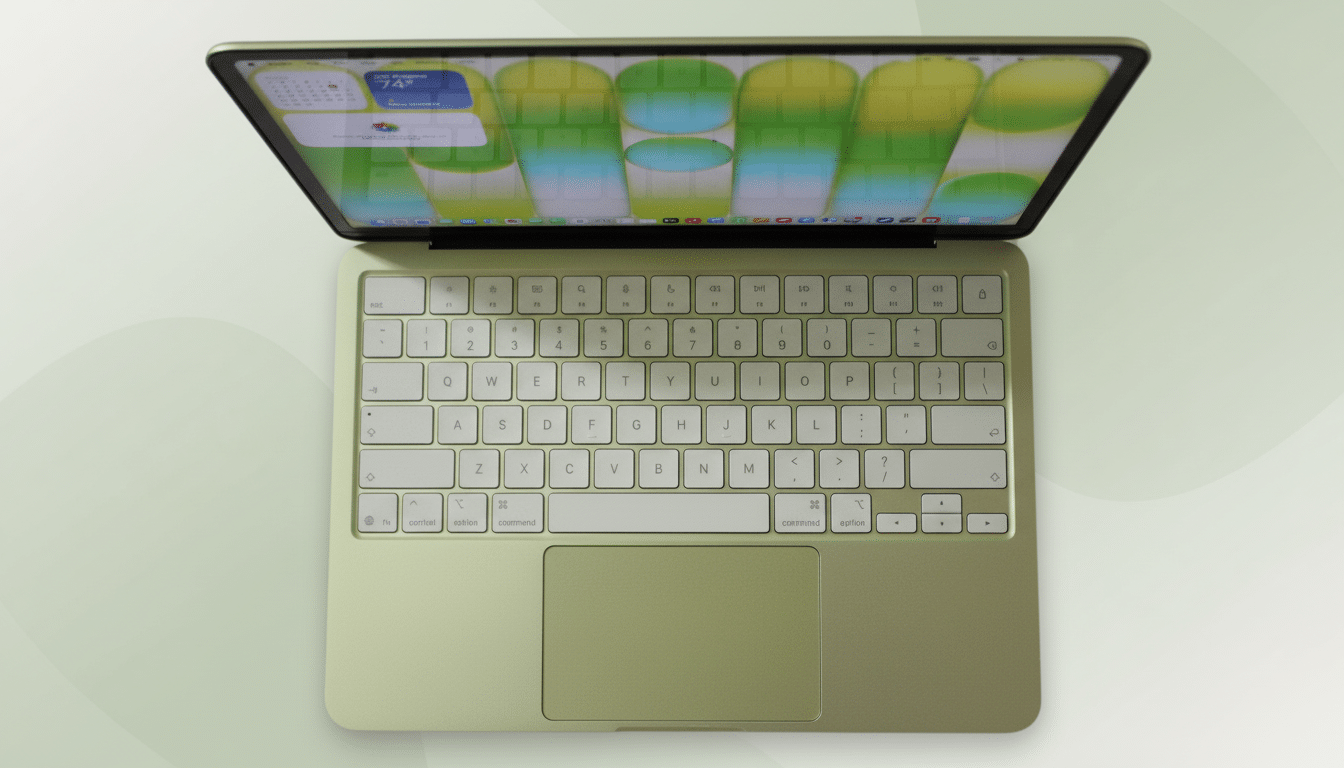
How the 1TB MacBook Neo upgrade was pulled off
The process begins with a careful disassembly, battery isolation, and removal of shields and adhesives to expose the logic board. With the NAND packages identified, DirectorFeng heats the board to detach the original storage, cleans residual solder from the pads, and prepares the site for a new 1TB package with a matching pinout.
Precision reballing and resoldering follow—steps that demand clean alignment and temperature control to avoid lifting pads or warping the board. After reassembly, the system is placed into DFU mode and restored using Apple Configurator on a second Mac, which reinitializes the storage and reinstalls macOS. Fresh thermal paste and adhesive curing wrap up the job. The result: a MacBook Neo that boots normally and reports a full 1TB of internal storage.
Why storage can change on Neo but RAM cannot
Apple’s architecture makes this kind of storage surgery possible in principle. On Apple Silicon, the SSD controller lives on the SoC, while the NAND itself is discrete on the board. Replace the NAND with a compatible configuration and the controller can be restored and paired via DFU. Memory is a different story: the Neo’s 8GB RAM is part of the SoC package in a unified memory architecture, physically integrated for bandwidth and efficiency. You cannot upgrade it without replacing the entire SoC, which is functionally impossible outside a factory line—a point repeatedly emphasized by repair advocates like iFixit.
What to expect in real-world performance gains
Beyond the obvious capacity win, larger SSD tiers on Apple machines often deliver higher throughput. Independent testing on prior Apple laptops has shown base 256GB configurations trailing higher-capacity models by as much as 30–50% in sequential operations due to fewer NAND dies limiting parallelism. A 1TB package generally means more dies and channels, unlocking faster reads and writes, snappier Spotlight indexing, and quicker media imports. Real-world gains will vary by workload, but for creators juggling RAW photos or 4K proxies, the difference can be tangible.
Thermally, the upgrade shouldn’t meaningfully raise CPU or GPU temps—the controller remains inside the SoC, and additional NAND density draws modest power in typical client tasks. As always, proper thermal paste application and intact shielding are key to stability under sustained loads.

Implications For Repairability And Policy
This mod underscores a nuanced reality: some components on Apple laptops are replaceable with elite tools and skills, even if they’re not meant to be user-serviceable. Apple does not offer post-purchase storage upgrades for the Neo, steering buyers to configure at checkout or rely on external drives. That approach keeps designs thin and power-efficient, but it also locks buyers into early decisions and, in many cases, higher upfront costs.
Right-to-repair groups have long argued for more modular designs and official part support, noting the environmental cost of non-upgradable devices. United Nations estimates put annual global e-waste above 60 million metric tons, and storage-limited machines often get replaced earlier than they should. While Apple has expanded self-service repair and supported some repair-friendly policies, the Neo’s design shows that critical upgrades remain out of reach for most owners—unless a specialist steps in.
Should you try this risky MacBook Neo storage mod
Almost certainly not. This is a microsoldering job with a real chance of bricking the logic board, losing data, or compromising thermal integrity. It will void warranty coverage, and any small mistake can turn a bargain laptop into expensive e-waste. Professional technicians with BGA rework stations and Apple restore know-how are the only candidates who should even consider it.
For some power users—photographers needing a fast local cache, developers juggling large codebases, or students who prefer internal storage over external SSDs—the 1TB Neo is a glimpse of what the machine could be. For everyone else, an external NVMe SSD in a USB 4 enclosure or a cloud workflow remains the safer, supported path. The takeaway is less about DIY ambition and more about capability: the MacBook Neo can handle 1TB internally. Apple just chose not to sell it that way.
As mods go, this one is equal parts engineering showcase and policy Rorschach test. It proves headroom exists in Apple’s most budget-friendly MacBook—yet also highlights how far the average owner is from tapping it.
