


Jellyfin, the standout open-source alternative to Plex, is officially rolling out on Samsung TVs running Tizen, marking a major step for local media enthusiasts who have been waiting for a native, store-delivered app. A Jellyfin developer confirmed the release and clarified that availability currently targets select models with Tizen 6.0 or newer, with an initial regional rollout that may not appear in every country right away.
Why Native Tizen Support Matters for Samsung TVs
Until now, Samsung owners could only sideload Jellyfin via a cumbersome developer workflow that involved certificates, manual builds, and command-line tooling. The new Tizen store listing eliminates that friction, bringing simple installs and automatic updates to a platform that ships on millions of living room screens. For a home media server, that is not just convenient—it reduces failure points for families who want a reliable, couch-friendly setup.

Native TV apps also tend to improve playback reliability. With direct play and hardware-accelerated decoding, Jellyfin can avoid unnecessary transcoding that stresses your server CPU and can degrade quality. On Samsung sets, tight integration with the system player and remote controls improves responsiveness, while the app store route ensures consistent permissions and sandboxing. It may sound mundane, but this is the kind of plumbing that makes a self-hosted library feel like a premium streaming service.
Who Can Download It Today on Samsung Tizen TVs
Early reports from the Jellyfin GitHub community, corroborated by enthusiasts tracking Tizen releases and coverage from Linux-focused outlets and developer forums, indicate that the app appears on 2021 and newer Samsung TVs running Tizen 6.0+. Some users in regions like Brazil, Canada, and France have noted it is not yet visible in their local stores, suggesting a staggered rollout that will expand over time. If your TV predates 2021, sideloading remains the fallback.
If you are unsure about your TV’s version, check the Support menu for software information. Samsung’s Tizen 6.0 shipped with 2021 models, and later sets upgraded from there. As availability widens, expect the app to surface in the standard Entertainment or Video categories, or via a direct search for Jellyfin in the Tizen store.
Why Jellyfin Is The Best Plex Alternative
Jellyfin’s appeal is straightforward: it is free, open source, and built for local control. There are no subscriptions, no premium feature gates, and no cloud lock-in. For privacy-minded users who just want a fast, beautiful front end for their own libraries, that philosophy is hard to beat. The project’s transparency and active community—reflected in tens of thousands of GitHub stars and frequent client updates—has turned it into a default pick for self-hosters.
Plex remains polished and popular, but its evolution into a hybrid of local media and ad-supported streaming has pushed some power users toward Jellyfin, which keeps the focus squarely on your server. Jellyfin’s client roster is strong as well, with mature apps on Android TV, Fire TV, Roku, and the web, and now an official path on Samsung Tizen that fills a longstanding gap in the living room.
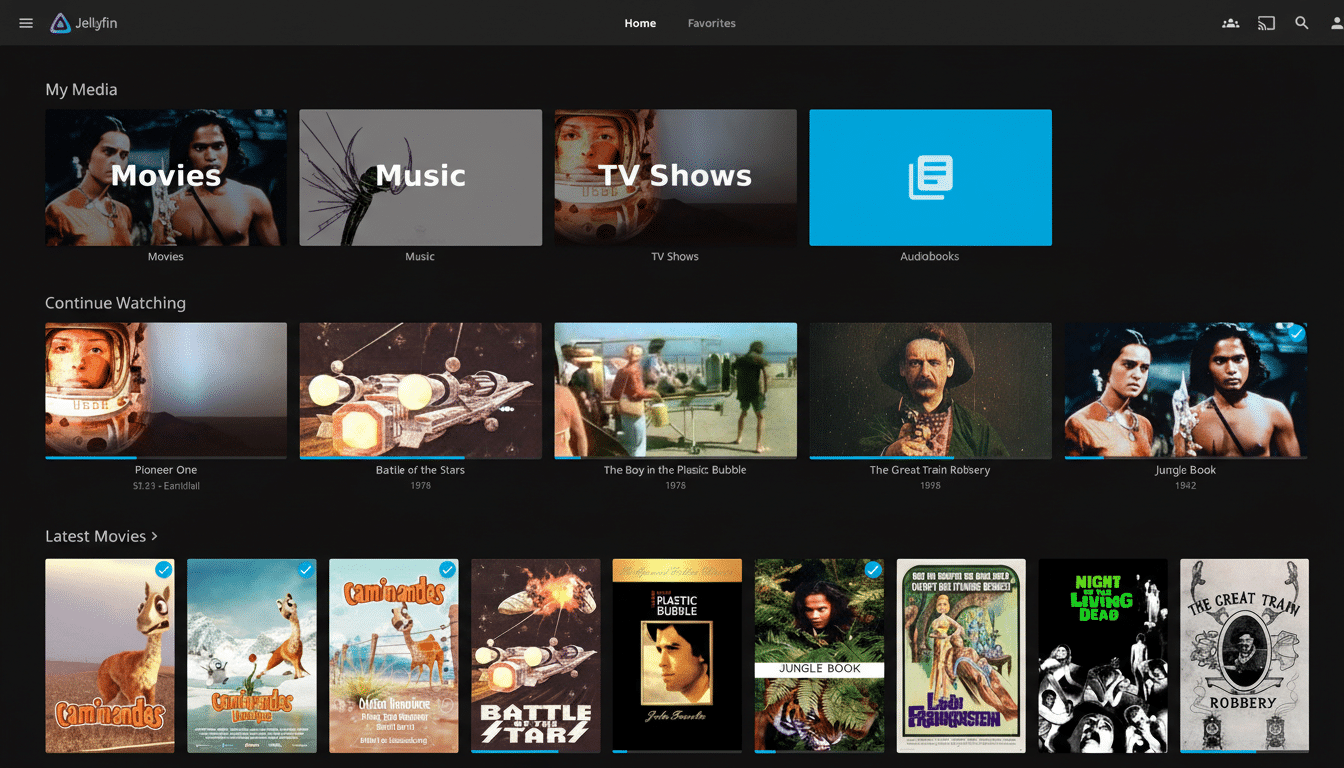
Setup Tips for a Smooth Jellyfin Experience on Tizen
For best results, host the Jellyfin server on a capable NAS or PC with hardware transcoding enabled, and store your media in widely supported formats like H.264 or HEVC with AAC or AC3 audio to maximize direct play on Samsung TVs. Wire your server via Ethernet and use Ethernet or reliable 5 GHz Wi-Fi to the TV. After adding libraries, let Jellyfin complete metadata scans before stress-testing high bitrate files.
If you previously sideloaded the Tizen client, consider switching to the store version for cleaner updates and fewer certificate headaches. Keep an eye on release notes in the Jellyfin community and developer channels, where maintainers like Anthony Lavado provide device-specific guidance and compatibility notes as new builds land.
The Bigger Picture for Smart TVs and Local Media
Samsung has led global TV shipments for years, and industry analysts such as Omdia consistently place its Tizen platform among the top smart TV operating systems by market share. Planting a first-party Jellyfin app there is more than a checkbox—it gives the project a foothold in one of the largest, most mainstream device ecosystems, which should accelerate adoption beyond the home-lab crowd.
The move also signals a broader trend: privacy-first, user-owned media solutions are crossing from enthusiast niches into everyday living rooms. As regional availability widens and feature parity improves, Jellyfin on Tizen will make it even easier for households to ditch kludgy workarounds and simply press play.
Bottom line, Jellyfin’s arrival on Samsung TVs removes the last big caveat in recommending it over Plex for local media. With a polished native app, zero subscription pressure, and strong performance, the best Plex alternative just became a lot easier to live with.
