


Evidence in the latest Google app points to a new Gemini capability that could make the AI feel like a street-smart travel guide. Code references describe a “Map Area” attachment and one-tap actions such as “Explore this area,” “Current location,” and “Use precise location,” signaling that users may soon be able to select a geographic region and attach it directly to a prompt. If shipped, that simple UI shift could reshape how people discover places on the fly.
Gemini already handles mixed inputs like images and documents. Adding a map region to that toolkit would let travelers move from vague, text-based requests to precise, visual intent. Instead of typing “cool cafés near the historic center,” you’d select the neighborhood on a map, attach it, and tell Gemini what you’re in the mood for. That level of context is the difference between a generic list and a credible local plan.

Why Map Attachments Could Change Travel Search
Most local searches hinge on an imprecise “where.” City names are sprawling, neighborhoods bleed into each other, and landmarks rarely map cleanly to the places you actually want to roam. Map attachments solve that by letting users define a custom boundary—your hotel’s surroundings, a few walkable blocks, or a beach strip—so Gemini can query exactly that zone.
The timing fits how people already explore. Google has previously reported that “near me” queries surged more than 200% over a recent multi-year period, and industry research from Skift finds that on-trip decisions overwhelmingly happen on smartphones. An assistant that understands both what you want and exactly where you mean could streamline dozens of micro-decisions: where to eat now, which museum is open late, how far a detour really is.
How the Feature May Work in Practice in the Google App
Strings discovered in Google app v17.4.66 reference a “Map Area” attachment alongside prompts, plus buttons labeled “Explore this area,” “Current location,” and “Use precise location.” Read together, they suggest a redesigned attachment bar where you can add a selected region before asking Gemini to find places, plan routes, or surface recommendations.
Under the hood, Gemini would likely tap Google’s Places and Maps data for hours, ratings, distance, and transit. The key difference is the input: instead of parsing long descriptions of a location, Gemini receives an explicit geofence. That could shrink the gap between conversational intent and map-based discovery, yielding quicker, more relevant results with fewer clarifying questions.
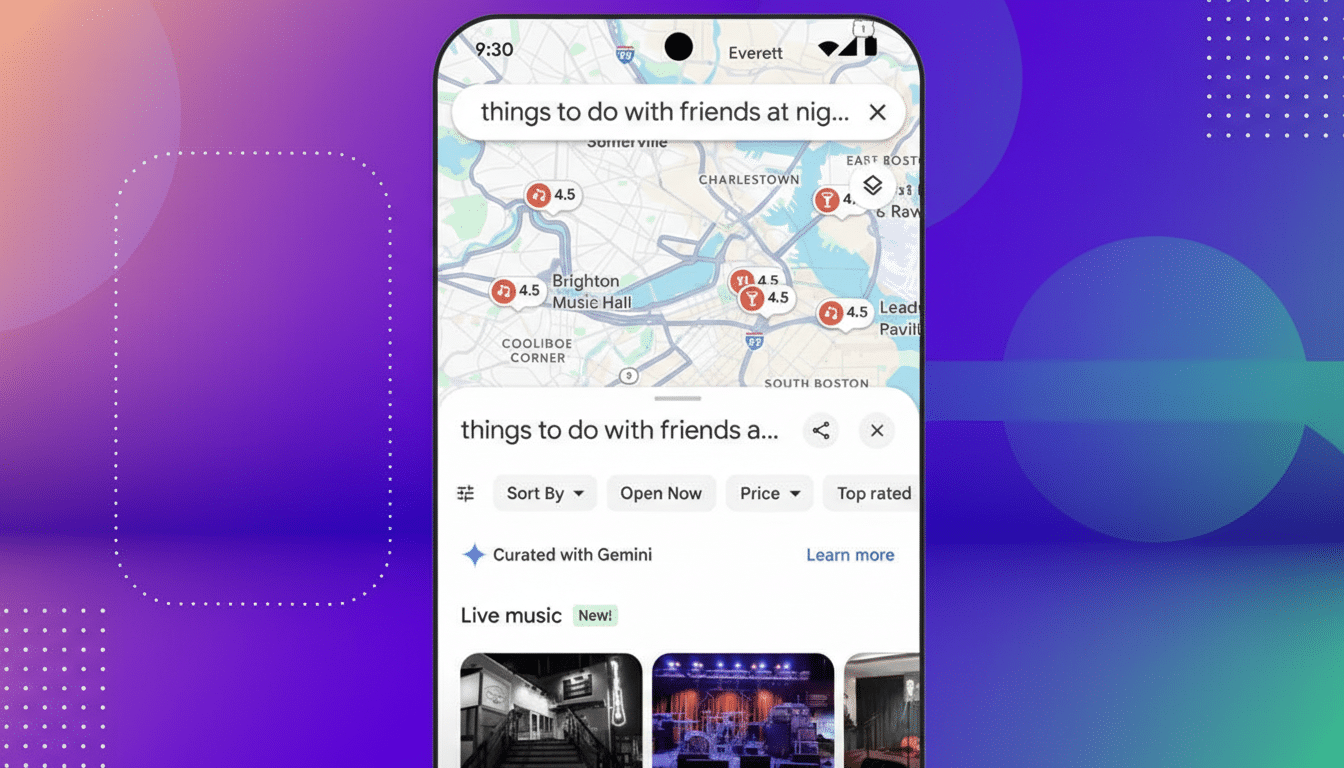
Real travel scenarios it could unlock for on-the-go travelers
- Neighborhood deep-dive: Highlight a few blocks you plan to wander this afternoon and ask, “Explore this area for relaxed lunch spots open now with outdoor seating.” Gemini could respond with options inside that exact boundary, factoring wait times, budget, and vibes if you specify them.
- Conference convenience: Attach the area around your venue and say, “Find quiet cafés within a 10-minute walk where I can take calls.” Follow up with, “Add one bakery for tomorrow morning and the nearest pharmacy,” and turn a static list into a live mini-itinerary.
- Transit-savvy touring: Select a riverside corridor, then ask, “Plan a sunset stroll with two viewpoints, a casual dinner, and a tram back to my hotel.” With a map area in hand, Gemini can keep recommendations coherent and connected rather than scattering picks across town.
Privacy and reliability questions for location features
The presence of “Use precise location” hints at tight integration with Android’s location permissions, which distinguish between precise and approximate modes. Expect clear prompts and the ability to switch off precision if you prefer broader searches. For travelers wary of over-sharing, map attachments could be a safer middle ground: you define the zone without exposing continuous location history.
Quality matters as much as privacy. To act like a real guide, Gemini needs up-to-date hours, crowd levels, accessibility details, and local quirks. Google’s trove of Maps reviews, opening times, and live busyness data is an advantage, but the assistant should also show sources, map previews, and filters like price range or dietary needs to build trust and minimize dead ends.
The bigger picture for Gemini and Maps integration
If Gemini learns to reason over a user-defined area, trips become less about hunting through lists and more about conversing with a context-aware local. It’s a natural progression for a multimodal assistant: text for intent, images for taste, documents for bookings, and now maps for spatial precision—all stitched together by a single chat thread.
The feature isn’t live yet, and plans can change. But the direction is clear: map-aware prompts transform Gemini from a generic chatbot into a location-savvy companion. For a world where travel has rebounded to near pre-pandemic levels, and spontaneous detours are part of the fun, that could be the difference between a decent day out and a great one.
