


At Unpacked, the Galaxy S26 Ultra’s most surprising upgrade wasn’t about megapixels or benchmarks. It was a new kind of screen privacy that you can turn on and off at will, effectively building a “privacy filter” into the display itself. It’s called Privacy Display, and in a sea of iterative updates, it’s the rare feature that immediately changes how you use a phone in the real world.
Why This Feature Matters Now for Everyday Privacy
Modern life is full of shoulder-surfing opportunities: crowded flights, open offices, coffee-shop counters. The Federal Trade Commission has long warned consumers about visual eavesdropping in public spaces, and enterprise security teams routinely list it as a physical risk vector. Airlines regularly operate with load factors above 80%, according to industry groups, which is another way of saying your screen almost always has an audience. Until now, the best fix has been an external privacy filter, which blocks side views but also dulls colors and brightness full-time.
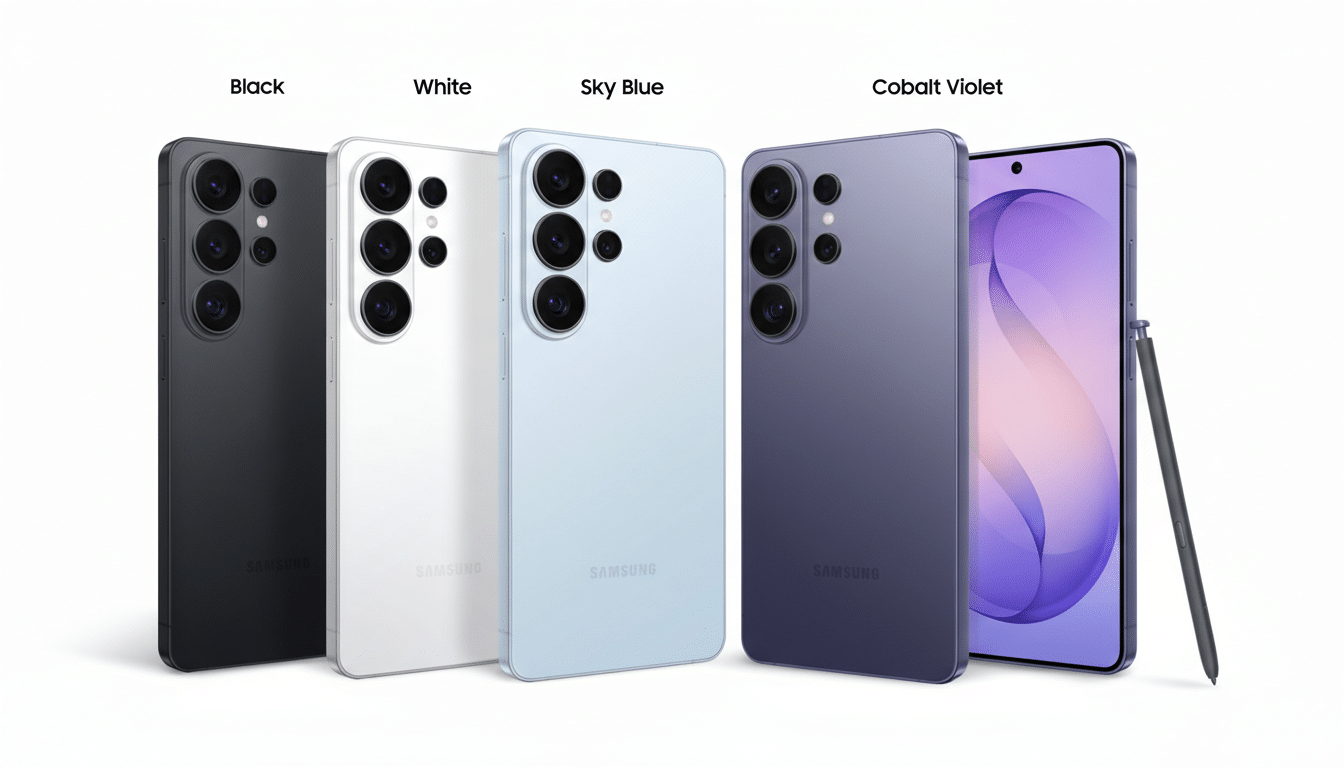
Samsung’s approach targets the core annoyance: permanence. A stick-on filter can’t adapt when you actually want to share your screen. Privacy Display, however, is a tap-away mode that narrows the viewing cone only when you need it, and returns to a wide, vibrant panel the moment you don’t. That alone makes it feel more like a native capability than a clumsy patch.
How the Galaxy S26 Ultra’s Privacy Display Works
Under the hood is a display architecture Samsung describes as Black Matrix. In simple terms, the panel interleaves two pixel types—narrow and wide—then modulates how much each contributes based on your privacy setting. With Privacy Display on, the screen primarily drives the narrow pixels, which are surrounded by a light-absorbing matrix that limits off-axis leakage. Viewed straight-on, content looks clear; move off to the side, and luminance and contrast drop steeply, obscuring text and imagery.
Switch the mode off, and the wide pixels rejoin the party, restoring a broad viewing angle similar to a conventional OLED. Conceptually, it’s akin to building a microlouver effect into the pixel grid rather than layering a physical filter on top. Unlike adhesive filters that often reduce perceived brightness by double-digit margins and add surface glare, the S26 Ultra’s approach keeps the panel’s native finish and can return to full-angle clarity instantly.
If you’ve ever used a third-party solution, you’ll recognize the behavior: manufacturers like 3M note that privacy filters typically obscure content beyond roughly 30 degrees off-center. Samsung hasn’t published exact viewing-angle numbers, but the real-world impression is similar—front-on use feels normal, while side glances fade to dim silhouettes.
Smarter Control, App by App, for Targeted Privacy
The most thoughtful touch is software control. You can set Privacy Display to trigger only in specific apps—think banking, email, or workplace chat—or even for notifications from those apps. In practice, that means a payment alert or two-factor code can appear protected from side views while your main home screen remains fully shareable. It’s a small design decision with big usability returns, and a clear nod to how people actually juggle private and public moments on a phone throughout the day.
Crucially, this is not a content redaction tool; it’s optical privacy. If someone is directly in front of your screen, they can still see what you see. But in the settings Samsung offers, you’re choosing when to narrow the viewing cone rather than laboriously deciding which notifications to hide altogether.
Trade-offs and What We Don’t Know About Performance Yet
Any time you constrain light paths, there are performance questions. External privacy filters, for example, often demand higher brightness to compensate. Samsung hasn’t detailed power or peak luminance impacts when Privacy Display is active, nor the exact angle at which content becomes unreadable. Early impressions suggest head-on clarity remains solid, but we’ll need standardized tests—ideally using luminance meters and contrast measurements at fixed angles—to quantify the trade-offs.
There’s also the matter of consistency. Text and UI elements rely on subpixel rendering, and altering which pixel types dominate could, in theory, introduce slight differences in edge sharpness when privacy mode is on. Thus far, any shifts appear subtle and situational, but it’s an area to watch as more reviewers put the display under microscopes—literally.
Real-World Impact and Industry Implications
For commuters, consultants, and anyone who regularly handles sensitive information on the go, a built-in privacy mode removes both the friction and the stigma of stick-on filters. Enterprises pushing mobile-first workflows may see simpler compliance stories too; visual privacy is easier to enforce when it’s a policy toggle rather than an accessory purchase. Security reports like Verizon’s annual breach study repeatedly highlight human-centric risks, and while shoulder surfing isn’t the sole culprit, reducing casual exposure is a pragmatic win.
Right now, the feature is exclusive to the Galaxy S26 Ultra. If it performs as advertised, it’s hard to imagine rivals sitting this out. The last time a display-level shift became table stakes—think high-refresh OLEDs—it cascaded across tiers in a single product cycle. Given that privacy filters from established players already market 30-degree blackout performance, handset makers have clear targets to match or beat without compromising color accuracy or battery life.
In a year when the spec sheet arms race felt subdued, Privacy Display is a reminder that the smartest innovations solve mundane, daily problems elegantly. It doesn’t scream for attention, and that’s precisely the point: the best moments are the ones the person next to you can’t see.
