


A new Arch-based fork has arrived with a singular mission: make creative work frictionless from the moment you boot. Called Elegance, this distribution builds on Manjaro’s rolling foundation and ships a fully loaded studio for audio, video, graphics, and even gaming, all configured for immediate use.
Where many distros hand you a blank canvas, Elegance hands you a toolkit. The pitch is simple—install once, create right away—and in practice it delivers a surprisingly polished, ready-to-produce environment.
What Sets Elegance Linux Apart From Other Distros
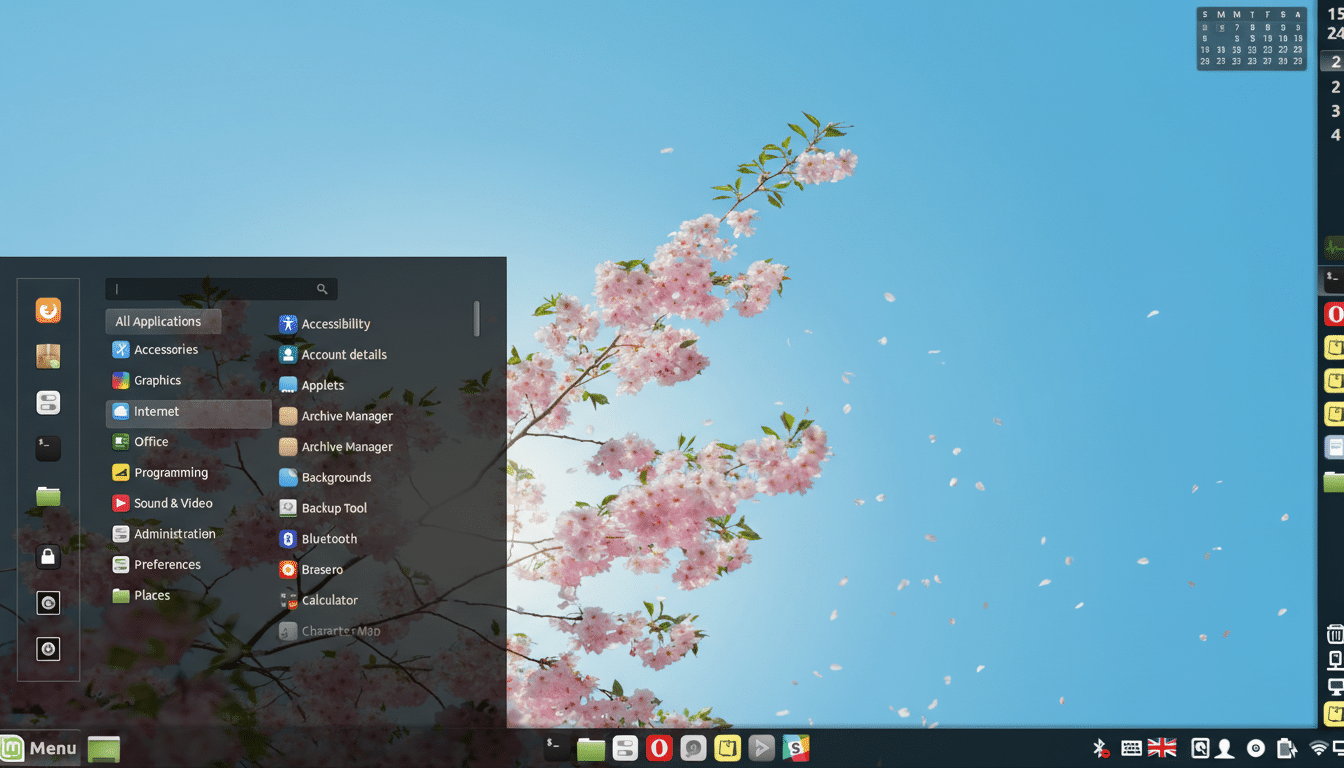
Elegance starts with Manjaro’s core, so you get Pacman and the Pamac GUI, access to the Arch User Repository, and a modern Linux stack. On top of that, it layers a curated selection of creator-grade apps and a tuned Cinnamon desktop that feels cleaner and more contemporary than stock Cinnamon, without sacrificing the familiarity that makes it popular.
The real differentiator is the curation. Instead of expecting users to hunt down codecs, plugins, and editors, the distro arrives stocked with professional tools and sensible defaults, dramatically shortening the time from fresh install to first render.
Built For Creators Out Of The Box With Pro Tools
Audio producers will find Ardour for multitrack recording, Audacity for waveform edits, LMMS and MusE for composition, Hydrogen for drum programming, Easy Effects for system-wide audio processing, and Mixxx for live DJ work. Video editors get Kdenlive and Avidemux; subtitle editors can jump into Aegisub. 3D-minded tinkerers have FreeCAD and LeoCAD ready to go. Kodi handles media center duties.
Under the hood, PipeWire unifies pro-audio and desktop sound, so multimedia apps that once required manual JACK/PulseAudio wrangling tend to work together with minimal setup. If you rely on LADSPA or LV2 plugins, you’re covered; and thanks to AUR, power users can add specialized tools like yabridge for VST compatibility if their workflows demand it.
Gaming And Media Playback Ready From First Boot
Elegance also lands squarely in gamer-friendly territory. Steam and Lutris come preinstalled, giving you Valve’s Proton compatibility layer for Windows titles and a straightforward launcher for stores like GOG and Epic. ProtonDB’s community data shows that a majority of top Windows games are rated Playable or better, and Valve’s own Steam Hardware Survey has Linux usage hovering around 2%, a figure that has trended upward alongside Proton improvements.
For media playback and encoding, hardware acceleration is available when appropriate drivers are present, benefiting video editors and streamers who want smoother previews and faster exports. The inclusion of Kodi means a living-room-ready experience is only a few clicks away.
Performance And Audio Latency Considerations
Out of the box, performance is strong for general creative work. For intensive sessions—think 40+ track recording or sub-frame-accurate video scrubbing—creators may want a low-latency or real-time kernel. The JACK and Ardour communities note that sub-10 ms round-trip latency is achievable on tuned systems; a low-latency kernel, the performance CPU governor, and conservative buffer sizes typically get you close without xruns.
PipeWire’s low-latency profile also helps, and Manjaro’s tooling makes swapping kernels straightforward. It’s a pragmatic path: start with defaults, and if you hear pops, move to a low-latency kernel and adjust buffer settings in your DAW.
How It Compares To Other Creator Distros
Ubuntu Studio and AV Linux MX Edition remain excellent, battle-tested options with curated multimedia stacks. Elegance distinguishes itself through a rolling-release base and deep package availability via AUR, which matters if you chase cutting-edge versions of Kdenlive, Ardour, or plugin suites. Fedora’s creative spins are similarly modern, but many creators prefer Arch-based systems for timely Mesa graphics updates and rapid app releases.
The tradeoff is the usual rolling-release caution: keep good backups. Tools like Timeshift snapshots and the option to pin LTS kernels give production users a safety net while staying current.
Who Should Try Elegance Linux And Why It Fits
If you make music, edit video, design motion graphics, or stream, Elegance is compelling precisely because it removes the setup hurdle. The Cinnamon desktop stays approachable for newcomers, while the software roster reads like a seasoned engineer’s checklist. Office tasks and everyday media consumption are equally well served, so creators don’t need a separate daily driver.
The bottom line: Elegance feels like a studio that’s already wired. With Manjaro’s foundation, a thoughtful app lineup, and creator-friendly defaults, it lets you focus on the work instead of the workstation. For many, that’s the upgrade that matters most.
