


If you love shaping your desktop exactly the way you want it, the new BunsenLabs Carbon makes that journey fast, flexible, and surprisingly friendly. Built on Debian Stable and centered on the Openbox window manager, Carbon revives the spirit of ultra-lean, endlessly tweakable Linux—without locking out newcomers who just want a clean, dependable system.
What Sets Carbon Apart from Other Lightweight Linux Distributions
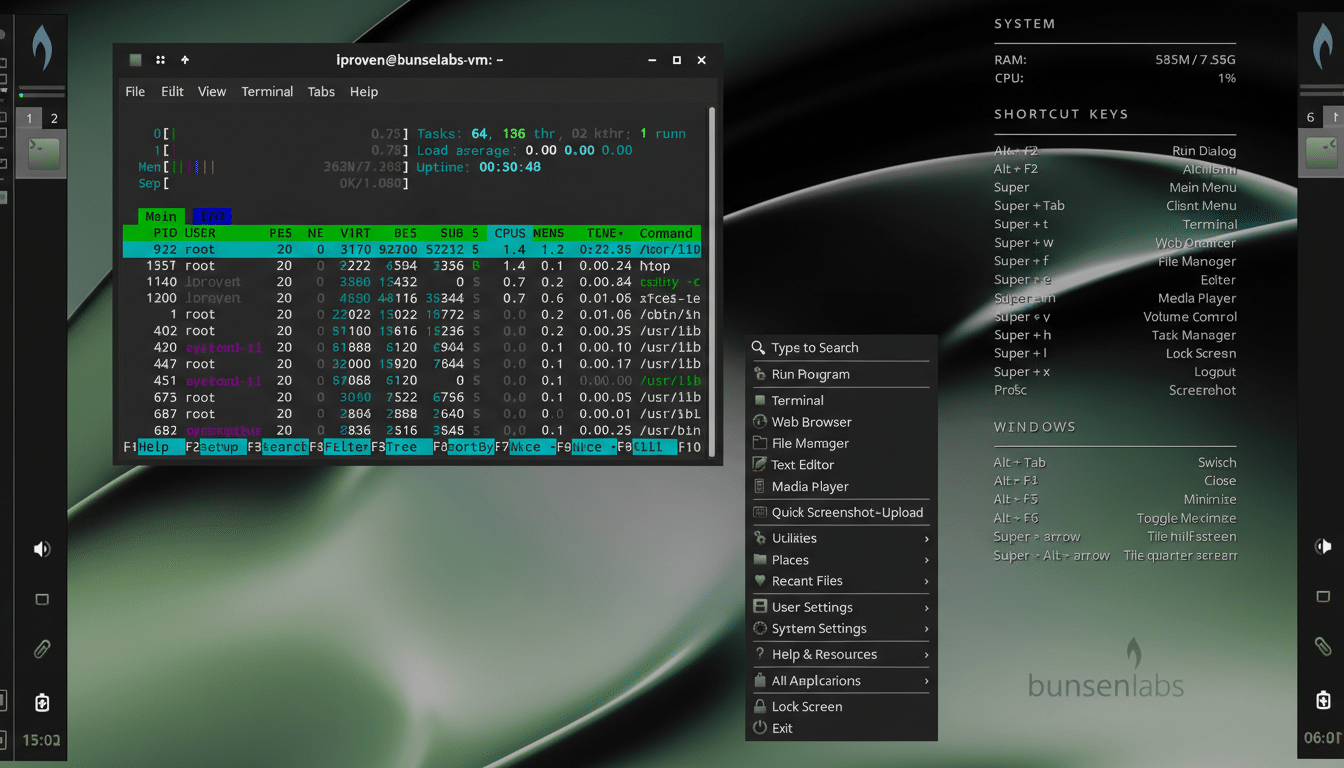
Carbon continues BunsenLabs’ mission as the community successor to the much-loved CrunchBang Linux. The approach is pragmatic rather than flashy: pair Debian’s rock-solid base with a minimal desktop that boots fast, stays out of the way, and invites customization. On first run, you’ll see a vertical panel, a right-click desktop menu, and Conky stats on the wallpaper—simple, informative, and highly scriptable.
- What Sets Carbon Apart from Other Lightweight Linux Distributions
- Lightweight Performance Without Major Compromises
- Customization That Clicks for Tinkerers and Newcomers
- Ready-to-Work App Selection for Daily Productivity
- New Users and Experts Both Win with BunsenLabs Carbon
- Installation Steps and Strong Community Support Resources
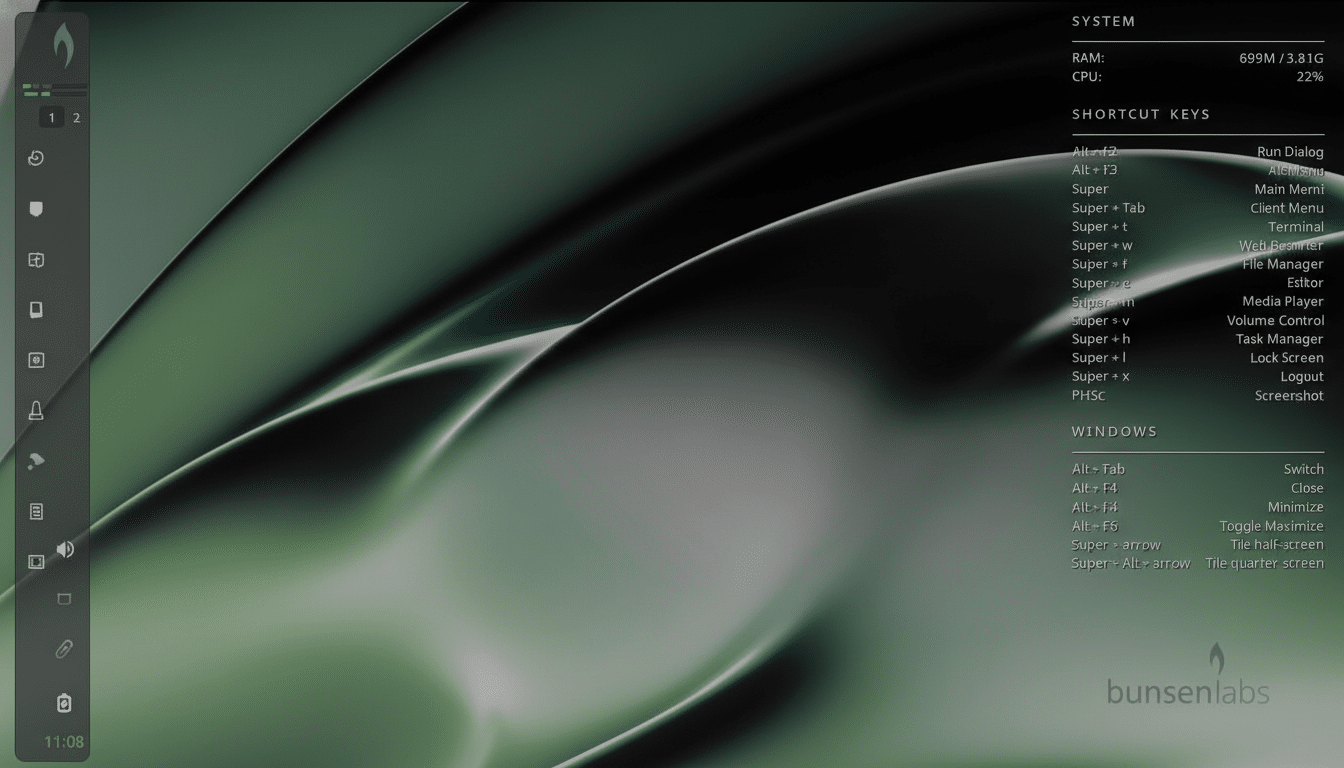
Under the hood, BunsenLabs deliberately mixes best-in-class components. Openbox handles windows, the Xfce Panel provides a lightweight taskbar and tray, jgmenu serves a speedy application launcher, and nwg-look applies GTK themes. It’s a modular design that prizes choice over monolithic control, which is exactly why tinkerers flock to it.
Lightweight Performance Without Major Compromises
Openbox is famous for low overhead, and Carbon sticks that landing. On older hardware—a decade-old ThinkPad with 4GB of RAM—idle memory usage in testing hovered in the 400–500MB range, leaving plenty of headroom for work. Boot times felt snappy, and desktop animations (where enabled) stayed smooth.
Because it’s Debian-based, Carbon benefits from a mature kernel, timely security patches from the Debian Security Team, and access to one of the largest package ecosystems in Linux. Debian’s extended support horizon—carried by its LTS initiative—means you can install Carbon and expect a long, predictable runway for updates.
Customization That Clicks for Tinkerers and Newcomers
Carbon’s magic is how quickly small tweaks add up to a desktop that feels personal. A typical theming workflow looks like this:
- Use nwg-look to set a GTK theme.
- Adjust the Xfce Panel via its Preferences dialog (icon size, panel height, position).
- Open the desktop menu and sync jgmenu to your Openbox theme so menus match your widgets.
Prefer a traditional layout? Shift the panel to the bottom and enable a “floating” style for a modern, minimalist look reminiscent of Plasma. Want a tiling vibe without going full i3? Define custom Openbox keybindings for window placement and add jgmenu hotkeys for lightning-fast app launches. Your dotfiles remain readable, so versioning them with Git is straightforward.
This layering can feel like a lot on day one, but it becomes second nature fast. Power users get deep control; newcomers get a safe sandbox to learn fundamentals like window manager configs, autostart entries, and theme inheritance—skills that translate across the Linux world.
Ready-to-Work App Selection for Daily Productivity
Out of the box, Carbon ships with thoughtful defaults:
- Firefox ESR for predictable browsing
- LibreOffice for documents
- VLC and BL Media Player for video
- FileZilla for transfers
- Transmission for torrents
The essentials—terminal, file manager, notifications—are all there, alongside a curated suite of settings tools that surface the knobs you’ll actually use.
Because it rides Debian repositories, installing development stacks, creative suites, or gaming tools is routine. If you prefer long-term reliability over bleeding-edge packages, Carbon’s defaults will feel just right; if you want newer software, enabling backports is a well-documented path in the Debian ecosystem.
New Users and Experts Both Win with BunsenLabs Carbon
Carbon’s learning curve is gentle if you stick with the stock layout, and rewarding if you venture into the deep end. New users get a clean, fast desktop with clear menus and sensible defaults. Experts can script, theme, and refine to their heart’s content, with Openbox configs, jgmenu files, and Conky scripts all open for inspection and improvement.
It’s also a great rescue for aging laptops. Real-world examples in community forums frequently mention reviving 2010–2014-era hardware that struggles with heavier desktops. The combination of low memory use and responsive UI lets Carbon breathe new life into machines relegated to the closet.
Installation Steps and Strong Community Support Resources
Getting started is straightforward: write the ISO to a USB stick, boot into the live environment, and choose the Installer option from the menu. The process is guided and predictable, thanks to Debian’s installer underpinnings. Post-install, you’ll find documentation, active forums, and community-contributed themes that speed up the path from “stock” to “yours.”
For anyone who enjoys tweaking—or just wants a nimble, distraction-free Linux desktop—BunsenLabs Carbon hits a sweet spot. It’s approachable for beginners, deep enough for veterans, and anchored by Debian’s stability. That’s a rare combination, and it’s why Carbon stands out in a crowded landscape of Linux choices.
