


If you’ve heard your kids talking about “Blooket” and had no idea what they meant, you’re not alone.
Blooket is one of the fastest-growing classroom game platforms in the world, used by tens of millions of students and hundreds of thousands of teachers across the United States, Canada, the UK, and beyond. Yet for parents and teachers new to it, the platform can feel confusing. There are game modes named things like “Tower Defense” and “Fishing Frenzy.” Students earn coins that unlock characters called Blooks. The interface looks more like a mobile game than a learning tool.
- What Is Blooket and Why Is It So Popular?
- How Do You Actually Play and Host a Blooket Game?
- Which Blooket Game Modes Should You Try First?
- What Are Common Mistakes and Myths About Blooket?
- Frequently Asked Questions
- Is Blooket free for teachers and students?
- What ages is Blooket appropriate for?
- Do students need to download an app?
- How is Blooket different from Kahoot?
- Can Blooket be used for homework, not just live classes?
- Is Blooket safe for children under 13?
- Can parents help their kids study using Blooket?
- What subjects work best with Blooket?
- What This Guide Means for New Users
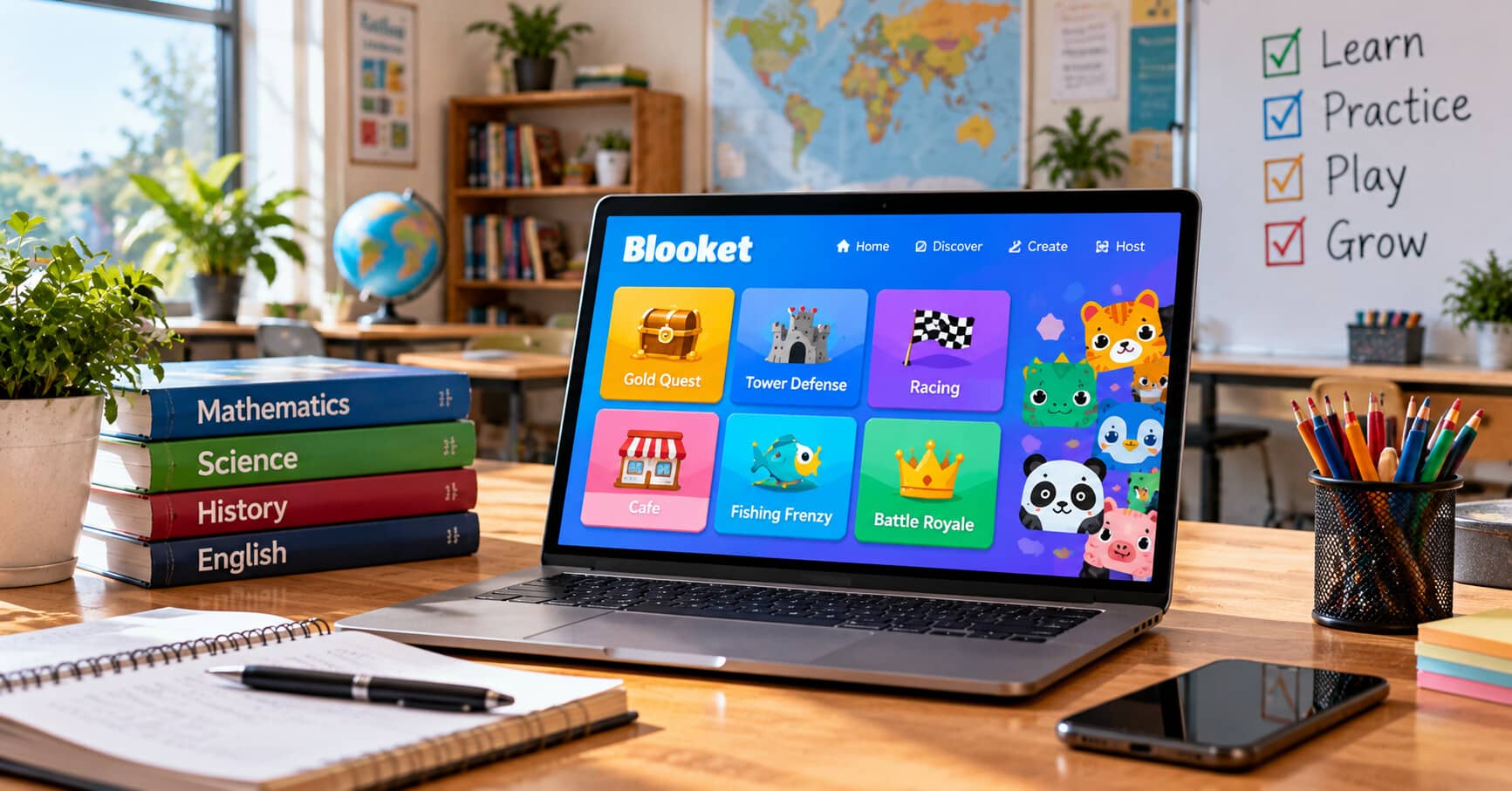
This guide breaks it all down. What Blooket actually is, how to play and host games, which game modes work best for which situations, common mistakes new users make, and practical answers to the questions teachers, parents, and students ask most. Written for anyone who wants to understand the platform without wading through 20 different YouTube tutorials.
What Is Blooket and Why Is It So Popular?
Blooket is a free web-based platform that turns quiz content into playable game modes. Teachers create question sets, students join live sessions using a code, and everyone plays through interactive games where correct answers earn in-game rewards. Its popularity comes from combining genuine educational value with game design that keeps students engaged far longer than traditional review formats.
The platform launched in 2018 and grew quietly for its first two years. When schools moved to remote learning in 2020, Blooket adoption exploded. Teachers needed engaging tools that worked over Zoom, and the format — where every student joins from their own device — was already built for that.
By 2022, Blooket was one of the most-used classroom game platforms in American K-12 schools. By 2026, it had expanded internationally with millions of students using it weekly.
What makes it different from earlier platforms like Kahoot is the variety of game modes. Kahoot uses one core format: fastest correct answer wins. Blooket wraps the same underlying quiz content inside 12 or more different game types. Students can play through the same math questions in a tower defense game one day and a fishing simulation the next. The variety solves the burnout problem that hits other quiz platforms after a few weeks of repeated use.
Blooket also runs on a free-first model. The core platform — creating question sets, hosting live games, and accessing most game modes — is completely free for teachers and students. A paid Plus tier adds early access to new modes and expanded reporting, but the free version handles nearly all classroom needs.
The whole system works on any device with a web browser. No app downloads required, no software installations, no complex setup. A teacher who has never used the platform can go to Blooket, sign up in about 90 seconds, and host their first game in under 10 minutes.
That low barrier to entry is a big reason it spread so quickly through teacher networks. It’s genuinely easy to try.
How Do You Actually Play and Host a Blooket Game?
Playing a Blooket game requires only a game code and a device with a browser. Hosting requires a free teacher account and a question set — either one you create yourself or one imported from Blooket’s community library. The whole process takes under 10 minutes for a first-time host, and most classroom sessions run 10 to 20 minutes.
Here’s the step-by-step for both students and teachers.
How to join a game as a student:
Step 1: Ask your teacher for the game code (a 6-digit number displayed on their screen).
Step 2: Go to play.blooket.com in your web browser.
Step 3: Enter the game code and your nickname (usually your first name).
Step 4: Wait in the lobby until the teacher starts the game.
Step 5: Answer questions on your device. Correct answers earn in-game rewards depending on the game mode.
Students don’t need accounts, don’t need parental sign-up, and don’t need to share personal information. This is one of the reasons Blooket cleared privacy reviews in most US school districts.
How to host a game as a teacher:
Step 1: Sign up for a free teacher account at Blooket. Only an email address is required.
Step 2: Create a question set or search the community library for an existing set on your topic. Community sets cover almost every K-12 subject.
Step 3: Click “Host” on any question set. You’ll see a menu of available game modes.
Step 4: Pick a game mode. Different modes suit different situations. Choose based on class size, time available, and student energy level.
Step 5: Set game parameters (time limit, teams vs individual play, etc.) and generate a game code.
Step 6: Share the code with students. Once they’ve joined, click “Start” to begin.
Step 7: Monitor progress from the teacher dashboard, which shows individual student performance in real time.
Step 8: Review results after the game. Blooket saves reports for later review, and Plus tier gives more detailed breakdowns per student per question.
Most first-time teachers I’ve talked to report the same experience — the interface looks confusing for the first two minutes, then makes sense. By the second hosted game, teachers usually feel comfortable enough to run sessions without notes.
For students who play Blooket at home, the platform also offers solo modes where a single player can practice a question set against automated challenges. Teachers can assign these as homework, and students can complete them at their own pace.
Which Blooket Game Modes Should You Try First?
The best Blooket game modes for beginners are Gold Quest for a first-time class, Tower Defense for competitive energy, Café for younger students, and Classic for straightforward review. More advanced modes like Crypto Hack and Battle Royale work better once students understand how the basic mechanics function.
Blooket offers over a dozen game modes. Below is a comparison of the most-used ones and where each one fits.
| Game Mode | How It Works | Best For | Ideal Class Size | Difficulty for New Users |
|---|---|---|---|---|
| Gold Quest | Correct answers let you steal or protect gold from opponents | First-time classes, mixed grade levels | 5-40 students | Easy |
| Tower Defense | Answers earn coins to build defensive towers against waves | Competitive students, review sessions | 5-30 students | Easy |
| Café | Serve virtual customers by answering questions | Younger students, calm review | 5-30 students | Easy |
| Fishing Frenzy | Catch fish by answering questions correctly | Elementary, quick reviews | 5-30 students | Easy |
| Racing | Race across a track based on answer speed | Fast-paced review, time pressure practice | 5-30 students | Easy |
| Battle Royale | Players face off head-to-head until one remains | Older students, competitive classes | 10-40 students | Medium |
| Classic | Basic quiz format with points | Simple review, test prep | Any size | Very Easy |
| Crypto Hack | Hack opponents while defending your own tokens | Middle/high school, strategic students | 10-30 students | Medium |
| Tower of Doom | Fight through waves of monsters | Older students who like adventure games | 5-30 students | Medium |
| Blook Rush | Speed-based blook collection race | Quick warm-ups, energy breaks | 10-30 students | Easy |
| Monster Brawl | Battle monsters using correct answers | Middle school competitive review | 10-30 students | Medium |
| Factory | Build a factory by answering questions | Extended sessions, strategic play | 5-25 students | Medium |
A few practical notes from teachers running these in real classrooms.
Gold Quest is the mode most teachers start with because it’s forgiving. Even students who answer questions slowly can succeed by strategically stealing gold at the right moments. It reduces anxiety compared to speed-only modes.
Tower Defense works well when you want energy without direct student-to-student competition. Players compete against the game rather than each other, which softens the emotional stakes for students who don’t love public rankings.
Café and Fishing Frenzy are favorites for elementary teachers. The visual style is age-appropriate and the pacing is gentle. Older students sometimes find them “too easy” aesthetically, though the underlying content difficulty is fully adjustable.
Battle Royale is the mode students request most. It’s high-energy, high-stakes, and produces a clear winner. Teachers usually save it for review sessions after a chapter, when the excitement is a reward rather than a distraction.
Classic is what to use when you want a session without game-mode distraction — just answer questions, earn points, see who did best. It’s the closest to a traditional quiz format.
For teachers who want to try advanced strategies once they’re comfortable with the basics, the Blooket hacks and tips resource covers strategies students discover organically and how teachers can either work around them or lean into them for engagement.
The right mode depends more on your class energy on a given day than any theoretical ranking. Rotate modes across the week rather than sticking to one favorite. Variety is what keeps Blooket working over months, not just weeks.
What Are Common Mistakes and Myths About Blooket?
Common Blooket mistakes include treating it as a substitute for teaching, running the same mode too many times, hosting overly long sessions, sharing games with unmoderated question sets, and ignoring the reporting data after games. The most common myth is that game-based platforms only entertain — in reality, when used correctly, they produce measurable learning gains.
Here’s a longer look at each.
Mistake 1: Using games instead of teaching. Blooket is a review and reinforcement tool. It’s not a replacement for direct instruction. Students who haven’t learned the material won’t magically absorb it during a game session. Teachers who lean on Blooket without teaching first see engagement without learning.
Mistake 2: Repeating the same mode too often. Students burn out on repetition faster than most teachers expect. Running Tower Defense every Friday for two months turns novelty into monotony. Rotate modes to keep the experience fresh.
Mistake 3: Running sessions too long. A 45-minute Blooket session usually loses engagement in the last third. Sessions of 15 to 20 minutes hit peak engagement without fatigue. Shorter is often better.
Mistake 4: Ignoring the reports. Blooket automatically tracks which students missed which questions. This is diagnostic gold that many teachers never look at. Reviewing the reports after each session identifies exactly which concepts need reteaching.
Mistake 5: Using unmoderated community sets. The community library is huge but not all sets are accurate. Before hosting a set someone else made, spot-check the questions. Errors in shared sets can spread bad information to your students.
Mistake 6: Public leaderboards for struggling students. Some game modes rank all students publicly. For students who consistently finish near the bottom, this reinforces failure. Teachers who care about this either hide names, use team modes, or run the same content through solo mode for lower-performing students.
Mistake 7: Confusing engagement with mastery. A student can enjoy a Blooket session, feel good about their performance, and still not truly understand the material. Track whether students can transfer knowledge to new questions in different formats, not just whether they enjoyed the game.
Myth 1: Blooket is a paid platform. The core platform is free. A Plus subscription exists but isn’t needed for most classroom use.
Myth 2: Students need to create accounts. They don’t. Students join with just a code and a nickname. No email, no personal information, no parent sign-up required.
Myth 3: Blooket is only for math. It works for any subject that can be quizzed — history dates, science terms, foreign language vocabulary, literary analysis, current events. Teachers use it across every K-12 subject.
Myth 4: It’s just for younger kids. Middle school and high school teachers use Blooket regularly, especially modes like Battle Royale and Crypto Hack that appeal to older students. The platform scales up better than most people expect.
Myth 5: You need to be tech-savvy to host. The interface is genuinely simple. Any teacher who can use a web browser and share a code with their class can host a Blooket game. First-time hosts usually feel comfortable by session two.
The pattern across most mistakes is treating Blooket as either more or less than it is. It’s not magic and it’s not a toy. It’s a well-designed tool that produces measurable results when used with intention.
Frequently Asked Questions
Is Blooket free for teachers and students?
Yes. The core Blooket platform is free for both teachers and students. Teachers get a full account, unlimited question sets, and access to most game modes at no cost. Students join games without needing accounts. A paid Plus tier at $2.99 per month adds early access to new modes and expanded reporting, but isn’t required for standard classroom use.
What ages is Blooket appropriate for?
Blooket works well for students roughly 8 years old through high school. The colorful game modes appeal to elementary students, while modes like Battle Royale and Crypto Hack engage middle and high school students. Question content is fully customizable, so teachers control the difficulty level for their specific class.
Do students need to download an app?
No. Blooket runs entirely in a web browser. Students go to play.blooket.com on any device — laptop, tablet, phone, or Chromebook — enter a game code and nickname, and start playing. No app installation, no account creation, and no personal information required.
How is Blooket different from Kahoot?
Kahoot uses one core game format focused on answer speed. Blooket wraps the same quiz content inside 12 or more different game modes — tower defense, fishing games, cafe management, and others. Teachers often use both, with Kahoot for quick 5-minute polls and Blooket for longer sessions where variety keeps students engaged.
Can Blooket be used for homework, not just live classes?
Yes. Blooket offers solo modes and homework assignments where students can play question sets at their own pace outside class. Teachers assign sets with due dates, students complete them individually, and results appear in the teacher dashboard. This works well for review and practice between formal instruction sessions.
Is Blooket safe for children under 13?
Yes, when used through teacher-hosted games. Students join with just a code and a chosen nickname, sharing no personal information. This complies with the US Children’s Online Privacy Protection Act (COPPA) and similar international regulations. Personal home accounts for students under 13 require parental consent under federal law.
Can parents help their kids study using Blooket?
Yes. Parents can create a free account, build simple question sets on topics their child is studying, and run short home practice sessions. Alternatively, students can use community sets on subjects they need to review. The teacher-parent-student loop works well when everyone uses the same platform for practice.
What subjects work best with Blooket?
Any subject with content that benefits from review and repetition works well: math facts, vocabulary, historical dates, science terminology, foreign language vocabulary, and geography. Complex subjects requiring extended analysis — literary essay writing, advanced problem solving — benefit less from the format, though Blooket can still handle recall components of those subjects.
What This Guide Means for New Users
Blooket has become one of the most-used classroom tools in the world because it does one thing exceptionally well: it makes reviewing academic content feel like play, without sacrificing the actual learning that needs to happen.
For teachers thinking about trying it, the smallest possible starting step is best. Sign up for a free account, find a community question set that matches something you already teach, and host a single 10-minute session with one of your classes. The kids will show you within seconds whether the format works for your students. Most teachers who try this once end up using the platform regularly.
For parents whose kids come home talking about Blooket, ask them to show you a session. Watch what they play, what they find fun, and what they’ve been learning. The platform is designed to be visible enough that a curious parent can understand exactly what’s happening on the screen.
For students learning about it for the first time, the honest advice is that Blooket rewards paying attention. The best players aren’t just fast — they’re the ones who actually know the material. The game modes reward strategy and knowledge together, which is why it works as a learning tool in the first place.
The best way to understand Blooket is to try it. Everything else — the game modes, the strategies, the community sets, the teacher features — becomes clear once you’ve played a session. Ten minutes of hands-on experience beats hours of reading about it.

