


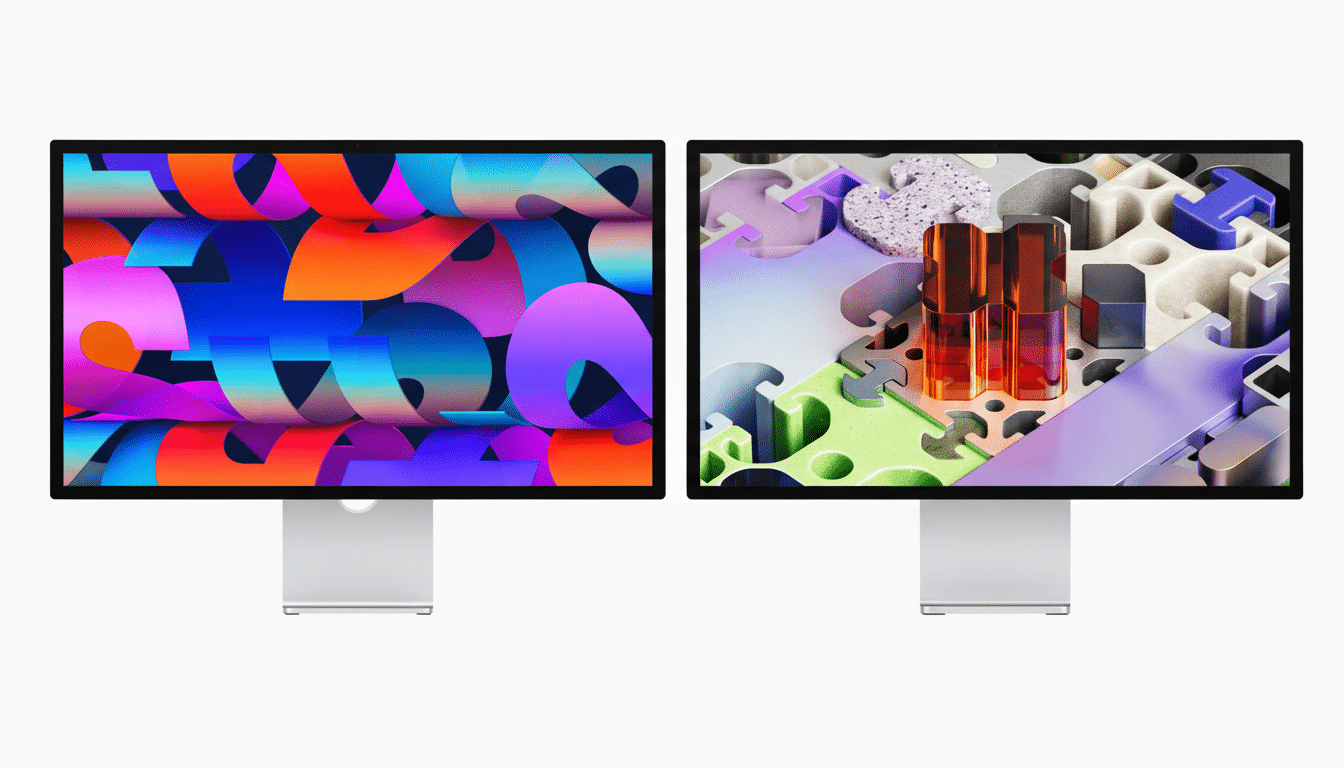
Apple’s newest Studio Display and Studio Display XDR bring Thunderbolt 5 to the desktop, turning the monitor itself into a high-bandwidth hub for pro workflows. The two 27-inch 5K panels add sharper cameras, upgraded audio, and smarter connectivity, but the headline is clear: far more I/O headroom from a single cable.
Why Thunderbolt 5 Matters for High-Bandwidth Workflows
Thunderbolt 5 doubles the baseline throughput of Thunderbolt 4 to 80 Gbps and, per Intel’s published specification, can surge to 120 Gbps in its Bandwidth Boost mode for display-heavy tasks. That extra capacity relieves the typical bottlenecks creators hit when driving multiple high-resolution displays while moving large files to fast external storage or capture devices.

In practical terms, editors can scrub through massive ProRes or Blackmagic RAW timelines while backing up to NVMe RAID over the same cable. Photographers can tether high-megapixel cameras and push out preview windows without frame drops. Game developers and 3D artists gain smoother asset streaming alongside high-refresh external outputs. Compared with Thunderbolt 4’s 40 Gbps ceiling, the jump is not subtle—it is the difference between compromise and headroom.
Apple leans into that capacity with native daisy-chaining for up to four displays, and includes a Thunderbolt 5 Pro cable in the box. The port is backward compatible with Thunderbolt 4, USB4, and USB-C accessories, so existing docks and drives remain in play, just at their native speeds.
Display Specs Built for Professional Users and Teams
The Studio Display retains a 27-inch 5K Retina panel with over 14 million pixels, rated at 600 nits, and supports the P3 wide color space. A new 12MP Center Stage camera improves framing on calls, while Desk View can show your face and an overhead shot of your desk simultaneously—handy for live demos or design reviews.
Audio gets a notable lift: a six-speaker array with Spatial Audio and a three-microphone setup aim for cleaner conferencing and media playback. Apple says bass performance is 30% deeper than the prior generation, addressing a frequent gripe about thin monitor audio.
The Studio Display XDR steps up the panel tech with a 5K Retina XDR screen (5120×2880) driven by a mini‑LED backlight and more than 2,000 local dimming zones. It targets up to 1,000 nits sustained SDR brightness, 2,000 nits peak HDR, and a 1,000,000:1 contrast ratio, with coverage that extends to Adobe RGB for print and photography workflows.
Both displays offer a 120Hz refresh rate with Adaptive Sync support for smoother motion and reduced tearing. The standard glass and nano‑texture glass options return; the latter is tailored to glare‑prone environments. Stands differ slightly: Studio Display tilts, while the XDR adds height adjustment for precise ergonomic setups.
Thunderbolt 5 in the Real World for Creative Pros
For mobile pros, the appeal is one-cable simplicity. Plug a MacBook Pro into the Studio Display and you’ve effectively docked: video, audio, high-speed peripherals, and power over a single line. With Thunderbolt 5’s expanded bandwidth, you can hang fast external SSD arrays, 10GbE networking, and a capture interface without the juggling act that Thunderbolt 4 sometimes forced under heavy load.
Teams working across color-managed pipelines will appreciate the consistency. P3 on Studio Display and Adobe RGB on XDR cover the dominant creative color spaces; pair that with Adaptive Sync at 120Hz and you get a monitor that’s comfortable toggling between timeline work, VFX previews, and fast UI interaction. VESA’s Adaptive Sync standard underpins the variable refresh support that keeps animations fluid as workloads spike and dip.
Medical and Enterprise Use Cases and Compliance
Apple is explicitly courting specialized environments with the Studio Display XDR. DICOM presets and a Medical Imaging Calibrator on macOS are designed to align grayscale response with clinical viewing standards. Apple notes that the calibrator is pending FDA clearance in the U.S., a signal that the company is serious about compliance rather than just marketing to hospitals.
In enterprises, Thunderbolt 5’s throughput also unlocks denser desk setups. Facilities can fan out multiple displays via daisy-chain while wiring power and high-speed data through fewer cables, reducing e-waste and simplifying IT support. Because Thunderbolt 5 is interoperable with existing USB-C ecosystems, rollouts can be staged rather than all-or-nothing.
Early Verdict on Apple’s Thunderbolt 5 Studio Displays
On paper, Apple’s move to Thunderbolt 5 in its Studio line is the most consequential upgrade since the 5K Retina era. The raw display quality was already competitive; the real limiter was I/O. With 80 Gbps baseline bandwidth and up to 120 Gbps for display workloads, the new models shift the Studio Display from “nice screen with a hub” to a central node for demanding creative and technical setups.
Factor in the stronger camera, deeper speakers, and pro‑leaning features like mini‑LED XDR, Adaptive Sync, and medical calibration, and Apple’s displays look purpose-built for the next few years of production needs. If your desk depends on multiple high-res panels and heavy external gear, Thunderbolt 5 is the upgrade that finally gives the screen as much bandwidth as your imagination.
