


Apple’s latest developer build, iOS 26.4 beta 2, is out with meaningful under-the-hood changes and a few polished touches on the surface. The headline: early testing of end-to-end encrypted RCS between iPhone and Android, plus new accessibility options and visual refinements. If you’re curious to try it, the beta is already available through Apple’s beta channels—just be smart about backups first.
What’s new in iOS 26.4 beta 2: features and changes
The standout experiment is RCS messaging with end-to-end encryption for conversations between iPhone and Android. Apple’s release notes say the feature is in testing, not shipping broadly yet, and won’t be available on all devices or carriers. Encrypted chats will be explicitly labeled as such, so you’ll know when the protection is active.
- What’s new in iOS 26.4 beta 2: features and changes
- RCS end-to-end encryption testing between iPhone and Android
- Interface and accessibility tweaks and visual refinements
- Performance, stability improvements, and bug fixes in beta 2
- How to install the iOS 26.4 beta safely on your iPhone
- Who should try iOS 26.4 beta 2 now and who should wait
- What to watch next as iOS 26.4 beta 2 continues testing
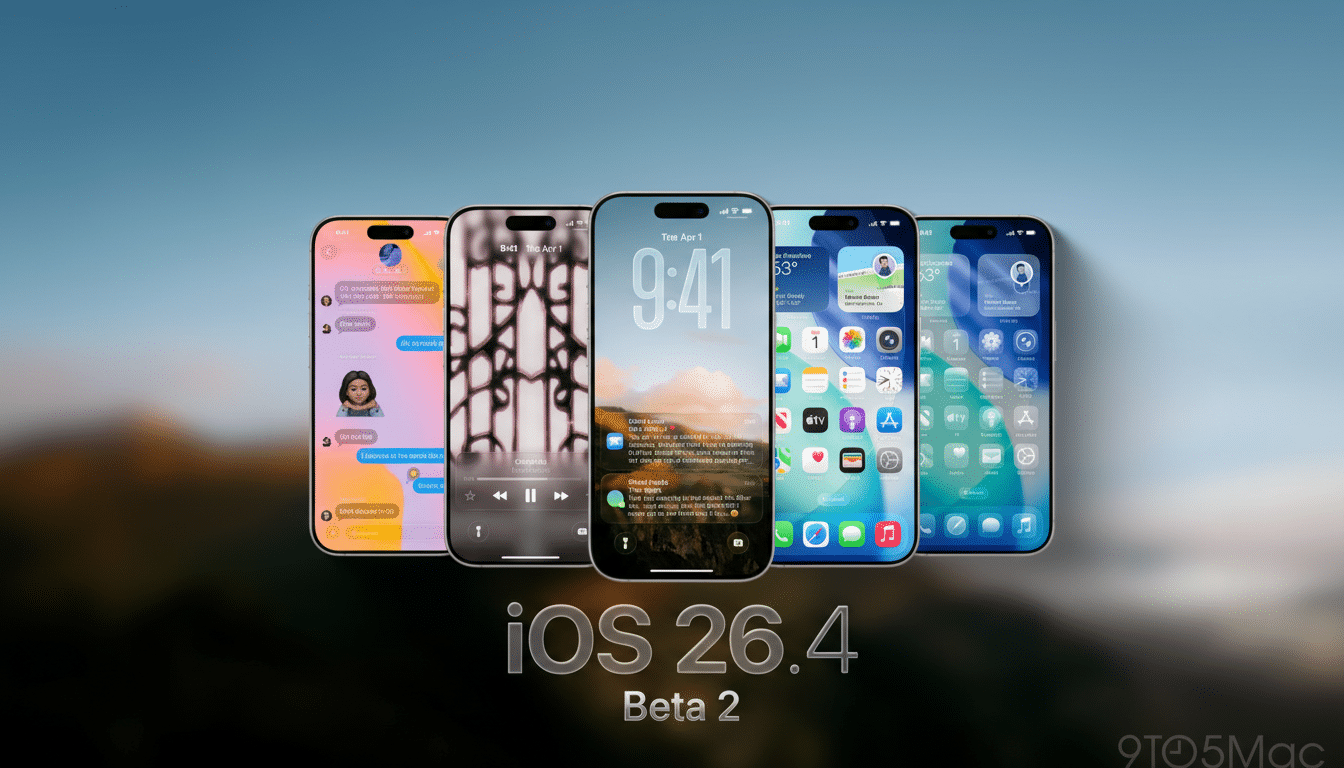
Two smaller but welcome tweaks round out the build. First, an accessibility control to reduce the bright “edge highlight” on buttons and sliders—spotted by 9to5Mac—gives users more visual comfort without sacrificing clarity. Second, the Home Screen edit interface gets a more transparent Liquid Glass effect, a subtle design shift flagged by MacRumors that makes widgets and wallpaper feel less boxed-in when you’re customizing layouts.
RCS end-to-end encryption testing between iPhone and Android
Apple’s move to test encrypted RCS is a consequential step for cross-platform messaging. RCS is the modern carrier standard that replaces aging SMS/MMS with typing indicators, higher-quality media, improved group chats, and read receipts. The GSMA has reported more than 1 billion monthly active RCS users globally, and bringing robust encryption to iPhone–Android threads narrows a long-standing security gap for mixed-device groups.
There are important caveats. Both participants need compatible software and a carrier path that supports the feature. Apple emphasizes this is a beta capability, so you should expect coverage to be inconsistent. When it’s on, however, the “encrypted” label signifies end-to-end protection that prevents intermediaries from reading message contents while in transit, aligning cross-platform chats more closely with iMessage’s long-standing security model.
For developers and power users, this is also a valuable interoperability test. Many Android devices use Google’s Messages app, which already offers E2E for RCS within its own ecosystem. Apple’s implementation being trialed here signals momentum toward a more secure default for everyone, even if it takes multiple beta cycles and carrier coordination to land broadly.
Interface and accessibility tweaks and visual refinements
The new option to tone down edge highlights caters to users who find vivid interface accents distracting or fatiguing. In practice, sliders and buttons look less haloed without sacrificing discoverability. It’s a small control with outsized impact for accessibility—particularly for those with light sensitivity or attention considerations—continuing Apple’s trend of adding system-level customization knobs rather than one-size-fits-all presets.

The more transparent Liquid Glass in the Home Screen edit menu is another example of Apple’s ongoing visual unification. Transparency and depth effects now feel more consistent between Control Center, widgets, and the customization canvas, making the edit state blend better with your wallpaper and iconography.
Performance, stability improvements, and bug fixes in beta 2
As with most second betas, expect a mix of bug fixes and instrumentation for diagnostics. Developers often report improved stability over beta 1, but this is still pre-release software—quirks with third-party apps, battery variability, and accessory glitches can linger. If your workflow depends on a specific app stack, verify compatibility before you jump in.
How to install the iOS 26.4 beta safely on your iPhone
If you’re enrolled in the Apple Developer Program or the Apple Beta Software Program, head to Settings > General > Software Update > Beta Updates and select the iOS 26 Developer Beta or Public Beta track associated with your Apple ID. The update will appear on supported iPhones once Apple authorizes your account for beta downloads.
Back up first. Use iCloud Backup or create an encrypted backup with Finder on a Mac. Keep in mind that restoring to a stable release may require a full device restore, so treat this like a one-way door unless you’re comfortable rolling back with a computer. Ensure you have sufficient storage space and a reliable Wi‑Fi connection before starting.
Who should try iOS 26.4 beta 2 now and who should wait
Developers who need to validate apps against iOS 26.4 APIs and IT admins piloting fleet updates will get the most value today. Enthusiasts curious about RCS encryption and the latest UI polish can try it on a secondary device. If your iPhone is mission-critical, waiting for the public beta or final release is the safer path.
What to watch next as iOS 26.4 beta 2 continues testing
Apple’s notes hint that encrypted RCS is slated for future releases across iOS, iPadOS, macOS, and watchOS, not just this build. Keep an eye on subsequent betas for wider carrier support, clearer labeling, and additional toggles. For full technical details and known issues, check Apple’s Developer documentation, and track ongoing feature discoveries from outlets like 9to5Mac and MacRumors as the beta matures.
