


Apple’s newest budget faceoff puts a $599 laptop against a $599 desktop, and the result is less a tie than a question of lifestyle. MacBook Neo is the ultra-affordable, grab-and-go Mac notebook. Mac Mini is the compact, configurable desk anchor. Your best choice hinges on where you work, what you connect, and how much headroom you need.
Price and Total Ownership Value at a Glance
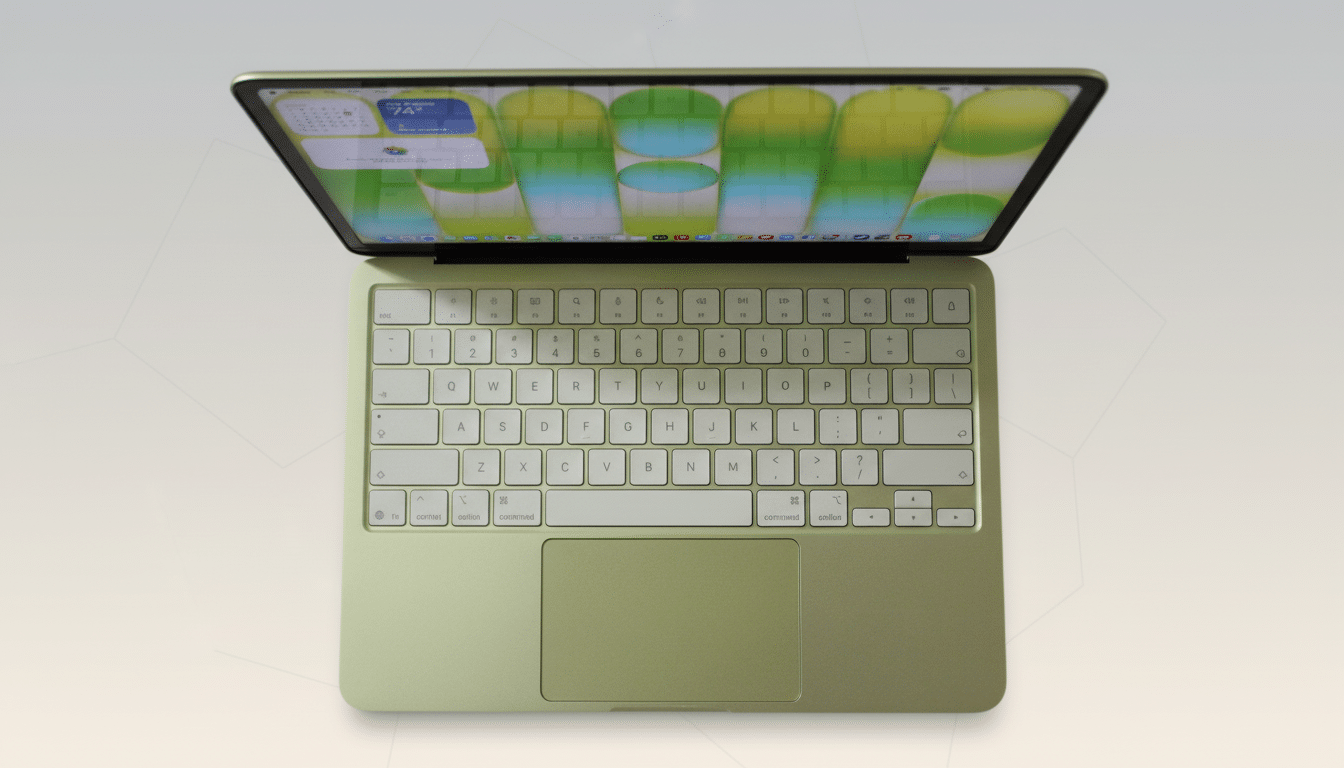
Both wear the same sticker price, but they do not cost the same to own. MacBook Neo includes a display, keyboard, trackpad, webcam, mic array, and battery. Unbox it and you’re working in minutes.
- Price and Total Ownership Value at a Glance
- Performance in Daily Tasks and Upgrade Headroom
- Displays, External Monitor Support, and Ports
- Mobility, Battery Life, and System Noise in Use
- Total Cost of Ownership and Long-Term Longevity
- Real-World Buying Scenarios for Different Users
- Bottom Line on Choosing MacBook Neo or Mac Mini
Mac Mini demands peripherals. A decent 24-inch monitor, keyboard, mouse, and speakers can easily add $250 to $400, though many users can repurpose existing gear. If you already have a monitor-centric setup, the Mini’s value multiplies; if not, the Neo is the cleaner buy.
Performance in Daily Tasks and Upgrade Headroom
MacBook Neo is built for everyday computing: many browser tabs, office suites, video calls, light photo edits, and streaming. It thrives on Apple silicon’s strong single-core pace and power efficiency, and it barely warms up during routine tasks.
Mac Mini scales. Entry units are quick for general use, and higher trims step into pro workflows—encoding 4K timelines, large RAW batches, and complex spreadsheets. With options for more cores and higher memory ceilings than Neo, the Mini is the safer bet for CPU- or GPU-heavy work and for buyers who want runway to grow.
Apple’s unified memory architecture benefits both machines, but the Mini’s capacity options matter. Bigger memory pools reduce swapping when you pile on layers in Photoshop, juggle VMs, or render scenes in Blender. If you live in those apps, the desktop wins on staying power.
Displays, External Monitor Support, and Ports
If your workflow is screen-hungry, Mini is the ace. It supports multiple external displays and offers generous I/O—Thunderbolt on mainstream and higher-end trims, HDMI for straightforward monitor hookups, and wired Ethernet for low-latency networking. Creative studios and trading desks will appreciate the flexibility.
Neo favors simplicity. You’ll get a sharp built-in display and limited external-monitor capability at this price tier, plus a slim port selection focused on USB-C. For students, frequent travelers, and hybrid workers, that’s often enough. For multi-monitor command centers, it isn’t.

Mobility, Battery Life, and System Noise in Use
Neo’s 2.7-pound-class design is built to move. Expect all-day battery life with productivity workloads, a quiet fan profile, and instant-on convenience—hallmarks that have made Apple silicon laptops favorites among commuters and event crews. The integrated webcam and mics also mean fewer dongles in your bag.
Mac Mini’s strength is the opposite: near-silent operation on a desk, consistent performance under load, and zero battery anxiety. Paired with a roomy 27-inch or ultrawide display, it delivers a more ergonomic, planted workspace than any laptop can.
Total Cost of Ownership and Long-Term Longevity
Budgeting beyond day one matters. Neo is a one-box solution with predictable costs; you might add a USB-C hub or external SSD later. Mini invites modularity: a monitor upgrade next year, a color-accurate panel for creative work, or faster wired networking for shared storage. That piecemeal path can be cost-effective if you already own components.
Industry trackers at IDC and Canalys say notebooks still account for roughly 70% of PC shipments, reflecting how mobility now dominates purchasing. But desktops remain mainstays in offices and studios because they offer stable setups, better cable management, and multi-display density. The Mini fits squarely into that latter camp.
Real-World Buying Scenarios for Different Users
- Student or first-time Mac buyer: Choose MacBook Neo. It covers lectures, research, and remote classes with minimal fuss and no accessory tax. It’s also easy to resell or hand down later.
- Home office with existing monitor: Choose Mac Mini. You’ll maximize your peripherals, gain cleaner cable routing, and have more display options for spreadsheets and dashboards.
- Creator or engineer on a budget: Start with Mini and configure for more memory and cores if your apps demand it. Final Cut Pro, Logic Pro, Xcode builds, and Blender all scale with resources—headroom pays off on deadline days.
- Frequent traveler or field producer: Neo wins. Battery-first workflows, built-in camera and mic, and instant setup at a client site outweigh the Mini’s raw I/O.
Bottom Line on Choosing MacBook Neo or Mac Mini
If you want the simplest, most portable Mac for everyday tasks and meetings, MacBook Neo is the right $599 pick. If you value multi-monitor breadth, wired connectivity, and the option to scale into heavier workloads, Mac Mini is the smarter foundation—especially if you already own a great display.
Same starting price, two very different bets. Buy the mobility you’ll use every day or the desk setup you’ll grow into.
