


Apple’s new 13-inch MacBook Neo rewrites the company’s playbook, arriving as a true budget MacBook while the refreshed 13-inch MacBook Air M5 reclaims the midrange. If you’re shopping small and light, the question isn’t whether either is good—it’s which one aligns with your workload, ports, and long-term needs.
Price and value comparison between Neo and MacBook Air
The MacBook Neo starts at $599, with a $699 configuration adding a 512GB SSD and Touch ID; students can get in at $499. That’s uncharted territory for Apple and squarely in competition with mid-tier Windows ultrabooks and higher-end Chromebooks.
- Price and value comparison between Neo and MacBook Air
- Performance and silicon differences between Neo and Air
- Memory and storage headroom across both MacBook models
- Display and build quality differences between Neo and Air
- Ports and connectivity features on Neo versus MacBook Air
- Battery life and everyday experience compared side by side
- Verdict: Which 13-inch MacBook should you buy?
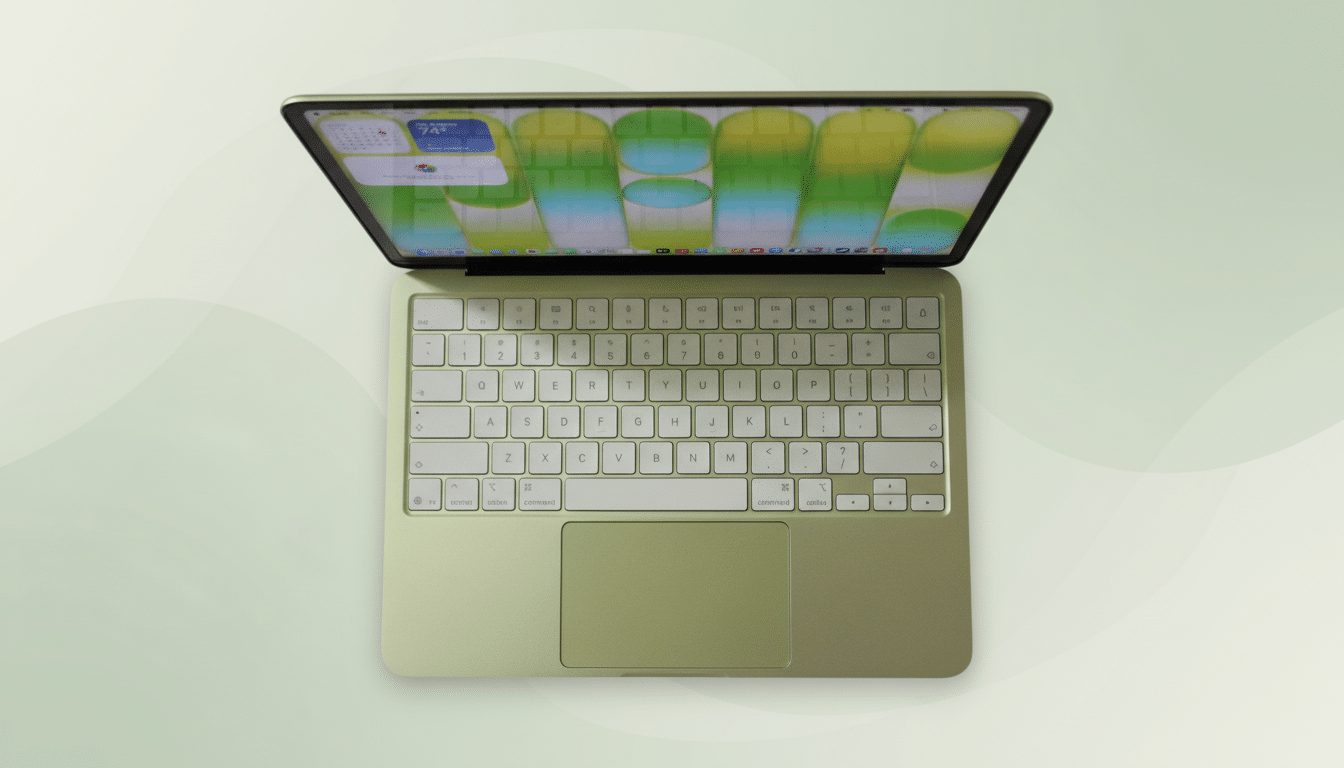
The 13-inch MacBook Air M5 begins at $1,099. That’s $100 more than the prior M4 entry, but Apple now doubles base storage to 512GB, which is what most $1,000-plus laptops should offer in 2026. If your ceiling is $700, the Neo is the obvious door in. If you can stretch, the Air’s spec headroom pays dividends over time.
Performance and silicon differences between Neo and Air
Apple split its silicon strategy. The Neo runs the A18 Pro—historically an iPhone chip—while the Air jumps to the M5. On paper, the A18 Pro carries a 6-core CPU (2 performance, 4 efficiency), a 5-core GPU, a 16-core neural engine, and 60GBps memory bandwidth. The M5 steps up to a 10-core CPU (4 performance, 6 efficiency), 8- or 10-core GPU options, the same 16-core neural engine, dedicated neural accelerators, hardware ray tracing, and 153GBps of memory bandwidth.
The gap is exactly where you’d expect it: the Air crushes multi-core and GPU-heavy tasks, but single-core performance from A18 Pro is closer than you’d think for everyday apps. In third-party testing we reviewed, the Neo even managed roughly 52fps in Cyberpunk 2077 with upscaling and frame generation enabled—an eyebrow-raising feat for a budget Mac.
If you live in Xcode builds, large Lightroom catalogs, or motion graphics, the M5’s bandwidth and GPU features are the difference between “can do” and “built for it.” For browsers, docs, Zoom, and light photo edits, the A18 Pro feels snappy and far exceeds typical sub-$700 Windows systems.
Memory and storage headroom across both MacBook models
The Neo’s base 8GB/256GB configuration is clearly tuned for students and general users. It will handle coursework, streaming, and productivity, but heavy multitaskers will find 8GB tight once dozens of tabs, Slack, and creative apps stack up. The $699 Neo with 512GB and Touch ID is the smarter pick if you can swing it.
The Air starts where most professionals want to be: 16GB of unified memory and 512GB of storage. That not only makes room for bigger projects and local AI features, it also prolongs useful life. Gartner and IDC have long pegged mainstream PC refresh cycles around four to five years; starting with higher memory and storage helps the Air stay fast deeper into that window.
Display and build quality differences between Neo and Air
Both machines deliver Apple’s crisp Liquid Retina experience at 60Hz and a rated 500 nits of brightness. The Neo’s 13-inch panel runs at 2,408×1,506; the Air’s 13.6-inch display bumps density to 2,560×1,664. Side-by-side, color and luminance are very close for SDR work, with the Air offering broader overall color coverage and True Tone refinements that creators will appreciate.
Dimensions are near a draw: the Neo is slightly smaller but thicker (0.5 by 11.7 by 8.1 inches), the Air is thinner with a slightly larger footprint (0.44 by 12 by 8.5 inches). Both weigh 2.7 pounds. The Air retains Apple’s superb haptic Force Touch trackpad and a backlit keyboard; the Neo opts for a simpler mechanical trackpad and no key backlighting to hit its price.

Aesthetics split too. The Air leans premium with Sky Blue, Starlight, Midnight, and Silver. The Neo plays to campus life with Blush, Citrus, Indigo, and Silver.
Ports and connectivity features on Neo versus MacBook Air
Both laptops have two USB-C ports and a 3.5mm headphone jack, but capability differs sharply. The Air’s ports support Thunderbolt 4, enabling up to 40Gbps throughput per Intel’s spec, plus multi-monitor setups—up to two 6K/60 displays or a single 8K/60—and rapid external storage. It also keeps MagSafe 3 for convenient, safer charging.
The Neo’s USB-C is split between USB 3.2 Gen 2 and USB 2.0. You can charge and run DisplayPort video, but you’re limited to a single external display up to 4K/60, and there’s no Thunderbolt or MagSafe. On wireless, the Air jumps to Wi‑Fi 7 while the Neo offers Wi‑Fi 6E. The Wi‑Fi Alliance says Wi‑Fi 7 adds 320MHz channels and Multi‑Link Operation for lower latency and higher peak speeds—useful in busy offices or dorms. Both support Bluetooth 6.
Battery life and everyday experience compared side by side
Battery life is strong on both, with the Air lasting about 18 hours in video playback testing and the Neo around 15.5 hours. That’s roughly a 16% advantage for the Air, though either will comfortably cover a full day of classes or cross-country flights.
Audio and camera tilt premium as well: the Air’s four-speaker array and 12MP Center Stage camera with Desk View outclass the Neo’s two speakers and 1080p webcam. Touch ID is standard on the Air and available on the $699 Neo.
Verdict: Which 13-inch MacBook should you buy?
Pick the MacBook Neo if your budget tops out at $599–$699, you prioritize portability and battery life over raw power, and your tasks are web-first with light photo edits and occasional gaming. It’s a remarkably capable on-ramp to macOS at a price once unthinkable for a Mac.
Choose the 13-inch MacBook Air M5 if you want headroom for pro workflows, dual high‑resolution displays, faster local AI features, and a longer runway before your next upgrade. Its M5 silicon, Thunderbolt 4, 16GB memory, and 512GB storage make it the more future-proof investment.
The short answer: students and first-time Mac buyers should start with the Neo—ideally the $699 trim for Touch ID and 512GB—while freelancers, creators, and frequent travelers will be happier, and faster, on the M5 MacBook Air.
