


USB-C was supposed to offer one universal charger to power all our devices, but the standard is a hellscape of competing logos, incompatible advertising, and vaporous specs. The good news is, for the most part that confusion melts away if you grasp a few key concepts about USB Power Delivery, the de facto fast-charge standard overseen by the USB Implementers Forum.
Here are six key components that differentiate a great charging experience from an aggravating one. Consider these when you’re shopping for chargers, cables or power banks for phones, laptops and other accessories.
- The Iconic USB PD Basics That Control Your Charge
- Understand Your Power Ranges SPR And EPR Limits
- PPS Is The Key To Rapid, Cool Phone Charging
- AVS Power High Wattage Gear But It Is Not PPS
- Cables Determine Current And Safety More Than You Realize
- Multiport Chargers Divide Power And Attention
- Smart Buying Checklist To Save You From The Mess
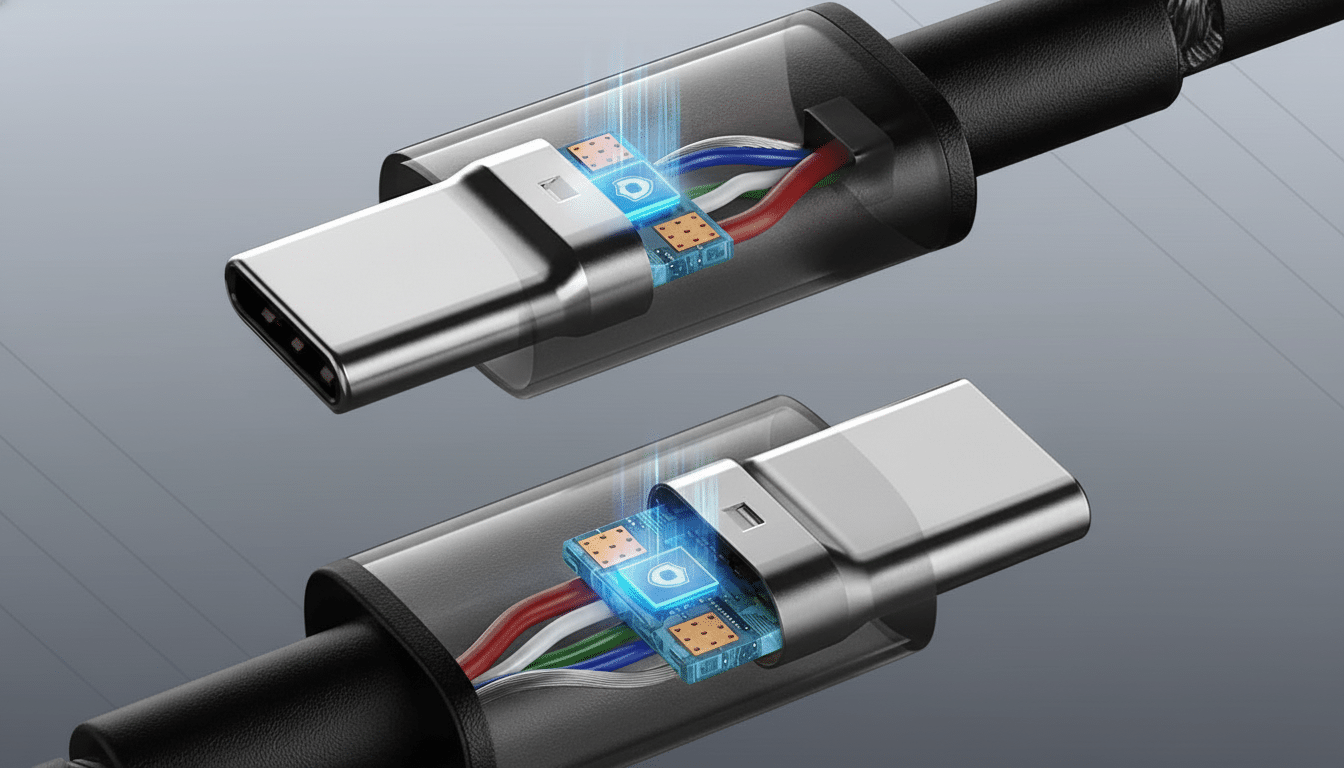
The Iconic USB PD Basics That Control Your Charge
Every USB PD communication session begins with a run through the handshake. Your device requests “power levels” that it supports, and the charger offers fixed “Power Data Objects” (PDOs) such as 5V, 9V, 15V, and 20V. A plain USB-C port without PD maxes out at 15W; with PD that soars to a maximum of 100W on Standard Power Range (SPR) and up to a monstrous maximum of Max EPR of Power level DIR_power_max*13 (i.e., up to ~240W).
Interoperability is a given, but only at the intersection of capabilities. If your laptop needs 20V at 5A and the charger tops out at 20V at 3A, you’ll charge less quickly. Similarly, a phone that would rather use 9V will revert to 5V if it’s not provided. While getting the advertised wattage is important, it’s just as important that you match the offered voltages.
Understand Your Power Ranges SPR And EPR Limits
SPR goes from 5V to 20V up to 100W, while EPR also includes support for 28V, 36V and 48V up to a total of 240W; this is aimed at large monitors or power-hungry laptops which have previously been stuck with barrel connectors. If you see any other adapter rated for 140W or above, it’s going to use EPR.
EPR needs more security features, among others, specific cables and strengthened insulation. That’s one reason high-wattage gear charges at full speed only with EPR-rated bricks and cables. In order to ensure these combinations remain safe under load, the USB-IF has a certification program and set of compliance testing.
PPS Is The Key To Rapid, Cool Phone Charging
Programmable Power Supply (PPS) is a USB PD 3.0 feature that allows the charger to precisely adjust voltage and current in fine increments, following the lithium battery’s charging needs as closely as possible while it fills up. The result is greater efficiency, less heat (perfect for charging your devices in the car) and longer battery lifetime, as fast charging tech won’t overheat or damage your batteries.
PPS is the usual system that many new fast charging phones include at 25W to 45W ranges on Android flagships with others even offering their own fast modes added on top of PPS. If PPS is supported by your phone but not the charger, you’ll charge with standard PD — just slower and possibly warmer. “PD PPS” is what to look for on the spec label when you shop.
AVS Power High Wattage Gear But It Is Not PPS
It’s this AVS technology—which allows a range of adjustable voltages to be higher than PPS’ lower-voltage real-time-intensive battery tracking that maxes out around 100W—that underpins EPR, as it were.
Unlike PPS which might be seen as the specialist lower voltage real-life accurate battery tracking approach for phones, AVS is focused on high-accuracy at yet higher voltages during negotiations for laptops, monitors and workstations.
Some of the new devices do AVS even in the lower SPR range (also via _PPC2 instead of going all the way to PPS). Adoption is still ramping, and many wall chargers and power banks are still PPS-only or fixed-PDO. If a device claims more than 100W over USB-C, it typically needs AVS and EPR support both on the charger and cable.
Cables Determine Current And Safety More Than You Realize
USB-C cables are not all equal.
A 3A cable will take you up to 60W; 5A cables, with an “e-marker” chip, are needed for a 100W SPR and all EPR levels up to the maximum of 240W. If your charger and device support more than 100W but your cable is rated at only 3 amps, your charging will be throttled — with spotty results likely.
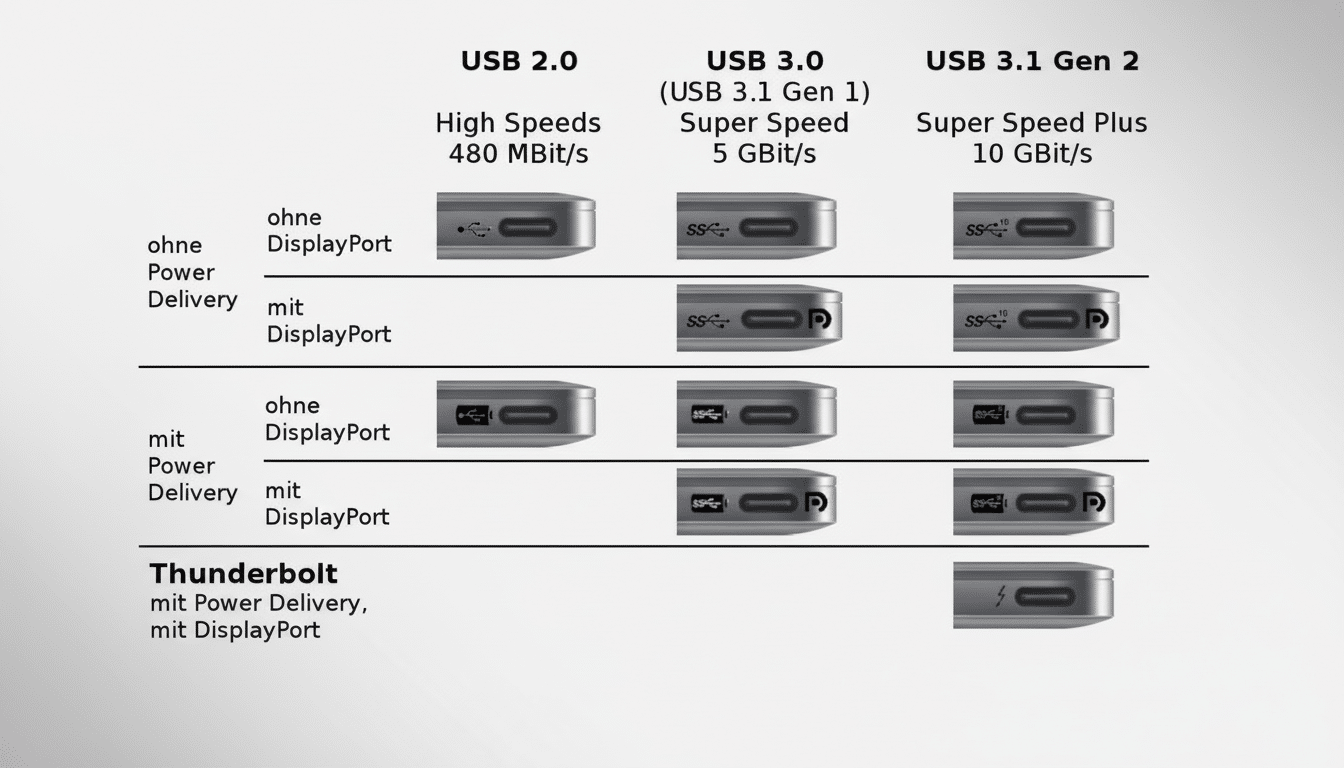
Numbers for data speed like USB 2.0 or USB 3.2 don’t translate to power capabilities. Look for the label and, ideally, the USB-IF Certified logo with clear 60W, 100W or 240W markings. Safety ratings from companies like UL, or compliance with IEC 62368-1, are also good peace-of-mind builders—especially if you plan to use a high-wattage device.
Multiport Chargers Divide Power And Attention
For example, some of the more convenient GaN power bricks available have two to four USB-C ports, but that headline wattage is often distributed across all of them. A “120W” charger could provide 100W to a laptop without anything else plugged in, but drop to 65W plus 20W when a second port is occupied. Manufacturers have port-mapping tables — check them so you don’t get any unpleasant surprises.
Some devices change behaviour if other ports are used as well. Such a laptop, which would take 20V at 5A by itself, might only take 20V at 3.25A when the second device is connected. When full-speed charging is necessary for a laptop while also topping off a phone, choose a charger with sufficient headroom and clearly separate rails.
Smart Buying Checklist To Save You From The Mess
- Match watts and voltages: check the peak draw of your device and what A it wants. Many phones are 9V or PPS; many laptops are 20V or EPR (and again some even higher voltages like 28V) for those needing 140W.
- Check PPS or AVS if applicable: should your phone advertise PPS fast charge, make sure the brick offers it; for high-wattage laptops and monitors, seek out AVS and EPR.
- Select the eligible cable: only use certified 5A e-marked for above 60W as well as all EPR charging. Be sure to keep a few well-marked cables in your bag when heading out to prevent guessing.
- Trust certification: The USB-IF maintains a list of certified chargers and cables that may put your mind at ease (or consider adding another layer of protection by relying on something from an organization such as UL, which performs safety tests). Unlabeled, cheap hardware is a false economy—especially at 100W and up.
- One additional tip: Tune out the alphabet soup of USB data speeds when you’re in the market for power. Charging is determined by Power Delivery version and cable amperage, not whether a cable is USB 2.0 or USB 3.2.
USB Power Delivery can be all rosy once you know how to find it. Stick to the six items above and you’ll charge faster, cooler and with more safety no matter if on phones or laptops (or anything in between).
