


If your Verizon phone suddenly drops to SOS or calls won’t connect, you don’t have to guess whether the problem is on your device or the network. The fastest way to confirm is to check a reputable outage map and Verizon’s own status tools, then cross‑check a few signals in your neighborhood. Here’s how to verify what’s happening in your area and what the maps actually mean.
Where To Check Verizon Outages Right Now
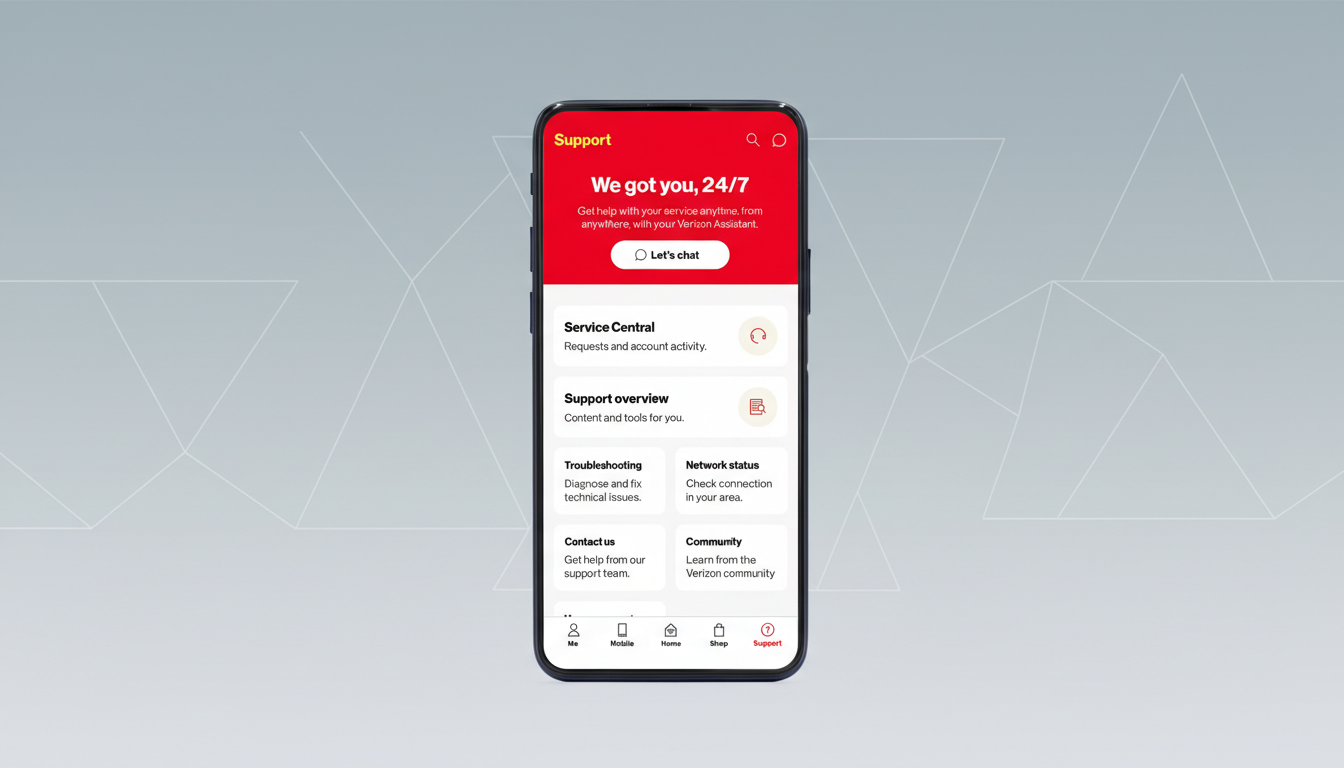
Start with Verizon’s official channels. In the My Verizon app, open Support and search “outage” to see any known service interruptions tied to your account’s billing ZIP. On the web, signed‑in customers can view outage notices and known repairs for their service address. If voice service is unstable, dialing 611 from a Verizon line often plays a recorded message about wider issues in your market.
Then look at a third‑party heat map. Downdetector, operated by Ookla, aggregates crowdsourced problem reports and displays them on a live U.S. map with a minute‑by‑minute graph. Type “Verizon” and enter your city or ZIP to see whether reports are spiking near you. During major wireless incidents, it’s common to see thousands of reports in a short window, with clusters in dense metros where more customers live.
Round out your check with public posts from Verizon Support on social platforms, plus notes from local emergency management or transportation agencies. Fiber cuts, power failures, and construction mishaps are often acknowledged by city or utility accounts before full restoration estimates are available.
How To Read The Map And Spot Real Local Issues
Heat maps visualize where people are reporting trouble; they are not a literal view of every cell site that’s down. Big orange or red blobs usually reflect population density and report volume, not necessarily the physical footprint of an outage. A hot spot over a city can still mean only parts of town or specific sectors are affected.
Use the timeline chart alongside the map. A sharp, sudden spike suggests a genuine network event. A slow trickle may point to isolated device problems. Check the mix of report types, too: if most complaints are “mobile data,” you may still be able to place voice calls, and vice versa.
Compare across carriers. If you see simultaneous spikes for multiple providers, the cause may be a shared fiber route or regional power issue. If only Verizon is trending, it’s likely a carrier‑specific problem such as a core routing change, software push, or localized radio failure.
Quick Checks Before You Assume It’s The Network
Toggle Airplane Mode for 10 seconds to force a fresh attach to the network. If you’re on 5G, try switching to LTE temporarily; in some markets, LTE may be more stable during recovery. Confirm Wi‑Fi Calling is enabled in your phone’s settings, which can restore calling and texts over a reliable Wi‑Fi connection when the cellular link is shaky.

If your device shows SOS, it means it cannot register on Verizon for normal service, but emergency calls may still route via any available network. Try placing a test call to a non‑emergency number once or twice after each change rather than repeatedly dialing, which can increase network congestion.
What Causes Outages And How Long They Last
Wireless disruptions typically trace back to a handful of triggers: fiber cuts from construction, commercial power failures at cell sites or switching centers, software or routing changes that ripple through the core, and severe weather. Industry groups such as CTIA note that carriers harden critical facilities with backup power and redundant links, but not every remote site can be fully backed up.
Third‑party trackers have documented nationwide spikes during large incidents, with tens of thousands of user reports accumulating within minutes. Many localized outages are cleared within a few hours as traffic is rerouted or power is restored; complex fiber repairs and broader software issues can take longer. For major events that affect public safety, carriers file notices through the Federal Communications Commission’s outage reporting systems, and restoration work is often coordinated with utilities and public agencies.
Staying Connected While You Wait For Service Restoration
Leverage Wi‑Fi Calling for voice and SMS, and switch your messaging apps to send over Wi‑Fi or data. If you must be reachable on your main number, consider account‑level call forwarding from your Verizon portal to a secondary line that is working. Travelers and remote workers sometimes keep a low‑cost eSIM from another carrier on standby; activating it can restore data in minutes if Verizon is down locally.
If you rely on your phone for work or medical needs, set up offline maps, download key documents, and store critical contacts locally. These small steps reduce friction if connectivity blips return during network recovery.
Trust The Map But Verify Locally With Real Checks
Outage maps are powerful early signals, but they’re crowdsourced snapshots, not official diagnostics. Treat them as a starting point, confirm with Verizon’s status tools, and double‑check on your own device and Wi‑Fi. With that layered approach, you’ll know in minutes whether the problem is your phone, your block, or a broader Verizon issue—and the smartest next step to stay connected.
