


Seedance 2.5 has moved AI video discussion from short demos toward longer, reference-guided clips that creators can evaluate as part of a real production workflow.
AI video tools are getting easier to try, but they are not always easy to judge. A single clip can look polished on the first watch and still be hard to use in a campaign, product page, tutorial, or social post. The subject may drift, the camera may move without purpose, or the scene may end before the idea is clear.
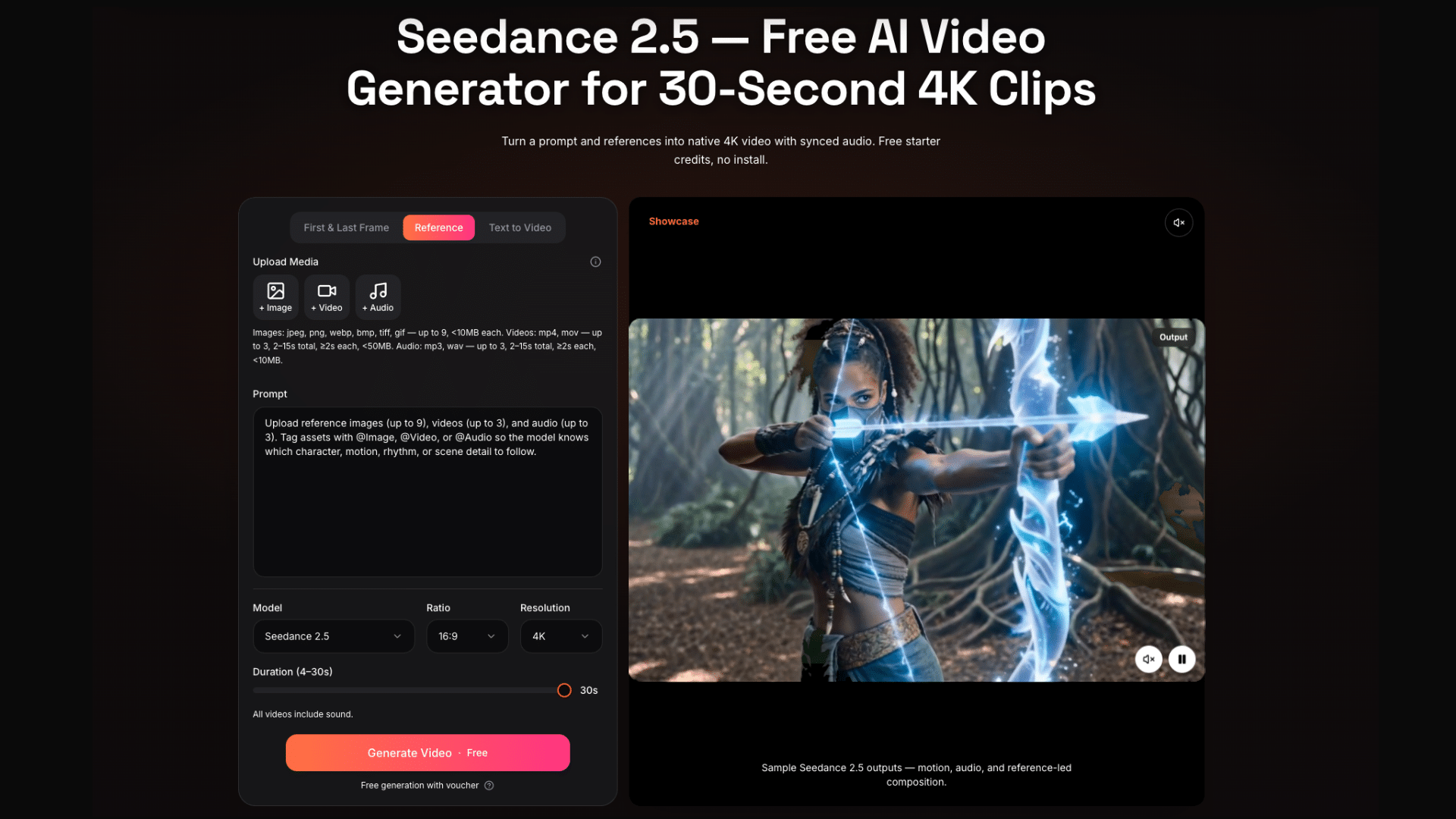
That is why the release of Seedance 2.5 is worth looking at through a practical lens. The headline features are easy to notice: native 30-second output, 4K generation, up to 50 multimodal references, stronger prompt adherence, and more flexible editing after generation. The more useful question is what creators should actually check first.
Start With the Job, Not the Demo
The easiest mistake with a new video model is to judge it from a dramatic sample. That can be fun, but it rarely answers the questions that matter in daily creative work. A brand team needs product accuracy. A filmmaker needs pacing and camera language. A creator needs a clip that can be trimmed, captioned, revised, and posted without falling apart.
A better approach is to start with a real use case. Choose one short product clip, one character scene, one motion test, one image-to-video prompt, and one longer scene with a beginning, middle, and ending. These examples are simple enough to review, but varied enough to show how the model behaves in different conditions.
This makes evaluation more honest. It also keeps the process from becoming a guessing game where one attractive result is treated as proof of everything.
Check the 30-Second Output Carefully
One of the most important Seedance 2.5 changes is native 30-second video output. That matters because many AI video tools have been strongest at short moments. A few seconds can show a mood, a motion idea, or a visual style. It is harder to carry a complete thought.
With a longer clip, creators should look beyond the first frame. Does the video still make sense after ten seconds? Does the subject remain recognizable? Does the movement continue naturally? Does the ending feel intentional, or does the scene simply run out?
Longer generation can be useful for product teasers, music-video moments, social clips, explainer scenes, and previsualization. But the value depends on continuity. A longer clip is only better if it stays coherent.
Reference Inputs Should Reduce Guesswork
Another major area to review is reference control. Seedance 2.5 supports richer multimodal inputs, including text, images, audio, video, and 3D blockout-style references. This is important because text alone cannot always preserve a product, character, location, or camera movement.
For a clear test, use references with specific roles. A product image should guide product identity. A style frame should guide color and mood. A video reference should guide motion or camera behavior. An audio reference should guide rhythm or atmosphere.
This is where a Seedance 2.5 AI Video Generator becomes more than a prompt box. The quality of the output depends partly on how well the creator organizes the inputs. Better references give the model fewer things to invent and make the result easier to judge.
Evaluate Prompt Adherence Without Overloading the Prompt
Prompt adherence is often discussed as a single score, but creators usually feel it in smaller details. Did the scene follow the camera instruction? Did the lighting match the mood? Did the subject do the action described? Did the output ignore an important detail?
The best way to test this is not to write an extremely long prompt. Start with a clear brief that includes subject, setting, action, camera movement, style, and duration. Then review which parts made it into the clip.
If the result misses a detail, change only one part of the prompt or reference set. This makes it easier to learn what improved the output. Randomly rewriting everything may produce a better clip, but it does not teach much about the workflow.
Local Editing May Matter More Than First-Try Quality
Many creators care about first-generation quality, but the real production cost often appears during revision. A product label needs fixing. A camera move feels too fast. The last few seconds do not work. A background element distracts from the subject.
If every small change requires a full restart, the workflow slows down quickly. That is why local editing after generation is one of the more practical areas to review. The key question is simple: can creators keep the strongest part of a clip while adjusting the detail that does not work?
This does not replace editing judgment. It makes that judgment more useful. The creator still decides what to keep, what to fix, and whether the clip fits the project.
Use a Simple Review Checklist
A fair evaluation does not need to be complicated. A simple checklist can help creators compare results across several prompts:
- Does the subject stay consistent from start to finish?
- Does the camera movement match the prompt?
- Do reference images or clips influence the output clearly?
- Does the scene remain coherent across the full 30 seconds?
- Is the result editable enough for a real project?
- Would the clip work as a draft for an ad, post, explainer, or storyboard?
These questions are more useful than asking whether the clip looks impressive. A strong AI video workflow should help creators move from idea to usable draft, not just produce one memorable image sequence.
Final Thoughts
Seedance 2.5 arrives at a moment when creators are asking more practical questions about AI video. Visual quality still matters, but it is no longer the only test. Longer clips, richer references, clearer prompt adherence, and local editing all point toward a more production-minded workflow.
The best way to evaluate the model is to keep the first tests simple. Use clear prompts. Assign references by role. Review the whole clip, not just the best frame. Pay close attention to what can be revised after generation.
That is where Seedance 2.5 becomes interesting: not only as a new AI video generator, but as a tool that may help creators turn visual ideas into more complete, reviewable drafts.

