


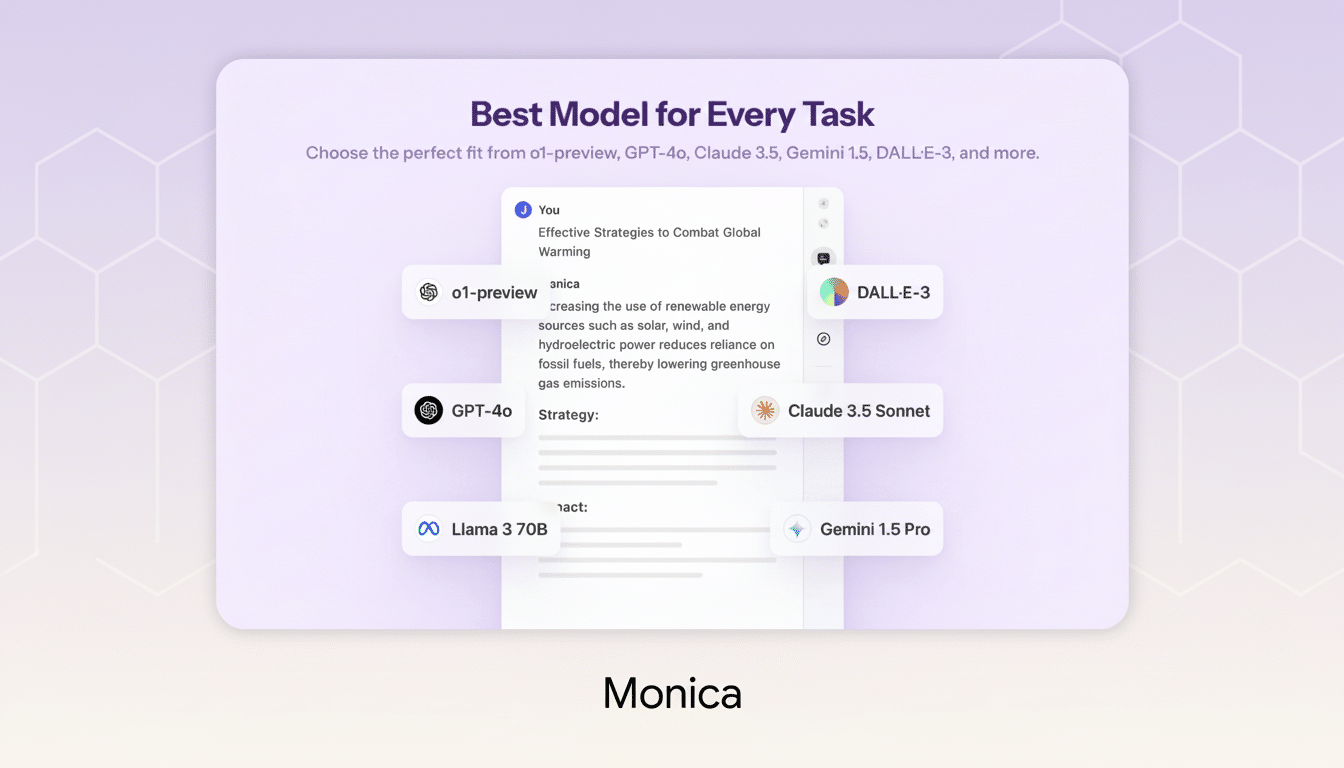
A new Chrome extension is cutting through AI tool sprawl by delivering answers from dozens of models in one place, side by side. Instead of bouncing between tabs or juggling paid plans, users can type a prompt once and compare outputs instantly from engines including Perplexity, DeepSeek, Llama, and more—all in a single, streamlined window.
One Window, Many Models: Compare Answers Side by Side
The extension runs inside Chrome as an overlay, so it’s always a keystroke away from wherever you work. Enter a prompt and it returns parallel responses from a curated set of models tuned for different strengths—concise retrieval, long-form reasoning, coding, summarization, and creative drafting. For users who want to pressure-test an answer quickly, the side-by-side view makes strengths and blind spots obvious without repeat prompting.
- One Window, Many Models: Compare Answers Side by Side
- Why Centralizing AI Pays Off for Speed and Accuracy
- Features Built for Power Users Who Work at Scale
- Pricing and Plan Details, Including Lifetime Licensing
- Privacy and Governance Considerations for AI Aggregators
- The Bottom Line: A Faster Way to Compare AI Outputs
It supports more than text. You can upload images or PDFs to query directly, pull out key data, or ask for structured summaries. Past chats are saved and searchable, and a prompt-assist feature nudges you toward clearer instructions, improving results without requiring deep prompt engineering knowledge.
Why Centralizing AI Pays Off for Speed and Accuracy
Most professionals already rely on multiple AI tools for different tasks, but context switching is expensive. The American Psychological Association has reported that task switching can sap up to 40% of productive time, a penalty that compounds when you’re copying prompts between apps and reformatting data. Centralizing model access reduces that drag and brings decision-ready answers forward faster.
There’s also a strategic angle: models behave differently. Some excel at grounded web answers, others at stepwise reasoning, and others at code generation or refactoring. Gartner expects enterprise use of generative AI APIs to surpass 80%, underscoring a shift from picking a single “best” model to orchestrating the right one for the job. A unified workspace operationalizes that approach for everyday tasks.
Consider two common scenarios. A marketer testing product headlines can instantly compare tone and specificity across multiple models, then blend the best phrasing for A/B tests. A developer pasting an error stack can see alternative fixes and code snippets side by side—often spotting a safer or faster approach that a single model would have missed.
Features Built for Power Users Who Work at Scale
Beyond parallel answers, the extension emphasizes repeatability and scale. Prompt templates let teams standardize briefs for research, outreach, or QA. Conversation threads can be pinned and shared, helping colleagues reproduce results. For creators, multimodal inputs unlock fast image references, captioning, alt-text generation, and PDF-to-outline workflows without exporting files.

Under the hood, the tool prioritizes responsiveness by routing prompts to the appropriate engines and returning partial results as they’re ready. That means you can skim early drafts while slower, more analytical models finish in the background. It’s a small touch that adds up when you’re iterating rapidly.
Pricing and Plan Details, Including Lifetime Licensing
The service is offered with an Unlimited Plan geared toward heavy users. It includes unlimited monthly messaging, priority customer support, and priority access to new features and future model integrations. A lifetime license has been promoted at $67.15 with a regular price listed at $619; pricing and promotions may change based on availability.
Crucially, the extension’s multi-model setup means you don’t need to buy and manage a stack of separate subscriptions just to sample different engines. For freelancers and small teams, that consolidation can reduce both costs and admin time.
Privacy and Governance Considerations for AI Aggregators
As with any AI aggregator, know where your data goes. Some models may be accessed via the provider’s pooled accounts, while others can be connected with your own API keys. Review how prompts and files are stored, whether they’re used to train models, and what retention controls exist. Enterprises should align usage with internal data-handling policies and consider workspace-level controls for auditability.
The upside of a central interface is governance: it’s easier to standardize prompts, apply content policies, and log activity in one place than across a patchwork of tools. That matters as organizations scale AI usage from experimentation to production workflows.
The Bottom Line: A Faster Way to Compare AI Outputs
If you regularly compare outputs across AI systems, this Chrome extension turns a tedious, multi-tab routine into a single, fast lane. With side-by-side answers from Perplexity, DeepSeek, Llama, and many others—plus multimodal inputs, prompt templates, and unlimited messaging—it’s a practical upgrade for anyone who wants better results with less friction. As AI portfolios grow, unifying model access in one window isn’t just convenient; it’s becoming the sensible default.

