


In the past, removing an image background was a job reserved for designers. You needed Photoshop, steady hands, and a lot of patience.
Now, UltraPic AI background remover technology has reached a point where it’s genuinely reliable.
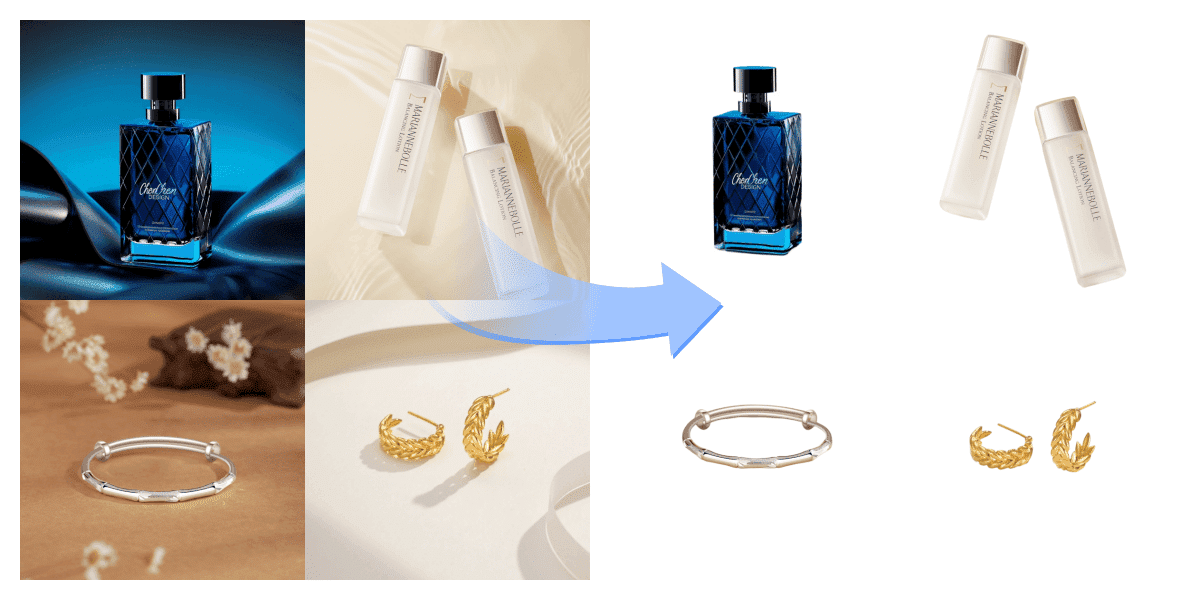
What is AI Background Removal?
AI background removal leverages artificial intelligence algorithms, particularly deep learning models, to automatically identify foreground and background elements in images. It precisely analyzes intricate details like strands of hair, transparent objects, or complex textures—elements that are challenging to handle manually.
👩💻For everyday users, this means no more worrying about technical barriers. Simply upload an image, and the AI will remove the background in seconds, saving both time and effort.
📸In commercial applications, from e-commerce product images to marketing materials, AI background removal significantly boosts efficiency and reduces costs. For instance, an online store processing hundreds of product images daily might require a team to spend an entire day manually removing backgrounds. AI tools can cut this time down to minutes.
UltraPic AI background remover – best helper
One of UltraPic’s standout features—the AI background remover—integrates cutting-edge artificial intelligence technology to deliver a fast, precise, and user-friendly image editing experience.
I’ve tried numerous similar tools, but UltraPic surpasses them all in convenience and accuracy, striking the perfect balance between speed and quality.
It’s an online photo background remover that requires no downloads or installations—simply open the webpage to start using it instantly. This eliminates any device or hardware requirements, making it exceptionally convenient.
The UltraPic development team has dedicated years to image processing, with a mission to democratize complex technology. Its clean, intuitive interface ensures even beginners can master it quickly.
UltraPic: More Than Just Background Removal
Even better, it does more than just remove backgrounds—UltraPic also offers a suite of enhancement features like background replacement, image retouching, and batch processing to meet diverse editing needs. For professionals like me, it saves me tons of time, letting me focus more on the creative aspects;
• One-Click Background Generation: After removing the background, you can effortlessly replace it with a solid color or custom image. UltraPic features an extensive built-in background library, ranging from natural landscapes to holiday themes. For e-commerce users, you can quickly create consistent backgrounds for product images, enhancing brand identity.
• Batch BG Removal: When editing large volumes of images—like entire product catalogs—UltraPic’s batch feature lets you upload multiple files at once. AI automatically processes all files simultaneously. I once handled 500 product images in under half an hour, dramatically boosting productivity.
• Photo Retouching: Intelligently enhance product edges and surface details without over-processing, smoothing skin while preserving texture.
• Multi-Format Support: The software supports common image formats like JPEG, PNG, WebP, and BMP, with adjustable output quality for diverse applications. For instance, PNG is ideal for web design requiring transparent backgrounds, while high-resolution JPEG excels for printing.
These features elevate UltraPic beyond a mere background removal tool to a comprehensive image editing solution. Whether you’re a content creator, designer, e-commerce seller, or everyday user, it meets all your needs.
How to Use UltraPic in Three Simple Steps
You might be wondering: Is such a powerful tool complicated to use? Don’t worry—UltraPic is designed with “ease of use” at its core. Let me walk you through the steps using a real-world scenario:
Step 1: Upload Images
First, visit the UltraPic website or open the app. You’ll see a clear upload interface—simply drag and drop images or select them from your device. Supports single or batch uploads. After uploading, the AI immediately begins analyzing the images. I usually start here by uploading my product photos or portraits.
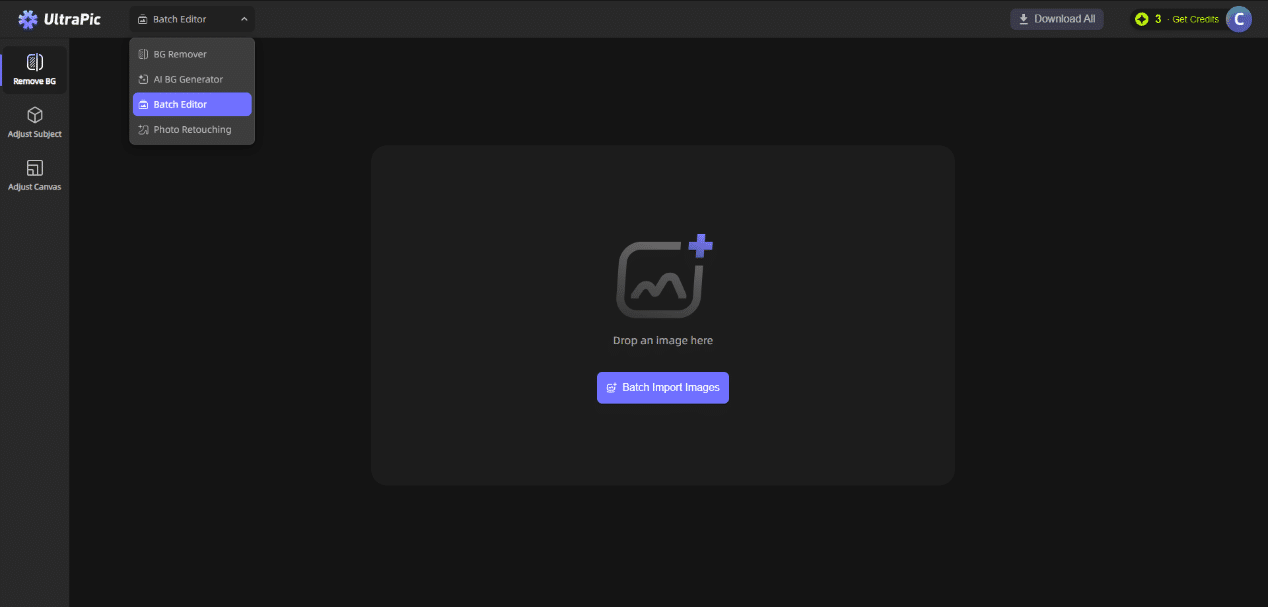
Step 2: AI Automatically Removes Background
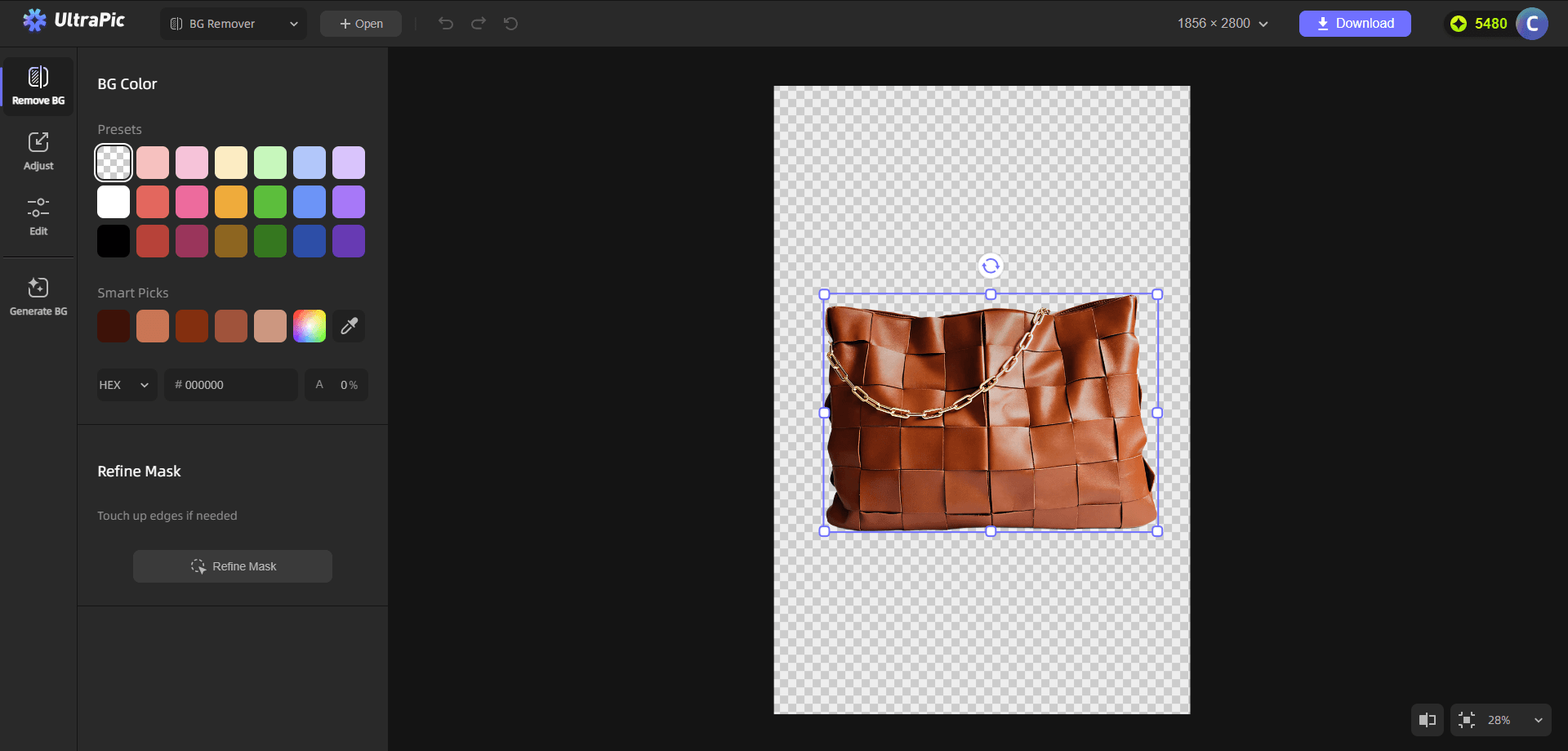
After uploading, the AI completes background removal within seconds. You can preview the results in real-time: the subject is precisely isolated, and the background becomes transparent. If satisfied, proceed directly to the next step. For fine-tuning, UltraPic offers a “Refine Mask” option, allowing you to refine edges with a brush tool. In my experience, the AI’s automatic processing is already highly accurate, often requiring no manual adjustments.
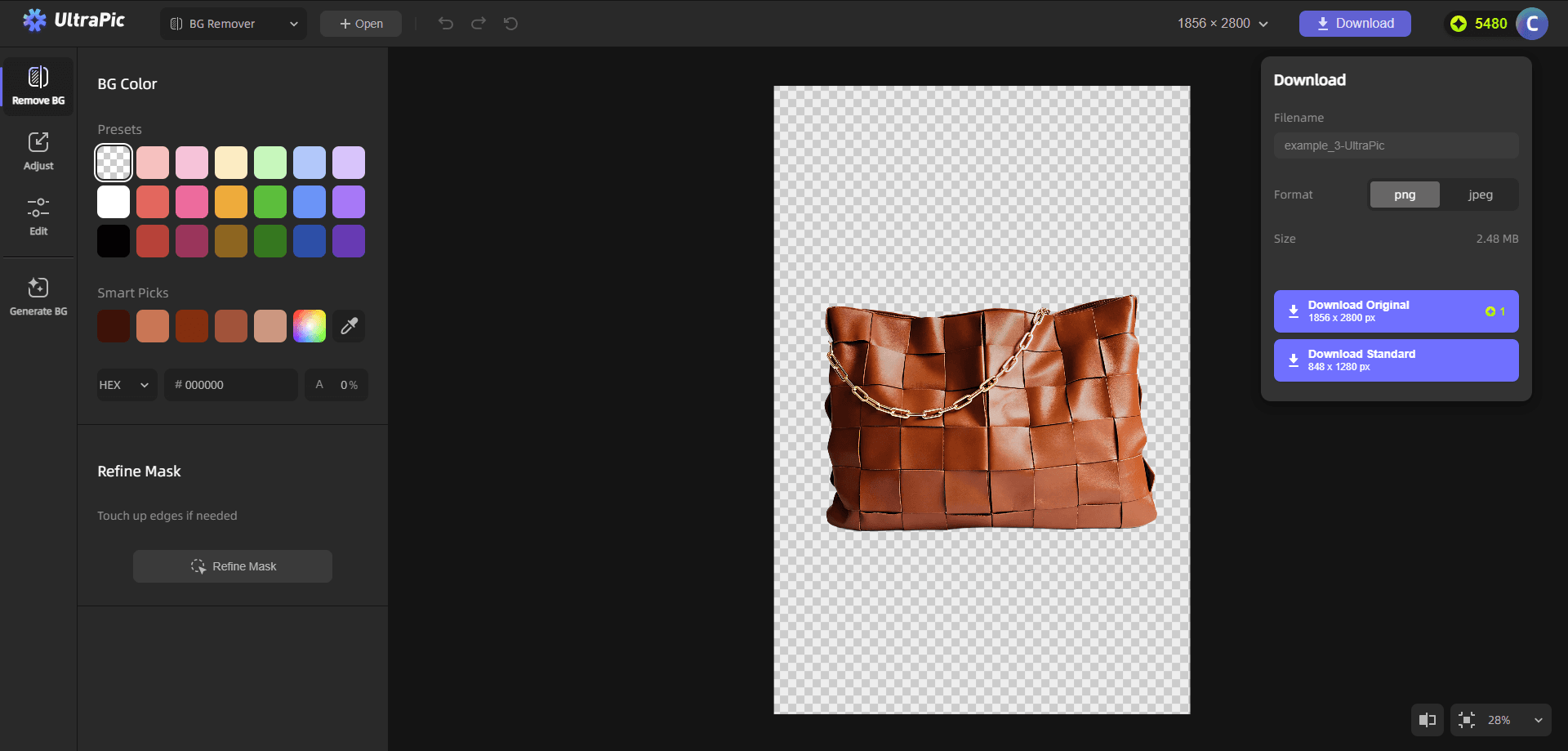
Step 3: Edit and Export
After background removal, you can replace the background: choose from preset libraries or upload your own background image. Additionally, adjust image size, canvas dimensions, and more.
Once complete, click Download and select your format and image size settings. The entire process is smooth and seamless, typically taking less than a minute from upload to export.
Conclusion
AI background removal is no longer an esoteric concept—tools like UltraPic make it accessible to everyone. As an experienced editor, I’ve witnessed the evolution from tedious manual editing to intelligent automation, and UltraPic stands out as a leader in this transformation.
UltraPic offers a free version for basic background removal needs; upgrading to a subscription unlocks advanced features like batch processing and higher-resolution output at a reasonable price. For small businesses or individual creators, it’s a cost-effective choice.
Whether for personal use or commercial applications, it delivers significant value. Try it now—upload an image and experience the magic of AI.

