


Photoshop just got the kind of AI-strength power-up that makes compositing feel like a cheat. Harmonize, which debuted in the Photoshop beta, enables you to drag and drop an object onto a scene and have its color, lighting, and shadows reflected with the click of a button. The results are impressively realistic — and yes, perhaps just a tad addictive.
Why Harmonize in Photoshop Feels Like Real Magic
For years, believable composites required patience: Curves and Color Balance for hue shifts, Match Color to chase casts, Dodge and Burn for micro-contrast, a hand-painted shadow pass as a final flourish. Harmonize condenses that pile into seconds. Fueled by Adobe’s Sensei platform and Firefly models, it examines two layers in tandem before determining how to best line up the tonal range, white balance, and shadow direction so the entire paste-over doesn’t appear so pasted.
- Why Harmonize in Photoshop Feels Like Real Magic
- The Reality About One-Click Image Compositing Workflows
- What Sold Me in the Real World: Three Quick Tests
- What It Gets Right And Where It Struggles
- Why This Matters Beyond Play and Creative Experiments
- Pro Tips for Better Results with Photoshop Harmonize
- The Bottom Line on Photoshop’s New Harmonize Feature
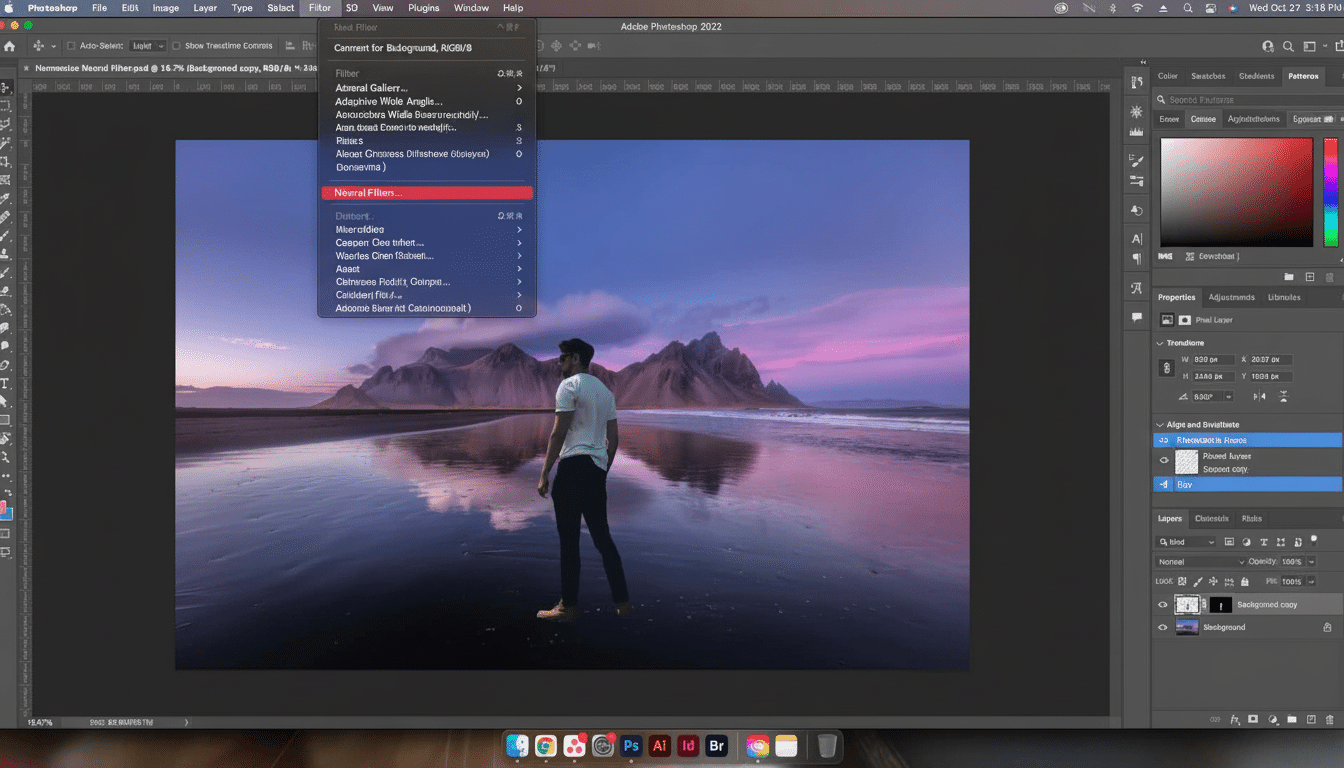
It’s solving a real friction point, too. Professional retouchers will say that “making it sit in the scene” can eat up 15 to 45 minutes of work per element, depending on how much the lighting is out of whack. Harmonize destroys that bottleneck for most general work and keeps your edits non-destructive so you can iterate without sweating the details.
The Reality About One-Click Image Compositing Workflows
The feature currently resides in the Photoshop beta. Install it from the Beta tab of the Creative Cloud app, then open an image and paste or place your subject and remove its background using Select Subject or Remove Background. With your subject layer active, tap Harmonize in the Contextual Task Bar and select a reference layer (it’s typically the background). Photoshop creates choices that you can cycle through or generate again.
Under the hood, Harmonize calculates that moment’s scene illumination — direction, intensity, and color temperature — and re-maps the host to match. It softens light shadows and eliminates strong shadows, adjusts the contrast to fit the scene, and restores the normal color of objects to achieve a more natural image. You still manipulate scale and perspective yourself, but you don’t have to do a lot of the heavy lifting of “light logic.”
What Sold Me in the Real World: Three Quick Tests
- Product on countertop: I placed a cool-lit gadget on a warmly lit kitchen shot. Before, it screamed sticker. With one click the device began to heat up, highlights quietly softened, and a believable contact shadow emerged. Time saved: at least 20 minutes of manual tweaking.
- Desk toys in hotel light: The teal-hued figurine came down on an amber wood desk. Harmonize resolved the clash, pushed the reflection toward the scene’s specular color, and adjusted shadow length to marry it with the lamp direction. It wasn’t perfect, but it was close enough that a little hand-edit sufficed for the final result.
- Tech-in-a-machine shot: I composited a tiny drone “inside” the body of a 3D printer. The AI understood the elevation of the object and generated a floating shadow that felt physically credible — subtle, not dramatic — and that’s just what you’d need for believability.
What It Gets Right And Where It Struggles
Strengths: For global harmonization — color temperature, contrast rolloff, midtone density — it’s hard to beat an established filmic action set or LUT hack. The shadowing it contributes is soft and scene-aware, often making scale apparent. For e-commerce mockups and social promos, image quality alone can be a difference maker; research by the Baymard Institute has proven time and again that realistic, contextualized product imagery increases user confidence as well as purchase intent.
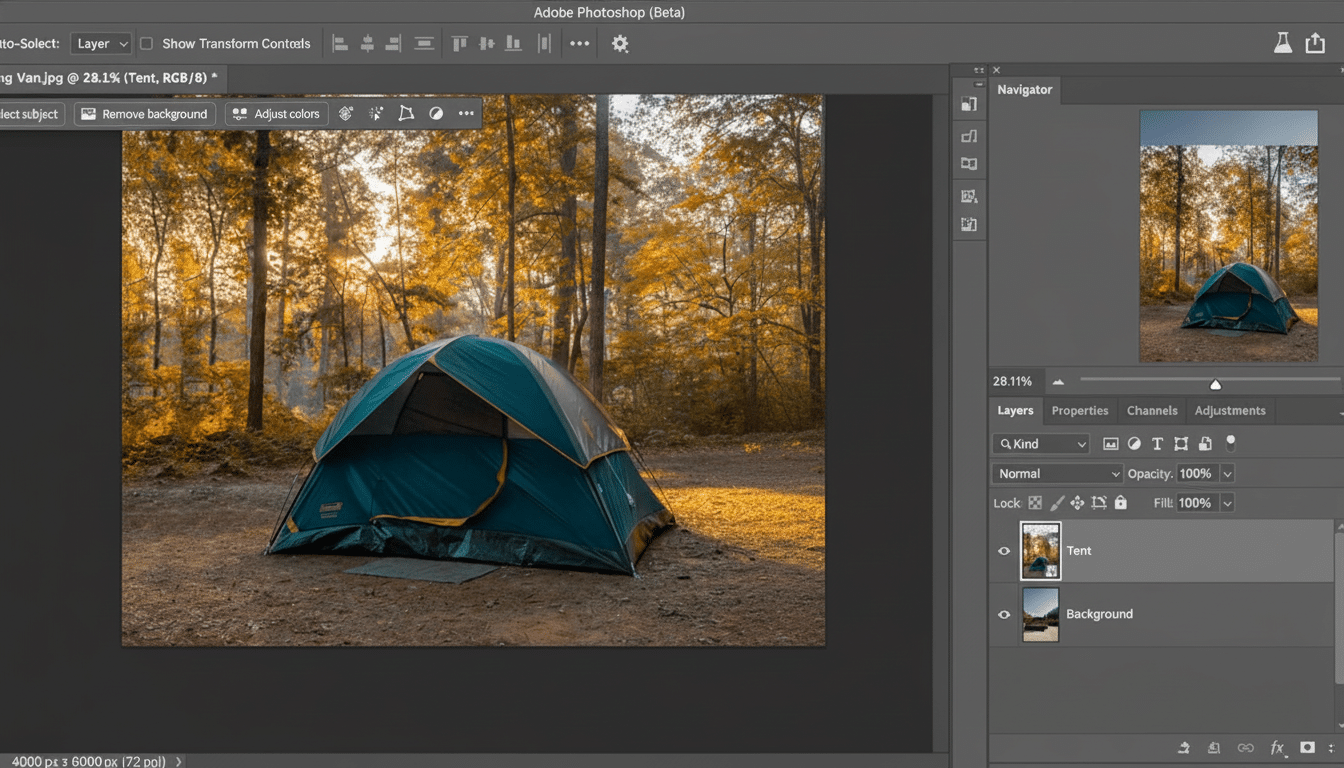
Limitations: Edge fringing can remain on fine detail like hair, translucent plastics, and chrome. Ultra-hard light with razor-sharp shadow edges might read a bit soft. You’re on your own for perspective and parallax — it’s not Harmonize’s job to fix a wrong camera angle. Complex reflections and transparencies will still require manual passes, however. Add some film grain or noise to unite the texture, and use Select and Mask for pesky edges.
Why This Matters Beyond Play and Creative Experiments
Speed is strategy when you’re producing at volume. Among other things, small studios can quickly crank out product hero shots, pitch decks, or ad variations in minutes instead of hours. Social teams can even localize campaigns by dropping the same item into a region-specific backplate with consistent realism. Firefly-powered features are cool and under active development across Creative Cloud, Adobe says, and the momentum is evidence: billions of generations and a burgeoning ecosystem of AI-native workflows.
There’s also the trust layer. The Content Authenticity Initiative and the C2PA standard — supported by companies including Adobe, Microsoft, Nikon, and large publishers — are pushing for the incorporation of Content Credentials for this purpose so that audiences and clients can easily see which AI-driven alterations were utilized. If you are delivering composites commercially, that transparency helps.
Pro Tips for Better Results with Photoshop Harmonize
- Start with believable perspective. If focal lengths or horizons are a battle, it won’t matter how good the color matching looks when you finally attempt to composite the image.
- Match at the end for grain and sharpness. A hint of noise, or some Camera Raw Grain, can help push different sources into the same “sensor world.”
- Top with a manual shadow for polish. You can then use a low-opacity Multiply layer with a soft brush, or preferably a blurred shape of shadow, to control the edge hardness and direction when the AI’s shadow is too reticent.
- Iterate and compare. Create multiple Harmonize variations, overlap them, and mask the best bits. It’s fast; use that speed to art direct.
- Keep masks clean. Interpret those Refine Hair or Object Selection (from Select and Mask) edges for more defined results before clicking Harmonize to prevent halos.
The Bottom Line on Photoshop’s New Harmonize Feature
Harmonize is not perfect, but it’s a start. For, you know, ordinary composites, it gets you 80 to 90 percent of the way there with a click and leaves that last mile up to your eye. It’s that speed-with-control combination that makes it something I can’t stop using.
