


Google Photos is experimenting with a toggle that hides date labels in the main gallery, offering a cleaner, more immersive grid. Early glimpses in app version v7.62.0.865122296 show how the Photos tab looks without the familiar date separators, while preserving ways to select images by day via a scrolling date pill. The switch is not broadly available yet and appears tied to a limited test or server-side flag.
What The New Toggle Changes In Google Photos Gallery
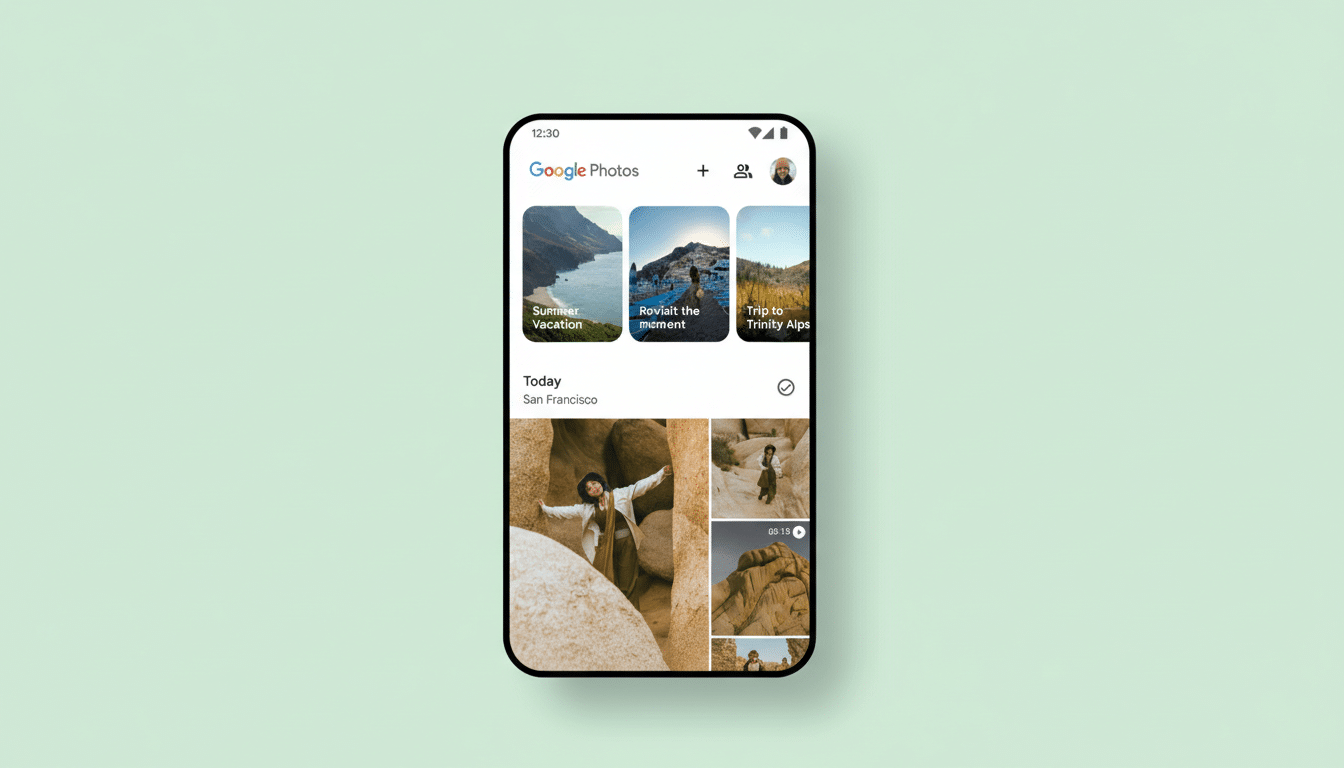
By default, the Photos tab groups images under date headers, each with a checkmark that lets you select every photo from that day in one tap. With the new toggle enabled, those date labels disappear and the grid becomes a continuous mosaic of thumbnails. It is a subtle shift, but it reduces the amount of on-screen chrome and places the emphasis on the images themselves.
Hiding the date labels also removes the per-date checkmark. If you regularly batch-manage your library, that might sound like a step back. However, Google still surfaces a floating date pill as you scroll; tapping that pill continues to select all photos for the currently visible date. The long-press and drag gesture for multi-selection still works as usual, so established workflows should remain intact.
A Cleaner Grid With Fewer Distractions In Photos
For many users, the Photos tab is the heartbeat of the app. A pared-back grid can make browsing feel faster and more focused, especially on smaller screens or in libraries that stretch back years. Reducing visual noise is consistent with Material You’s emphasis on subtlety and content-first design, where interface elements recede until needed.
The potential impact is not trivial given Photos’ scale. Google has previously said the service is used by more than 1 billion people and handles tens of billions of uploads each week. When you navigate a library that vast, small interface tweaks—like trimming labels—can improve perceived speed and reduce cognitive load. In usability testing across mobile apps, less frequent context switches and fewer textual overlays often correlate with faster navigation and higher task completion rates.
Tradeoffs For Power Users Who Batch Manage Photos
Power users who rely on date headers as anchors may initially miss the quick-select checkmark. The replacement, a tappable date pill pinned during scrolling, still enables the same batch action, but it requires a slightly different habit. If your routine is to purge everything from a weekend trip or export all shots from an event day, the new interaction remains just a tap away—only the affordance shifts.
It is worth noting that this visual change does not alter underlying metadata or features like Memories, Face Groups, or powerful search filters. Think of it as a view preference, similar in spirit to compact versus comfortable modes in productivity apps. Toggling labels on or off lets you tune the interface for browsing or for organizing, depending on what you are doing.
Availability And How You Might Get The New Toggle
The toggle has been spotted in Google Photos v7.62.0.865122296, but it does not appear for everyone. Google routinely stages rollouts and gates features behind server-side experiments, so even with the latest Play Store update, you might not see it. There is no official timeline, and as with many A/B tests, the final version could look or behave slightly differently if and when it launches.
This experiment follows other recent polish in Photos, including tests for a playback speed control on videos. The pattern suggests Google is refining core interactions rather than overhauling layouts—small, optional tweaks that respect existing muscle memory.
Why This Matters For Google Photos Design And UX
Photos has to serve casual snappers and meticulous archivists alike. Offering a hide-date-labels option strikes a balance: it keeps the gallery approachable for everyday browsing while retaining pro-style batch actions through the date pill and multi-select gestures. It also aligns with a broader industry trend toward customizable, minimal interfaces where content leads.
If the test graduates to a stable release, expect it to sit alongside other appearance or view preferences. Until then, it is a promising peek at how Google plans to make a giant photo library feel just a bit lighter, letting your images—rather than labels—do the talking.
