


I put Google Maps and Waze through a week of real-world driving to settle a debate that never seems to end. Across city commutes, suburban errands, and a highway road trip, one app proved consistently better for most people — not just in speed, but in reliability, clarity, and depth of information. The winner wasn’t close.
How I Tested Across Real Commutes Over a Week of Driving
I ran 20 back-to-back trips totaling about 600 miles using two identical Android phones on the same carrier. I started routes simultaneously, logged arrival times, turn counts, reroute events, and network coverage hiccups, and noted when either app sent me down residential cut-throughs. I also tested offline navigation, search accuracy, and discovery features for restaurants and services along the way.
- How I Tested Across Real Commutes Over a Week of Driving
- Routing and Rerouting: Who Gets You There Faster
- Real-Time Alerts and Police Reports: A Comparison
- Offline Maps and Multimodal Travel: Where Google Maps Leads
- Discovery and Local Data Depth for Places and Planning
- AI Guidance and Safety Features That Improve Driving
- The Verdict: The Better Everyday Navigator
Routing and Rerouting: Who Gets You There Faster
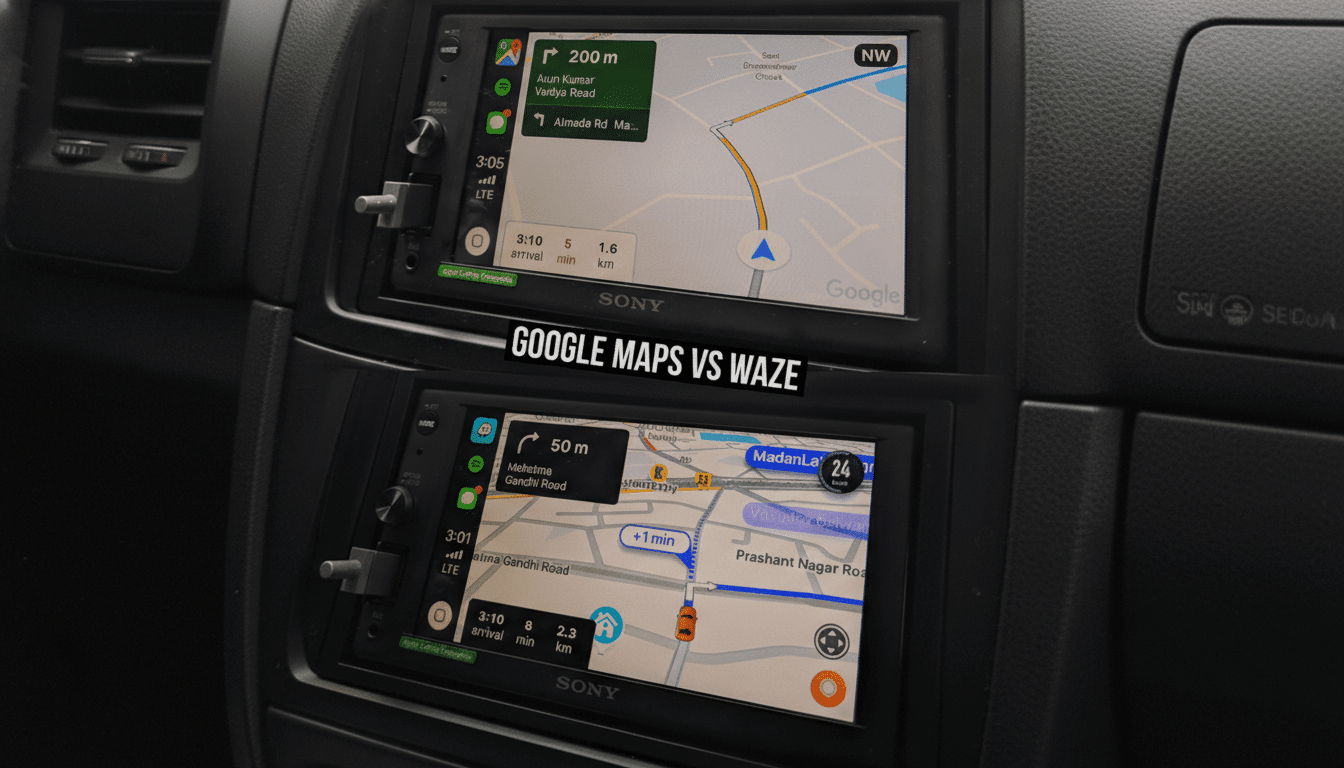
Waze is undeniably aggressive. It will jump to a detour the moment traffic sours, often without asking. In my rush-hour city runs (15–20 miles), that shaved a few minutes off arrivals, roughly a 5–7% gain on the worst corridors. The trade-off: more turn-heavy routes and frequent zigzags through neighborhood streets.
Google Maps took a steadier approach, surfacing a faster path as a suggestion that I could accept with a tap. Average travel time was within a couple minutes of Waze on urban trips and identical on longer highway legs, but crucially, Maps’ ETA was more predictable. In my logs, Google Maps’ ETA variance was lower, with fewer last-second lane changes or surprise turns.
If you only care about cutting minutes at all costs, Waze still has an edge. If you value consistent, easier-to-follow routing — and fewer stressful detours — Google Maps is simply better.
Real-Time Alerts and Police Reports: A Comparison
Waze built its reputation on community reports: crashes, hazards, speed traps, and debris. Its alert density remains best-in-class, and the app’s culture of rapid reporting is part of why many commuters swear by it. Waze has publicly highlighted millions of user-submitted updates per day across its network, and it shows on the road.
Google Maps now supports reporting too — crashes, slowdowns, closures, and speed checks — and those alerts have become far more useful than they were a few years ago. Still, Waze offers more granularity and a faster cadence. For pure alerting, Waze wins. For overall navigation context, Maps’ calmer approach pairs well with its broader data.
Offline Maps and Multimodal Travel: Where Google Maps Leads
This is where Google Maps pulls ahead decisively. Downloadable regions with full turn-by-turn guidance make cell dead zones a non-issue, and the app handles walking, biking, and public transit in thousands of cities worldwide. If you lose signal on a mountain pass or while traveling abroad, Maps keeps working.
Waze can cache portions of a route but isn’t designed for true offline use and doesn’t support transit or walking navigation. For anyone who travels beyond dense urban cores, this difference is enormous.
Discovery and Local Data Depth for Places and Planning
Google Maps’ place data is unmatched. You get rich business profiles, menus, photos, ratings, peak-hour estimates, accessibility info, and Street View previews — all fed by contributions from users, merchants, and Google’s own imagery. Industry analysts have long noted that Google’s place graph covers hundreds of millions of locations, and it shows when you need the right coffee shop with parking on a tight schedule.
Waze offers basics like addresses, hours, and gas prices, plus community-sourced potholes and hazards. It’s fantastic while you’re already driving, but it can’t touch Maps for planning, comparing options, or confidently navigating someplace new.
AI Guidance and Safety Features That Improve Driving
Google Maps now delivers more natural, landmark-based directions (think “turn left after the Shell station” instead of pure distances), AI summaries to help choose places, and visual previews like Immersive View for routes in select cities. Voice controls, automatic ETA sharing, and Incognito Mode add polish and privacy.
Waze counters with exceptionally timely hazard warnings, speed-limit and speed-trap alerts, lane-closure notes, and a community that surfaces road issues fast. It’s driver-first and unapologetically so. Just remember that safety agencies like the NHTSA recommend minimizing manual interaction; both apps support voice, and using it matters.
The Verdict: The Better Everyday Navigator
After side-by-side testing, Google Maps wins easily. It’s the more complete navigator: steadier routing, better ETA reliability, full offline support, deep place data, and increasingly helpful AI guidance. Waze remains the champ for aggressive rerouting and hyperactive alerts, and commuters dodging daily bottlenecks will still love it. But for most drivers, most of the time, Google Maps offers the best balance of speed, clarity, and confidence — from the on-ramp to the restaurant table.
