


Google’s integrating the company’s Gemini AI technology into the Drive search tool to deliver faster search results and better context, but only paying customers will benefit from the upgrade. The upgrade can see across folders and into subfolders, and field natural language questions about a company’s files. It transforms Drive from being the dark cave of storage to actually containing something searchable.
What the Gemini search in Google Drive really does
The headliner feature is Folder highlight, an intelligent summary that brings to the surface what’s inside a folder and why those files are important. Click “Explore with Gemini,” and a side panel appears where you can ask questions like “Show me the latest Q4 roadmap,” or “Which slide deck has the revenue waterfall chart?” or “Give me a summary of my key terms across vendor contracts in this folder.”
- What the Gemini search in Google Drive really does
- Who can use it and where Gemini Search works today
- Why this update is important for everyday productivity
- Privacy Controls And Admin Considerations
- How it compares with rivals in AI-powered search
- Bottom line for users considering Gemini-powered Drive search
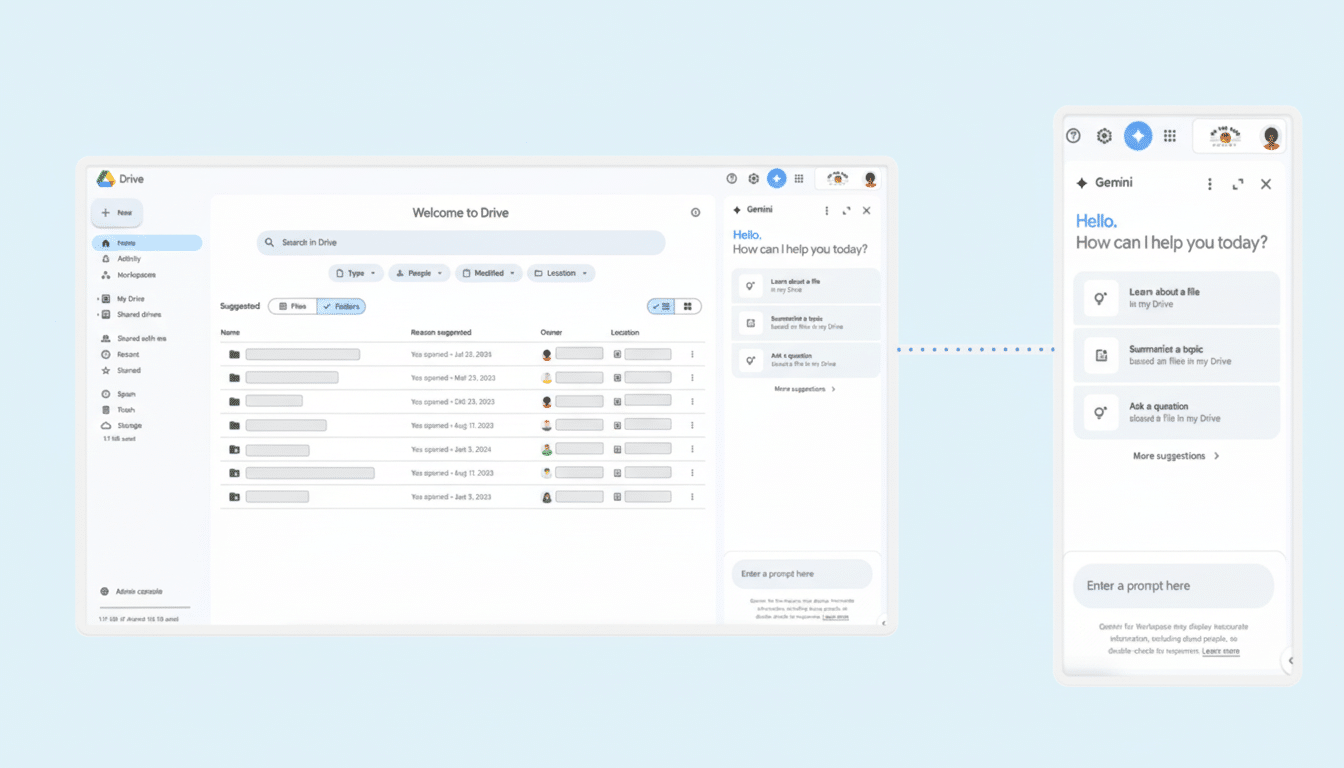
Unlike the legacy filename or keyword search, Gemini can think over file types and nested folders. It can read through documents, presentations and PDFs to which you have access and respond with brief answers or a list of related files. Follow-up questions narrow the scope—think of it as conversational retrieval for your Drive instead of a static results page.
And users will be able to pick up that interface easily, given that it mirrors the AI sidebars Google has launched in Docs and Gmail. For teams that inhabit shared drives, this is potentially life-changing: rather than pinging a colleague for “that one slide from last quarter,” you can ask Gemini and have it in seconds.
Who can use it and where Gemini Search works today
Access is restricted to paying subscribers. Google says the features are rolling out to Google Workspace customers and users with Gemini Plus or Pro subscriptions. Regular Google Accounts under Google One are not eligible.
At launch, the feature is available on the web and it currently supports English only. Which means mobile users and multilingual teams may have to wait. Google also notes here that availability will expand as we go.
Why this update is important for everyday productivity
Search is an unsung tax on knowledge work. According to estimates from the McKinsey Global Institute, employees spend about 19% of their time looking for and gathering information—while IDC puts that figure at about 2.5 hours a day on average. Even small improvements in accuracy can add up to hard savings for big teams.
Last, but not least, by understanding files as opposed to simply their metadata, Gemini can cut down on back-and-forth that often resides line by line in chat threads or over email during meetings. (For example, product managers can request “all open issues impacting checkout from the past sprint” in an engineering folder, or sales reps can search for “top three objections on Q3 proposals” out of a proposals directory and get summarized insights instead of having to comb through dozens of papers.)
Privacy Controls And Admin Considerations
The power comes with trade-offs. Folder highlights and Gemini side panel are activated by default, which may raise concerns in secure locations. Users can turn off these insights, but they must then switch off smart features altogether—an all-or-nothing approach that some will find overly blunt.
On the enterprise side, administrators can set up defaults and policies. Companies that already use data loss prevention, access controls and audit logs in Workspace might want to see how interactions with Gemini get recorded and governed. Google’s corporate policies usually sequester customer data from advertising systems, but IT should still verify retention, training limits and regional compliance before broad deployment.
How it compares with rivals in AI-powered search
That is a pattern in the industry: the best AI search features are going behind enterprise or premium paywalls. Microsoft’s Copilot leverages OneDrive and SharePoint with semantic indexing, Box AI and Dropbox’s recently upgraded search offerings both promise cross-file reasoning and summarization, while for premium tiers Slack and Notion also support Q&A over workspace content. The playbook is also clear—charge for AI that saves you the cost of context switching.
Where Google does have an advantage is in the fact it offers a deeper productivity stack. An entire workflow can be compressed from end to end by linking Drive’s Gemini responses with Gmail threads, Calendar events or Docs comments. The danger, as always, is fragmentation: with only some users having access, teams may “default to the lowest common denominator,” Mr. Greenwood said.
Bottom line for users considering Gemini-powered Drive search
For those of you whose organization is already paying for Workspace or Gemini Plus/Pro, this is a low-hanging fruit—just turn it on, pilot with a few teams, and measure time-to-answer on common questions. If you’re on a personal or family plan though, the experience won’t make it to you just yet. Either way, Gemini-powered Drive search indicates where cloud storage is going: less scroll, more solve.
