


Google has acknowledged a frustrating Android issue that causes physical volume keys to behave unpredictably when the Select to Speak accessibility feature is enabled, and the company says a fix is on the way. The glitch has led some devices to adjust the Accessibility volume instead of media or call volume, disrupting everyday controls for users who rely on the feature.
Until a patch is released, Google recommends turning off Select to Speak as a temporary workaround. That guidance comes via the company’s support channels, where user reports have stacked up over recent days.

Why Android Volume Keys Misbehave With Select to Speak
Android routes audio through distinct streams—media, ring, alarm, call, and accessibility—so physical volume keys typically adjust whatever you’re using at the moment. The bug appears to upset that logic whenever Select to Speak is active. Users report pressing volume up or down only to see the Accessibility volume slider move, even if they’re trying to lower a podcast or quiet a video call.
In practical terms, that can leave media uncomfortably loud or suddenly quiet, while the Accessibility channel shifts instead. Some devices also surface the wrong on-screen slider, adding to the confusion. Reports on the Google Support Community suggest the behavior persists across different manufacturers and recent Android builds, indicating the issue likely sits in software rather than specific hardware models.
Who Is Affected by the Bug and Why It Matters for Users
The impact concentrates on Android users who enable Select to Speak—a tool that reads selected text aloud and describes on-screen elements. It’s valuable for people with dyslexia, low vision, or reading comprehension challenges, and it often works alongside features like TalkBack, Voice Access, and magnification.
The stakes are not trivial. The World Health Organization estimates that 2.2 billion people globally have a near or distance vision impairment. While not all use Select to Speak, disruptions to accessibility tools can create disproportionate friction for the communities that depend on them for everyday tasks, from reading web pages to managing documents and messages.
Google Confirms the Bug and Says a Fix Is in Progress
Google has confirmed the bug on its support site and says a fix is in progress. The company hasn’t provided a timeline. Given how accessibility components are delivered on Android, the patch could arrive via an update to Android Accessibility Suite through the Play Store, a Google Play system update, or a platform patch in an upcoming Android build. Regardless of the delivery path, Google’s public acknowledgment suggests the issue is reproducible and under active investigation.
If you rely on Select to Speak and have logged issues through Feedback, those diagnostics can help speed validation across device types and Android versions. Historically, Google has resolved similar stream-selection bugs through app-level updates, which often land faster than full OTA system releases.
Workarounds You Can Use Until Google Releases a Fix
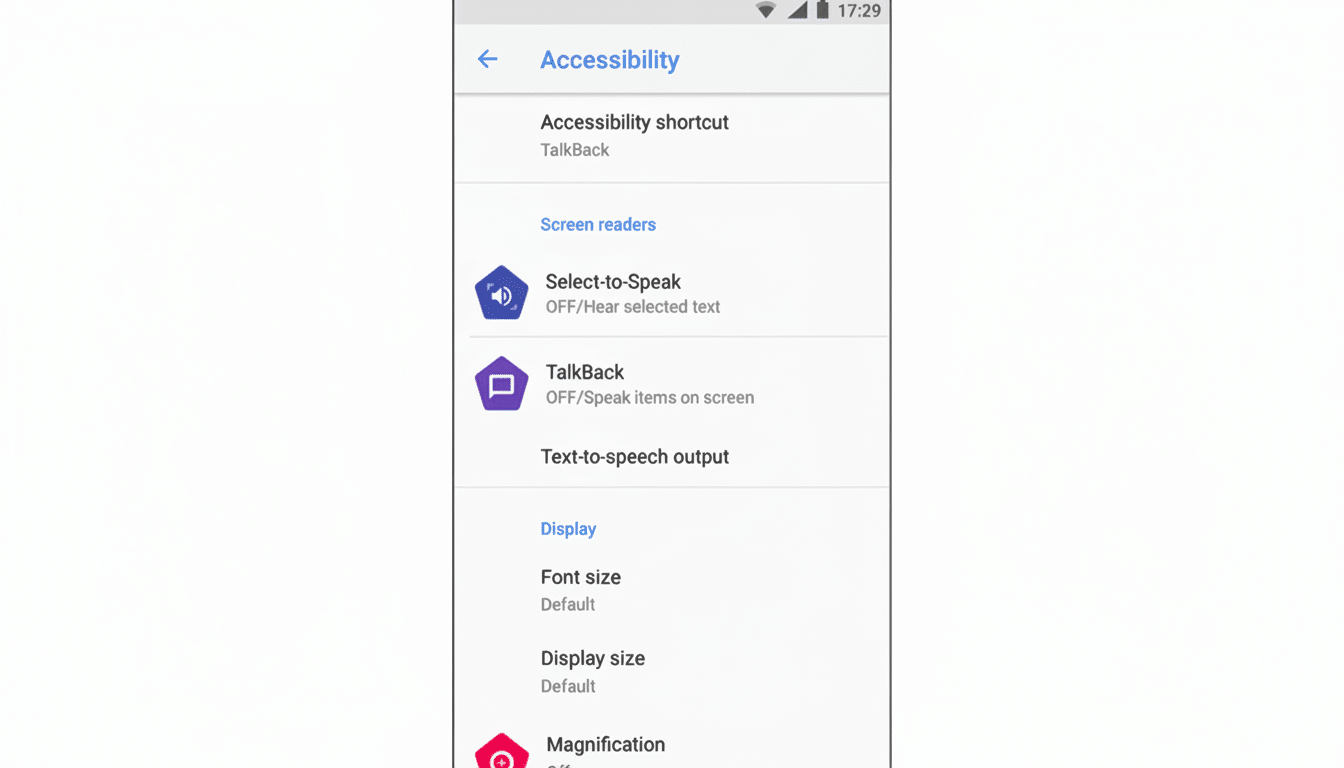
Google’s current guidance is to temporarily disable Select to Speak: open Settings, go to Accessibility, select Select to Speak, and turn it off. For many, this immediately restores expected behavior to physical volume keys.
If you must keep Select to Speak on, consider managing audio via on-screen controls instead of the physical buttons. Use the volume panel’s expanded sliders to manually adjust media, ring, alarm, and accessibility streams, or go to Settings and Sound to fine-tune each stream. This isn’t ideal, but it can help avoid abrupt volume jumps while you wait for the fix.
What to Watch Next as Accessibility Volume Fix Rolls Out
Keep an eye on updates to Android Accessibility Suite in the Play Store and check for system updates in Settings. After updating, test the volume keys with Select to Speak enabled and confirm that the media slider is the one moving while playing audio or video. If the issue persists post-update, submit feedback with the device model and steps to reproduce—clear reproduction steps often accelerate fixes.
For now, the takeaway is straightforward: Google is on it, the fix is coming, and there are workable stopgaps in the meantime. If accessibility tools are part of your daily setup, it’s worth monitoring your update notifications closely.
