


For many iPhone users, whatsApp is their primary platform for daily communication. It carries cherished family memories, important work discussions, and shared media content. However, in the case of phone upgrades, storage issues, or device failures, concerns about losing these conversations arise. Apple’s ecosystem recommends users backing up WhatsApp to iCloud, but this approach comes with potential risks and limitations.
This guide explains why standard iCloud backups often fall short and introduces a more robust and user-controlled solution for using FoneTool. This desktop software provides you with a reliable way to make accessible local backups of your entire WhatsApp history, giving you real peace of mind.
Potential Rsks in iCloud Backups
While this method is convenient to operate, there are some serious flaws in backing up WhatsApp data to iCoud storage service that can compromise your data security:
- Storage conflicts: WhatsApp backups compete with your photos and other iCloud data for a limited free 5GB of storage. When storage is used up, backups automatically stop without prompting.
- Black Box issue: You can’t view, search, or extract individual chats or files from your iCloud backup. This is a “take all or nothing” package as a whole.
- Not validated: The process cannot confirm what is actually saved. Backup failures may only be discovered if you try to restore and fail
- Restore Override Feature: Performing a recovery operation from iCloud completely replaces your current WhatsApp data, which can lead to the loss of new messages.
These flaws show that iCloud is a vulnerable link in your data security chain. True backups should be accessible, verifiable, and in your control.
FoneTool – A Superior Local Backup Solution
FoneTool directly addresses the flaws of iCloud. It is a comprehensive Windows application for managing iPhone data, which also features a dedicated WhatsApp module. Its approach transforms backups from a blind expectation into a concrete and actionable process.
Key Advantages of FoneTool for WhatsApp:
- Full Local Backup: Save a complete copy of your chat history and media directly to your computer’s hard drive, freeing you from iCloud usage restrictions.
- Browse and preview backups: Open the backup file on your PC to see a list of conversations and preview photos and videos.
- Selective Recovery: Recover specific chats or export important attachments without affecting other data on your phone.
- Comprehensive management: This is an al-in-one iPhone management software to help you backup, transfer, and organize all your iPhone data in one place.
How to Use FoneTool to Backup WhatsApp with Clear Steps
This tool offers an intuitive interface that you can easily backup WhatsApp iPhone.
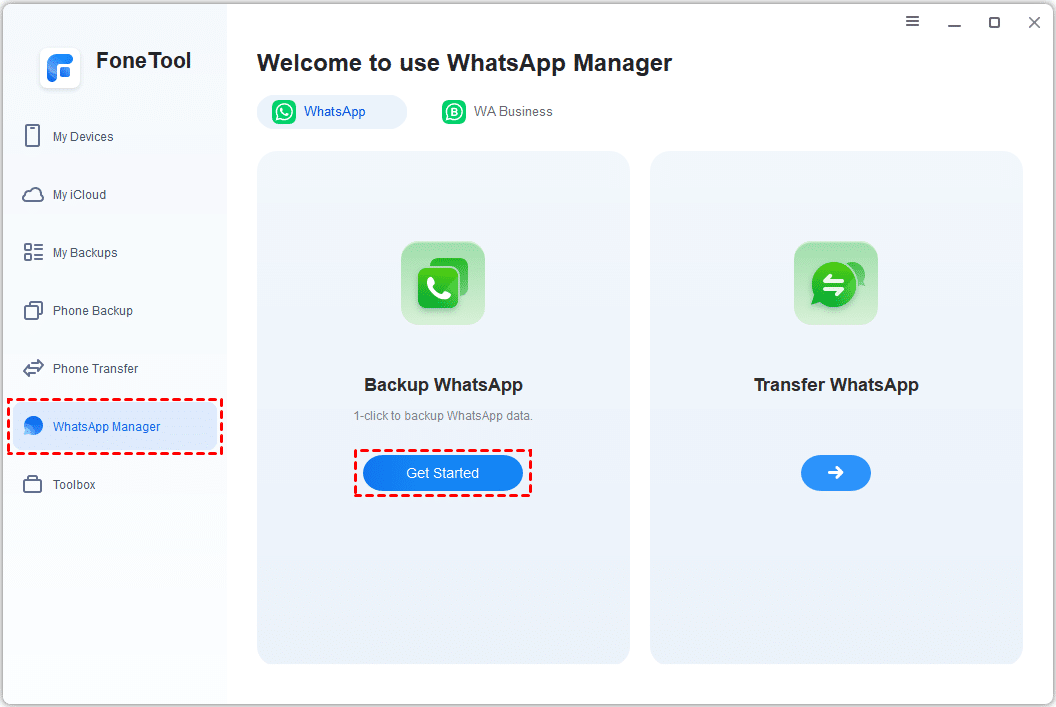
Step 1. Download and install FoneTool software on your Windows computer. Connect your iPhone to the computer via a USB cable, unlock your phone, and tap “Trust”. In the main interface of FoneTool, select the dedicated “WhatsApp Manager” module.
Step 2. Tap on the “Backup WhatsApp” option. The software will start reading data from your device.
Step 3. Click the “Backup Storage Path” button. Choose a secure folder on your computer to save the backup file. For added privacy, you can set an encrypted password. Click “Start Backup” to get started.
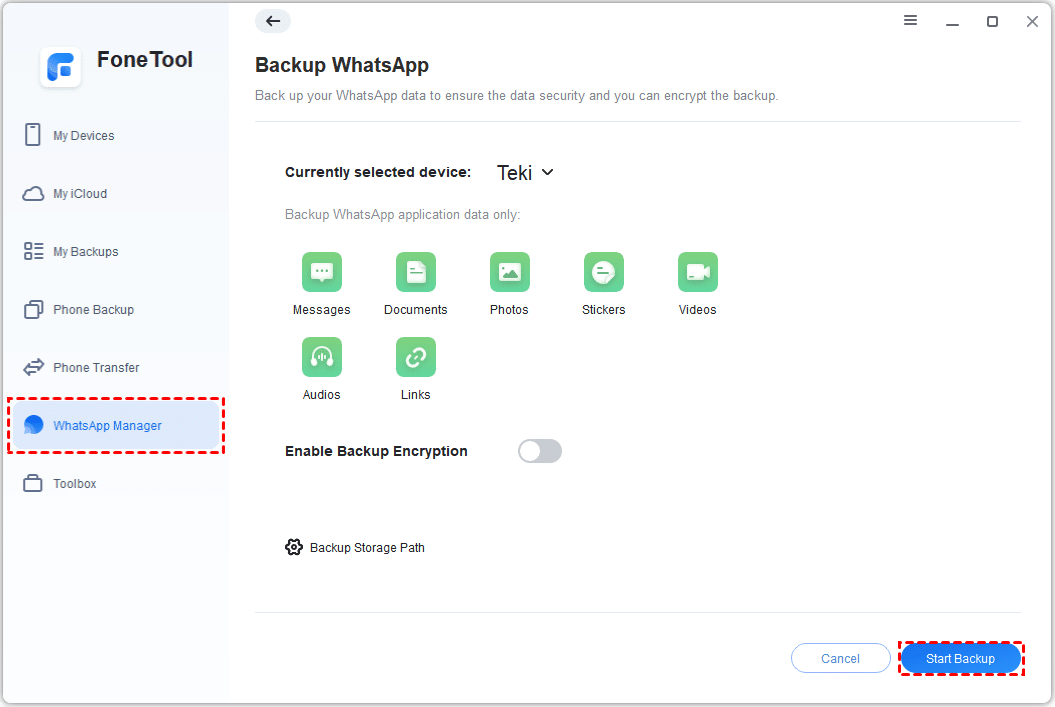
Step 4. There will be a progress bar showing the transfer status. Once the transfer is complete, you will receive a clear confirmation of success. Your WhatsApp data is now securely stored on your computer and can be accessed anytime from FoneTool’s “Export” section.
Tip: FoneTool offers comprehensive and smart free iphone backup feature. You can also selectively back up data such as photos, videos, and contacts, ensuring data security while saving time and space during the backup process.
Conclusion – Take Control of Your Data Security
Relying solely on iCloud to save your WhatsApp call history is a risk. To ensure true security, you need a backup that you can see, verify, and access independently. FoneTool provides this critical control feature that transforms an opaque process into a transparent and reliable one.
By choosing FoneTool, you will not only protect your WhatsApp messages but also get powerful management tools for the entire iPhone ecosystem. This is a smart choice for those who value digital memory and are looking for a proactive, integrated data security and organization solution. Say goodbye to hope-based backups and start managing your data with confidence.

