


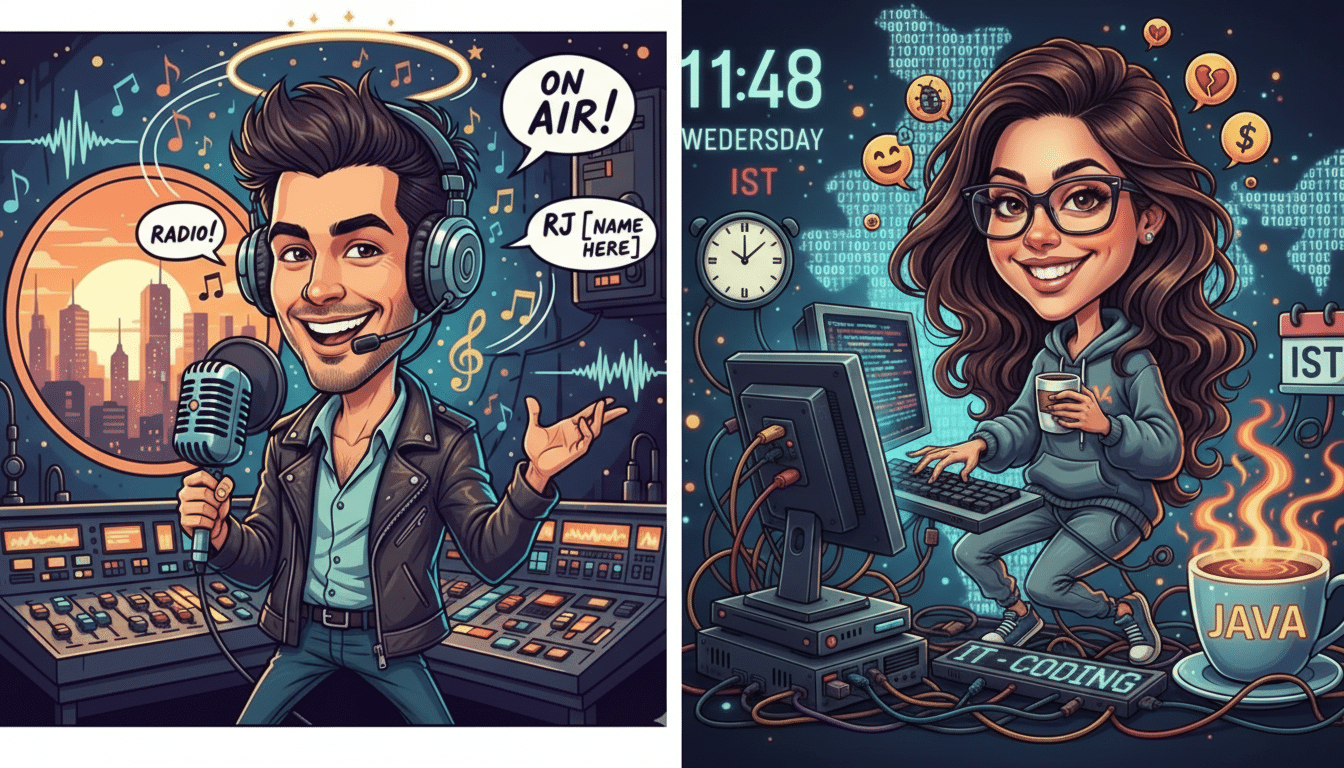
Caricature selfies are the latest AI craze, and this time the buzz is coming from ChatGPT. Users are feeding the chatbot a selfie and a short bio, then getting back satirical portraits that eXaggerate their signature features and fold in details about their jobs, hobbies, and quirks. The results look like boardwalk caricatures filtered through an editorial cartoonist’s eye—built for sharing on Instagram, TikTok, and X.
Unlike earlier avatar trends that aimed for idealized glamour shots, the caricature wave leans into humor and specificity. It works because the model doesn’t just see a face—it weaves in context from your prompt or prior chats, producing images that feel cheeky and strangely personal.
What Is the ChatGPT Caricature Trend About
At its core, the trend is a mashup of two capabilities: image understanding and prompt-grounded image generation. You upload a clear head-and-shoulders photo to ChatGPT (in a model that supports images), then ask for a “caricature” of you and your role. The system analyzes your face, maps it to a style, and composes a scene layered with props and references—think a software engineer perched on a stack of laptops, a nurse surrounded by stethoscopes and clipboards, or a barista wielding a comically oversized tamper.
Creators say the appeal is twofold: it’s a quick visual joke that friends instantly get, and it doubles as a low-stakes personal brand asset for profiles and bios. Social platforms reward that shareability; trend-tracking researchers at the Reuters Institute have documented how AI visuals spike when the output is instantly legible in a feed, and caricatures check that box.
How the Viral Prompt Works to Create Caricatures
The simplest version many users post goes something like: “Make a caricature of me and my job based on what you know about me.” That line performs best if the chatbot already has history with you—past chats about your work, interests, or style preferences it can pull from for visual gags.
If you’re new or using a fresh session, add context so the model has material to riff on. Try this: “Create a playful caricature of me using the attached selfie. I’m a [role], known for [signature traits]. Include [tools/props], set the scene in [environment], and use a bold editorial cartoon style. Exaggerate [feature] while keeping me recognizable.” Swapping the brackets with specifics gives the model a palette of ideas without overconstraining creativity.
For power users, a tighter instruction can help: “You are a magazine caricaturist. Produce one 4:5 image with clean outlines, high contrast, and a flat-color palette. Focus on likeness; keep exaggeration tasteful. Add two prop jokes tied to [industry] and a background Easter egg referencing [personal interest].” This sets expectations and reduces trial-and-error.
Step-by-Step Guide to Make Your Own Caricature
- Open ChatGPT with image capabilities enabled, start a new chat, and upload a well-lit selfie facing the camera. A neutral background makes it easier for the model to isolate your silhouette and features.
- Give a short bio with 3–5 vivid details: your role, one or two personality traits, and a couple of props that symbolize your work. Specific nouns beat adjectives—“calipers, steel-toe boots, and blueprint roll” will travel further than “hardworking and precise.”
- Ask for two or three variations differing in style and exaggeration. If the first result overshoots, request “reduce exaggeration by half,” “tone down the nose/sharpen the jawline,” or “switch to a crosshatch newspaper style.” Iterating in-place often beats restarting.
- Export at a size that fits your destination. Portrait 4:5 works for Instagram feeds, square for profile photos, and 9:16 for vertical stories. You can also request a transparent-background PNG if you plan to composite the caricature over branded backdrops.
Tips for Better Results With ChatGPT Caricatures
Steer the style. Phrases like “newspaper editorial cartoon,” “mid-century poster,” or “cel-shaded comic” produce more consistent outputs than vague requests such as “make it cool.” If you have a reference artist in mind, describe the traits (thick contour lines, limited palette, exaggerated head-to-body ratio) rather than naming individuals.
Balance humor and respect. Caricature amplifies differences, which can accidentally veer into stereotypes. Consider asking for “playful but respectful exaggeration” and review outputs with that lens before sharing. This is especially important for facial features tied to identity.
Mind the inputs. High-contrast lighting, no sunglasses, and minimal occlusion (avoid hands covering the face) increase likeness. If you wear signature accessories in real life—a hat, frames, or a lapel pin—include them in the source photo and the prompt.
Alternatives and Safeguards for AI Caricature Tools
While many are using ChatGPT’s image tools, similar results are possible with Midjourney, Stable Diffusion-based apps, Adobe Firefly, or Ideogram; each interprets style and likeness differently. If you switch tools, keep your prompt scaffolding and adjust only the style instructions to match the model’s strengths.
Before uploading selfies, review data and privacy settings. OpenAI and other providers offer controls over chat retention and training; set those according to your comfort level. Also note that most platforms restrict generating images of public figures or using logos, and they filter content that violates safety standards. If you plan to use a caricature commercially, check licensing terms in the provider’s documentation.
Why the Caricature Trend Blew Up on Social Media Now
Two technical shifts made this moment ripe: newer image models are better at following multi-part instructions (blend my job, my interests, and my look) and at retaining likeness even when exaggerating proportions. Combine that with social feeds favoring bold, high-contrast images and it’s clear why caricatures are everywhere. Surveys from the Pew Research Center and reporting from the Reuters Institute point to steady growth in casual experimentation with generative AI—this trend is the playful proof.
Bottom line: share a clean selfie, feed the model a few vivid clues about who you are, and ask for a caricature that captures your work persona with a wink. The right prompt turns a simple portrait into a punchline you’ll actually want as your next profile picture.
