


Android emulation on desktops has surged as users look to play mobile games, run social apps, and test software on bigger screens. With Microsoft discontinuing Windows Subsystem for Android, demand shifted decisively to dedicated emulators on Windows and macOS. After extensive hands-on testing across gaming rigs and thin-and-light laptops, these are the standout Android emulators to install right now.
Best Android Emulator Overall For Gaming Performance
BlueStacks remains the benchmark for gamers. Its Keymapping Tool, Instance Manager, and Eco Mode make it easy to tailor controls, multi-box games, and manage system resources. The company’s privacy posture, including GDPR compliance, reassures users who link game accounts or payment profiles. In testing, BlueStacks delivered consistently smooth frame rates in popular titles while juggling multiple instances without major frame drops.
- Best Android Emulator Overall For Gaming Performance
- Best Android Emulator For Professional App Development
- Best Emulator For Pro QA Teams And Enterprise Testing
- Android-as-Desktop Alternatives For PCs And Macs
- Best Emulator For Tencent Games And Top FPS Titles
- Other Top Android Emulator Picks Worth Installing Now
- How We Tested These Emulators And What To Choose Today
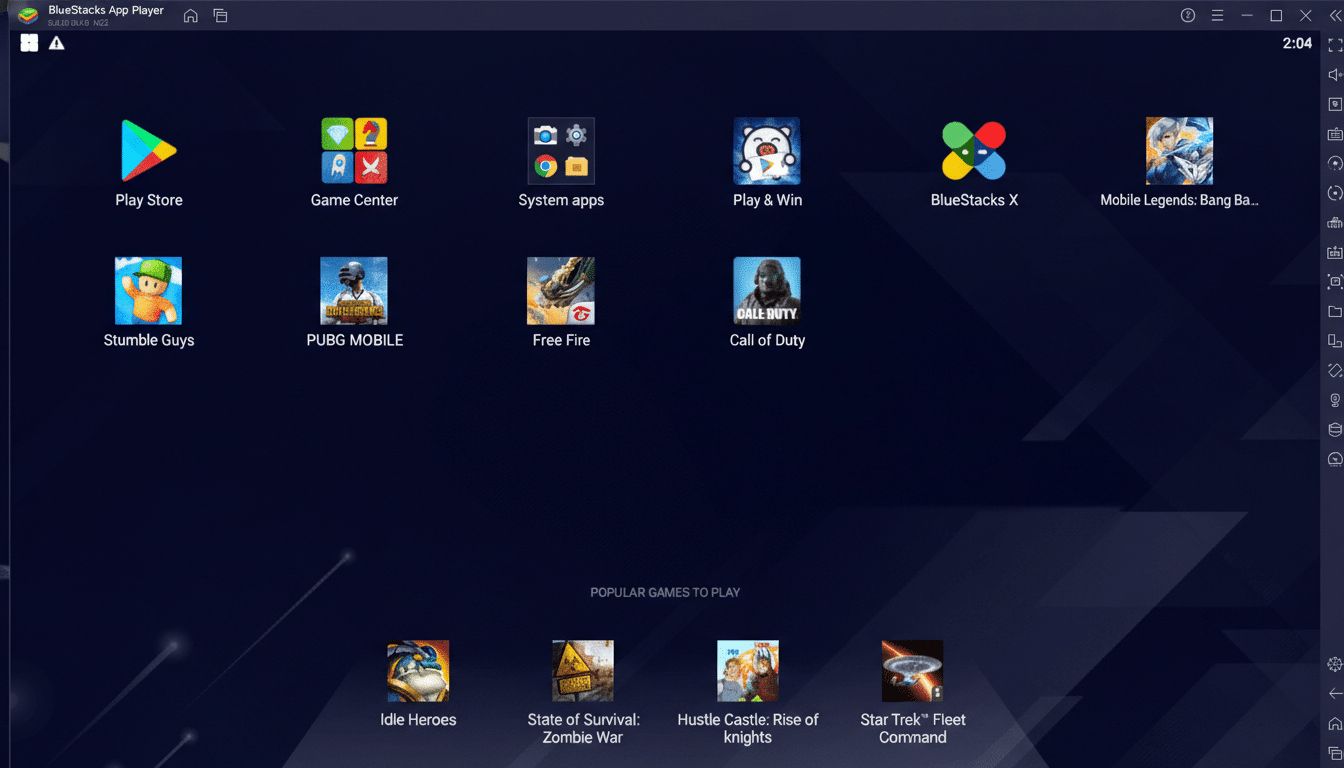
Two recent additions push it further. BlueStacks Air, built for Apple Silicon, brings fluid 60 FPS gameplay to modern Macs with native-feeling trackpad gestures and gamepad support. Meanwhile, the BlueStacks Store introduced rewards and cashback up to 20% on in-game purchases using its nowBux currency, and the Prime subscription removes ads while adding perks. Against Google’s own Play Games on PC, BlueStacks still wins on compatibility breadth and customization.
Best Android Emulator For Professional App Development
Android Studio is the gold standard for building and testing apps. The Android Virtual Device system lets you emulate specific phones, tablets, foldables, and Wear devices across Windows, macOS, Linux, and ChromeOS. You can provision Play Store–ready images, test device rotations and notches, and validate behavior on a wide range of screen densities.
The built-in Gemini-powered assistant helps generate and refactor code, and the emulator typically supports newer Android versions sooner than third‑party players. It’s resource hungry and lacks gamer niceties like macro recorders or streamlined keymapping, but for developers shipping to production, nothing beats its accuracy and tooling.
Best Emulator For Pro QA Teams And Enterprise Testing
Genymotion targets studios and enterprises. It offers advanced features such as biometric simulation, route and network condition testing, GPS spoofing, and parallel device sharding. There’s a generous cloud option billed by the minute for bursty workloads and a desktop edition with individual licenses. While a free tier exists, the richer test matrices sit behind paid plans, which is fair given its pro-grade tooling.
For CI pipelines and continuous testing, Genymotion’s scalability is a difference maker. Engineering teams can spin up dozens of virtual devices to validate performance, permissions, and edge cases before releasing to the Play Store.
Android-as-Desktop Alternatives For PCs And Macs
Bliss OS and PrimeOS install as full operating systems, transforming a PC into an Android desktop. Bliss offers flexible installs (live USB, partition, or virtual machine), supports newer Android builds than many emulators, and is open source. PrimeOS emphasizes a desktop workflow with keyboard and gamepad support and provides an installer that handles partitioning for you.
These deliver excellent performance for productivity and casual gaming because there’s no emulator overhead. They do require more setup and are best suited to users comfortable with boot managers and partitions. Mac installation is notably more complex.
Best Emulator For Tencent Games And Top FPS Titles
GameLoop, backed by Tencent, remains a top pick for PUBG Mobile and Call of Duty: Mobile. It’s quick to install, can run without enabling virtualization on some systems, and integrates optimizations for officially supported games. In testing, it handled social apps and a spread of shooters with minimal fuss, though occasional download retries and error prompts appeared. The catch is that it’s Windows-only.
Other Top Android Emulator Picks Worth Installing Now
LDPlayer focuses on gaming with a clean interface, a right‑side toolbar for screen capture and keymapping, and robust multi‑instance support. It’s actively updated and lightweight, making it a smart choice for older PCs. Performance in mainstream games was smooth, with quick boot times and stable sessions.
MEmu Play is a veteran that still impresses. It supports multiple Android baselines out of the box, offers file sharing between Windows and the emulator, and includes GPS spoofing for testing. It’s a reliable all‑rounder for apps and games, with simple setup and sensible defaults.
NoxPlayer popularized many features gamers now expect, including granular keymapping and instance controls. The stable build targets Android 9 for wide compatibility, while a newer beta tracks modern APIs. A macOS version is available, making it a practical choice for Apple users who want a familiar emulator UI.
MuMu Player from NetEase runs a recent Android version, offers a lighter Nebula variant for low‑end PCs, and now supports macOS. The bottom toolbar mirrors LDPlayer and MEmu, and gamepad support is strong. During tests, it launched big-name titles quickly and maintained consistent frame pacing.
How We Tested These Emulators And What To Choose Today
Hands-on evaluations prioritized ease of setup, input latency, frame consistency, multi‑instance stability, and compatibility with Play services. We ran popular games across shooters and RPGs, plus social and creator apps. Industry reports from firms like Newzoo and StatCounter indicate Android dominates mobile usage and drives massive gaming spend, which aligns with the sustained pace of emulator innovation.
Pick BlueStacks if you want the complete gaming package and Mac support via BlueStacks Air. Choose Android Studio for accurate, up‑to‑date developer testing, and Genymotion when you need cloud scalability and advanced simulations. Opt for Bliss OS or PrimeOS if you prefer Android as your daily desktop. For alternatives, LDPlayer, MEmu, Nox, and MuMu each deliver fast installs and dependable performance; GameLoop is the go‑to for Tencent shooters on Windows.
Whatever you install, download from official vendors, enable two‑factor authentication on accounts, and keep GPU drivers updated. With the right emulator, Android on PC or Mac can feel remarkably native—smooth controls, large‑screen clarity, and fewer compromises than ever before.
