


Android’s latest beta quietly fixes a daily annoyance: virtual assistants that answer far too loudly. Android 17 Beta 3 introduces a dedicated volume stream for assistants like Gemini, giving users a separate slider to cap or raise the assistant’s voice without touching media, ringtone, or alarm levels.
What changed in Android 17 Beta 3 for assistant audio
With this build, a new Assistant volume slider appears at the bottom of the system volume sheet. It behaves independently from media and system audio, so your assistant’s responses won’t spike just because you cranked up a podcast or game. In practical terms, you can keep the assistant at a steady speaking level while adjusting everything else as you go about your day.
- What changed in Android 17 Beta 3 for assistant audio
- Why consistent assistant volume controls matter now
- How assistant-specific volume works in daily use
- How the change ties into Android 17 platform stability
- Other notable tweaks and quality-of-life changes in Beta 3
- The bottom line: a small slider with a big daily impact
This looks to be implemented as a dedicated audio stream category for virtual assistants. That separation gives Android finer control over how voice responses mix with music, video, or navigation prompts, especially when switching devices or audio routes like Bluetooth headsets, earbuds, or car stereos.
Why consistent assistant volume controls matter now
Assistant replies can be jarring when media volume is high. If you’ve ever asked a quick question while wearing earbuds and been blasted with a response, you know the problem. This change tackles that directly by letting users set and forget a comfortable voice level for assistants.
There’s also a health angle. Hearing safety guidelines from NIOSH warn that exposure grows riskier as loudness rises, recommending limits around 85 dBA for extended periods. Many people follow the common 60% rule often cited by hearing health advocates for personal audio. Keeping assistant responses capped reduces the chance of sudden spikes that can stress your ears—particularly with in-ear ANC buds where perceived loudness climbs fast.
Consistency builds trust, too. When an assistant’s voice is always at a predictable level, you’re more likely to use it in more places—on a commute, in a quiet office, or late at night—without second-guessing what the volume might do.
How assistant-specific volume works in daily use
Open the volume panel and you’ll now see an Assistant slider alongside the usual media and system controls. Set it once—say 40%—and it stays there even as you bump music up to 70% for the gym or drop media to 15% in bed. Ask a question mid-song and the reply respects the assistant cap rather than mirroring your music volume.
This is especially helpful with headphones, where volume perception can vary a lot between tracks and apps. It also helps in cars, where navigation prompts and calls often compete with music; the assistant can maintain a consistent speaking voice rather than scaling with your playlist.
Developers of assistant apps benefit as well. A clear route for assistant audio means less guesswork in mixing and better control over ducking behavior when an assistant interjects over media. OEMs with their own voice agents can align with this stream to offer a uniform user experience across devices.
How the change ties into Android 17 platform stability
Beta 3 coincides with Android 17 entering the platform stability phase, which typically signals that core behaviors and APIs are close to final. Features landing at this stage tend to carry through to the stable release, making the Assistant volume stream a strong candidate to ship broadly. As always, support may hinge on assistant apps updating to target the new stream and OEMs enabling it across their builds.
Other notable tweaks and quality-of-life changes in Beta 3
While the separate Assistant volume is the standout audio change, Beta 3 also includes quality-of-life updates:
- Individual Quick Settings toggles for Wi-Fi and mobile data
- Time zone change notifications
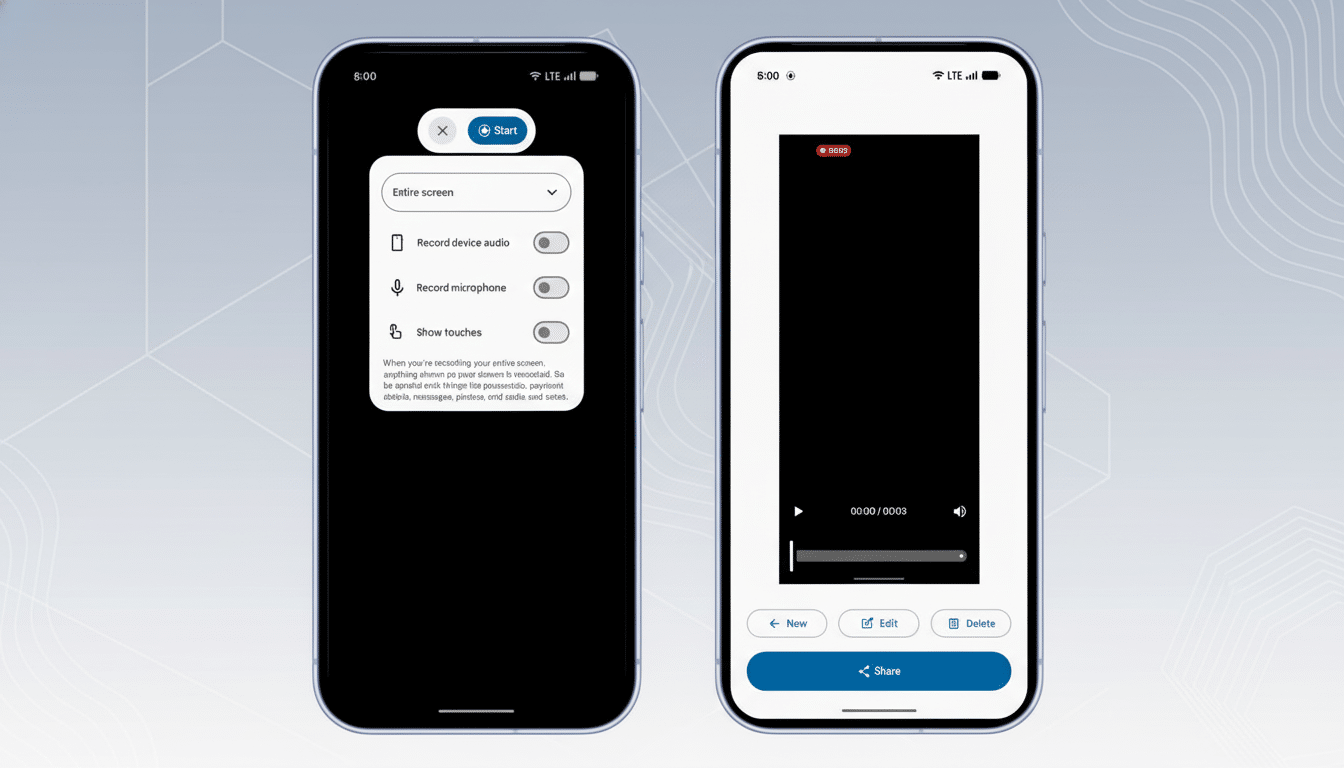
- A refreshed screen recorder menu
- Improvements to dark mode behavior
- More granular controls for Bluetooth hearing aids
- Expanded VPN options for finer per-app routing
Google is also testing behind-the-scenes enhancements like optional faster charging settings and camera improvements aimed at third-party apps such as Instagram and Snapchat, signaling an ongoing push to polish everyday experiences that live outside core Google apps.
The bottom line: a small slider with a big daily impact
A simple slider could solve a problem users have tolerated for years. By decoupling assistant speech from media and system audio, Android 17 Beta 3 adds a small control that has outsized impact—more comfort with headphones, fewer surprises in quiet rooms, and better voice experiences across the board.

