


After years of muscle memory cemented by Google’s default keyboard, a week of deliberate testing has me rethinking the pecking order. Microsoft’s SwiftKey, long a staple for power typists, isn’t just catching up to Gboard — in some areas, it’s outright better. The gap between them now comes down to what you value most: raw prediction quality and Google integrations, or deep customization and editing tools that meaningfully speed up everyday typing.
How I Tested And What Changed Over A Week
I benched Gboard across my daily carry for a week and set SwiftKey as default. No cheating, no quick switches. The adjustment period was real — different key heights, slightly altered hit boxes, and new gesture behaviors. But after resizing the keyboard and tweaking layout options, the friction faded. The conclusion is not a casual hot take; it’s the result of hundreds of messages, email replies, and note-taking sessions.
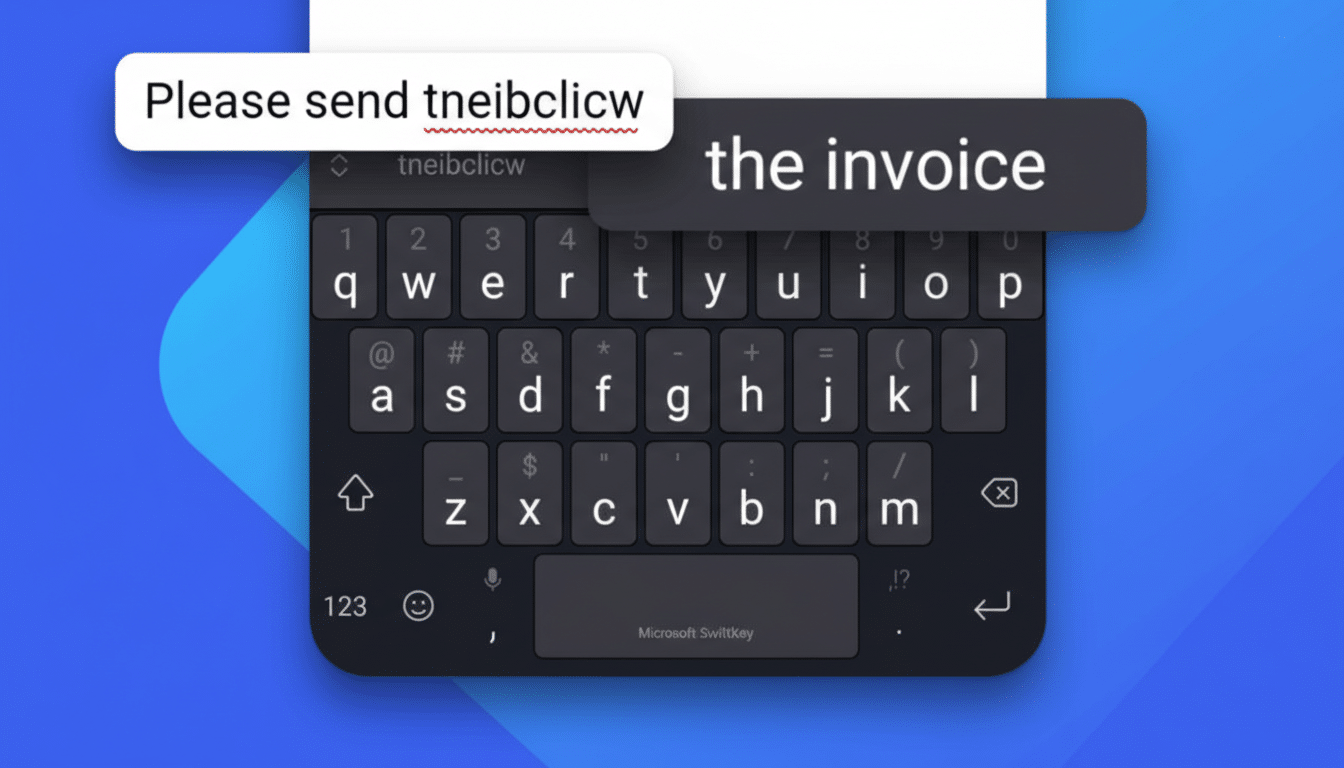
Context matters. Gboard’s Google Play listing shows billions of installs, and SwiftKey also surpasses the billion-install mark. That scale translates into mature engines on both sides. The question isn’t whether either is “good,” but which one better serves specific use cases in 2026.
Customization And Ergonomics Favor SwiftKey
If you edit text frequently, SwiftKey’s layout flexibility is a game-changer. You can add a dedicated arrow-key row beneath the keyboard, which makes precise cursor control far faster than long-pressing or relying on space bar gestures. Yes, it takes up a sliver more screen, but the trade-off pays back in fewer mis-taps and quicker fixes.
SwiftKey’s theming and size controls also go further. Its dynamic themes blend cleanly with system colors, while the option to fine-tune borders, key width, and height helps minimize errors. Gboard’s Material-driven look is coherent and familiar, but it’s more prescriptive. If you like to tailor your workspace, SwiftKey simply lets you do more.
On tablets and foldables, both support split layouts, but SwiftKey’s robust settings make one-handed and large-screen typing a bit easier to optimize without jumping through menus.
Prediction Swipe And Voice Give Gboard An Edge
When it comes to pure predictive accuracy and swipe typing, Gboard still holds the crown in my testing. It more reliably interprets sloppy swipes and tricky proper nouns, and its next-word suggestions land more often with fewer corrections. This aligns with years of iterative improvements and on-device learning work that Google Research has publicized, including federated learning approaches to improve suggestions without uploading raw keystrokes.
SwiftKey isn’t far behind. Its two-word suggestions can collapse short phrases into a single tap — handy for recurring messages like “On my way” or “Running late.” SwiftKey’s multi-word swipe (its Flow feature “through space”) is clever on paper, but it still proved inconsistent for me. If glide typing is your primary input method, Gboard remains the safer bet.
Voice typing is another Gboard win, especially on recent Pixel devices where on-device speech models bring faster dictation and automatic punctuation. For quick voice-to-text replies, it consistently outpaced SwiftKey in speed and accuracy in my week-long use.
Clipboard And Power Tools Tip Toward SwiftKey
If you live in email, chat, and project tools, SwiftKey’s clipboard management is quietly transformative. You can pin snippets — addresses, intros, signature lines, meeting links — and paste them without digging through recent copies. Over time, this shaves meaningful minutes off daily workflows.
SwiftKey also packs practical toggles like a permanent number row, adjustable long-press delays, and one-handed modes that stick per app. Gboard mirrors some of these, but SwiftKey’s implementation feels more intentional for power users who tweak and iterate.
Privacy And AI Controls Are Closer Than You Think
Big-tech keyboards raise understandable privacy questions. Both companies state they don’t capture passwords or sensitive fields and provide toggles to limit personalization. Gboard leans on on-device learning and techniques like federated learning; SwiftKey lets you use the app without signing in and surfaces granular controls to disable cloud sync and AI features.
Microsoft’s recent Copilot additions inside SwiftKey — rewrite, tone suggestions, quick search, and translation — are easy to disable if you prefer a distraction-free keyboard. If you want to opt out entirely from big ecosystems, open-source projects like FlorisBoard or HeliBoard exist, though they generally lag behind in prediction quality and polish.
Verdict: The Best Android Keyboard Right Now
After a week of real-world use, I’d switch to SwiftKey for its superior customization, arrow-key row, and clipboard tools that reduce friction in day-to-day typing. It feels like a keyboard built for people who edit constantly and want control over every detail. With settings dialed in, my accuracy and speed improved enough to offset the learning curve.
Still, if you rely on glide typing, voice dictation, or deep Google integrations, Gboard is tough to beat. It’s the most forgiving keyboard for fast, sloppy input and delivers consistently sharp predictions. In a large-scale 2019 study by Aalto University and collaborators, average smartphone typing speed hovered around the high 30s WPM; Gboard’s strengths help more users hit that pace with fewer corrections.
The bottom line: SwiftKey is now my top pick for power users who value customization and editing efficiency, while Gboard remains the best for hands-free dictation, glide typing, and seamless Google services. The good news for Android users is clear — both are excellent, free, and evolving quickly. Try each for a week with settings tuned to your habits, and the right choice will reveal itself.
