


Samsung is previewing a new wave of AI-powered image editing for the upcoming Galaxy S26 lineup, signaling a sharper turn toward generative tools that rewrite how photos are captured, cleaned up, and shared. In short teaser clips, the company shows users flipping daytime scenes to night, restoring missing parts of a subject, and even merging multiple shots into a single composite—often by typing a quick prompt or sketching a rough outline.
What Samsung Showed in Galaxy S26 AI Editing Demos
The demos lean into practical fixes and playful creativity. One example scribbles a simple spaceship onto a photo and lets the system render a realistic version in place. Another fills in a bitten cupcake using surrounding textures, while a third turns a single dog photo into a suite of expressive stickers. There’s also a “day-to-night” background shift and a text-driven multi-photo merge that looks designed for group shots, travel albums, and social posts where you want the best take from each person.
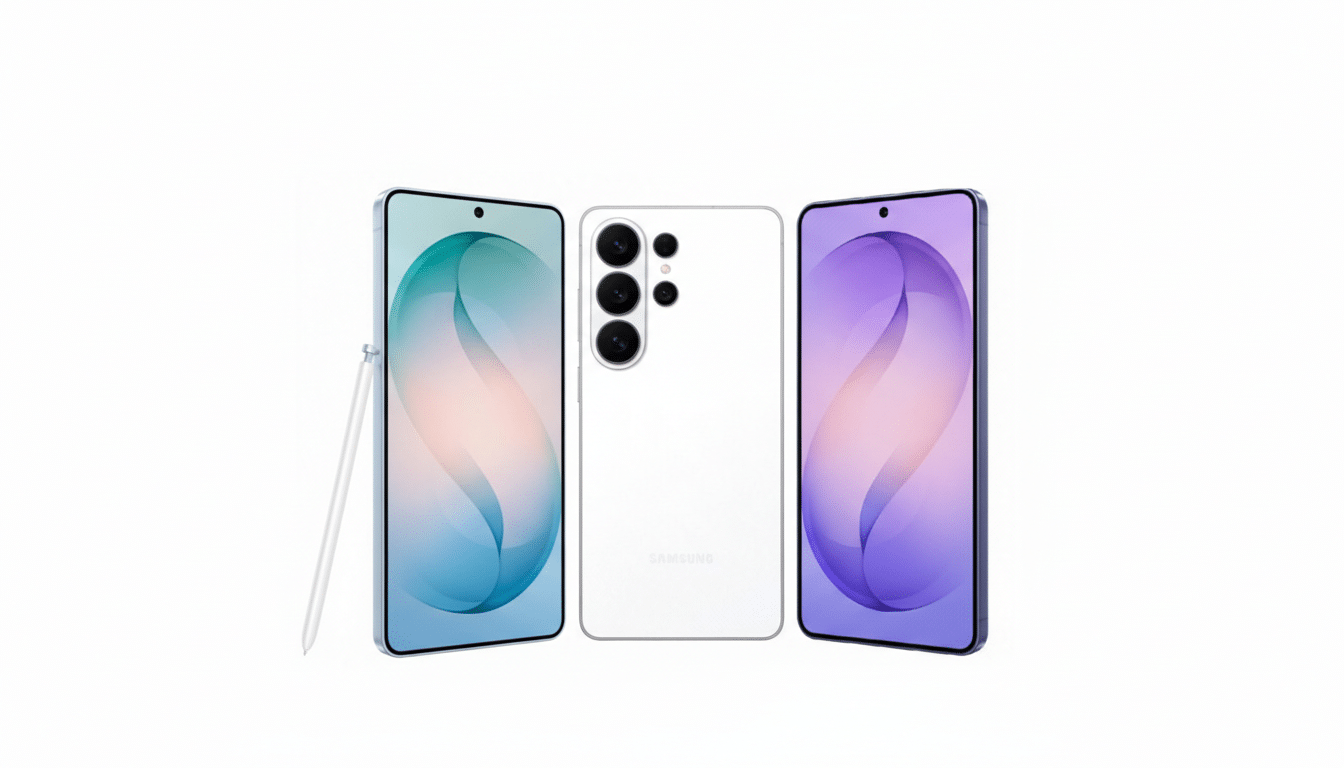
These are natural extensions of the Generative Edit features Samsung introduced on the Galaxy S24, which could move objects, expand backgrounds, and auto-heal distractions. The S26 tools appear broader and more intuitive, reducing the need for brushwork or masking and cutting the time from idea to finished image to seconds.
How It Compares to Google, Adobe, and Apple Offerings
Google’s Magic Editor on recent Pixel phones already lets users reposition subjects and synthesize plausible backgrounds, and Adobe’s Generative Fill has become a staple for pros who need fast composites. Apple has also nudged into AI-assisted editing, though it’s been more conservative about large generative changes. Samsung’s angle is breadth and speed: blending prompt-based edits, quick sketch-to-object creation, and multi-frame merges in a native camera-to-gallery flow could make these tools feel less like a special effect and more like a default step in photo finishing.
One open question is policy and provenance. On the S24, Samsung added a small watermark when generative edits were used. As more brands adopt standards like the Content Authenticity Initiative and C2PA—backed by companies such as Adobe, Nikon, and Leica—expect growing pressure for clear labeling and edit history to curb misinformation without stifling creativity.
On-Device AI Performance and Where Edits Will Run
Samsung hasn’t detailed whether these S26 edits run fully on-device, in the cloud, or both. The company has been steadily pushing more Galaxy AI features locally to reduce latency and improve privacy, and next-gen mobile chipsets from Qualcomm and Samsung’s Exynos division promise larger NPUs and faster memory bandwidth that make real-time image synthesis feasible. Running heavy edits on-device would trim upload times, avoid resolution caps tied to cloud processing, and keep sensitive photos off remote servers, but it also demands careful power management to prevent battery drain during batch edits.
Storage is another factor. Generative edits often create new layers or versions. Expect Samsung to lean on versioning in the Gallery app, one-tap reverts, and intelligent cleanup so users don’t silently burn through local space when experimenting.
Camera Hardware Outlook for the Galaxy S26 Lineup
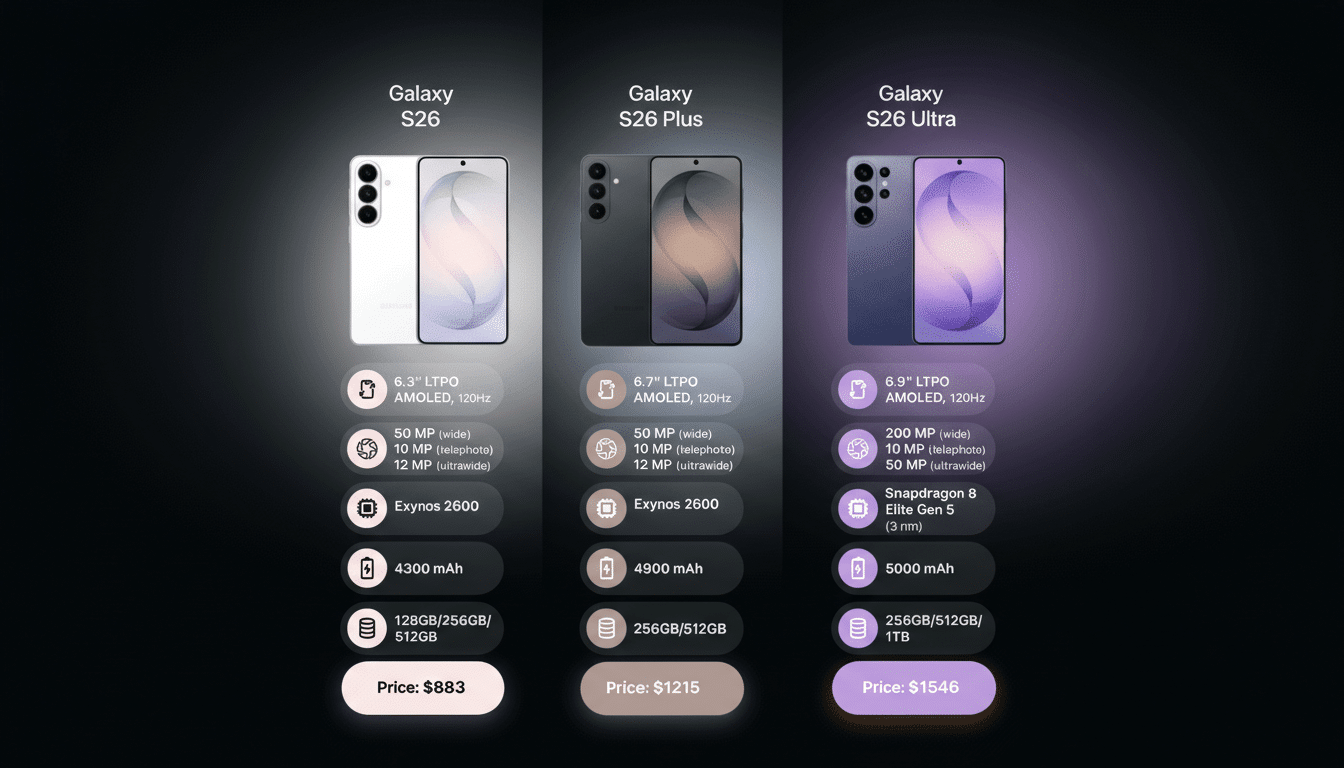
Alongside the software tease, Samsung hinted at “the brightest Galaxy camera system ever,” pointing to a hardware-software tandem. Early industry chatter suggests the Galaxy S26 and S26 Plus could keep a 50MP main, 12MP ultrawide, and 10MP 3x telephoto configuration, while the S26 Ultra is expected to retain a 200MP primary camera supported by multiple telephoto and ultrawide lenses. A rumored wider aperture on the 200MP sensor—potentially moving from f/1.7 to f/1.4—would capture more light, helping the AI with cleaner inputs and better low-light detail for synthetic scene adjustments like day-to-night swaps and background expansions.
If those hardware changes land, the S26 could rely less on aggressive noise reduction and more on physics: bigger effective light intake, richer color data, and more stable focus give machine learning models better pixels to work with, which typically translates into higher-quality fills, fewer artifacts, and stronger edge integrity when objects are moved or replaced.
Why It Matters for Users and Mobile Photography
Analysts at firms such as Counterpoint Research and IDC have consistently ranked camera quality among the top purchase drivers for smartphones. With roughly 90% of photos now shot on phones, according to estimates from Rise Above Research, the bar for “good enough” keeps climbing. Tools that rescue near-misses—a blink in a group shot, a distracting background, a crooked horizon—can be the difference between sharing and deleting.
The biggest test will be trust and control. Consumers want magical fixes without uncanny artifacts, and pros want editable layers, transparent metadata, and predictable results. If Samsung’s S26 tools deliver reliable composites, clean texture synthesis, and clear labeling—while keeping performance snappy and edits reversible—they’ll push mobile photography another step from capture toward creative direction.
Bottom line: Samsung is positioning the Galaxy S26 as more than a camera upgrade. It’s a promise that your best shot might be the one you haven’t finished yet—because the phone can help you make it.
