


Opera’s latest One R3 release isn’t just another refresh. It introduces a set of focused tools that make the browser feel calmer, faster to navigate, and surprisingly personal — enough to make longtime Chrome and Safari users take notice.
That matters in a world where Chrome commands roughly 65% of global browser share and Safari hovers near 19%, according to StatCounter. To pry users from habits that are entrenched, a challenger needs more than speed tweaks. Opera’s bet is five practical upgrades that directly attack everyday pain points.

Smarter Tab Islands Tame Tab Overload For Busy Workflows
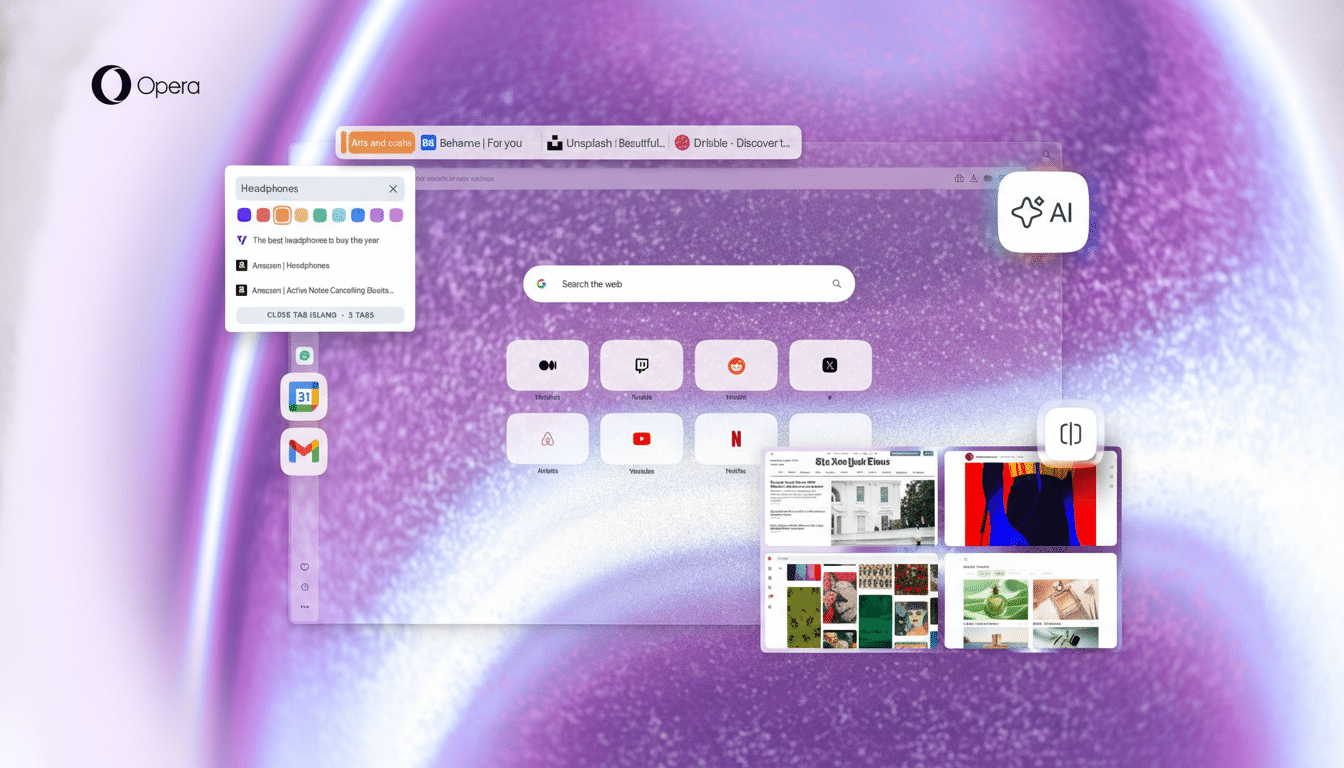
Opera’s Tab Islands automatically cluster related tabs — think research articles, video tutorials, or docs for one client — and now in R3 they’re clearer, more controllable, and easier to move as a unit. If you regularly end up with 40 tabs scattered across a window, this turns chaos into compact, color-coded stacks that you can collapse, rename, and drag between Workspaces. In practice, it feels like having mini projects living inside your window instead of a noisy, undifferentiated tab strip.
Aria AI Built-In And Now Island Aware For Research
Instead of pasting links into a separate chatbot, Opera’s free Aria assistant lives in the sidebar and now understands entire Tab Islands. That means you can ask it to summarize a set of articles, compare pricing across product pages, or draft a brief based on the sources you’ve grouped — without hopping between tabs. For anyone doing research, competitive analysis, or content planning, this reduces tedious cross-referencing and keeps you in flow.
Split View For Four Tabs Without Juggling Windows
R3’s updated split view lets you pin up to four tabs side by side in a single window. It’s ideal for large monitors and ultrawide setups: code on one pane, docs on the second, logs and results on the third; or slides, speaker notes, and a reference site while presenting. Research from the University of California, Irvine has shown that context switching can cost minutes of focus every time you bounce around; keeping critical tabs visible in one frame reduces that cognitive toll.
Sidebar Apps Put Mail And Calendar One Click Away
Opera’s sidebar has long supported messengers, but the new integrations make essentials like Gmail and Google Calendar feel native. You can peek at an inbox, accept a meeting, or check availability without leaving your current Workspace or breaking a research thread. Pair that with Workspaces and Tab Islands, and you’ve got communication, planning, and execution living in the same, organized canvas.
Dynamic Themes Boost Focus And Personalization
R3 expands Opera’s theming engine with richer customization and a playful music-reactive option that subtly animates with what you’re listening to. Beyond aesthetics, consistent visual cues — distinct themes per Workspace, for example — make it easier to orient quickly and avoid opening the wrong set of tabs. It’s a small change that adds up during long sessions.
Why This Could Pull Users From Chrome And Safari
Chrome and Safari both offer tab groups and profiles, and macOS or Windows can handle window tiling. But neither mainstream browser natively combines automatic tab clustering, AI that works across grouped tabs, a four-way split inside one window, and a sidebar that treats mail and calendar like first-class citizens. The result is less friction and more continuity in daily workflows.
Pragmatically, switching is low-risk: Opera is built on Chromium, so most Chrome extensions carry over, and familiar keyboard shortcuts still apply. Add in Opera’s built-in ad blocker, tracker protection, and an optional free VPN as supporting benefits, and R3’s five big upgrades start to look like a complete productivity package rather than a novelty release. If your browser feels like it’s working against you, this update makes a compelling case to give Opera a serious trial.
