


The Google Home app now officially includes Gemini, making smart home control conversational — at no additional cost. The catch, however, is that the headline tricks you’ll actually want to use — AI-enhanced event searching, more intelligent notifications, a running daily summary and hands-free chatting on Nest speakers — are behind a new Home Premium subscription.
It’s a well-worn playbook in the smart home: the base app is free, but to get at productivity gains, they now belong to the paid tier. For households that already have several cameras, sensors and speakers, the value proposition will be a question of how much time Gemini can save relative to traditional scrubbing, tapping and voice commands.
What’s Free With Gemini in the Google Home App
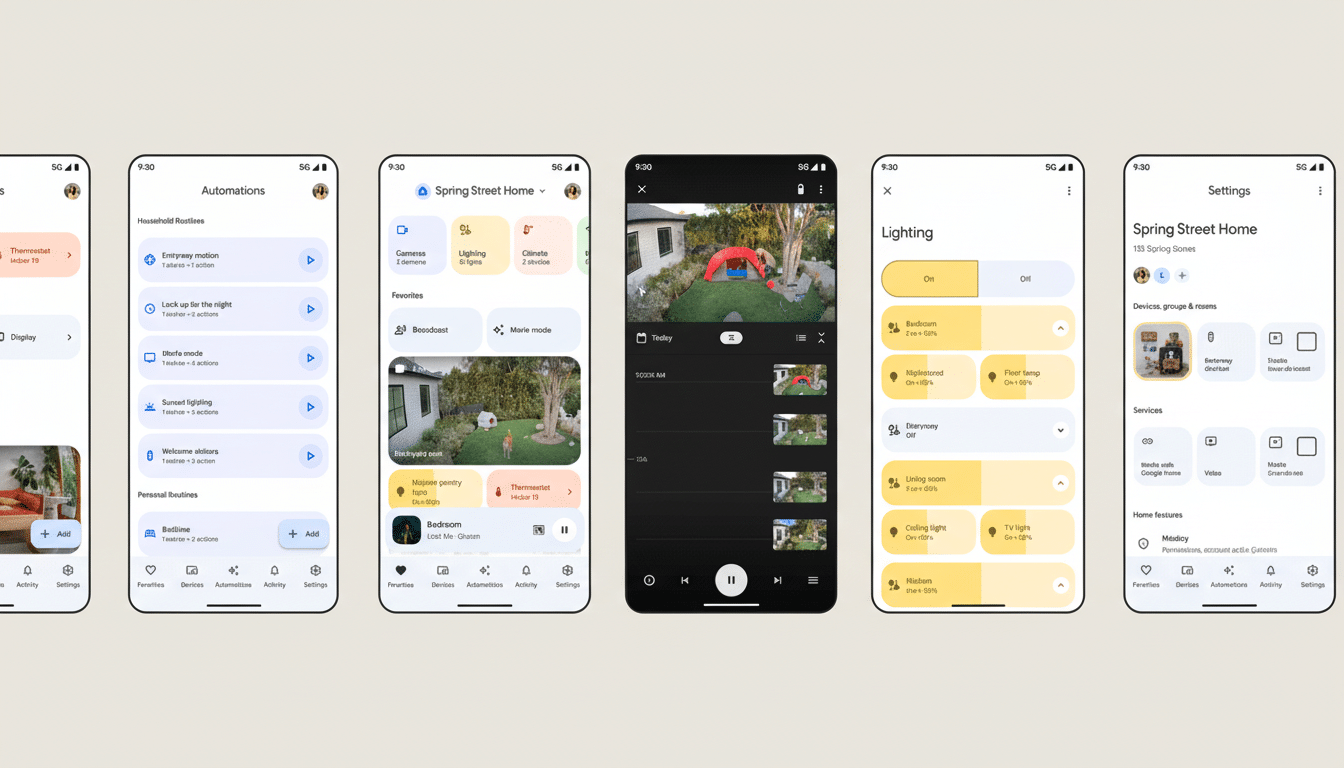
The Google Home app receives a new conversational experience driven by Gemini. You’ll still be able to use your voice to operate lights, thermostats, plugs and scenes; receive basic notifications from a camera or doorbell that works with the voice assistant without paying anything. The management of devices, ordering of routines and the regular remote controls are all familiar.
In other words, the price of Google Home doesn’t change. What does change is how much the system can understand, summarize and proactively surface for you.
What Requires Home Premium Subscription in Google Home
Home Premium, which starts at $10 a month, puts in place features that illustrate Gemini’s logic. The flagship is Ask Home, a natural-language means of questioning your home. Instead of scouring timelines, you solicit: “Who’s been eating my plants?” and Gemini will sort through camera events and alert you to a raccoon, the neighbor’s dog, or your own kids pilfering mint from the herb box.
The service also includes AI-generated descriptions and more advanced alerts, like when a known person is at the door or when a package arrives and disappears later. This complements Google’s existing face detection abilities in Nest and people-focused algorithms for your photo collection with Gemini’s summarization to decrease notification noise.
Support for Gemini Live with Nest speakers is part of the mix too in order to be able to carry on having a conversation without needing to repeat wake words all over the show for subsequent questions. Rounding it out is Home Brief, the daily digest that distills noteworthy activity on your cameras, sensors, and appliances down to a single readable summary.
If you already subscribe to Google’s AI Pro or Ultra plans, Home Premium is included, so you won’t have an extra bill. Google also teased a higher-tier offering that would be similar to existing Nest Aware plans, but it’s not sharing additional details just yet.
How the Pricing Compares With Other Smart Home Plans
Google’s move is part of a broader industry shift toward paid AI features. Nest Aware has always charged for an extended camera history and familiar face recognition; now Gemini tacks on reasoning and summarization. Enter Amazon and Apple: both are doing what Ring can do, but differently: in the case of Ring, its better features live in a suite called Ring Protect; for Apple, you get HomeKit Secure Video and iCloud+, which forces it to be yet another line item.
There’s Home Premium, $10 per month, which squares in between a basic camera plan and an all-family cloud bundle. For users with multiple cameras, or in a busy household, one successful Ask Home is enough to make up for minutes of daily triage. For a home with only one camera or limited automation, the benefits are less clear.
Why It’s Important for Smart Home Enthusiasts
It’s not like most of our homes suffer from a shortage of data; they suffer from a shortage of signal. According to Parks Associates, nearly half of U.S. internet households have at least one smart home device — and plenty own more than one. AI that can understand what’s going on — who’s at the door, what changed in the living room, if a sensor trip is serious — is the next frontier.
In a practical sense, Ask Home might save parents from having to watch two hours of indoor footage to figure out when a window was left open, or make it easier for travelers to verify whether a contractor arrived on schedule. Home Brief offers a single note of the day, which often is more valuable to me than dozens of broken-up pings.
Privacy and Accuracy Questions for Smarter Home AI
Smarter alerts revolve around the user and where they are. Google has previously used face detection in its camera subscriptions and other photo services to offer facial clustering — which Gemini seems likely to draw on, not just to say “a person’s at the door,” but rather “someone you know is here.” Users should be on the lookout for fine-grained controls to opt in, manage face libraries and see how data gets processed.
Accuracy also matters. False positives erode trust quickly. Look for Google to focus on transparency around confidence levels and ensure there are fast feedback loops correcting mistakes so the model gets better over time. Inference costs and quality-of-service trade-offs are “the heart of consumer AI,” analysts at firms like Gartner have said, which is one reason companies have been pursuing subscriptions.
Rollout and Availability for Google Home With Gemini
Google says the new features are rolling out to the Google Home app and available on Nest devices in a staged release. Once they arrive, the free app upgrades will be accessible for all to see, while the deeper Gemini goodies — syncing a second file version everywhere and thumbnail viewing on your home screen — will invite you to activate Home Premium or verify an existing AI Pro or Ultra plan.
The bottom line is straightforward: Gemini makes the Home feel less like a remote control and more like a friendly concierge, though you’ll need to shell out if you want him awake at that untimely hour. The time savings this can represent for power users could mitigate the cost; for casual users, the free layer still works just fine.
