


Google is tweaking its Pixel-exclusive Recorder app with a subtle but important change to the flagship noise reduction tool. Clear Voice is now Auto Clear Voice, and it is accompanied by a new on-screen indicator during playback, as well as an updated account switcher UI. Much of the core function remains unaltered, as background noise is still scrubbed and speech pops out, but the update brings greater clarity on storage implications plus swifter control for users over how enhancements are used.
What changed in Recorder with Auto Clear Voice
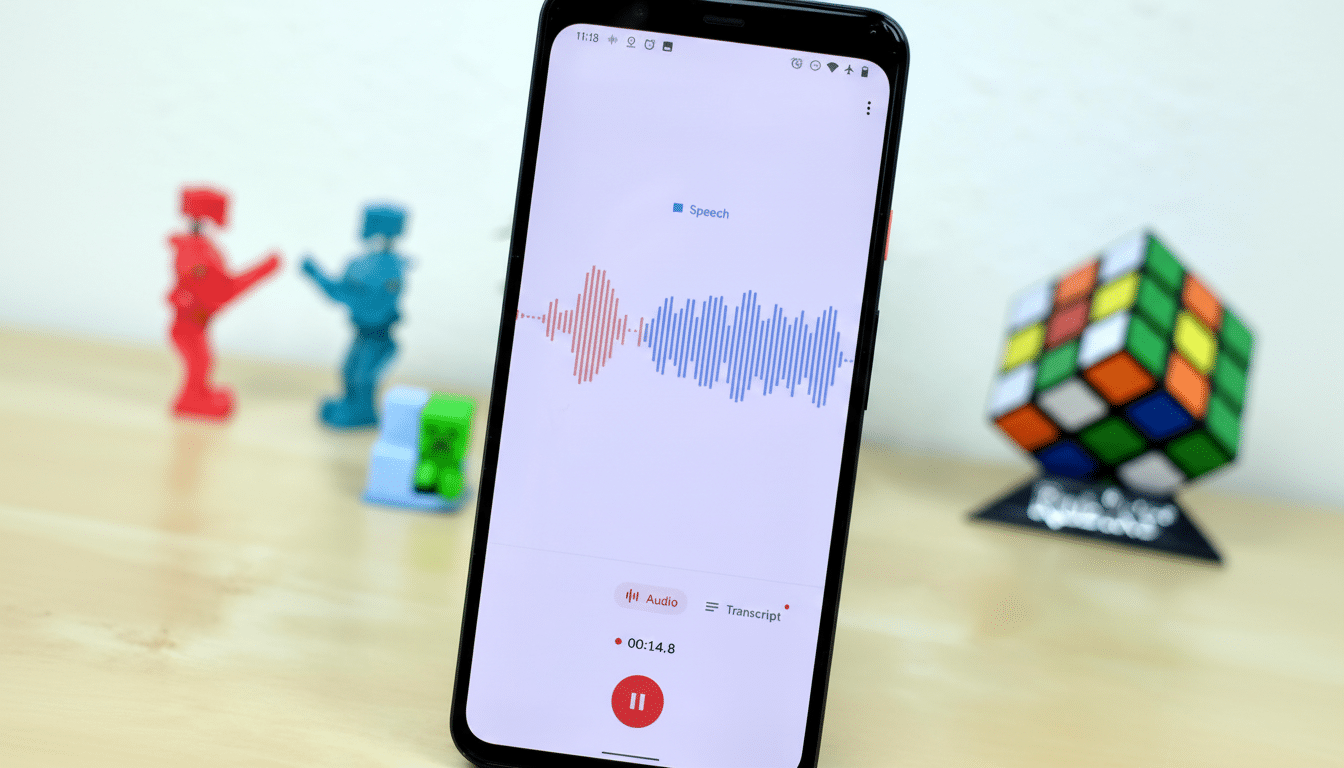
The most lightweight change is the rename to Auto Clear Voice, which is a subtle shift and tells you what it does by default: it runs automatically whenever it is turned on. Recorder now has a tiny chip on the playback screen to indicate when an audio file is enhanced. Tap it, and you’re quickly on the path to restoring your audio to its original state—no menu spelunking required. It’s a quality-of-life enhancement if you need to compare versions on the fly, such as two people talking over each other in an interview or a lecture that was recorded in a noisy auditorium.
- What changed in Recorder with Auto Clear Voice
- Why it is important for audio quality in recordings
- Consistent experience with the new account switcher
- How it compares to rival features in other recorders
- Practical tips before you start recording with Recorder
- Bottom line: incremental polish that reduces friction

Google also mentions that the upgrade takes up additional storage. That lines up with the way a lot of audio apps handle post-processing: caching an extra processed stream, storing intermediates at higher resolution, or adding metadata so there’s still reversibility. In practice, end users should expect slightly larger files if they are enabling Auto Clear Voice—a trade-off for clearer dialogue and the ability to flip between their clean file and their original recording.
Why it is important for audio quality in recordings
Noise reduction is one of the only features that can turn a so-so recording into something usable. Recorder reduces room hum, HVAC, street noise, and café chatter that often overlap with syllables and dull transcriptions. Hang the speech forward in the mix, lifting vocal energy and dampening steady background patterns. Auto Clear Voice helps to hang the speech further forward in a mix, making it more spatial. Under normal conditions, people hear each other with two ears—one signal meant for both—and, with their own voice being picked up by bone conductivity, their brain creates a complete virtual sound scene. By lifting this entire score just slightly from its mixed-back position, it still sounds quite natural but is that bit more reachable when environmental circumstances are not ideal.
Cleaner input means cleaner output, as journalists, students, and researchers who tap Recorder’s transcripts every day can tell you. A small change in signal clarity can mean fewer mishears and less edit time. And because Recorder does the heavy lifting right on your device with Pixel’s AI processor, the enhancement operates offline and sidesteps any upload delays some cloud-based tools impose.
Consistent experience with the new account switcher
In addition to the audio changes, Recorder brings over Google’s newer account switcher UI. It mirrors what people see in Gmail and Drive, allowing users to more quickly flip between personal and work accounts for partitioning interviews, class notes, or field recordings. This, beyond convenience, brings Recorder in line with the larger Material You design language that is now making its way through Google’s apps.
How it compares to rival features in other recorders
Apple’s Voice Memos has an Enhance Recording switch that similarly cuts down noise and may increase file size, while Samsung’s Voice Recorder supplies noise reduction and a voice focus mode. Recorder has attempted to stand out thanks to fast on-device transcription, speaker labels on some Pixels, and now a clearer way of handling enhanced versus original audio. The new playback chip is a small but appreciated thing: it reduces the distance between hearing something and acting on it.
Crucially, Auto Clear Voice feels like it’s tuned for spoken word rather than studio music. The best use case is interviews, meetings, and lectures. In extremely noisy conditions—gales of wind, pulsing music—the boost can still make a difference, but like any neural noise reducer, it’s only going to be so effective before artifacts start to creep in. In times when fidelity counts for more than suppression, the capacity to return instantly is your safety net.
Practical tips before you start recording with Recorder
- If you often record in a noisy place, make sure Auto Clear Voice is on. You will know the enhancement chip is in use when playing back.
- If space is at a premium, occasionally archive or delete enhanced sessions you no longer use. Big files pile up fast in long interviews and lectures spanning several hours.
- You can A/B test with the playback chip. If there are low or overlapping speakers, you could uncover nuances inadvertently masked by suppression.
- For the cleanest capture, combine Auto Clear Voice with basic mic hygiene: hold the phone steady, don’t shield the mic, and aim it at whoever is speaking most.
Bottom line: incremental polish that reduces friction
This update isn’t a full-on redesign, but it attempts to eliminate some everyday friction: clearer naming, a one-tap way to compare processed and original audio, and an account switcher with better consistency. And it’s an app for Pixel users who live in Recorder; Auto Clear Voice bolsters the app’s central promise—to capture speech quickly and intelligibly—while acknowledging that there are practical storage and user-control concerns. It’s the sort of incremental polish that, if you use it over months or years, makes a tool feel indispensable.
