


Samsung’s power users can breathe again. The latest Good Lock update revives the Home Up module on One UI 8.5 beta and adds smarter, cleaner tools for organizing Galaxy home screens. After weeks of broken compatibility and frustrating warnings about unsupported modules, Home Up is working once more—this time with sharper controls that reduce clutter and reward customization.
What’s actually new in Home Up version 17.5.00.18
Home Up version 17.5.00.18 restores full functionality on devices running the One UI 8.5 beta and introduces deeper layout control. Users can fine-tune icon, widget, and folder behavior, with larger folder grids that feel less cramped and easier to scan. There’s also a unified panel that puts apps, tasks, and contacts in one place, streamlining quick actions across the launcher.
- What’s actually new in Home Up version 17.5.00.18
- Controls that reduce clutter and speed up daily sharing
- Foldables get special attention with refined cover screens
- Known issues and beta caveats for One UI 8.5 testers
- How to get the update via Galaxy Store or safe sideloading
- Why this Good Lock update matters for power users
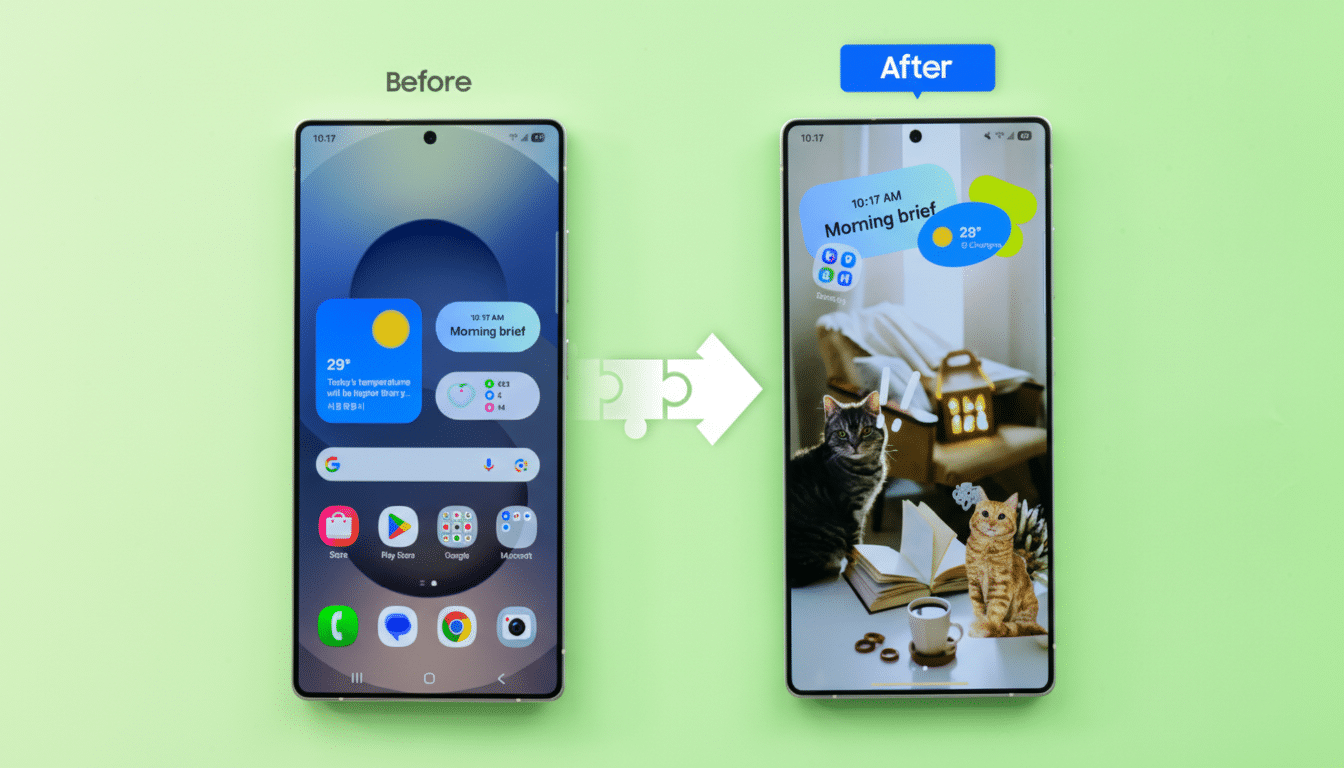
Small quality-of-life fixes add up. Samsung addressed alignment issues reported by users in DIY mode and cleaned up the Backup and Restore widgets so layout tweaks survive device migrations more reliably. Early feedback shared by prominent Android tweakers on X highlights that these changes feel intentional rather than experimental—more like finish work than beta chaos.
Controls that reduce clutter and speed up daily sharing
The headline improvement is practical: you can now exclude specific apps from the Direct Share panel. If your share sheet is dominated by apps you rarely use, pruning that list speeds up everyday tasks like sending screenshots or links. It’s the kind of control stock launchers often ignore but that heavy multitaskers crave.
Navigation gets a subtle but meaningful tweak, too. Gesture-first users can disable the back-and-forth gesture for switching to the previous app, which helps prevent accidental flips during rapid swipes. For anyone who relies on edge panels or uses full-screen gestures, this opt-out reduces friction.
Foldables get special attention with refined cover screens
Owners of the Galaxy Z Fold and Z Flip lines aren’t left behind. The update lets you define how many favorite apps appear on the cover screen, a small change that dramatically improves one-handed triage on the outer display. With foldable usage expanding—industry trackers like Counterpoint Research have flagged steady growth in the category—the tuning of cover screen behavior is a practical nod to how people actually use these devices in tight spaces.
In short, Home Up is evolving with the hardware. The module’s tweaks respect the reality that a phone can be both a tall, narrow one-hander and a tablet-like workspace—and that the launcher should adapt accordingly.
Known issues and beta caveats for One UI 8.5 testers
Not everything is smooth yet. Well-known leaker Ice Universe warned on X that enabling blur effects can cause animations to freeze or stutter, especially during transitions. If you’re sensitive to frame pacing, keep blur off for now. That’s par for a beta—feature parity returns first, polish lands later.
It’s also worth remembering that One UI 8.5 is still in flux. Good Lock modules historically lag behind major betas as Samsung tunes interfaces and APIs. The good news: this release suggests the core pieces are stabilizing, and the team is already tackling bug fixes rather than just restoring basic support.
How to get the update via Galaxy Store or safe sideloading
The update is rolling out through the Galaxy Store. If it hasn’t reached your device, you can wait for the staged release or sideload the APK. Sideloading can get you there faster, but it carries the usual risks—verify packages, back up your layout, and be ready to roll back if you encounter hiccups. Users on Samsung’s beta channel may see the update appear earlier than those on stable builds.
Why this Good Lock update matters for power users
Good Lock is one of Samsung’s biggest differentiators for enthusiasts. It turns a stock experience into a toolkit where you can define how your phone behaves rather than accept defaults. Restoring Home Up on One UI 8.5 isn’t just a bug fix; it’s a return to the promise that Galaxy users can tailor the home screen down to the smallest detail.
If you’ve been holding off on the beta because your home screen workflow fell apart, this update makes the leap far less risky. Keep blur disabled, watch for incremental patches, and you’ll likely find your daily setup not only intact but better organized than before.
