


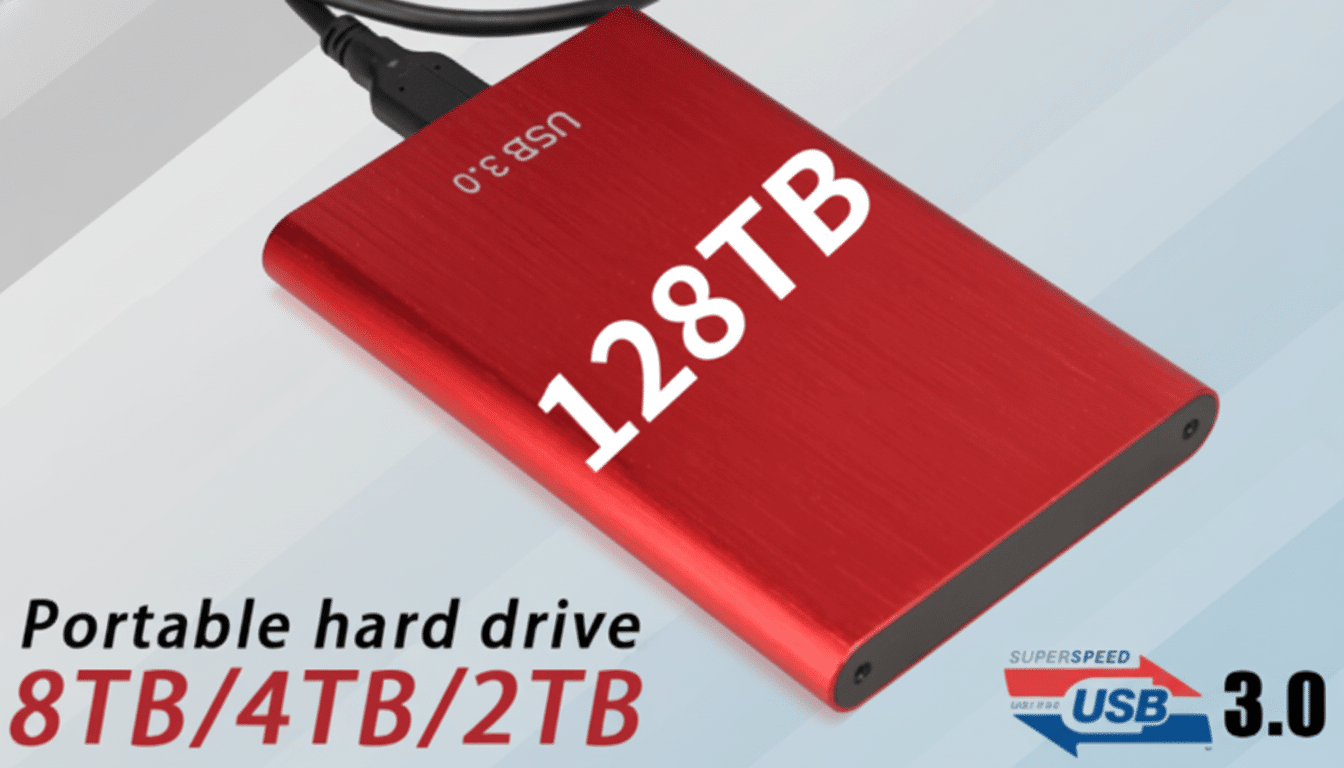
The rock-bottom “SSD” you spotted in an online marketplace is not a miracle deal. It’s far more likely a time bomb. Hardware analysts and consumer watchdogs are raising alarms about a surge of no-name solid-state drives that misreport capacity, crawl under sustained load, and fail with little warning—often taking irreplaceable data with them.
Investigations by independent testers and tech publications have repeatedly uncovered drives advertised as multi-terabyte bargains that are, in reality, reprogrammed USB flash storage or microSD cards stuffed inside metal shells. When they die, they don’t just crash your workflow—they can make recovery prohibitively difficult or impossible.
How Counterfeit SSDs Trick Your PC Into Losing Data
At the heart of many fakes is firmware manipulation. The controller—essentially the SSD’s brain—lies about capacity, telling your operating system it’s 8TB or 16TB when the physical NAND inside may be 64GB or 128GB. You can write data past the real limit, but the controller silently overwrites earlier blocks. Files look normal until you try to read them back and discover corruption.
Others skip SSD architecture altogether. Teardowns have found plain USB flash chips or microSD cards soldered to bargain boards inside “SSD” enclosures. There’s no DRAM cache, no robust wear-leveling, and none of the safeguards you expect from legitimate drives. Reports from hardware outlets have documented listings for “30TB external SSDs” sold for pocket change that turned out to be exactly this kind of sham.
Even among products that aren’t outright counterfeits, corner-cutting is common. DRAM-less designs paired with low-end QLC NAND can look fine in short benchmarks but hit a write “cliff” once a small SLC cache fills, with sustained speeds plunging from hundreds of MB/s to USB 2.0-era trickle.
The Real Cost of Bargain Drives and Data Risks
When reputable brands cut corners, it shows up in published endurance ratings, warranties, and public scrutiny. That accountability is absent with white-label drives. Many list no TBW (terabytes written) rating at all, provide no clear model identification, and carry vague, unhonored warranties. In practice, you’re gambling your data on unknown NAND quality and mystery controllers.
Contrast that with known-good storage. Large-scale field data from cloud backup companies has shown predictable, trackable reliability across named models, with SSD annualized failure rates often measured in the sub‑1% range for vetted cohorts. Enterprise and consumer reviews alike reinforce the same pattern: drives with transparent specifications, consistent firmware, and support channels behave predictably under load.

The performance gap is similarly stark. A quality 500GB–1TB TLC NVMe drive can sustain multi-hundred MB/s writes long after its cache, maintain throughput under heat, and recover gracefully thanks to mature firmware. A mystery-brand “2TB” portable may benchmark well for a few seconds, then throttle, stall, or—under heavy writes—start silently corrupting data.
Red Flags and Quick Checks to Spot Fake SSDs
- Be skeptical of unbelievable capacity-to-price ratios. If a “16TB” portable SSD costs less than a modest 1TB from a known brand, assume it’s fake until proven otherwise. Investigations by consumer groups have repeatedly found bogus-capacity storage sold through major marketplaces using this tactic.
- Scrutinize labeling and listings. Misspellings, inconsistent product names, or manuals referencing the wrong interface (for example, M.2 mentioned for a USB-only device) are classic tells. Counterfeiters often reuse photos and descriptions across multiple “brands.”
- Check for real specifications. Legitimate drives list controller families, NAND type (TLC/QLC), TBW endurance, and warranty length from a supportable brand. If all you see is “high speed” and “ultra-large capacity,” walk away.
- Test immediately after purchase. Tools such as H2testw or F3 write and verify the full advertised capacity, exposing fake-size firmware tricks before you entrust the drive with anything important. SMART utilities like CrystalDiskInfo can also reveal suspicious controller IDs and power-on histories.
- Buy from reputable retailers. Established sellers enforce returns and vet third-party listings more rigorously than fly-by-night storefronts. If a listing’s seller history is brand-new or constantly changing, that’s a warning sign.
What To Buy Instead for Reliable, Verified Storage
Stick with established storage makers that publish detailed specs and stand behind multiyear warranties. For portable SSDs, look for TLC NAND, clear controller lineage, and enclosures from brands with real support desks. For internal drives, DRAM-equipped models generally deliver more consistent performance under heavy mixed workloads.
Prioritize transparency and endurance. A mid-range, well-reviewed 500GB–1TB SSD with a documented TBW and a 3–5 year warranty will outperform and outlast a suspicious “bargain” that hides its internals. Independent labs and long-running tech publications regularly benchmark these drives; their findings are a better guide than marketplace star ratings.
Finally, remember the rule of three: backup locally, backup to a second device, and maintain an offsite or cloud copy. Even good SSDs fail. The difference is that reputable hardware gives you consistent warning signs and data integrity long enough to act—counterfeits often don’t.
Bottom Line: Protect Your Data from Counterfeit SSDs
If the price looks magical, the risk to your data is real. Counterfeit and cut-rate SSDs are engineered to pass a quick glance, not to protect your files. Do yourself a favor: buy storage you can verify, test it on day one, and reserve the “too good to be true” deals for novelty gadgets—not the device that stands between your work and oblivion.

