


If your feeds are suddenly full of comic-style portraits, you’re seeing the latest viral wave: AI caricatures. The look blends bold outlines, punchy colors, and personality-forward exaggeration—crafted not by street artists, but by diffusion models. OpenAI has said its image tools were generating millions of pictures per day even back in 2022, and app intelligence firms like data.ai tracked triple-digit surges when avatar trends last spiked. Now, caricatures are the format du jour, and making one is easier than it looks.
What You Need to Join the Trend: Photos, Tools, and Setup Tips
You’ll want a clear head-and-shoulders photo and an AI image tool that supports stylization. Options include ChatGPT with image generation, Midjourney on Discord, Adobe Firefly, and mobile apps like Lensa and Picsart. Privacy-minded users can run Stable Diffusion locally via Automatic1111 with a “toon” or “caricature” checkpoint. Whichever route you choose, a single-subject, well-lit image produces the cleanest results.
- What You Need to Join the Trend: Photos, Tools, and Setup Tips
- Step-by-Step in ChatGPT: From Upload to Final Save
- Fast Alternatives on Other Platforms for Quick Caricatures
- Pro Tips for a Sharper Look and Cleaner Caricature Style
- Privacy and Rights You Should Weigh Before You Upload Images
- Environmental Footprint in Brief: Smarter, Lower-Impact Workflow
- Troubleshooting the Common Gotchas in AI Caricature Results
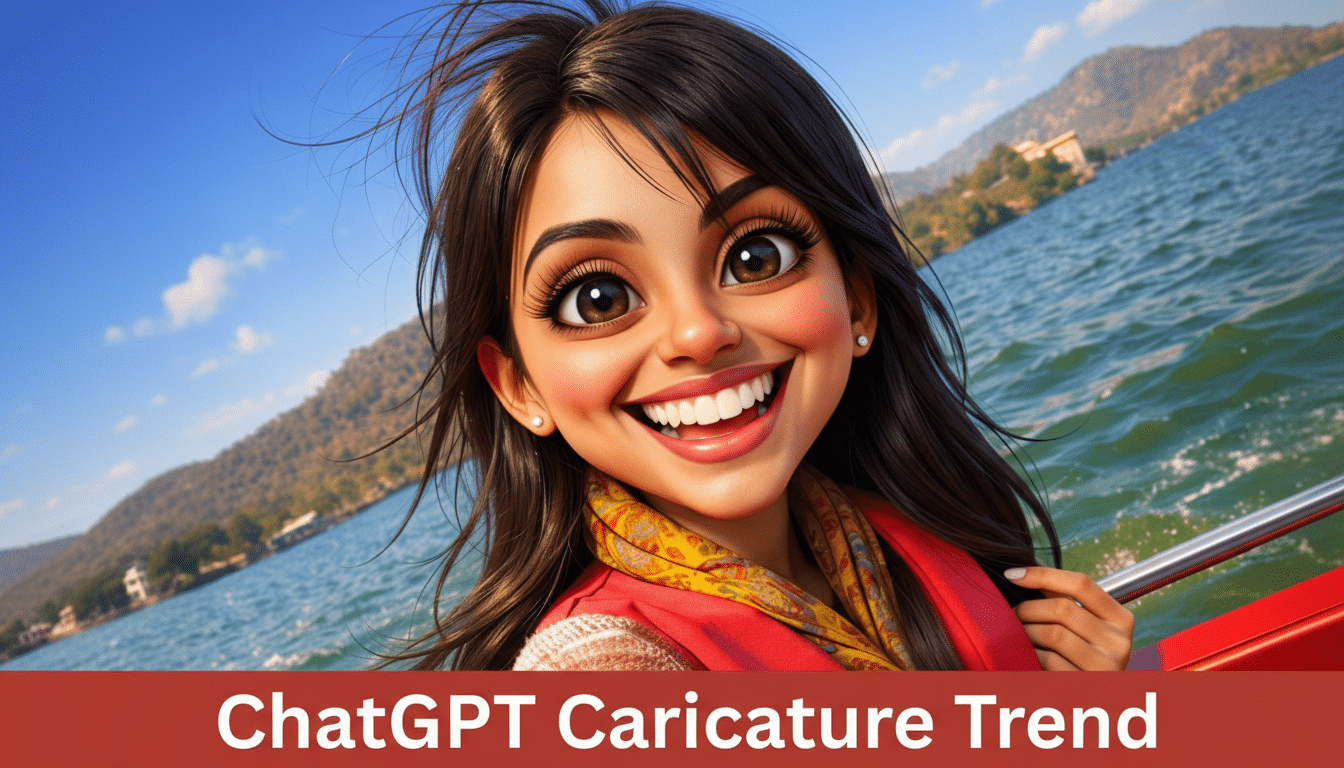
Step-by-Step in ChatGPT: From Upload to Final Save
- Start a new chat and enable image generation. On mobile, open the app, begin a conversation, and use the image upload option. On desktop, drag and drop your photo into the message field to attach it.
- Pick the right photo. Aim for a front-facing or three-quarter selfie, neutral background, no heavy sunglasses, and even lighting. Close-ups work best; avoid group shots or busy scenes that can confuse the model.
- Prompt with purpose. Try: “Create a bold, high-contrast caricature of me, exaggerating my [signature feature], in a clean vector-cartoon style with thick outlines, flat colors, and a subtle workplace backdrop that hints at my job as a [profession]. Keep hands and props accurate.” Tailor “signature feature” to something you actually like—curly hair, glasses, or beard—to steer exaggeration.
- Iterate quickly. If the first render flips text on shirts or mirrors a phone (a common quirk), say: “Fix mirrored details and render a new version. Keep facial proportions consistent.” Ask for three variations to compare. You can also request “lighter shadows,” “brighter palette,” or “plain background in brand color.”
- Save smart. Download as PNG for crisp edges. For social, crop 1:1 for Instagram, 4:5 for feeds, 16:9 for stories and Reels. If available, use an upscaler to preserve line art sharpness.
Fast Alternatives on Other Platforms for Quick Caricatures
- Midjourney: Upload your photo to Discord, copy its URL, then type “/imagine [URL] caricature exaggerate features vector look bold outlines flat colors.” Add “–stylize” for more flair and request multiple versions.
- Stable Diffusion: With an inpainting or ControlNet setup, you can guide pose and preserve identity while pushing a cartoon aesthetic. Look for community-tested caricature or toon models and keep CFG/strength moderate to avoid uncanny results.
- Mobile apps: Tools like Lensa popularized one-tap avatars during the 2022 boom—data.ai reported downloads spiking dramatically week over week at that time. New templates now mimic hand-inked caricature booths with themed props and backgrounds.
Pro Tips for a Sharper Look and Cleaner Caricature Style
- Anchor identity: Mention consistent markers—“keep my round glasses and salt-and-pepper hair”—so the model doesn’t drift across versions.
- Set the scene: A hint of workplace or hobby (camera, mixing console, chef’s knife) tells a story without clutter. Ask for “minimalist background with one context prop.”
- Control exaggeration: If outputs feel harsh, say “soft caricature with friendly proportions.” If too tame, request “stronger exaggeration of hair volume and jawline.”
- Mind hands and text: Generators still fumble fingers and lettering. Reduce failure points by keeping hands off-frame or by asking for “no text or logos.”
Privacy and Rights You Should Weigh Before You Upload Images
Before uploading, check how your provider handles biometric data, training use, and retention. Consumer advocates like the Electronic Frontier Foundation recommend minimizing sensitive uploads and disabling data sharing when possible. The FTC has also warned that deceptive AI imagery and undisclosed data practices can trigger enforcement.
For usage rights, review your tool’s terms. Many services grant you broad rights to images you create, but restrictions can apply to commercial use or recognizable trademarks. If you plan to put the caricature on merch or ads, confirm licensing first.

Environmental Footprint in Brief: Smarter, Lower-Impact Workflow
Diffusion models run multiple compute-heavy steps per image. One caricature is minor, but churning out dozens adds up. Organizations like Hugging Face promote measurement via tools such as CodeCarbon and encourage right-sizing outputs. Practical tip: generate at modest resolution, iterate with previews, then upscale only the keeper.
Troubleshooting the Common Gotchas in AI Caricature Results
- Identity drift across versions: Reuse the same reference photo and ask for “consistent facial landmarks.”
- Over-stylized results: Lower stylization and request “clean, editorial cartooning” instead of “surreal.”
- Busy compositions: Specify “plain background, center composition, waist-up framing” to reduce visual noise.
The bottom line: With a clear photo, a focused prompt, and a couple of quick iterations, you can produce a share-worthy AI caricature in minutes. As with any viral format, be intentional—protect your data, respect usage rights, and create only what you’re happy to post widely.
