


Strong passwords shouldn’t demand a strong memory — or a strong budget. 1Password is starting off the holiday season with a promotion that cuts its Security Suite in half: The Individual plan (which normally costs $3.99) is now available for just $1.99 per month, while the Families plan (typically $5.99) runs for only $2.99 per month. Anyone with dozens of logins across phones and laptops will find this a timely price cut on the tool intended to make secure practices stick.
The discount comes as attacks that involve compromising passwords to gain a foothold on computer networks are rampant. If you’ve been meaning to get a proper password manager, this is the kind of rare discount that materially lowers the barrier to actually doing security right.
- Why This 50% Reduction Matters for Everyday Security
- What You Get in the 1Password Suite and Key Benefits
- Pricing and Plans: Individual and Families Discounts
- How It Compares and What to Consider Before Buying
- Tips from Experts on Getting the Most from the Deal
- Bottom Line: A Simple Way to Strengthen Your Security
Why This 50% Reduction Matters for Everyday Security
Compromised or reused credentials are a top factor in account compromise, the Verizon Data Breach Investigations Report said. IBM’s most recent Cost of a Data Breach report puts the global average breach at approximately $4.9 million, making it clear that one lousy password can quickly get pricey. Meanwhile, according to NordPass research, the average person has around 100 passwords, which is an impractically large amount for each one to be unique without assistance.
Security guidance has evolved, too. NIST’s digital identity guidelines favor long, unique secrets and screening for exposed credentials over mandated rotation. A good, modern password manager does that heavy lifting — generating complex passwords, comparing them against known breaches and syncing them across devices to keep you safe without making things inconvenient.
What You Get in the 1Password Suite and Key Benefits
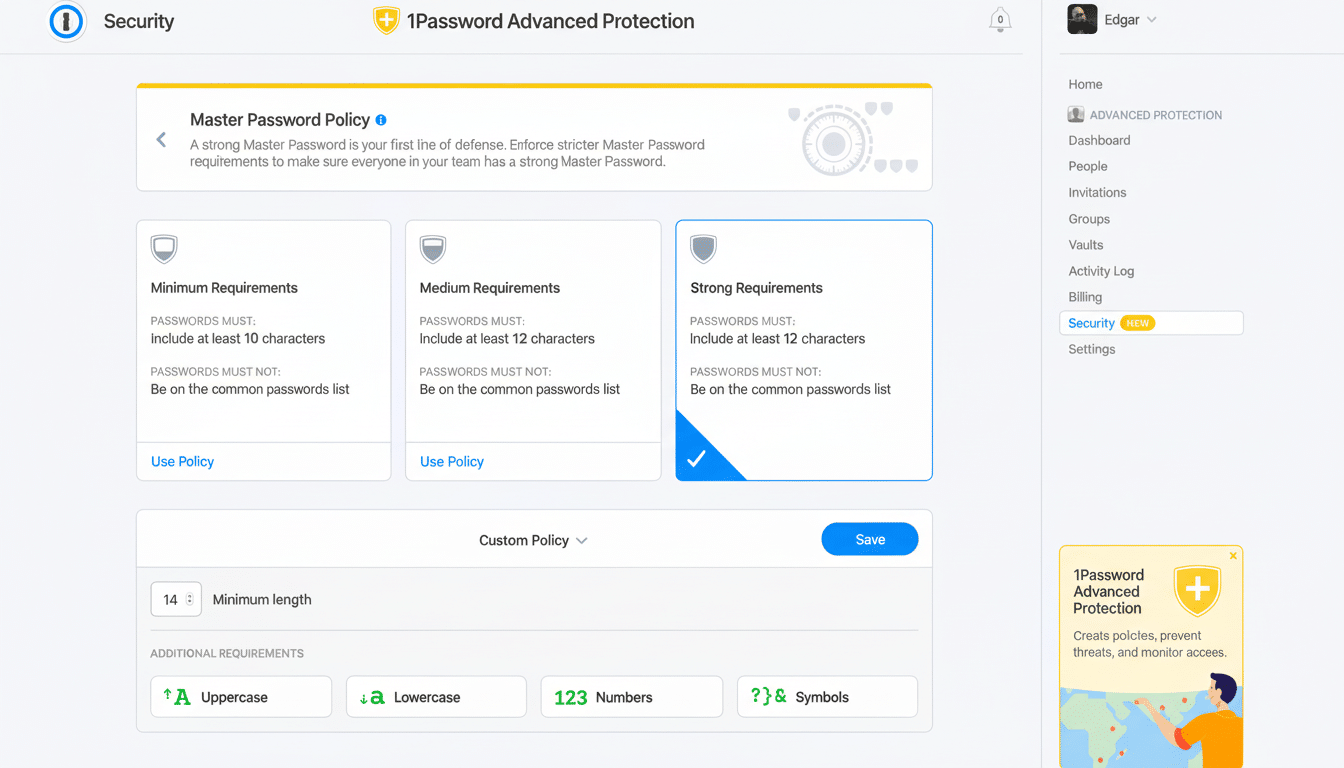
1Password remembers all your passwords for you and keeps them safe and secure behind the one password that only you know. A locally created Secret Key on top of your account password provides an additional layer so that even if someone manages to intercept your vault, it will be unintelligible without both factors.
Day to day, value appears in countless small ways: autofill that’s almost universally reliable in both browsers and other apps, the security analysis of just how strong or weak my credentials are (via Watchtower), the easy synchronization across Mac, Windows, iOS, Android, and Linux.
Travel Mode can take sensitive vaults off your device, if you’re crossing borders, for instance, and bring them back with a tap when you return.
Importantly, 1Password supports passkeys — the FIDO Alliance-endorsed standard that lets you sign in without using a password (instead, your device verifies that you are indeed who you say you are), and which replaces passwords with phishing-resistant, device-generated credentials. As more services get on board with passkeys, 1Password helps you store and use them alongside classic logins — an on-ramp to a safer, less password-heavy future.
Pricing and Plans: Individual and Families Discounts
The headline savings are straightforward. The Individual plan is reduced to $1.99 a month (down from $3.99). The Families plan, which includes five people using shared and private vaults plus account recovery, drops to $2.99 a month from $5.99. For households, it’s hard to beat that per-person cost — especially with a built-in way for a trusted family organizer to restore access if someone is locked out.
Both tiers come with unlimited devices, password generation, autofill capability, Watchtower alerts and secure document storage. If you’re already comfortable using a browser’s built-in password saver, then think of 1Password as the cross-platform upgrade — one that doesn’t marry you to a single ecosystem and throws in breach monitoring, vault sharing and robust emergency access controls.
How It Compares and What to Consider Before Buying
Apple, Google and Microsoft are also maturing their own built-in managers — especially since they have added passkey support. But specialized tools still have advantages: more specific kinds of sharing, migration tools that can help you move things to a new service or just a different account, security health reports, and zero-knowledge design that keeps your data unreadable by the provider. For those of us who cross browsers, or combine operating systems, an independent manager offers the freedom to avoid lock-in and enjoy a consistent experience no matter where you are.
For others, it comes down to reducing risk. A manager that does away with password reuse, nudges you to upgrade weak logins and makes it easier to transition as sites implement passkeys. It’s that the combination of less friction and disappearing extra security actually matches what experts have argued for years: Make the secure path the easy one to take, and users will do so.
Tips from Experts on Getting the Most from the Deal
Begin by importing saved credentials from your browsers, so you don’t leave stray copies behind. Enable two-factor authentication for your 1Password account, keep the Emergency Kit offline and add your most important accounts to Watchtower so you learn about exposed passwords sooner. To limit your reliance on passwords at all, generate them in 1Password when services you use offer passkeys.
“Families could have shared vaults for, say, streaming services and the Wi-Fi password and kids’ school accounts,” Mr. Fagan said, adding that banking and medical logins should be kept in private vaults. That structure reduces the risk of password sharing via text message — still one of the most common ways that users are inadvertently compromised.
Bottom Line: A Simple Way to Strengthen Your Security
This 50% discount sweetens the deal to get serious about everyday security, without complicating your routine. Building upon passkey readiness, breach alerts and robust encryption, 1Password’s suite serves up both safety and convenience at a price this low, which is rare. If you have been biding your time, waiting for the perfect excuse to take better care of your password hygiene, this is it.
