


Unable to update your Windows 10 PC to Windows 11 because of hardware checks? With the clock ticking, you still have five realistic options to remain safe and productive without panic shopping for a new computer.
It hurts a lot of people. Third-party telemetry from StatCounter indicates Windows 10 powers the majority of Windows desktops, and audits conducted by companies such as Lansweeper have found large segments of business PCs do not comply with Windows 11’s CPU, TPM, or Secure Boot requirements. It’s clear with Microsoft’s lifecycle policy: when support is dropped, security updates are cut off unless you go that extra mile.
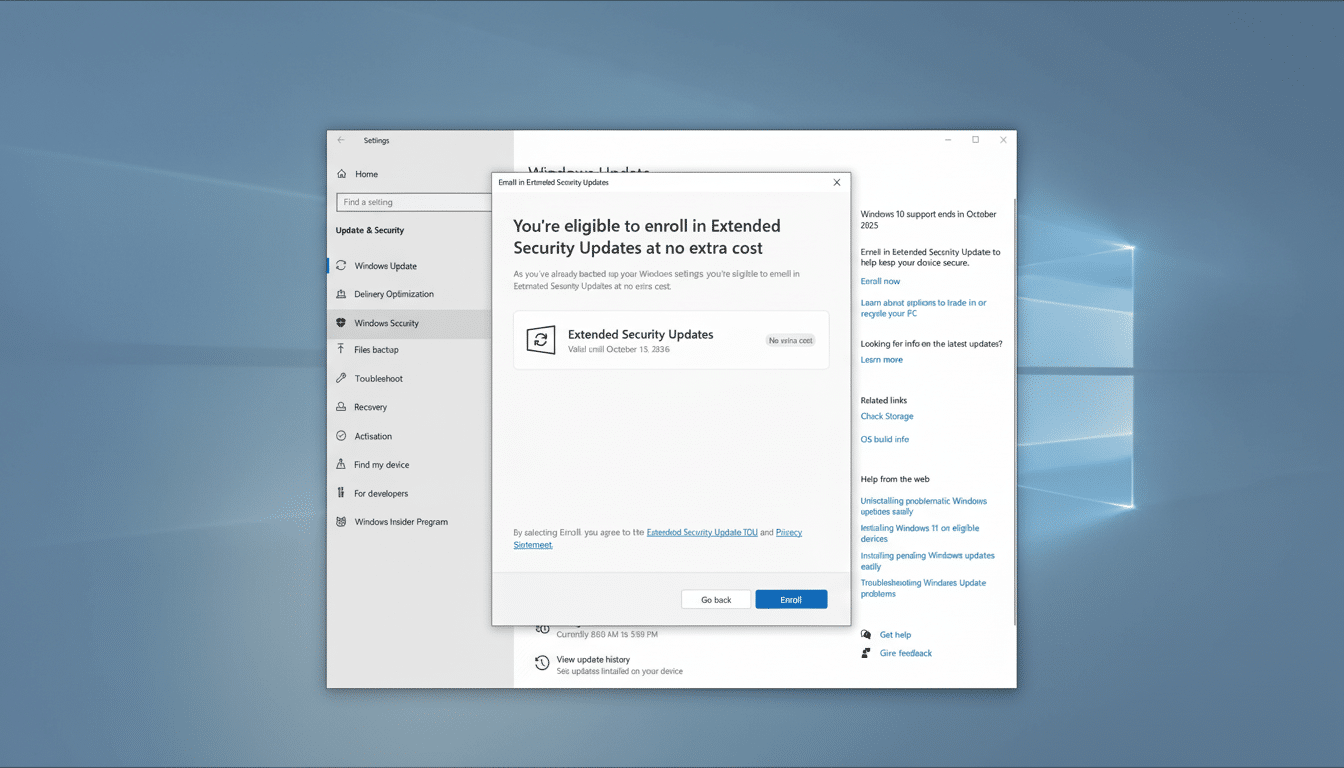
Option 1 – Get Extended Security Updates
Customers can buy one more year of Windows 10 security updates through the Extended Security Updates (ESU) program. The list price for a single PC is $30. Microsoft will also let you pay with Microsoft Rewards points that you earn through daily Bing searches and in tools like Windows Backup, potentially knocking the cost all the way down to zero if you have enough points.
There’s fine print. The consumer ESU gets you only one year. View it more as a bridge to an exit plan — new hardware, supported upgrade, or platform switch — and not as a permanent solution.
Institutions fare better. Customers in the education space can purchase up to three years of ESUs at list price per-device, while businesses can also extend support for up to three years on a per-device basis. Business pricing goes up every year: Long-term ESUs actually cost more than replacing old hardware on many fleets. Those programs have been documented and administered through traditional licensing.
Option 2 – Install Windows 11 on Unsupported PCs
For a lot of older Windows 10 PCs, such an “unsupported” upgrade is perfectly feasible and stable. The usual route is a minor tweak in the registry to skip setup checks, ensuring Secure Boot is on and that TPM is enabled. A TPM 1.2 often suffices. In-place upgrades do tend to go more smoothly when those components are in place.
Older machines—especially Windows 7/8.1-era PCs running in legacy BIOS and those without a TPM—will fare better with a clean install using the Rufus media creation tool, which can sidestep compatibility checks when generating a bootable USB. If the CPU is missing modern instruction sets like POPCNT and SSE 4.2, no amount of tinkering can really save you from that; it’s a hard stop.
Prepare to be warned that your device “will no longer be supported.” In practice, Microsoft is disavowing responsibility, not pledging to take that step. Nonetheless, back up in both cases and realize you will have to reinstall if a later release of the program tightens checks once more.
Option 3 – Replace Your Hardware or Rent a Cloud PC
Letting go of your old computer removes compatibility concerns and it can result in improved performance and efficiency. Today’s systems — including Copilot+ PCs with dedicated NPUs — also enable the latest security features and AI-accelerated workflows. For organizations, swapping out hardware that’s six years old or older is typically more cost-effective than multi-year ESU expenses and also streamlines administration (your accountant can detail depreciation benefits).
Prefer not to buy? Imagine a Windows 365 Cloud PC. It provides you with a full Windows 11 desktop in Microsoft’s cloud (accessible from your Windows 10 device), and offers several years of extended security coverage for the host PC. Monthly and yearly plans start at $30 per month, with payments that can be lower than the total cost of a new device assuming your hardware is usable.

Option 4 – Switch to Linux or ChromeOS Flex
Linux flavors like Linux Mint, Ubuntu, or Zorin OS can bring older PCs back to life with modern security and long support windows. When your workflow hangs out in the browser — Microsoft 365, Google Workspace, web apps, and so on — Windows can be fairly invisible. Test first on a live USB session or dual-boot to check that everything works.
Another free option is ChromeOS Flex, but make sure you check the models that Google certifies are compatible and that your device will be supported until its end-of-life date. If I move from one soon-to-expire platform to another short-lived build, that’s not going to solve it.
Option 5 – Stay Put With Careful Risk Controls
Doing nothing is the most perilous course. Unsupported operating systems, as it happens, are exploit bait; third-party antivirus is not an inoculant against unpatched security holes. If you can’t wait, at least reduce surface area: use a standard (not-admin) account, keep browsers and apps up to date, and (of course!) isolate PCs from sensitive networks (or restrict downloads/plugins).
The 0patch service also provides micropatches for known vulnerabilities that require extra coverage. The personal edition covers a few 0-days for free; the Pro edition offers additional patching at a low per-device annual price. This is a band-aid, not a strategy for any business-critical systems.
How to Choose Quickly Based on Your Situation
If you need some time to prepare, purchase the consumer ESU and set a reminder for your next move. If you’re somewhat technical, and your PC dates from the Windows 10 era, an unsupported upgrade to Windows 11 is often the fastest, cheapest way out. If your CPU is just too old, or you’re looking for a fresh start, you have options: replace the hardware yourself, or give Linux a try. Compare 3-year ESU totals to a hardware refresh and niche scenarios with Windows 365.
One more consideration: sustainability. The U.N. Global E-waste Monitor tells us of tens of millions of tons in electronics dumped each year. However, keeping a capable PC in service for as long as possible — responsibly and securely — also eliminates waste. Regardless of which path you take, back up your data first, check restore points, and do things with some decisiveness.
Microsoft lifecycle documentation, outside audits, and consumer advocacy groups like Consumer Reports all lead to the same conclusion: The status quo is taking its final bow.
Choose a plan and execute it, and don’t allow an unsupported PC to be your weakest link.
