


FK: VMware Alternatives
Organizations increasingly adopt Hyperconverged Infrastructure (HCI) to simplify their IT operations. Specifically, HCI combines compute, storage, and networking into a single, software-defined platform. As a result, it scales easily and reduces management complexity.
- 1. Simpler Architecture Matches HCI’s Unified Design
- 2. Cost Savings Without Licensing Surprises
- 3. Seamless Scaling for HCI’s Modular Growth
- 4. Built-In Security Enhances HCI Resilience
- 5. Easier Operations and Migration Paths
- Market Trends Favor VMware Alternatives in HCI
- Why Sangfor HCI Stands Out as the Top VMware Alternative for HCI
- Conclusion: Choose VMware Alternatives for HCI Success
However, not all virtualization layers work equally well with HCI. VMware alternatives often prove better suited for this architecture. For example, they deliver lower costs, easier management, and stronger integration. This article explains why, step by step, with practical insights.
HCI requires tight resource pooling, linear scaling, and minimal complexity. Traditional VMware setups, with their three-tier dependencies, create unnecessary friction. In contrast, alternatives such as Sangfor HCI streamline everything through a single console. Let’s explore the key reasons now.
1. Simpler Architecture Matches HCI’s Unified Design
HCI eliminates silos by combining resources directly on standard servers. In contrast, traditional three-tier architectures use separate servers, SAN storage, and network switches. These setups add complexity, which VMware increases further through layered licensing and multiple management tools.
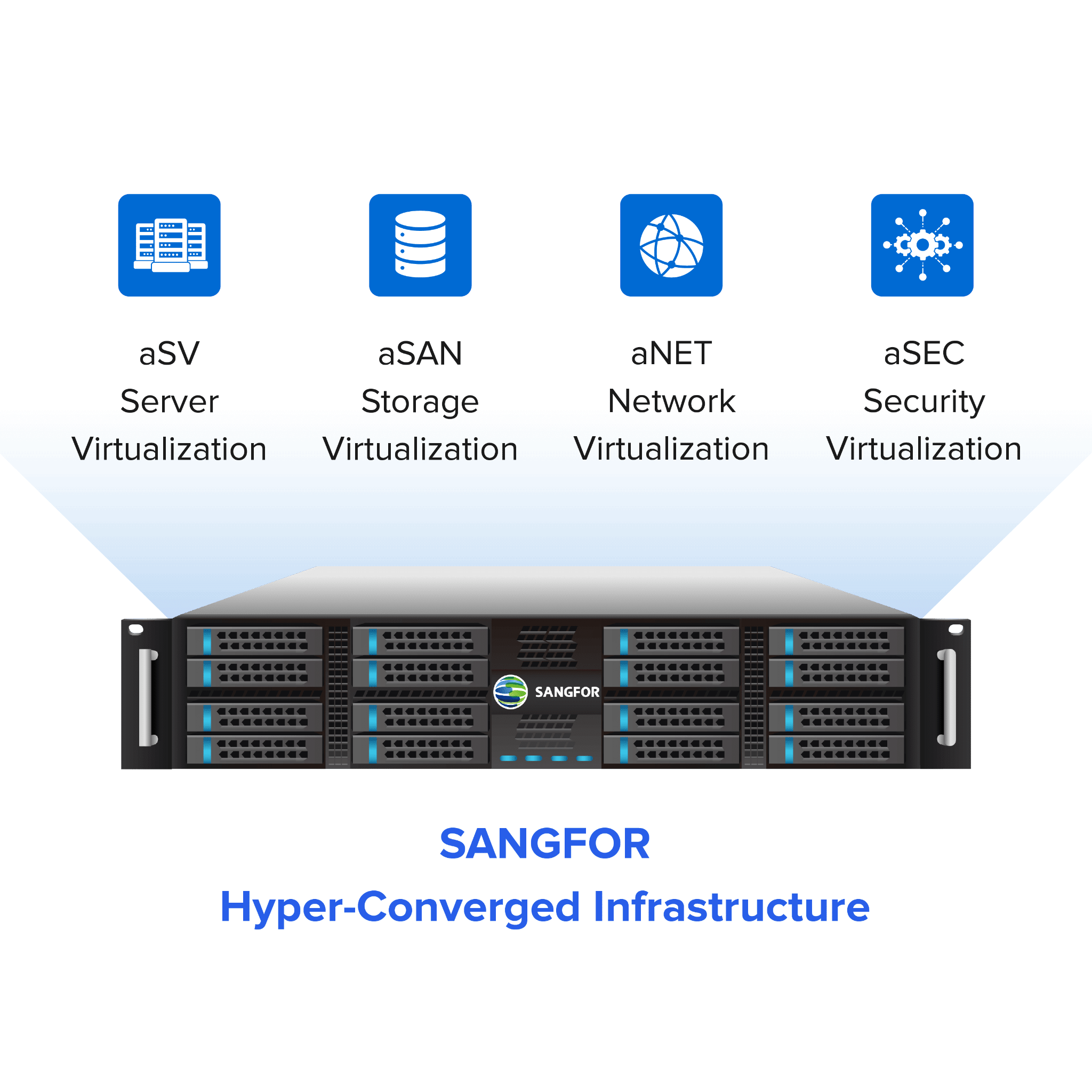
VMware competitors such as Sangfor HCI align much better with the HCI architecture. Specifically, they run natively on HCI nodes without needing external components. For example, Sangfor HCI integrates a hypervisor (aSV), virtual networking (aNET), software-defined storage (aSAN), and built-in security (aSEC) into one unified platform. As a result, it reduces vendor sprawl and speeds up initial setup.
Teams consistently report deployments that are much faster when using HCI-native hypervisors than when using VMware vSphere on converged systems. Therefore, there’s no need to integrate separate tools; everything scales simply as you add more nodes.
2. Cost Savings Without Licensing Surprises
HCI thrives on predictable economics. However, the Broadcom era has induced a subscription-based VMware licensing model. It pushes customers towards buying bundled solutions whether they need them or not.
It also often demands a budget up to 5x of the organization’s existing budget. Enterprises planning HCI deployments are usually compelled to switch as they cannot afford these renewal risks.
In contrast, VMware alternatives offer flexible pricing models. For example, they offer perpetual licenses or per-node pricing. Sangfor HCI delivers transparent costs and cuts the total cost of ownership (TCO) by 40% through the use of commodity hardware and avoiding any mandatory bundles.
Also note that Gartner recognizes Sangfor as a strong VMware alternative for HCI, highlighting smooth transitions without expensive upsells.
From an analytical perspective, HCI with VMware alternatives eliminates costly “forklift” upgrades. Instead, organizations simply add nodes for instant capacity. No SAN expansions or vCenter sprawl required. Studies consistently show that this approach results in 30-60% lower lifetime costs.
3. Seamless Scaling for HCI’s Modular Growth
HCI grows smoothly by adding single nodes. Each new node provides additional computing power, storage space, and network capacity. However, VMware’s setup makes this difficult. Its clustering requires careful manual balancing, and storage licensing depends on the number of processor cores.
In contrast, VMware alternatives scale much more easily. For example, platforms like Sangfor HCI automatically balance workloads across all nodes. They natively support virtual machines, containers, and Kubernetes. This works perfectly for HCI deployments everywhere, from remote offices to main data centers.
Can HCI Help Reduce Downtime?
Real-world proof shows this clearly. Malaysian government agencies switched from VMware to Sangfor HCI with zero downtime. They gained better performance through automatic data organization and graphics processing support—features missing from VMware’s basic versions.

4. Built-In Security Enhances HCI Resilience
HCI combines all resources into one system. Therefore, strong zero-trust security becomes essential. VMware depends on expensive add-ons like NSX, which significantly increase costs.
In contrast, VMware alternatives build security directly into the platform. For example, Sangfor HCI includes microsegmentation, encryption, and Athena security tools (network detection, extended detection, and secure access). As a result, security policies work natively and reduce vulnerabilities across HCI clusters.
HCI also brings specific advantages. Automated high availability, data replication, and erasure coding come as standard features. No extra purchases needed. VMware alternatives like Sangfor even predict SSD drive failures and automatically repair damaged sectors before problems occur.
5. Easier Operations and Migration Paths
HCI focuses on simple, single-window management. However, VMware’s multiple tools, such as vCenter and vRealize, can overwhelm IT administrators working with HCI.
Meanwhile, VMware alternatives make operations much easier. For example, Sangfor HCI uses one console to handle provisioning, backups, disaster recovery, and Kubernetes management. It also includes multi-tenant access controls, which work well for service providers running HCI.
Market Trends Favor VMware Alternatives in HCI
Market forecasts for 2026 predict strong growth for HCI in enterprise infrastructure. This growth comes mainly from organizations switching away from VMware. While competitors like Nutanix and Proxmox perform well, Sangfor stands out particularly for small and medium businesses. It offers excellent all-in-one value.
Recent Broadcom licensing changes have sped up migrations significantly. In fact, they accelerated 60% of transitions to alternatives like HCI.
Why Sangfor HCI Stands Out as the Top VMware Alternative for HCI
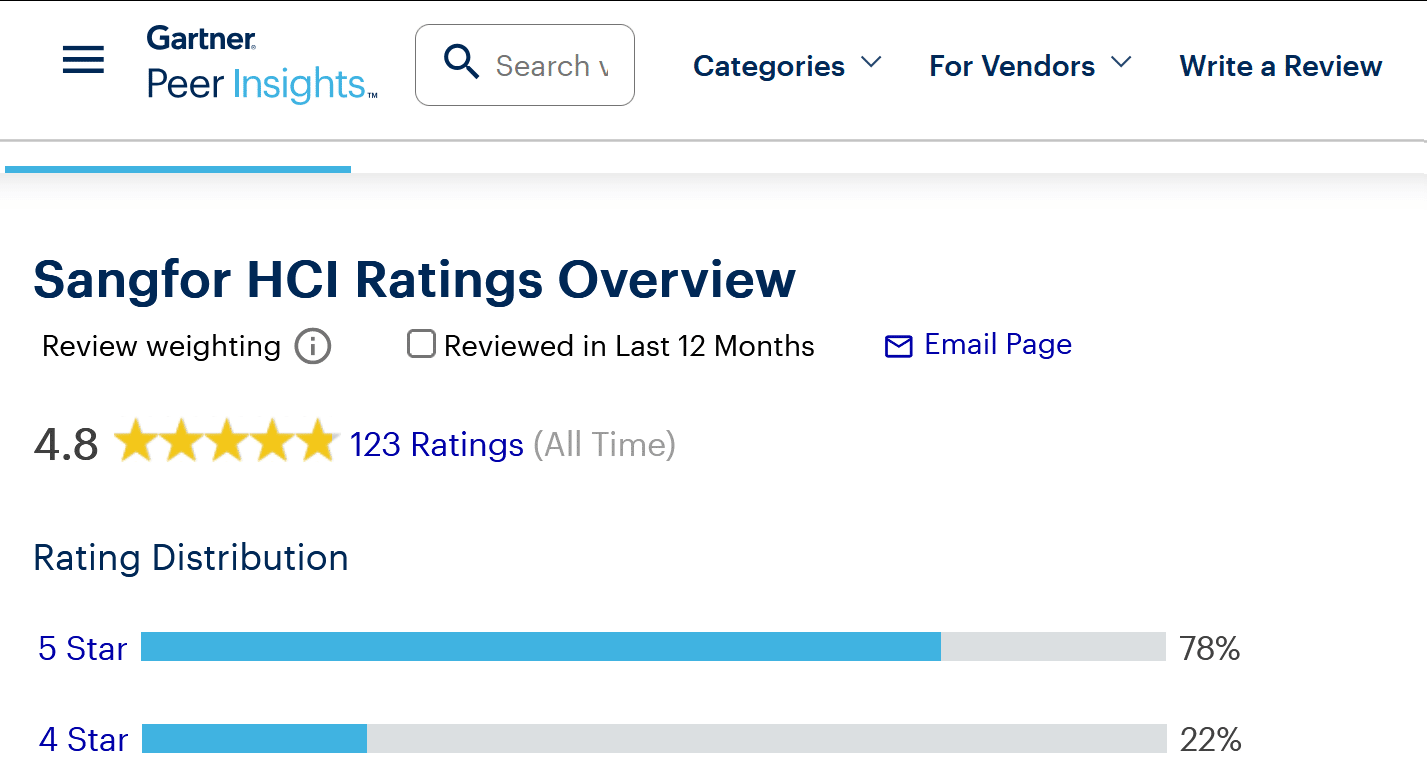
Sangfor leads HCI virtualization. Trusted by 100,000+ customers across 70+ branches, it invests 20% of revenue in R&D (3,000+ patents). Gartner Peer Insights rates it highly for full-stack HCI.
Key edges over VMware:
| Feature | VMware vSphere/vSAN | Sangfor HCI |
| Licensing | Subscription-only, core-based | Perpetual/per-node, flexible |
| Performance | Premium add-ons needed | Built-in tiering, vGPU standard |
| Management | Multiple consoles | Single pane (lifecycle/DR/K8s) |
| Security | NSX extra | Athena integrated (zero-trust) |
| TCO Reduction | Higher with renewals | 40%+ savings |
| Migration | Complex tools | Zero-downtime native |
Case in point: Nishat Emporium Mall simplified edge HCI with Sangfor, ditching VMware silos for automation and HA. Market forecasts confirm: HCI grows 25%+ yearly as VMware alternatives dominate hybrid setups.
Conclusion: Choose VMware Alternatives for HCI Success
HCI transforms IT operations completely. However, VMware’s old approach creates problems that slow it down. VMware alternatives solve these issues perfectly. They bring simplicity, cost savings, and strong security.
Sangfor HCI stands out as the best option. Industry experts like Gartner validate it, and thousands of customers prove it works well.
