


When a living room has no clear TV wall, the best alternatives are often a short wall section, an unused corner, or a position beside a window or fireplace. The right choice depends on where people sit, how they move through the room, and whether the television can be supported without blocking other features.
A large, uninterrupted wall is not essential for a comfortable TV setup. In many living rooms, working with the existing layout is more practical than rearranging the furniture or forcing the television into a conventional entertainment wall arrangement.
- Start With the Main Viewing Position
- Make Use of Short Walls and Unused Corners
- Work Around Windows and Fireplaces
- Check Whether the Placement Works in Daily Use
- Choose a Setup That Works With the Room
- How to Set Up a Soundbar and Gaming Console on a TV Stand
- Plan Where Each Device Will Sit
- Position the Soundbar for Clear Audio
- Give the Gaming Console a Stable, Ventilated Position
- Connect the Soundbar and Console, Then Organize the Cables
- Bring the Screen, Sound, and Gaming Equipment Together
- Upgrading Your TV? When You Can Reuse the Same TV Stand
- Check the Condition of Your Existing TV Stand
- Confirm Compatibility With the New TV
- Adjust the Setup for the New Screen
- Install the New TV and Test the Setup
- Make the Upgrade Work With Your Space
- Rolling TV Stands on Carpet and Hard Floors: What to Check
- How Carpet and Hard Floors Change the Way a Stand Moves
- Make the Transition Between Surfaces Work
- Give Each Viewing Position a Stable Base
- Make the Rolling Setup Fit Your Living Space
- How to Measure a Room Corner Before Choosing a TV Stand
- Measure the Usable Space Along Both Walls
- Allow for the Stand Base and the TV Screen
- Check the Viewing Angle and Surrounding Clearance
- Bring the Corner Measurements Into the Final Setup
- TV Placement With an L-Shaped Sofa: Making a Corner Setup Work
- Let the Sofa’s Seating Pattern Guide the TV Position
- Choose a Corner That Opens Toward the Seating Area
- Adjust the Screen Angle and Height for Both Sections
- Keep the Space Around the Sofa Functional
- Bring the Corner Setup Together
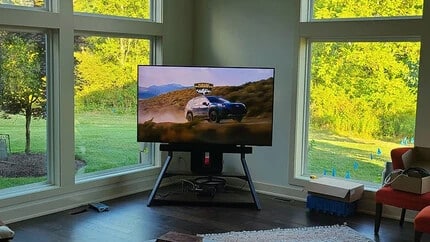
Start With the Main Viewing Position
Before deciding where the television should go, identify where it will be watched most often.
If the living room has one main sofa, the screen should ideally face that seating position without requiring viewers to turn their heads significantly. In rooms with multiple seating areas, it may be necessary to prioritize the seat used most frequently rather than trying to provide an equally direct view from every position.
The sofa’s orientation often reveals possible TV locations that are not immediately obvious.
For example, an L-shaped sofa may face the intersection of two walls rather than either wall directly. In that situation, placing the TV near the corner could provide a more balanced viewing angle than positioning it along one side wall.
Walking routes are equally important. A television may face the sofa perfectly but create an obstacle between the doorway and the rest of the room. Check where people regularly pass before treating any available floor space as a suitable TV location.
The goal is to find a position that provides comfortable viewing while preserving the room’s normal circulation.
Make Use of Short Walls and Unused Corners
A living room may have several walls but none wide enough for a traditional entertainment center. Short wall sections and corners can provide alternatives without requiring major changes to the furniture layout.
Using a short wall section
The space between a doorway and a window may be too narrow for a large media console, but it could still accommodate a television with independent support.
This works particularly well when the room does not need extensive storage below the TV. Instead of choosing a cabinet that occupies most of the available wall, homeowners can consider tv stands with a compact footprint that supports the screen without requiring a wide piece of furniture beneath it.
However, the television itself may be wider than the stand beneath it. Measure the screen’s actual width and check whether it would interfere with nearby curtains, doors, or furniture.
A short wall does not have to align perfectly with the center of the sofa. If the viewing position is slightly off-center, a stand with suitable swivel adjustment may help direct the screen toward the seating area without moving the furniture.
Making an unused corner work
Corners can be particularly useful when doorways and windows interrupt the available wall space.
Placing the television diagonally across a corner may create a better viewing angle while keeping the central floor area open. This arrangement can suit an L-shaped sofa or two seating sections positioned perpendicular to each other.
The main challenge is the supporting furniture. A rectangular media console positioned diagonally can leave a large gap behind it while extending farther into the room than expected.
A compact floor stand or corner-oriented design may use that space more efficiently. Compare the base dimensions with the available corner area, and check how far the screen will project into the room.
The television should remain accessible for connections and adjustments rather than being pushed tightly against the corner simply to save space.
Work Around Windows and Fireplaces
Windows and fireplaces often occupy the wall sections that would otherwise provide convenient television locations. Rather than treating these features as obstacles that must be covered, consider whether the screen can sit alongside them.
Placing the TV near a window
When large windows dominate a living room, positioning the television beside one can preserve natural light while providing a usable viewing area.
This arrangement works best when the screen does not block window operation, curtains, or access for cleaning.
If the only practical position is directly in front of a window, independent floor support may provide an alternative to wall mounting. However, the available floor space and daylight conditions need closer attention.
A bright window behind the screen can make viewing less comfortable, while a window opposite the television may create reflections. Check the proposed position from the sofa during the brightest part of the day before finalizing the layout.
Positioning the TV beside a fireplace
A fireplace often occupies the most prominent wall in the room, making the area above it seem like the obvious place for a television.
However, mounting the screen above the mantel may create an uncomfortable viewing height. Heat exposure and installation requirements can also make the arrangement less practical.
If sufficient space exists beside the fireplace, a freestanding stand can position the screen closer to seated eye level without requiring it to be mounted above the firebox.
This allows the fireplace to remain a visual focal point while the TV occupies a position better suited to everyday viewing. The two features do not need to be perfectly symmetrical, provided the screen faces the main seating area comfortably.
Whatever support is used, follow the fireplace manufacturer’s clearance requirements and keep the television and cables away from excessive heat.
Check Whether the Placement Works in Daily Use
A television location may look suitable on a floor plan but become inconvenient once the screen and supporting furniture are installed.
Before finalizing the arrangement, check the actual space required by the complete setup rather than measuring only the television.
The stand’s base should fit without extending into a main walking route. Nearby doors, drawers, and windows should remain usable, and there should be enough clearance for cables and connections behind the screen.
Power access can also determine whether a position is practical. A television placed in an open corner or away from a wall still needs a safe cable route. Avoid arrangements that require power or signal cables to stretch across frequently used walking areas.
If the screen needs to swivel, leave enough space for the adjustment and make sure connected cables are not pulled tight. A movable support is only useful when the surrounding layout allows that movement.
For freestanding setups, confirm that the stand supports the television’s screen size, weight, and VESA mounting pattern. Check the available height adjustments against the main seated viewing position rather than assuming the screen will sit at a comfortable level automatically.
Finally, test the location from the sofa and walk through the room as you normally would. A position that offers a good view but repeatedly gets in the way is unlikely to remain convenient.
Choose a Setup That Works With the Room
A living room without a dedicated TV wall does not necessarily require major furniture changes. The better approach is to use the available space in a way that supports comfortable viewing without interfering with how the room functions.
A short wall may work with a compact freestanding stand, while a corner can provide a more balanced viewing angle. Positions beside windows or fireplaces can also be practical when clearance, light, and heat are properly considered.
For rooms where wall mounting or a traditional media cabinet would restrict placement, FITUEYES offers freestanding TV solutions that allow the screen to be positioned independently of large furniture or permanent wall installations.
The most suitable arrangement is not necessarily the one that makes the television look most centered. It is the one that gives the main seating area a comfortable view while keeping the rest of the living room accessible and functional.
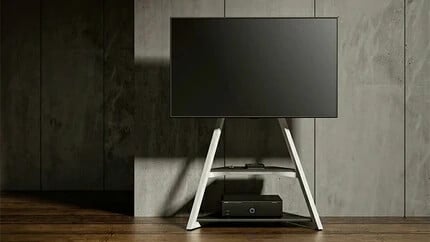
How to Set Up a Soundbar and Gaming Console on a TV Stand
Setting up a soundbar and gaming console on a TV stand involves arranging the devices around the mounted screen, providing suitable support and ventilation, and connecting everything through a manageable cable route. The soundbar should face the main seating area, the gaming console needs a stable and accessible position, and both devices should remain clear of the TV’s adjustable components.
A well-planned setup brings the screen, audio, and gaming equipment together without occupying an unnecessarily large area of the living room. The key is to decide how each device will be supported before making the connections.
Plan Where Each Device Will Sit
Start by looking at the TV stand’s structure and the available space around the screen.
A tv stand with mount supports the television through a mounting bracket, leaving the area beneath the screen available for other equipment. Depending on the design, this space may accommodate an equipment shelf, a compatible soundbar bracket, or an additional mounting accessory.
The most practical arrangement generally places the soundbar directly below the TV and the gaming console on a lower shelf or a suitable equipment holder.
Before installation, check the dimensions of both devices and identify the available attachment points on the stand. Pay particular attention to:
- Shelf dimensions: Check the usable width and depth, including space for plugs and ventilation.
- Mounting compatibility: Confirm that any soundbar bracket, equipment shelf, or console holder is compatible with the TV stand and its mounting arrangement.
- Weight capacity: Verify the load limit of the relevant shelf or accessory and the overall capacity of the stand.
- Screen adjustment: Allow clearance for the TV’s intended height, swivel, and tilt adjustments.
Planning these positions together makes it easier to keep the equipment organized and accessible once everything is connected.
Position the Soundbar for Clear Audio
The soundbar’s position affects both sound delivery and how neatly the equipment fits beneath the television.
For most living room setups, placing the soundbar horizontally below the TV is a practical starting point. Its front-facing speakers should point toward the main seating area, with enough space above and around the unit for its intended sound output.
Using an equipment shelf
If the TV stand has a suitable shelf, position the soundbar near the front edge while keeping its entire base securely supported.
Check the distance between the soundbar and the bottom of the television. The soundbar should sit low enough to keep the picture and remote-control sensor unobstructed.
For models with upward-firing speakers, follow the manufacturer’s clearance requirements so that nearby surfaces do not interfere with the intended sound projection.
Using a soundbar mounting bracket
A compatible soundbar bracket provides another way to position the speaker directly beneath the screen.
Depending on the bracket and TV stand design, it may attach through an approved mounting arrangement that supports the soundbar in relation to the television.
This approach can help maintain consistent alignment between the picture and soundbar when the screen swivels. Check the bracket’s weight limit, attachment requirements, and clearance around the TV before installation.
In either arrangement, the soundbar should remain secure and have accessible power and audio connections.
Give the Gaming Console a Stable, Ventilated Position
A gaming console needs sufficient ventilation and easy access to its connections. Its location should also allow controllers, charging cables, and external accessories to be used conveniently.
A lower equipment shelf is a practical option for many TV stand setups.
Position the console according to the manufacturer’s approved horizontal or vertical orientation. Allow the specified clearance around its ventilation openings and leave room behind the device for HDMI and power connections.
The console’s dimensions are important here. A shelf may provide enough width for the device while offering limited space for rear cables or airflow. Measure the complete arrangement, including the cables and the console’s required clearances.
A compatible console holder can also provide dedicated support in an appropriate position on the stand. Some accessory designs secure the console beside or behind the television support, helping keep the equipment together.
When selecting an accessory, check its attachment method, load capacity, and compatibility with the console. The installed position should preserve airflow and allow access to frequently used ports.
Think about how the console will be used.
For a console with a disc drive, leave enough space to insert and remove discs comfortably. If USB ports or other connections are used regularly, orient the device so these remain accessible.
The resulting arrangement should make everyday gaming convenient while keeping the console securely supported throughout use.
Connect the Soundbar and Console, Then Organize the Cables
Once the devices are positioned, connect them and confirm that everything works before securing the cables along the TV stand.
A common arrangement uses separate HDMI connections for audio and gaming:
- Connect the soundbar to the TV. Use the television’s HDMI ARC or eARC port when supported by both devices. An optical connection may also be available, depending on the equipment.
- Connect the gaming console to the TV. Use a suitable HDMI input and cable for the console’s supported video output. For features such as 4K at higher refresh rates, verify the relevant TV port and settings.
- Connect the power cables. Route them toward an appropriately located outlet, keeping the power connections accessible.
- Test the setup. Confirm that the console displays correctly, sound plays through the soundbar, and the television responds normally to adjustments.
After testing the connections, route the cables along the stand’s vertical support or designated cable-management channels.
Cable clips or reusable ties can help keep the HDMI, audio, and power cables grouped neatly. Leave enough slack near the screen and connected accessories for any intended swivel, tilt, or height adjustment.
Where the stand has moving joints or adjustable mounting components, guide the cables along fixed sections and provide clearance around those mechanisms.
It also helps to keep frequently disconnected cables accessible. A gaming console may occasionally need a controller charging cable, an external drive, or a different HDMI connection, so those ports should remain easy to reach.
Before completing the installation, move the television through its intended adjustment range and check that the connections remain secure.
Bring the Screen, Sound, and Gaming Equipment Together
A practical entertainment setup comes from coordinating the television, soundbar, and gaming console around the same viewing area.
The soundbar should deliver audio toward the seating position, while the gaming console needs suitable support, ventilation, and accessible connections. Compatible shelves and mounting accessories can help organize these devices around the television without requiring a large media cabinet.
For living rooms where screen placement and a lighter furniture footprint are priorities, FITUEYES offers freestanding television solutions with different support structures and viewing adjustments. The choice of stand can be guided by the screen’s mounting requirements, the equipment arrangement, and the available space.
Once the devices are securely positioned and the connections are organized, the entire setup becomes easier to use and maintain. A coordinated arrangement keeps the picture, sound, and gaming equipment working together while preserving a clean, functional living room layout.
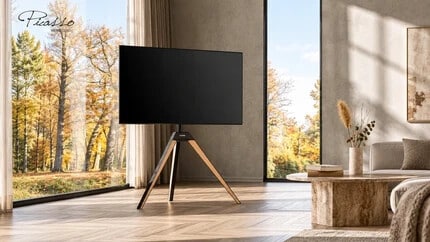
Upgrading Your TV? When You Can Reuse the Same TV Stand
You can reuse your existing TV stand when it remains in good condition, supports the new television’s weight, size, and mounting pattern, and provides enough space for the updated screen. In many cases, upgrading the television only requires adjusting the mounting position and connections rather than replacing the entire stand.
The easiest way to make that decision is to check the stand’s condition first, confirm compatibility with the new TV, and then review the changes needed for installation. This helps determine whether the current setup can accommodate the upgrade safely and comfortably.
Check the Condition of Your Existing TV Stand
Before comparing specifications, inspect the stand that has been supporting your current television.
Start with the base and main support structure. Look for visible bending, cracks, corrosion, or damage around the connections between components. The base should sit evenly on the floor, and the upright support should remain securely attached.
Next, examine the mounting bracket and its fasteners. Check for loose or missing parts, damaged mounting holes, and signs of wear around adjustable connections.
If the stand includes swivel, tilt, or height-adjustment mechanisms, check that they operate properly and can be secured in their intended positions.
Pay particular attention to parts that have been adjusted frequently or have remained under load for several years. Structural damage, unreliable locking mechanisms, or missing essential components should be resolved according to the manufacturer’s guidance before the stand is reused.
Once the stand is confirmed to be in suitable condition, locate its model number and original specifications. The product manual or manufacturer’s documentation will provide the information needed for the next compatibility checks.
Confirm Compatibility With the New TV
A TV stand in good condition can continue supporting a replacement television when the new model falls within its specified mounting and load limits.
A universal tv stand typically offers mounting positions designed to accommodate different television models. The exact compatibility range depends on the stand’s structure and mounting bracket.
Three specifications determine whether the new screen is suitable.
VESA mounting pattern
VESA describes the horizontal and vertical spacing between the mounting holes on the back of a television.
For example, a TV with a 200 × 200 mm VESA pattern needs a bracket that supports that hole spacing. A new television may use a different mounting pattern even when its diagonal screen size is similar to the previous model.
Check the new TV’s specified pattern against the stand’s supported VESA range. If the mounting bracket uses adjustable arms or multiple mounting positions, identify the configuration required for the replacement screen.
Television weight
Compare the new television’s weight, excluding its original tabletop feet, with the stand’s maximum supported TV weight.
Two televisions of similar size can have different weights because of their construction and display technology. The manufacturer’s published weight specifications provide the appropriate values for comparison.
Include any additional equipment attached to the mounting assembly when checking the applicable load limits.
Supported screen size
Finally, confirm that the new television falls within the stand’s stated screen-size range.
This matters particularly when upgrading to a substantially larger screen. The stand’s rated range accounts for its intended mounting configuration and the physical dimensions of compatible televisions.
Once all three specifications match, the next step is to check how the new screen will fit into the existing room arrangement.
Adjust the Setup for the New Screen
A larger television may use the same mounting bracket while occupying considerably more space around it.
Start by comparing the overall height and width of the new screen with the previous television.
If the replacement is taller, maintaining the original mounting position may change the height of the screen’s center. Adjust the bracket position where the stand allows, aiming for a comfortable viewing angle from the main seating area.
Next, check the space beneath the television.
A larger screen may extend closer to a soundbar, equipment shelf, or gaming console. Measure the distance between the screen’s lower edge and the equipment to determine whether the mounting height needs adjustment.
The wider screen may also affect clearance beside nearby furniture.
For stands positioned in corners or between cabinets, check the new TV’s full width against the available space. If the stand supports swivel adjustment, allow enough clearance for the television to turn through the range used in the room.
Connection locations may change as well. HDMI ports, power inputs, and other connections can sit in different positions on the new television.
Review the available cable lengths and identify a route that accommodates the new connections while preserving the stand’s intended adjustments.
These checks help establish the final mounting position before the replacement television is installed.
Install the New TV and Test the Setup
With the stand inspected, compatibility confirmed, and mounting position planned, the existing setup is ready for the television replacement.
Begin by disconnecting the old television’s power and external devices. Remove the screen using the stand manufacturer’s disassembly instructions, with appropriate assistance for lifting and handling.
Once the old television is removed, examine the mounting bracket and prepare the hardware required for the new screen.
The replacement TV may require different mounting screws or spacers. Use the hardware specified for the new television and compatible mounting bracket, following the required screw dimensions and installation instructions.
Adjust the bracket arms or mounting positions to match the new VESA pattern, then secure the new television according to the manufacturer’s installation sequence.
After installation, complete several practical checks:
- Mounting security: Verify that the bracket is properly engaged and the required fasteners and locking components are secure.
- Stand stability: Confirm that the base rests firmly on the floor and the assembled setup meets the manufacturer’s requirements.
- Viewing position: Check the screen height and angle from the main sofa.
- Adjustment clearance: Test the intended swivel or tilt range while checking clearance around nearby furniture.
- Cable connections: Reconnect external devices and route the cables with enough slack for the available adjustments.
Install or retain any manufacturer-specified safety and anti-tip accessories.
Once these checks are complete, the television can be tested in its normal viewing position, including any connected audio or gaming equipment.
Make the Upgrade Work With Your Space
Reusing a TV stand can make a television upgrade more straightforward when the existing support remains in good condition and meets the replacement screen’s requirements.
The stand’s structural condition establishes whether it is suitable for continued use, while VESA compatibility, weight capacity, and supported screen size determine whether it can accommodate the new television. Adjusting the mounting position and surrounding equipment then helps the upgraded screen fit the room.
For upgrades that require a different mounting range or support configuration, FITUEYES offers freestanding TV stands with various weight capacities, height adjustment options, and swivel or tilt features on select models. These options help accommodate different television sizes while allowing the screen to be positioned at a comfortable height and viewing angle within the existing room layout.
A successful upgrade brings the new screen, its supporting structure, and the viewing area together. When each part of the setup is checked in the right order, the television can be updated while retaining the practical arrangement of the living room.
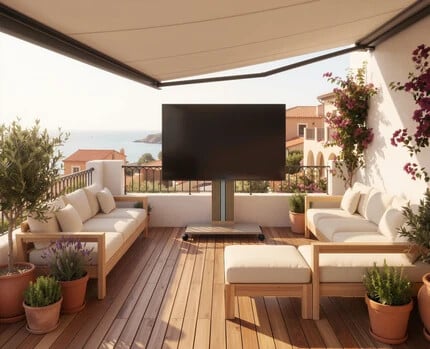
Rolling TV Stands on Carpet and Hard Floors: What to Check
Rolling TV stands can be used on both carpet and hard floors when their wheels are suited to the surfaces and the stand has a stable place to stop. Hard floors generally allow smoother movement, while carpet creates more resistance, especially when the pile is thick or the padding underneath is soft.
The difference becomes important when a television moves between rooms or across different flooring in the same living area. Choosing the right setup means considering how the stand will travel, where it will turn, and what happens once it reaches its viewing position.
How Carpet and Hard Floors Change the Way a Stand Moves
Imagine moving a television from a hardwood floor into a carpeted seating area. On the hardwood, the wheels may roll easily with little effort. As they reach the carpet, movement becomes slower because the fibers compress beneath the load.
The amount of resistance depends on the carpet itself. A firm, low-pile carpet generally provides a more consistent rolling surface, while a thick, plush carpet allows the wheels to sink farther. Soft padding underneath can increase resistance even when the carpet does not appear particularly thick.
This difference is often most noticeable when turning. On smooth flooring, swivel casters can change direction relatively easily. On carpet, they must rotate against the resistance of the fibers while carrying the weight of the television and stand.
Wheel construction therefore matters. Larger wheels generally pass over minor surface irregularities more easily, but diameter alone does not establish carpet compatibility. Wheel material, width, and the manufacturer’s supported flooring conditions should also be considered.
When comparing rolling tv stands for a room with mixed flooring, pay particular attention to the carpeted portion of the route. A model suited to that surface can make movement between the two areas more practical.
Hard flooring presents different considerations. Hardwood and laminate benefit from clean, floor-appropriate casters, while tile joints and uneven edges can interrupt movement. The condition of the actual floor matters alongside the wheel specifications.
Make the Transition Between Surfaces Work
In a room with both hardwood and carpet, the most difficult point may be where the surfaces meet.
A raised transition strip can interrupt the wheels just as the stand moves from the smooth floor onto the more resistant carpet. A loose rug edge can create a similar problem.
The route should therefore be examined as one continuous path. A flat, secured transition makes movement easier, provided it falls within the stand’s permitted operating conditions. Raised thresholds or substantial height differences may require a different route.
Furniture placement can complicate the transition as well.
For example, a stand may pass comfortably between a sofa and coffee table on hardwood but need additional space to turn once it reaches the carpet. Slower caster rotation and the television’s width can make that turn more demanding.
Measure the narrowest passage using both the base dimensions and the screen’s overall width. Allow enough space for the stand to change direction gradually.
Before moving, disconnect power and signal cables as directed by the manufacturer, release the wheel locks, and clear the path. Guide the stand slowly using the recommended handling points, particularly around turns and floor transitions.
Planning one practical route between regular viewing positions makes everyday repositioning much easier.
Give Each Viewing Position a Stable Base
Once the television reaches its destination, the priority changes from easy rolling to secure positioning.
On hardwood or tile, a level surface and properly engaged wheel locks help keep the stand stationary. Smooth floors generally provide less resistance to rolling, making the locking mechanism especially important.
On carpet, the wheels may settle into the fibers under the stand’s weight. The firmness of the carpet and its padding affect how evenly the base is supported. A level area with consistent support beneath the casters is preferable for regular viewing.
The position should also provide enough clearance for the screen and nearby furniture. If the stand includes swivel or tilt adjustment, its intended movement needs to remain unobstructed after parking.
Cable access completes the arrangement. A power outlet close to each regular viewing position allows the television to be reconnected without running cables across a walkway.
Together, suitable floor support, engaged wheel locks, and a practical connection point make each destination ready for everyday use.
Make the Rolling Setup Fit Your Living Space
A rolling TV stand is most useful when its movement matches the way the room is arranged. A television that regularly travels between hard flooring and a carpeted seating area needs appropriate casters, a manageable route, and secure stopping positions on both surfaces.
FITUEYES offers rolling TV stand designs with different weight capacities, screen-size compatibility, and adjustable viewing features. Selected models are suited to hard floors and low-pile carpets, giving households options for flexible television placement.
The right arrangement brings movement and viewing together. When the wheels suit the flooring and the destination provides stable support, the television can move between spaces conveniently while remaining comfortably positioned for everyday use.
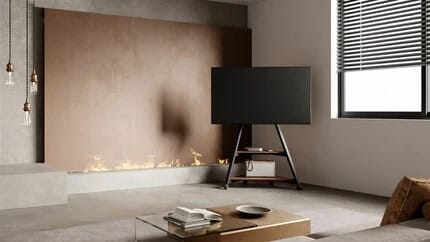
How to Measure a Room Corner Before Choosing a TV Stand
To measure a room corner for a TV stand, start with the available floor space along both walls, then check the stand’s base dimensions, the television’s full width, and the viewing angle from the sofa. The stand needs enough room to sit securely, while the screen must clear nearby walls, furniture, and doorways.
A corner that looks spacious may become more restrictive once a television is positioned diagonally across it. Measuring the floor area and screen clearance separately helps establish how much space the complete setup will occupy.
Measure the Usable Space Along Both Walls
Begin at the point where the two walls meet. Measure outward from the corner along each wall, stopping at anything that limits the available space, such as a doorway, cabinet, radiator, or window that extends close to the floor.
Record both measurements rather than treating the corner as a single area.
For example, one wall may offer 40 inches of clear space while the other provides only 28 inches before reaching a doorway. The shorter side may limit how far the television or its support can extend, particularly when the screen faces diagonally into the room.
Next, measure how much floor depth is available in front of the corner. This is the space between the walls and the nearest furniture or regular walking route.
A corner beside a sofa may offer plenty of wall length but limited floor depth. In that situation, the stand’s base needs to fit without extending into the space people use to walk around the seating area.
Check the angle between the walls as well. Most corners are approximately 90 degrees, but room layouts with angled walls or irregular architectural features may require a different stand position.
These measurements establish the usable area before the television’s dimensions are considered.
Allow for the Stand Base and the TV Screen
The stand and television occupy different amounts of space, so both need to be measured.
Start with the base dimensions. A corner-oriented stand may have a triangular or compact footprint designed to sit closer to the wall intersection, while a conventional rectangular base may project farther into the room when positioned diagonally.
When comparing a corner tv stand, use the manufacturer’s base measurements to mark its intended position on the floor with removable tape.
This gives a clearer picture of how much space the support will occupy and whether it leaves enough clearance around nearby furniture.
The next measurement is the television’s actual width.
TV sizes are measured diagonally, so a 55-inch television is not 55 inches wide. A typical 55-inch 16:9 screen is approximately 48 inches wide, although the complete dimensions vary by model.
That width matters because the television usually extends beyond the stand’s central support.
If the TV faces outward from the corner, its left and right edges may approach the adjacent walls or nearby furniture. The mounting position determines how much clearance remains.
Use the screen’s actual dimensions to mark its expected position above the base. This helps reveal whether the television will fit at the intended angle before installation.
Check the Viewing Angle and Surrounding Clearance
Once the base and screen fit within the available space, consider how the television will face the seating area.
A corner arrangement often positions the screen diagonally rather than parallel to either wall. The best angle depends on where the sofa sits.
For a sofa facing the corner directly, the television may work well centered across the two walls. If the sofa sits farther along one side of the room, turning the screen slightly toward that seating position may provide a more comfortable view.
You can check this before installation by marking the proposed screen position and sitting in the usual viewing seat. Compare the direction of the screen with your natural line of sight.
If the stand offers swivel adjustment, allow clearance for the television to turn through the angle you expect to use. A wider screen requires more room around its outer edges during adjustment.
The surrounding space matters too. Check whether nearby cabinet doors can open fully, curtains remain accessible, and people can pass comfortably in front of the setup.
Power access should also be considered at this stage. An outlet near the corner can simplify cable routing, provided the cables can reach the television without being stretched across a walking route.
The result should be a position that provides a clear view while leaving the surrounding space functional.
Bring the Corner Measurements Into the Final Setup
With the wall lengths, floor depth, screen width, and viewing angle established, the final step is to match those measurements to a suitable stand.
A compact base may suit a narrow corner, while height and swivel adjustments can help refine the viewing position once the screen is installed. The stand’s supported TV size, weight capacity, and VESA mounting pattern should also match the television.
FITUEYES offers freestanding TV designs for corner placement, including space-saving base configurations and models with adjustable viewing heights and swivel features. These options allow the support structure and screen position to be matched to different room dimensions and seating arrangements.
Before installation, confirm the stand’s actual footprint against the floor markings and check that the complete setup has sufficient clearance.
A well-planned corner TV arrangement makes effective use of available space while keeping the screen comfortable to watch. Accurate measurements help the stand, television, and surrounding furniture work together without requiring major changes to the room.
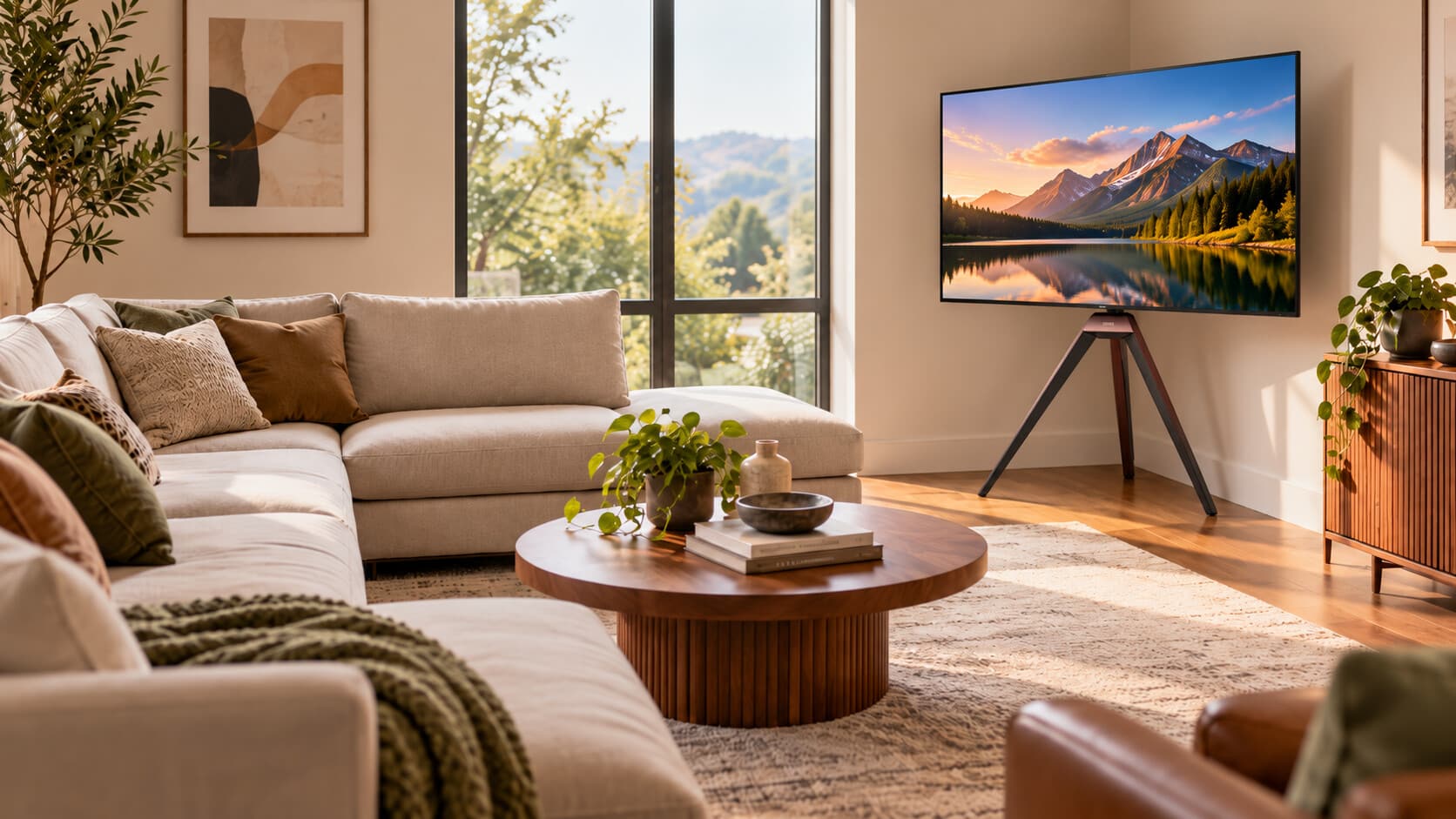
TV Placement With an L-Shaped Sofa: Making a Corner Setup Work
A corner TV setup can work well with an L-shaped sofa when the screen faces the main seating area and remains visible from both sections. The most practical arrangement usually places the television diagonally across a suitable corner, with its angle adjusted to suit the sofa’s orientation and the seats used most often.
An L-shaped sofa creates a different viewing arrangement from a straight sofa because people may face the screen from two directions. The challenge is to position the television so that it feels connected to the seating area without interfering with the chaise, coffee table, or walking space.
Let the Sofa’s Seating Pattern Guide the TV Position
Start by identifying how the two sections of the sofa are actually used.
Some L-shaped sofas have a long section for everyday seating and a shorter chaise used mainly for reclining. Others have two substantial seating sections arranged at right angles, with both used regularly for watching television.
These arrangements call for slightly different screen positions.
With a chaise sectional, the television can usually face the longer seating section, since that is where most upright viewing takes place. The chaise then becomes an additional viewing position rather than determining the direction of the entire setup.
For a sofa with two regularly used seating sections, the television needs a position that offers a reasonable view from both sides. A corner opposite the sofa’s open seating area may provide a more balanced angle than a screen positioned directly along one wall.
Consider where people naturally look when seated. If one section requires a significant sideways turn to see the television, the screen position or direction may need adjusting.
The goal is to establish a comfortable primary viewing direction while keeping the second seating section usable.
Choose a Corner That Opens Toward the Seating Area
Once the main viewing direction is clear, consider which corner gives the television enough room to face the sofa.
A common arrangement places the L-shaped sofa along two adjoining sides of the living room, leaving the opposite area available for the television. Positioning the screen diagonally across a corner can direct it toward the open center of the seating arrangement.
This can also help preserve floor space.
A conventional media console placed diagonally often leaves an unused triangular gap behind the furniture while its front corners extend into the room. Some corner tv stands use compact floor bases that can make this arrangement more practical, particularly when the sofa’s chaise or a coffee table already occupies much of the central area.
The stand should sit far enough from adjacent walls to provide the required screen clearance, while keeping the television within the main seating area’s view.
The location of the sofa’s shorter section matters here. If the chaise extends toward the TV corner, the screen may need to sit slightly farther back or at a different angle to maintain comfortable separation between the furniture.
For a sectional with two full seating sections, orient the screen toward a point between the main viewing positions. This provides a starting angle that can be refined according to which seats are used most often.
Adjust the Screen Angle and Height for Both Sections
A corner location establishes where the television sits, but its final angle determines how comfortably people can watch from the sofa.
Begin with the main viewing seat. The screen should face that position as directly as the room allows, with the center of the picture at a comfortable seated viewing height.
Then check the view from the other section of the L-shaped sofa.
If viewers on the shorter section see the screen at a sharp angle, a stand with swivel adjustment can help refine its direction. This is particularly useful when the main viewing position changes between sitting upright on the longer section and reclining on the chaise.
For example, a television may face the middle of the sofa during shared viewing, then turn slightly toward the chaise when one person watches from that position.
Height adjustment can also help accommodate the arrangement. The television should remain comfortable to view from normal seated positions, with its lower edge clear of nearby equipment or furniture.
When setting the final angle, check the clearance between the screen edges and the surrounding walls. A wider television may need additional space to swivel within a corner.
Keep the Space Around the Sofa Functional
An L-shaped sofa already defines much of the living room’s floor layout, so the television position should work with the remaining space.
The area between the sofa and screen often accommodates a coffee table, while the open side of the sectional may serve as the main route into the seating area.
A corner TV arrangement can help keep these functions separate. Position the stand so its base remains outside the regular walking route, and leave enough room for people to move around the chaise.
Consider the relationship between the screen and nearby windows as well. Daylight reflecting across the television can affect viewing comfort, particularly when the screen faces diagonally across the room. A small adjustment in angle or suitable window coverings may improve visibility.
Power and connected equipment should also fit the arrangement. An outlet near the chosen corner allows cables to follow the wall or stand structure, while approved shelves or mounting accessories can help organize equipment around the television.
These details allow the corner setup to function as part of the seating area rather than becoming an obstacle within it.
Bring the Corner Setup Together
A successful corner TV arrangement works with the shape of the sofa and the way its different sections are used.
The longer seating section often establishes the primary viewing direction, while the shorter section influences the screen’s final angle. A suitable corner position and adjustable support can help bring those viewing positions together without requiring major furniture changes.
For rooms where a large media cabinet would occupy valuable floor space, FITUEYES offers freestanding TV stand designs with space-conscious bases, along with height and swivel adjustments on selected models. These features can help position the television around an L-shaped seating arrangement while keeping the room open and accessible.
The best result is a television that feels naturally connected to the sofa, provides comfortable viewing from the seats used most often, and leaves enough room for everyday movement around the living area.

