


The lamp has become a vase, but the mirror still shows a lampshade. At first glance, the room looks convincingly redesigned. Look behind the new object and the old scene is still there. A successful replacement needs to make sense wherever the changed object appears, including the parts of the photograph that were not named in the request.
Before accepting an AI Photo Editor object swap, find its visible dependencies. A mirror may need a corresponding change even when it sits outside the object itself. PicEditor AI offers text-guided replacement of a named item in a source photo. That makes a useful design candidate possible, but the acceptance decision belongs to the whole scene: does the reflection describe the object now standing in front of it?
A Mirror Can Preserve the Object You Replaced
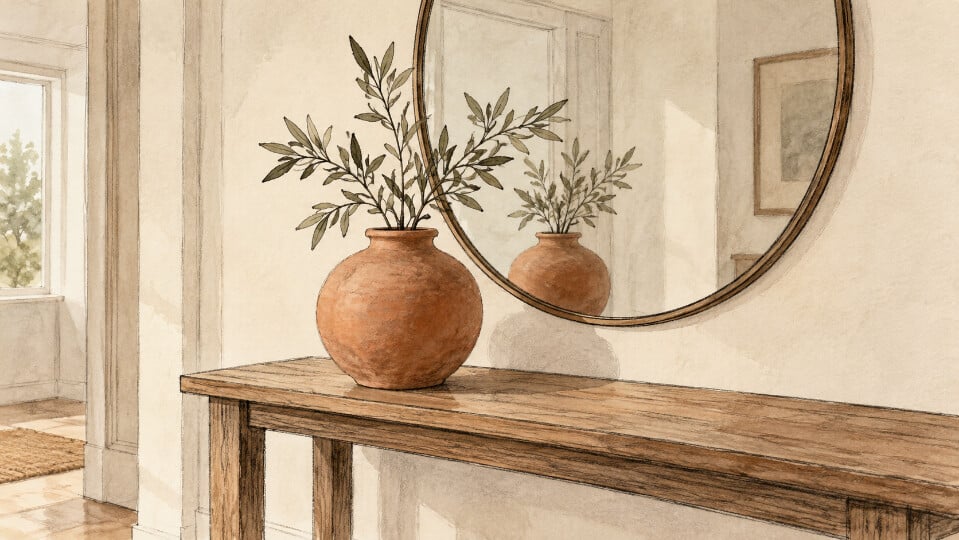
Consider a hypothetical console table with a lamp in front of a wall mirror. Replacing the lamp with a ceramic vase changes the direct view. The mirror contains another view of that same area. If the lampshade remains visible there, the picture now presents two incompatible versions of one arrangement. Sharper texture on the vase will not resolve that contradiction.
This is easy to miss when the new object is the most attractive part of the result. Attention goes to its material and color, then to whether it fits the table. The reflected image can be smaller, darker, or partly hidden. Those qualities make it less prominent without making it less consequential to the credibility of the room.
The issue matters even for a casual decorating concept. A reader comparing two arrangements may interpret the reflected lamp as a second object still present in the room. The visual then communicates a different proposal from the one intended. Describe the candidate as a concept, and still check that the objects within that concept agree with one another.
Map the Visible Traces Before Making the Swap
Start with the source photograph and identify the item to change. Then follow its visible traces: a mirror image, a shadow on the wall, or an overlap with another object. You do not need a complete analysis of the room. You need a short record of the areas that would make the substitution look inconsistent if they retained the old object.
For the lamp example, the reflected shade is an obvious dependency. The shadow beside it may also matter, particularly if the new vase has a different outline. A cable trailing across the table can survive the edit even after the lamp disappears. Note these separately so that a convincing central object does not become the only condition for approval.
Also choose a few fixed features that should remain recognizable. A table corner, mirror frame, and wall junction can help show whether the surrounding room has drifted. These references serve a different purpose from the reflection check. One tests the requested substitution; the other tests whether unrelated parts of the source were changed along with it.
PicEditor AI uses the uploaded photograph as context for the replacement. A clear source gives you a better basis for the request and the later comparison. If the mirror is heavily blurred or the original item is mostly hidden, keep that uncertainty visible in your judgment. An ambiguous source makes a precise approval harder, regardless of how polished the new vase looks.
Describe the Replacement and Its Reflected Appearance
Name both sides of the substitution: replace the table lamp with a rounded ceramic vase. Include the reflected appearance when it is central to the scene. This tells the editing workflow what the finished concept should depict. It does not establish that every dependent area will be changed correctly or that the remaining photograph will stay identical.
In PicEditor AI, use the prompt to state the important relationship plainly. The vase and its mirror image should belong to the same arrangement, while the console and mirror frame retain their role in the room. Avoid stacking several unrelated redesign requests into this first candidate. A new rug, changed wall color, and different lighting can obscure which change caused a problem.
An AI Photo Editor is useful here as a way to explore the proposed replacement, not as an automatic verification step. Generate the candidate, then compare the direct and reflected views before judging its decorative appeal. The acceptance question stays specific even when several versions look attractive.
Keep the source beside the candidate while using a photo editing tool to explore the replacement. The original shows which pale shape was a lampshade and which belonged to the wall. Without that reference, a faint remnant may be mistaken for an intentional feature of the new room.
Read the Reflection Before Admiring the New Object
Begin the review at the mirror. Look for recognizable remains of the old item, such as the lamp’s shade, stem, or bright bulb. Then compare the visible reflected form with the new vase. The two views need not look identical because they show different sides. Compare the recognizable silhouette and material, allowing for what the mirror can actually reveal. If an edge is hidden behind the new vase, record it as unseen rather than assuming it was repaired.
Return to the direct view and check how the vase sits on the console. Inspect its base, nearby overlaps, and any retained cable. These details connect the object to its surroundings. For example, a dark gap beneath the base may make the vase appear suspended even when its reflected outline looks plausible. Record the placement problem separately from the old lampshade.
A photo editing tool may change more than the object you named. Next compare the fixed room features you selected earlier. Has the mirror frame changed shape? Has the table edge shifted? An attractive candidate may have quietly redesigned more of the room than the request called for. Decide whether those changes are acceptable for the concept, and reject them when the proposal depends on preserving the existing setting.
Keep the review note tied to a visible mismatch. “The vase works, but the mirror retains the upper half of the lampshade” is more useful than “make it realistic.” It identifies the next request and prevents an acceptable part of the image from being discarded without reason. Review the next version across the same dependent areas.
- Compare the direct object with its visible reflection.
- Check shadows and remnants of the removed item.
- Revisit fixed room features for unintended changes.
- Read the complete arrangement at its intended display size.
The Room Concept Is Ready When Its Views Agree
PicEditor AI can help explore a different object within a room photograph. Keep the candidate whose direct view, reflected appearance, and surrounding details support the same proposal. That is a stronger basis for choosing a concept than the quality of the replacement object considered alone.
If the mirror still contains the old lamp, refine that relationship or use a simpler visual treatment. Retain the original photograph whenever the actual room matters. A coherent concept can help someone discuss a decorating choice, while the source remains the record of what was there before the edit.

