


WhatsApp is rolling out one of its most-requested iOS upgrades: native support for two accounts on a single iPhone, plus an AI-powered Writing Help tool that drafts replies you can edit before sending. The update aligns iPhone users with a capability Android picked up earlier, and it layers in new AI features designed to reduce typing time and sharpen photos.
What dual accounts mean on iPhone for everyday use
For years, iPhone owners juggling work and personal numbers resorted to WhatsApp Business or clunky workarounds. Now, WhatsApp lets you run two accounts side by side within the same app—no logouts, no clones, and no third-party hacks. A small profile photo in the composer clearly shows which account you’re using, a small but critical touch to prevent sending a message from the wrong number.
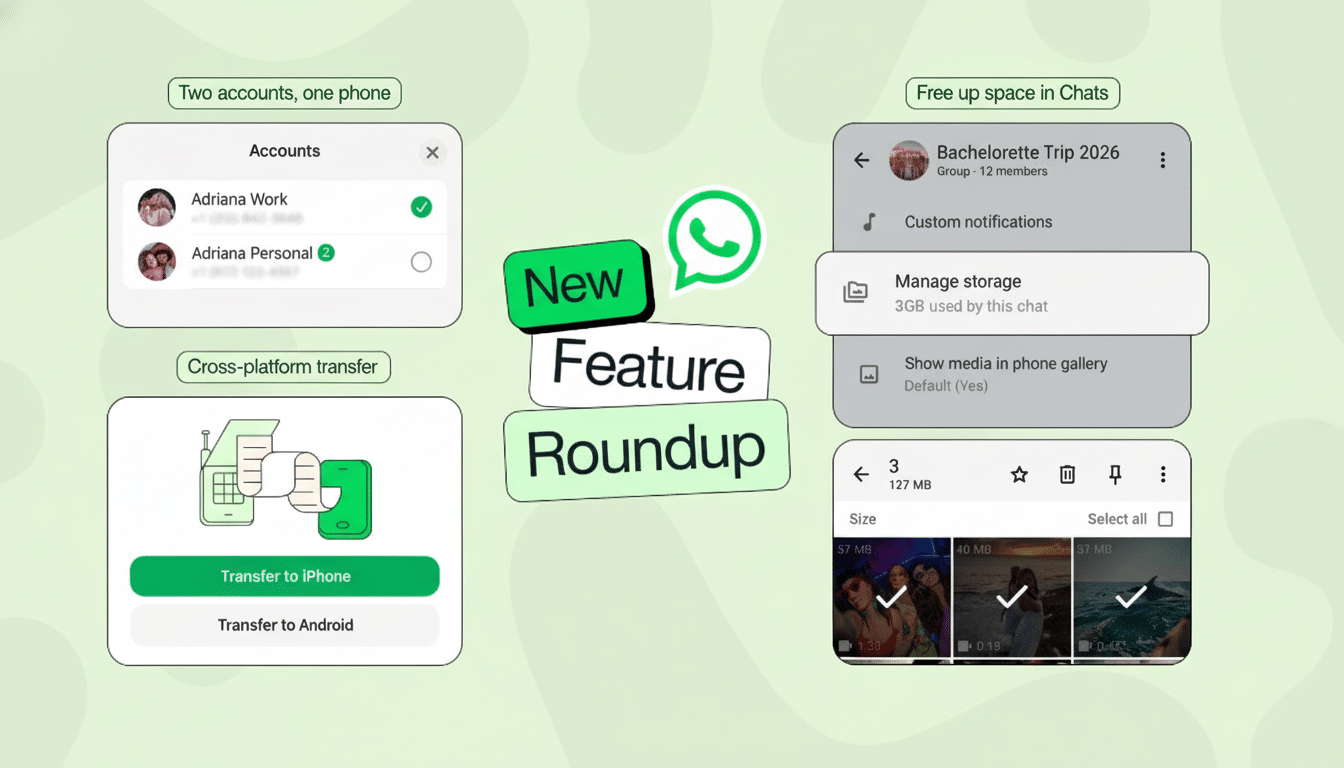
Dual-account support matters because many modern iPhones support multiple lines via eSIM, and global users often carry separate numbers for travel or regional messaging groups. With more than 2 billion people on WhatsApp worldwide, according to Meta, even small friction in account switching adds up to billions of interrupted moments each day.
How to set up a second number on WhatsApp for iPhone
In WhatsApp for iPhone, head to Settings and look for the option to add an account. You’ll need a second phone number that can receive SMS or a verification call; it can be an eSIM on the same iPhone or a number on another device you can access briefly. After verification, you can swap accounts from your profile with a single tap.
Notifications and badges reflect account context, and you can customize alerts per account to keep work pings from bleeding into personal downtime. If you previously used WhatsApp Business solely to split numbers, this built-in approach may simplify your setup—though Business-specific tools like product catalogs and labels still make sense for merchants.
AI Writing Help and Photo Touch-Ups arrive on iPhone
Meta’s new Writing Help icon—a pencil tucked between emoji and GIF options—offers three suggested replies the moment you tap it. You can cycle through tones such as Funny, Professional, or Supportive, then tweak wording before you hit send. It’s designed for those countless “got it” and “running late” moments, but it can also help rephrase sensitive messages more clearly.
AI also arrives in the camera roll: touch-ups can remove unwanted background objects, swap out a backdrop, or apply filters, all inside WhatsApp’s share sheet. These edits target the everyday realities of messaging—group-event photos with photobombers, quick product shots for a marketplace listing, or cleaning up a dimly lit receipt before sending it to a colleague.

WhatsApp says end-to-end encryption remains in place for your conversations, and that the AI features are optional. As with most assistive tools, suggestions are generated on demand and you decide what gets sent, which keeps control in the user’s hands.
Smarter transfers and storage controls in WhatsApp
To smooth device upgrades, Chat Transfer now supports moving your message history, media, and settings between iOS and Android. That’s a meaningful change as more users toggle between platforms; industry trackers have reported steady growth in eSIM adoption and cross-platform churn, and messaging continuity is often the make-or-break factor when switching phones.
A new Manage Storage option per conversation helps tame ballooning chats. You can bulk-delete large videos or forwarded files without touching important messages. Sticker search also gets smarter with suggestions that surface while you’re browsing emoji, cutting down the hunt for that just-right reaction.
Why it matters for work and privacy on iPhone
Dual accounts bring iPhone users closer to the way people actually communicate: one identity for family and friends, another for clients, communities, or travel. It can reduce context switching and notification fatigue, especially for freelancers and small-business owners who live inside messaging threads.
On the AI side, the value proposition is time. Even trimming 5 to 10 seconds per reply compounds across dozens of daily check-ins. Research from multiple productivity analyses shows small reductions in response latency can raise overall throughput, and messaging is often where work actually happens. The caveat: organizations with strict data policies will want clarity on administrative controls before broadly enabling AI features.
When you will get it on WhatsApp for iPhone
WhatsApp is rolling out these capabilities in phases. If you don’t see the second-account option or Writing Help yet, keep an eye on the App Store and in-app settings; server-side switches often lag a client update by a few days. Once live, these upgrades collectively make WhatsApp on iPhone feel less like a single-number chat app and more like a flexible, AI-assisted communications hub.

