


If you administer Linux systems, there’s one command that will quietly handle most account changes without making a scene: usermod It modifies the local databases of canonical accounts on a host, and in careful hands can save time, avoid errors, and maintain access consistent with policy.
What usermod actually changes
usermod is used to modify entries in /etc/passwd, /etc/shadow, and group files for local users. That’s because it can alter a login name, a home directory, a login shell, an account expiration or group memberships. On machines connected to AD/LDAP with SSSD, usermod only affects local accounts; directory users have to be modified centrally, and this nuance is highlighted in both Red Hat and Debian administration guides.
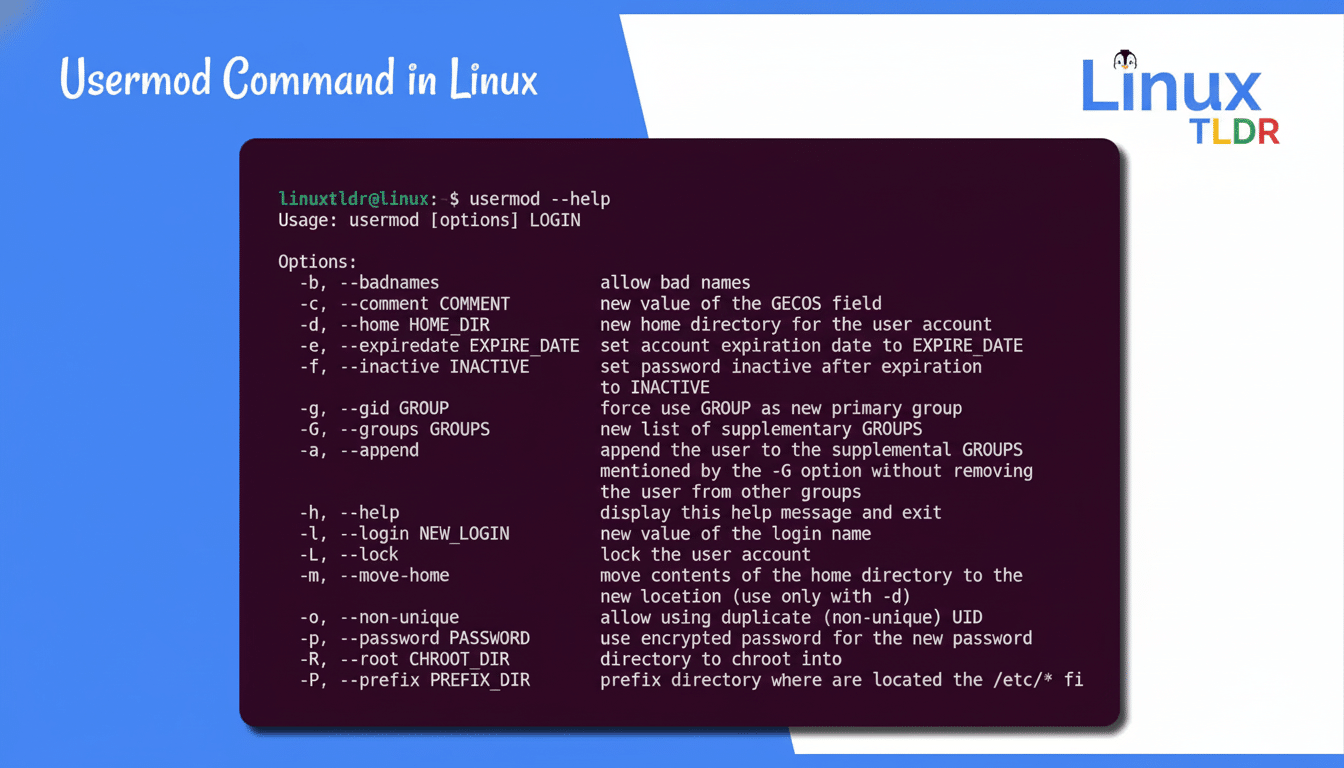
Add identity information -c
The “GECOS” field has some useful metadata. If you want to include a description and contact information, add an argument for the -c option as in sudo usermod -c “Marketing contractor” jdoe. Service desks and auditors benefit when descriptions are easy to understand, clear and consistent because this simplifies the process of mapping people to privileges. SANS Institute’s information security organisation SANS Institute says weak account attribution is often an underlying infirmity in access reviews.
Rename users—and their homes—safely
Renaming a login is easy: sudo usermod -l samantha sam. It only changes the username, but not their home directory. So that the home’s moved, too: make sure the user is logged out and then: sudo usermod -d /home/samantha -m samantha. The -m flag, it moves the files to the new path.
Two free tips for you: kill any long-running sessions by running loginctl terminate-user sam before the change, and on SELinux-enabled systems restore labels with sudo restorecon -R /home/samantha. Both are to avoid later subtle permissions problems.
Lock and Unlock accounts using -L and -U
Temporary access hold? Lock the account: sudo usermod -L jdoe. Unlock as required: sudo usermod -U jdoe. These operations update the password entry in /etc/shadow (adding or removing a “!”), like passwd -l/-u. Locking is recommended by NIST recommendations for dormant accounts and during ongoing investigations.
Specify automatic expiration with -e
For contractors and freelancers, give a specific end date so it’s not up to your memory: sudo usermod -e 2025-10-31 tempuser. To clear expiration: sudo usermod -e “” tempuser. chage -l tempuser For all of an account’s aging information at once, chage -l tempuser is a useful check. Automating turnover controls is consistent with typical CIS Benchmarks for Linux.
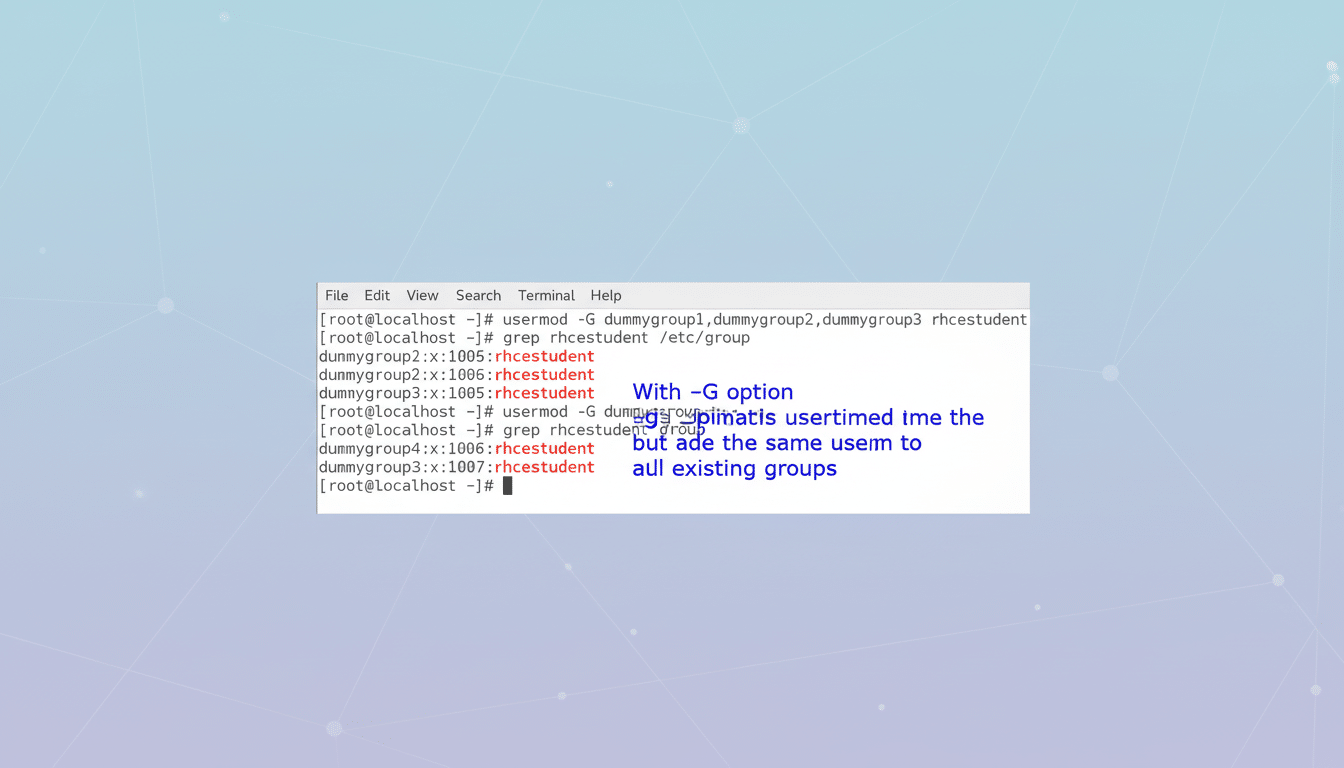
Reassign group memberships
For additional groups the most safe pattern is: sudo usermod -aG docker,video jdoe. Never forget -a; it replaces the complete list of supplementary groups without it and that is a common reason for losing access. To change the primary group, sudo usermod -g editorial jdoe.
Realworld example: hundreds of teams add users to the docker group so that they don’t have to sudo every time they need a container-related command. The Docker maintainers note that being a member of the docker group grants root-equivalent permissions, therefore you should limit and periodically audit membership.
Change the login shell using -s
First make sure that the target shell is allowed: cat /etc/shells. Then make it so: sudo usermod -s /usr/bin/zsh jdoe. This is better than hand-editing passwd, and it prevents typos from causing logins to stop working, but that’s about it.
Verification and safety checklist
“Before any substantial changes, I would recommend backing up everything: sudo cp /etc/{passwd,shadow,group,gshadow} /root/backup/. Verify the integrity of the database file with pwck and grpck. After changes, test with getent passwd jdoe as well as id jdoe. If a user is unable to access new groups immediately, have them initiate a new login session; on systems with systemd-logind, even re-logging in is a fairly reliable way of refreshing.
For a fleet, wrap usermod in config management (e.g. ansible/puppet/salt) so that there is desired state and ability to roll it back. The Linux Foundation estimates that Linux serves as the basis for more than 90% of public cloud workloads, and at that scale, it’s critical to have repeatable account hygiene to satisfy SOC 2 and ISO 27001 controls.
Bottom line
usermod is local admin’s scalpel: it’s accurate, scriptable, and more secure than hand-editing. Be you renaming a user, setting an expiration, or un-dinging your group access, learn the flags and check each change, and you’ll keep Linux logins tidy, regulatory friendly, and disruption free.
