


I have walked past more gargantuan screens and concept cars than I can remember, but the accessory that stayed with me was nestled away in a corner of the show floor: a pocketable MagSafe game controller which snaps onto your phone and springs into life when you flick it.
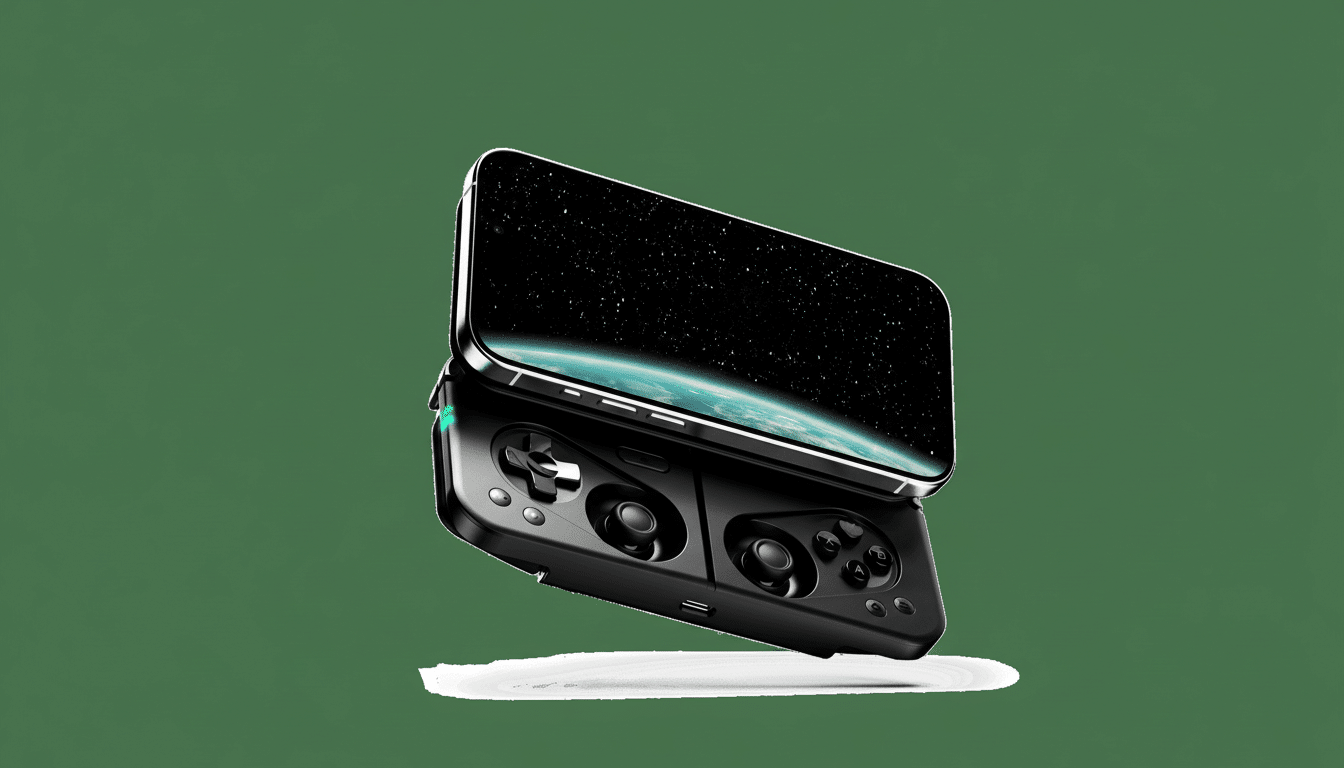
It’s the Ohsnap Mcon, and it transforms a sheet of glass into a handheld console in seconds.
- An Interesting Take on MagSafe Gaming for Phones
- A Design That Works to Solve Real Problems
- Why the Timing Is Right for a Magnetic Phone Controller
- Hands-On Impressions After Brief CES Show Floor Demos
- Price and Availability for the Ohsnap Mcon and Dock
- The Bottom Line on the Ohsnap Mcon MagSafe Controller
An Interesting Take on MagSafe Gaming for Phones
It’s a thin magnetic plate at first glance. Slap it to an iPhone’s MagSafe ring — or a Qi2-capable Android phone or magnetic case of the sort popular in Korea and Japan — and push away. An array of thumbsticks and buttons folds out to reveal a control system which is closer to that of a standalone handheld device than a clip-on accessory. It’s like a Sidekick-meets-PSP Go, only with the screen and compute power gleaned from the phone you already own.
The concept is refreshingly straightforward: leave the task of mounting to magnetic alignment, and deliver real travel-worthy controls without a bulky cradle or clamp taking up space. Whereas so many of the mobile controllers either lock you to your phone with a rigid bridge or need you to have an additional Bluetooth pad, the Mcon keeps everything perfectly centered and in balance, and that is important when you’re playing through commuting RPGs on transit or running through a few quick rounds on stream from the couch.
A Design That Works to Solve Real Problems
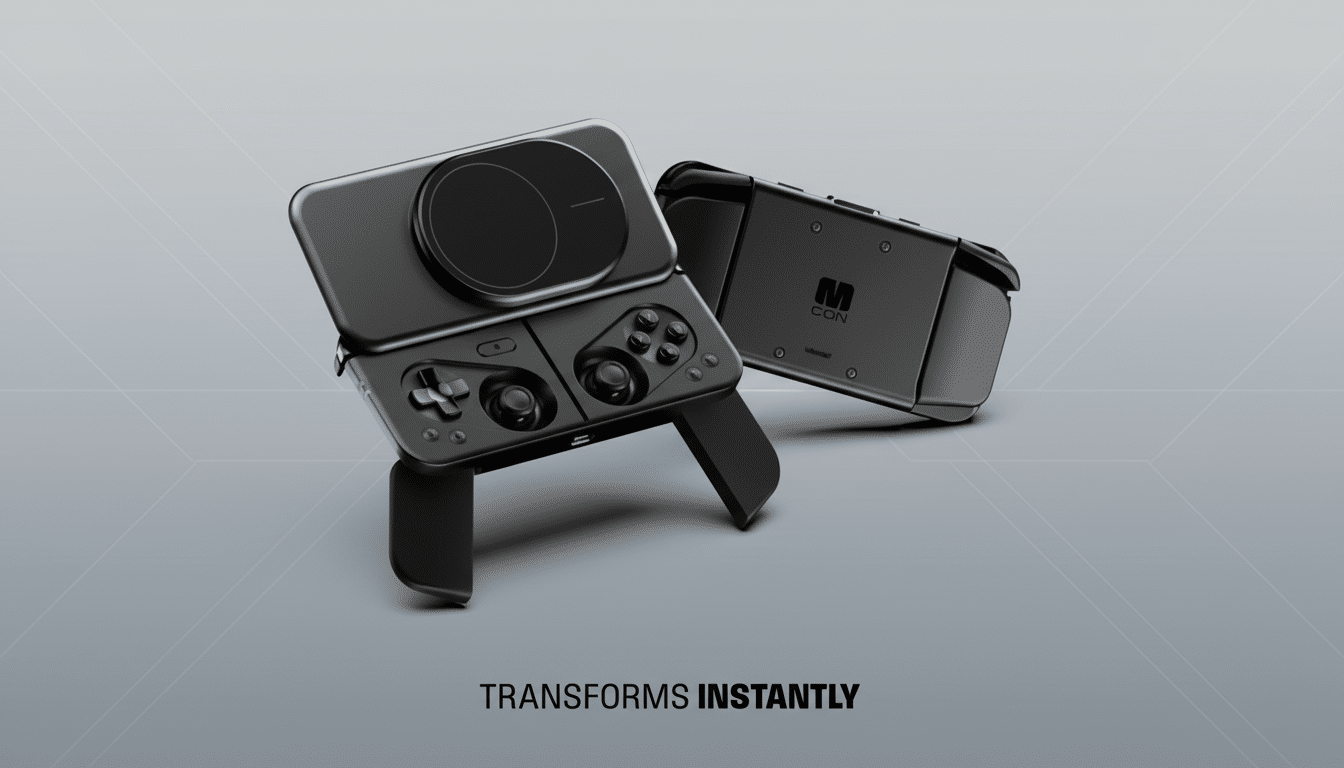
There are little design choices that make it feel like an accessory, not a gimmick. Fold-out grips slide out from the sides to make it more comfortable for marathon sessions, and there’s a built-in kickstand so you can prop up your phone if you’d prefer to play detached from the faceplate on a table. It’s that flexibility that clamp-style offerings like Backbone or Kishi can’t come close to replicating.
There’s an optional dock as well, a no-frills $70 add-on that will mirror your phone onto a TV or monitor and allow you to sit down and play from the couch in the living room. It’s a cool application of the same magnetic interface — dock the phone, have it controlled by the Mcon, and you’ve got yourself a living-room gaming system without needing an actual console. For a device designed for cloud gaming or local streaming from a PC, this installation process feels dead-simple and apartment-friendly.
It’s a solid magnet, too, without being locked in. Quick to detach so you can jump between gaming and the real world without spinning the phone around in a death grip. That reduces friction that often relegates mobile controllers to drawers rather than bags.
Why the Timing Is Right for a Magnetic Phone Controller
Mobile gaming isn’t a niche size of the market, it’s now the market. Market research firm Newzoo (which also recently reversed a decision to provide free access to their reports to our readers due to the massive increase in demand) puts phones at about half of global games’ revenues, and that share has remained strong as chips close the gap between consoles in terms of effects and pacing. And meanwhile, the Wireless Power Consortium’s Qi2 standard is spreading MagSafe-style magnetic alignment to a widening variety of Android devices, lessening the same iPhone-only issue that limited magnetic accessories in the past.
Throw in the assimilation of cloud services and phone-based emulation, and the case for superior controls is pretty clear. Whether you’re playing native titles, streaming from a PC or console, or sucking down services from Nvidia or Microsoft, the GPU bottleneck is frequently not compute, it’s input. The Mcon’s trick, I guess, is that it feels so close to console quality while still honoring the one thing a phone handles so perfectly: portability.
Hands-On Impressions After Brief CES Show Floor Demos
In brief sessions on the show floor, the controller’s ergonomics packed a punch beyond its physical size. Joysticks were travel-tuned enough for pinpoint aiming, and face buttons hit where my thumbs wanted them to. The magnetic mounting kept weight evenly distributed, so I didn’t have to wrestle with the top-heaviness of clip-on rigs. It was quick to pair and hop between games, though not so much that I noticed the accessory — always a good sign.
There are trade-offs, of course. Purists might prefer the locked-in, zero-wobble sensation of a fixed bridge connection via USB-C or Lightning. But with its blend of speed, convenience, and portability, the Mcon is still a strong advocate for most instances of short-burst or on-the-go gaming.
Price and Availability for the Ohsnap Mcon and Dock
The Mcon has an expected retail price of $150, and the optional screen-mirroring dock will cost $70. That places it above generic Bluetooth pads but below the price of a standalone handheld. Fuel a raw, off-grid escape with instant music (they take about 10 seconds to go from folded up to ready for headphones), whether super close to civilization or way out in the backcountry. Though structurally unsound as kickstands if not deployed toward you (go ahead, try it at home), they are engineered every which-a-way more: collapsible mechanism within magnet system surrounded by grips and then topped with a stand; so they feel priced right to turn that novelty into a daily-carry partner.
The Bottom Line on the Ohsnap Mcon MagSafe Controller
CES is a time for flash, prototypes, and incremental improvements. The Ohsnap Mcon is superior because it just does what you ask. It piggybacks the MagSafe and Qi2 momentum, acknowledges mobile play as it is rampant today, and elevates any phone to a legitimate handheld without adding bulk. If you’ve been waiting for a controller that you’ll actually bring with you, this unassuming contender might be the one to break free from the junk drawer.
