


Introduction
As the holiday season approaches, one of the best ways to spread holiday cheer is through captivating video content. Whether for social media, personal use, or marketing campaigns, video has become the go-to medium for engaging audiences. From heartwarming holiday greetings to creative Christmas ads, video content stands out across platforms.
However, creating professional videos often requires a significant investment of time and skill, deterring many from pursuing their creative ideas. Thankfully, the rise of AI video generators has made video production both easy and efficient. Today, I’d like to introduce you to a powerful AI video creation tool: insMind’s AI video generator. Whether you’re a seasoned creator or a complete beginner, insMind makes it easy to turn your holiday ideas into vibrant, engaging videos that truly stand out..
- Introduction
- How to Create Christmas Videos with AI on insMind: A Step-by-Step Guide
- Step 1: Open insMind’s AI Video Generator
- Step 2: Choose Your Video Model and Configuration
- Step 3: Select Your Video Generation Mode
- Step 4: Preview and Download Your Creation
- Real Christmas Use Cases: How People Are Using insMind to Stand Out This Holiday Season
- 1. Turn Yourself Into Santa
- 2. Join Santa on the Dance Floor (Dancing with Santa)
- 3. A Heartwarming Gift Moment
- Key Features of insMind’s AI Video Generator
- Conclusion
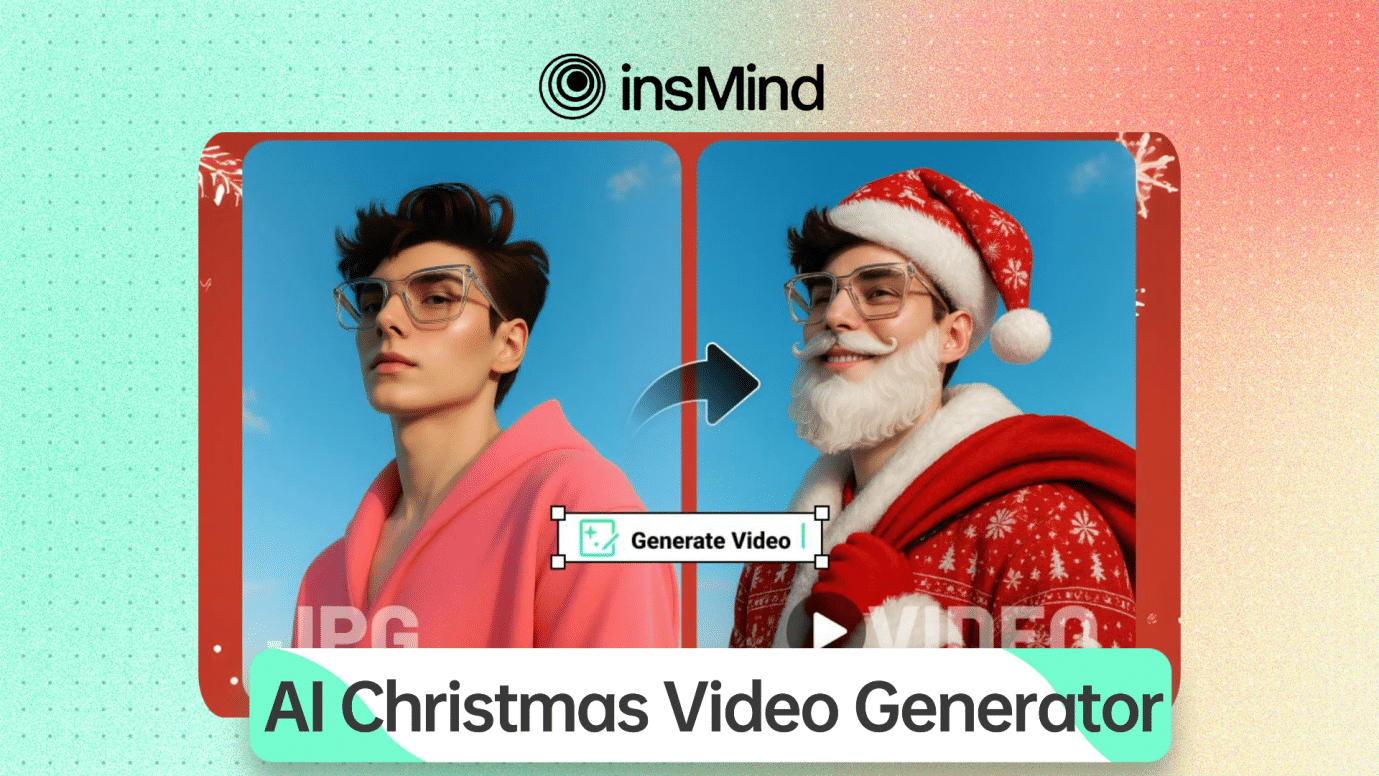
How to Create Christmas Videos with AI on insMind: A Step-by-Step Guide
Creating a festive Christmas video using AI has never been easier. Follow this simple guide to bring your holiday ideas to life!
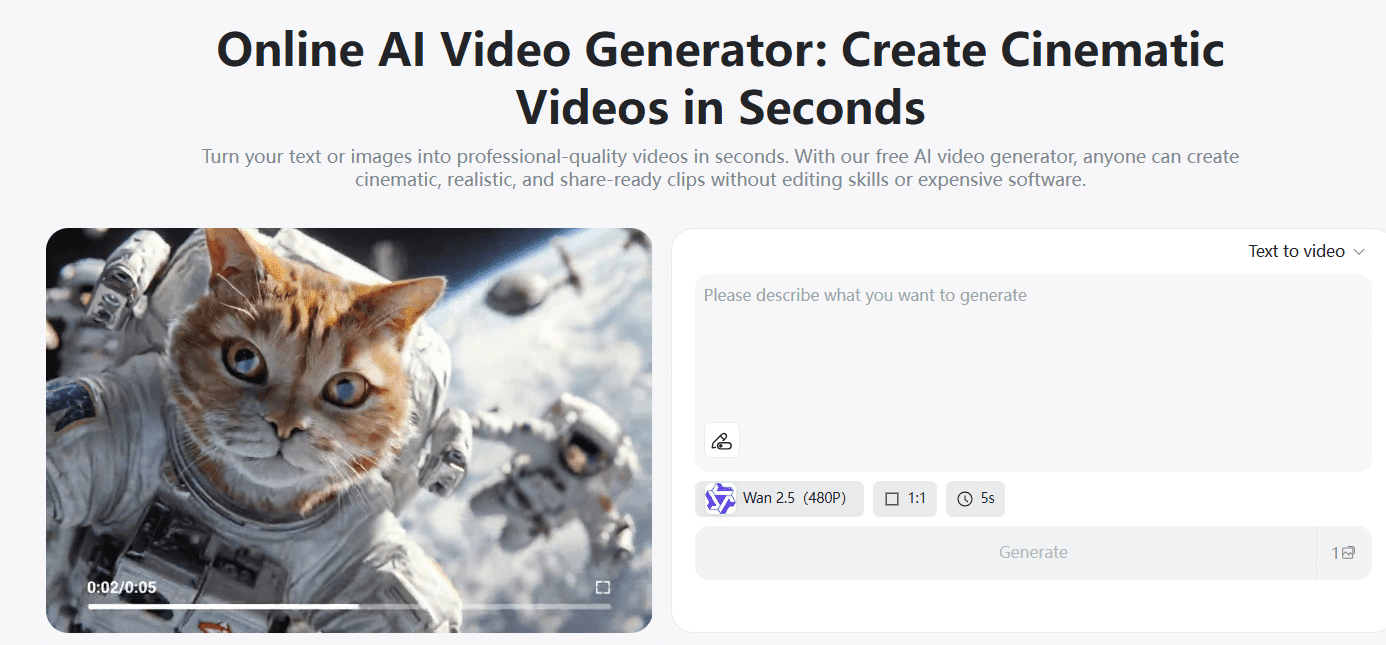
Step 1: Open insMind’s AI Video Generator
To start, navigate to insMind’s AI video generator page. The platform is designed to be user-friendly, allowing you to get started right away. No technical expertise is needed, making it the perfect solution for anyone—whether you’re a marketing professional or just someone looking to create a fun holiday video for friends and family.
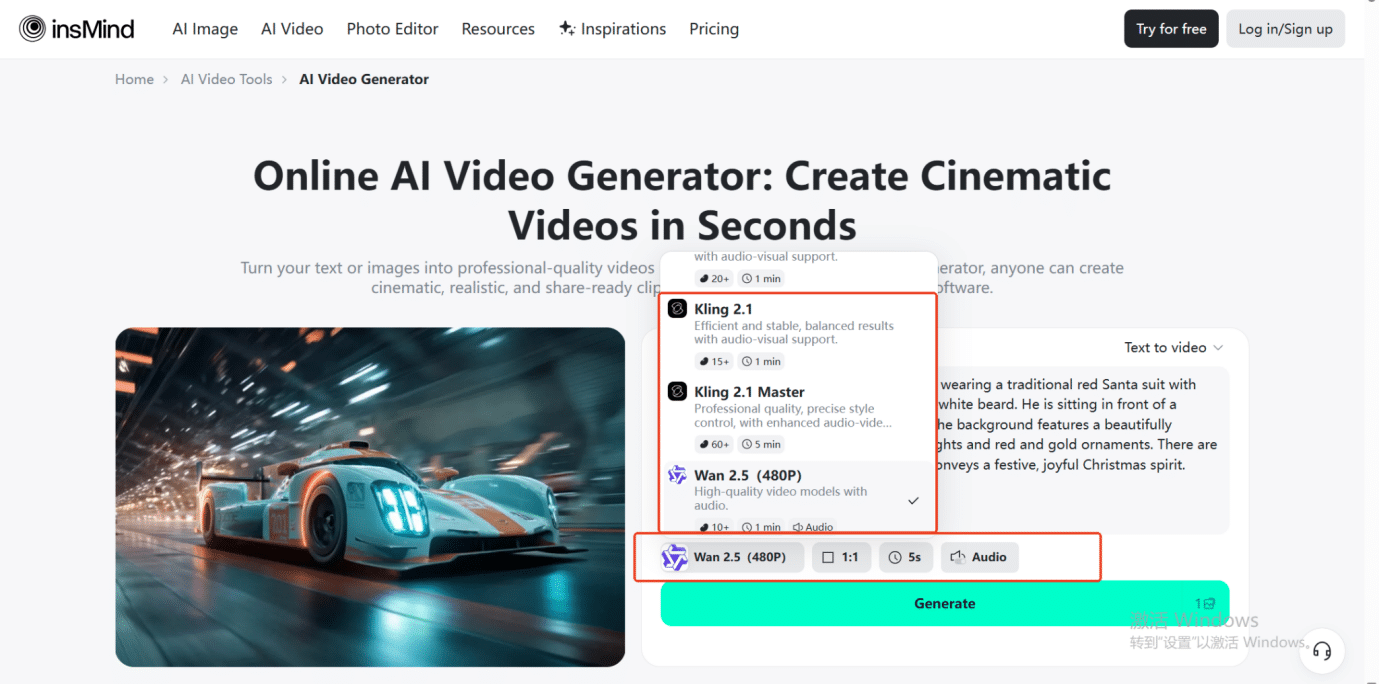
Step 2: Choose Your Video Model and Configuration
Once you’re on the platform, it’s time to choose the video model that best fits your vision. For example, you can opt for models like wan2.5, hailuo2.3, or kling2.5—each offering a unique style and tone for your video. From there, customize the video settings such as length, ratio, and aspect to ensure your video looks just right. Whether you want a short, snappy video or a longer, more detailed one, insMind gives you full control.
Step 3: Select Your Video Generation Mode
insMind offers a variety of generation modes to make your video even more personalized:
- Text-to-Video: Simply enter a text prompt describing the video you want, and the AI will generate a corresponding video based on your description. This is perfect if you want a specific scene or theme for your Christmas video.
- Image-to-Video: Upload a holiday image, such as a picture of yourself, and let the AI turn image into video. This is a fantastic way to transform your holiday photos into festive video content.
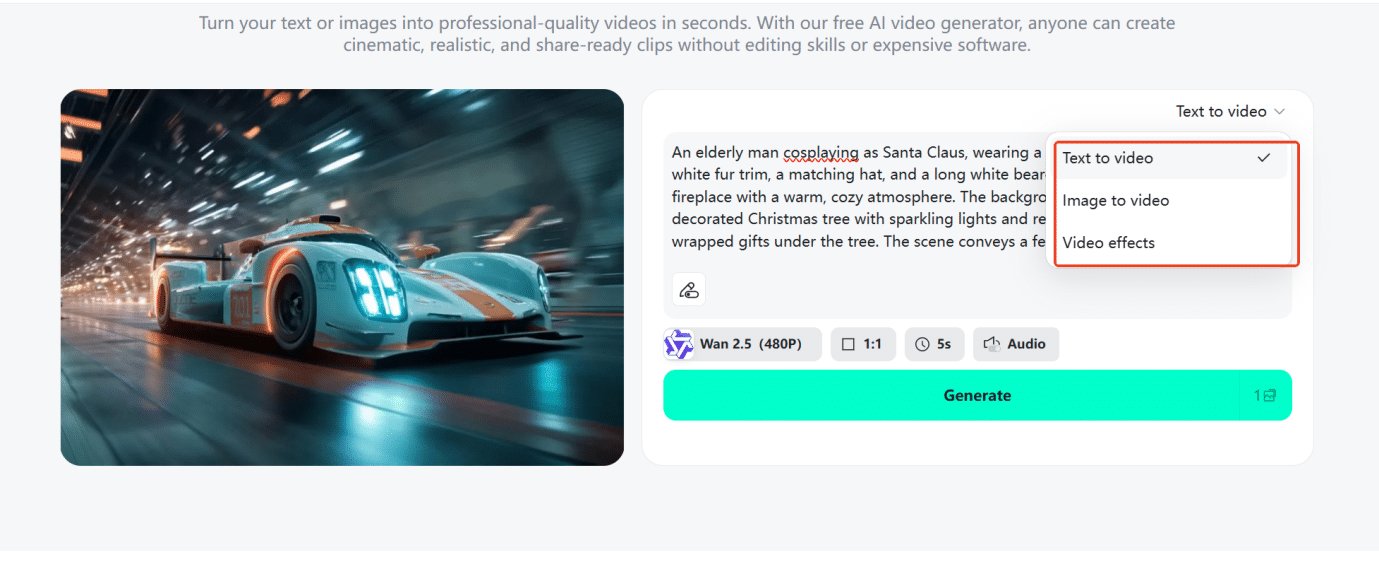
Once you’ve chosen the generation mode, click Generate, and let the AI handle the rest!
Step 4: Preview and Download Your Creation
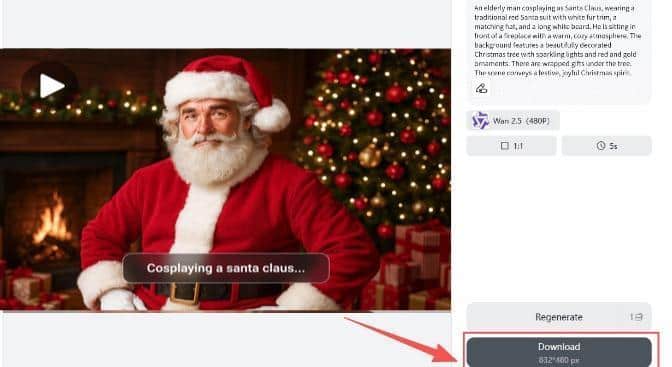
After the AI generates your video, it’s time to preview it. You can review the video to ensure it meets your expectations. If you’re happy with how it looks, simply click Download to save your festive masterpiece. Your video is now ready to share on social media, your website, or with friends and family.
Real Christmas Use Cases: How People Are Using insMind to Stand Out This Holiday Season
One of the best things about insMind’s AI video generator is how effortlessly it adapts to real-life holiday moments. Whether you’re creating content for fun, for family, or for your brand, insMind helps you turn simple ideas into festive videos that truly shine. Here are some popular ways users are already using insMind to make their Christmas unforgettable:
1. Turn Yourself Into Santa
Ever wondered what you or your kids would look like dressed as Santa—without buying a full suit?
With insMind’s Santa’s Costume effect, all you need is a photo. Upload your picture and instantly transform yourself into a cheerful Santa, complete with the iconic red suit, white beard, and holiday charm.
Perfect for:
- Personalized Christmas greetings
- Fun family content
- Office holiday newsletters
- Social media posts that actually get reactions
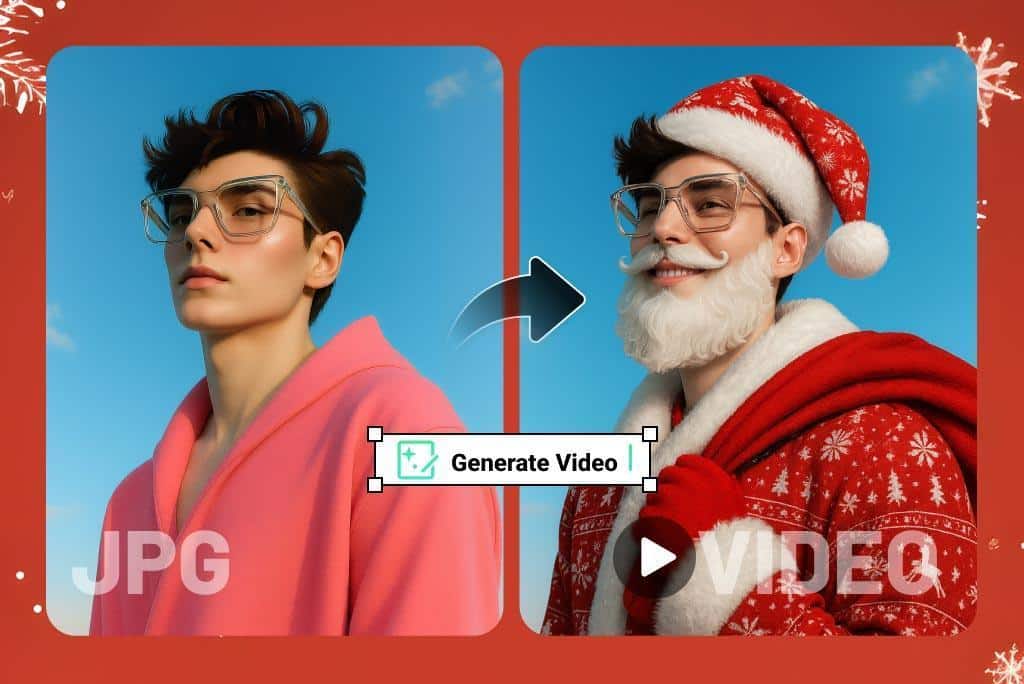
It’s an easy, playful way to spread joy and stand out with something truly unique.
2. Join Santa on the Dance Floor (Dancing with Santa)
Want a video that instantly puts people in a good mood?
With the Dancing with Santa effect, you can upload your photo and watch yourself dancing alongside Santa in a festive, lively Christmas scene. It’s one of the most engaging ways to create holiday videos that your friends—or your followers—will absolutely love.
Perfect for:
- Instagram Reels or TikToks
- Holiday party invitations
- Brand social content
- Light-hearted videos that make people smile
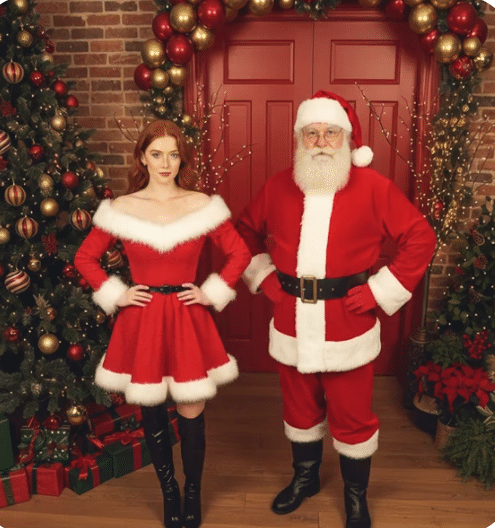
It’s hard not to share something this fun.
3. A Heartwarming Gift Moment
If you’re looking for something more heartfelt, the Christmas Gift Giving effect turns your image into a warm, emotional holiday scene. Whether it’s for your partner, kids, customers, or community, this effect captures the genuine spirit of Christmas—giving, connection, and gratitude.
Perfect for:
- Anniversary or family videos
- Customer thank-you messages
- Holiday product promotions
- Classroom or community holiday projects

It’s a powerful way to create meaningful content that resonates.
Key Features of insMind’s AI Video Generator
- Multiple AI models: Choose from a range of video styles, from playful and fun to elegant and professional.
- Versatile video modes: Whether you’re working with text, images, or photos, insMind’s AI accommodates various ways of generating videos. Transform an image into a video, or use a photo to create a video with effects. The possibilities are endless!
- Customization options: Adjust settings like length, aspect ratio, and more to ensure your video matches your exact needs.
- Easy preview and download: Once your video is ready, preview it and download the high-quality version in seconds. Perfect for sharing across all your platforms.
Conclusion
This Christmas, let insMind’s AI video generator help you create unforgettable holiday videos. If you want to create a photo to video transformation , insMind’s AI technology makes it quick, easy, and fun. With customizable options, high-quality results, and no need for complex editing skills, you can create professional-looking videos that will wow your audience—without the hassle.
Ready to bring your holiday ideas to life? Try insMind’s AI video creation tool today and see how you can stand out this Christmas!
