


Samsung is facing fresh scrutiny from Android power users after reports surfaced that some Galaxy phones may not enable full Ultra-Wideband support for third-party tracker tags. Complaints center on precision finding and augmented reality overlays—features that work with Samsung’s own SmartTag models but appear inconsistent with competing tags such as Motorola’s Moto Tag.
What Users Are Reporting About Third-Party UWB Support
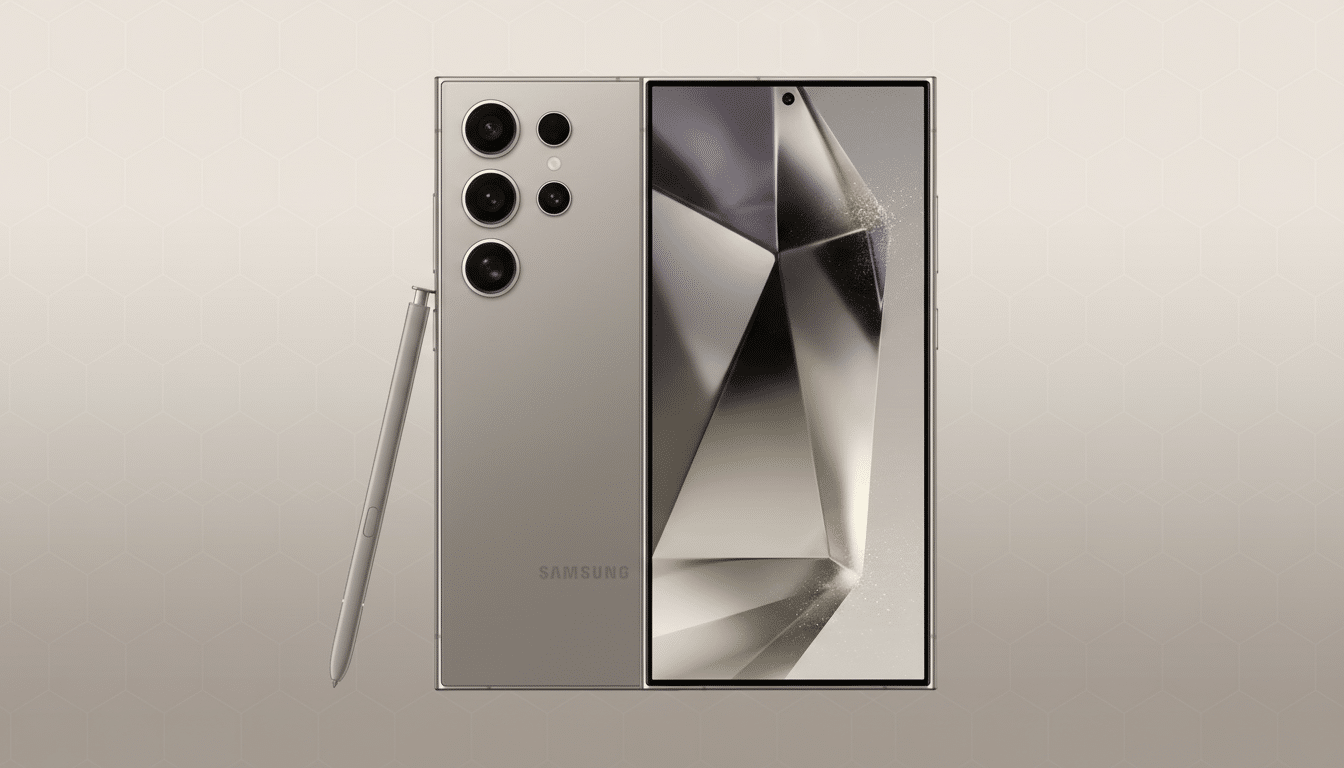
Posts circulating on Reddit describe a Galaxy S24 Ultra falling back to a so-called “UWB Lite” mode when paired with non-Samsung trackers, stripping out directional arrows, distance readouts, and AR guidance that normally make close-range recovery effortless. In contrast, Samsung’s first-party tags reportedly deliver the full experience.
The story isn’t uniform, though. Other Galaxy owners say their third-party UWB tags do provide precision finding, and several point to a workaround: uninstalling and reinstalling Google’s Find Hub system component and ensuring all related services are up to date. That split verdict—some devices working perfectly, others not—has fueled debate over whether the issue is intentional policy, an app-level mismatch, or a configuration glitch.
How UWB Actually Works on Android Phones Today
UWB is a short-range radio technology standardized by the FiRa Consortium that enables highly accurate ranging—down to tens of centimeters—by measuring time-of-flight and angle between devices. On Android phones, UWB capabilities are exposed through system frameworks and Google Play services, while apps like Find My Device or SmartThings translate those raw measurements into an on-screen arrow, distance, and optional AR overlay.
There’s an important ecosystem wrinkle. Google’s Find My Device network supports a growing roster of trackers, but only a subset ship with UWB hardware. Motorola’s Moto Tag is one of the few Find My Device accessories advertising UWB-based precision finding. Samsung, meanwhile, runs its own SmartThings Find experience for its SmartTag line, and its phones include UWB hardware on select models such as the Galaxy S24 Ultra and earlier Ultra/Plus devices.
Restriction or Rough Edges in Galaxy UWB Support
Is Samsung deliberately limiting third-party UWB tags? There are three plausible explanations—and only one would point to intentional gating:
- Policy or allowlisting: Precision finding and AR overlays can be toggled by software capability flags. If Samsung’s UWB stack or UI is configured to enable advanced visual guidance only for SmartTag models, that would look like a deliberate restriction, even if the underlying UWB radio is available system-wide.
- Implementation mismatches: UWB ranging profiles and permissions are nuanced. If a tag’s firmware, the phone’s UWB stack, and Google’s Find Hub aren’t perfectly aligned on capabilities (for example, angle-of-arrival versus distance-only ranging), the experience can degrade to a “lite” mode without malice involved.
- Setup or service conflicts: Because precision finding is delivered by a chain of components—phone firmware, Google Play services, Find Hub, the tracker’s companion app—any outdated module or revoked permission can quietly disable AR guidance. The fact that some users restored full features by reinstalling Find Hub suggests at least part of the issue lies in software state and not pure hardware blocking.
As of publication, Samsung has not publicly confirmed any policy limiting UWB features for third-party accessories. Standards bodies like the FiRa Consortium define interoperability, but OEMs still decide how deeply to integrate features into their own apps and UI. That leaves room for both innocent fragmentation and strategic product differentiation.
Real-World Signals From the Android UWB Ecosystem
Mixed outcomes on Galaxy devices mirror the broader state of UWB on Android: powerful but still maturing. Developers note that Android’s UWB APIs and companion Jetpack libraries continue to evolve, and that AR layers depend on camera frameworks and device calibration. In practice, that means precision features can vary by phone model, firmware build, and even regional variants—conditions ripe for confusion when a third-party tag promises “UWB support” but the receiving device handles it inconsistently.
Contrast that with tightly controlled vertical stacks: Apple’s AirTag leverages UWB across a narrow device family with uniform system apps, minimizing fragmentation. On Android, multiple vendors, networks, and UI layers share the load, creating more edge cases—even when everyone is playing fair.
What Galaxy Owners Can Try Now to Fix UWB Issues
- Update everything: Check for One UI and firmware updates, update Google Play services, Find My Device, and the Find Hub component.
- Verify UWB and permissions: On your Galaxy, ensure UWB is enabled in Connection settings, grant Nearby Devices and Location permissions to Find My Device and the tracker’s companion app, and enable camera access for AR overlays.
- Refresh services: Uninstall updates to Find Hub or clear its cache, then reinstall or let it update. Several users report this restores precision finding.
- Re-pair the tag: Reset the tracker and pair it again, making sure you’re using the intended network (Google’s Find My Device versus SmartThings, depending on the product).
The Bottom Line on Third-Party UWB Support for Galaxy
There’s credible smoke but no definitive fire. User reports suggest third-party UWB tags can deliver full precision finding on Galaxy phones, yet some devices fall back to a limited mode that looks indistinguishable from a restriction. Until Samsung clarifies how it enables AR guidance for non-SmartTag accessories—or a consistent fix emerges—the fairest reading is that Android’s UWB ecosystem is still ironing out interoperability, with just enough leeway for OEMs to favor their own gear.
